
Introduction
Thank you for choosing the HOMCOM CD/DVD Storage Shelf. This versatile media storage unit is designed to help you organize your CD, DVD, Blu-ray, and video game collections efficiently. With adjustable shelves and a robust construction, it provides a practical solution for any home or office environment. Please read this manual carefully before assembly and use to ensure safe and optimal performance of your product.
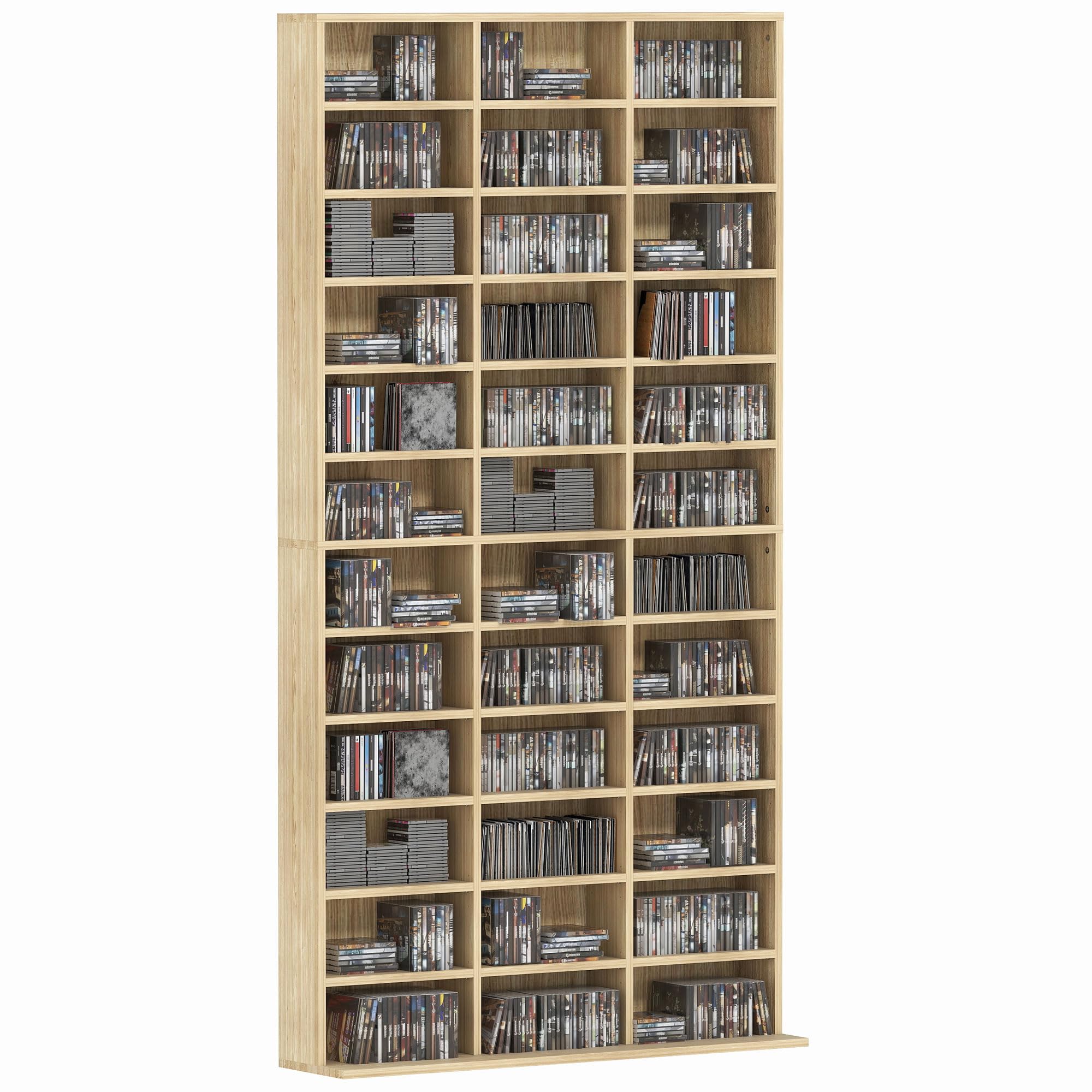
Image: Fully assembled HOMCOM CD/DVD storage shelf, showcasing its capacity and design.
Safety Information
Important: Always adhere to the following safety guidelines to prevent injury or damage to the product.
- Anti-Tipping Device: This furniture must be securely fixed to the wall using the provided anti-tipping device. This is crucial for safety, especially in households with children or pets.
- Weight Capacity: Do not overload the shelves. The maximum total load capacity is 50 kg (110 lbs). Each individual compartment has a minimum weight capacity of 1.5 kg (3.3 lbs). Exceeding these limits can compromise stability and safety.
- Assembly: Assembly should ideally be performed by two people to ensure stability and prevent damage during construction.
- Placement: Place the unit on a flat, stable surface. Avoid placing it in areas with high humidity or direct sunlight.
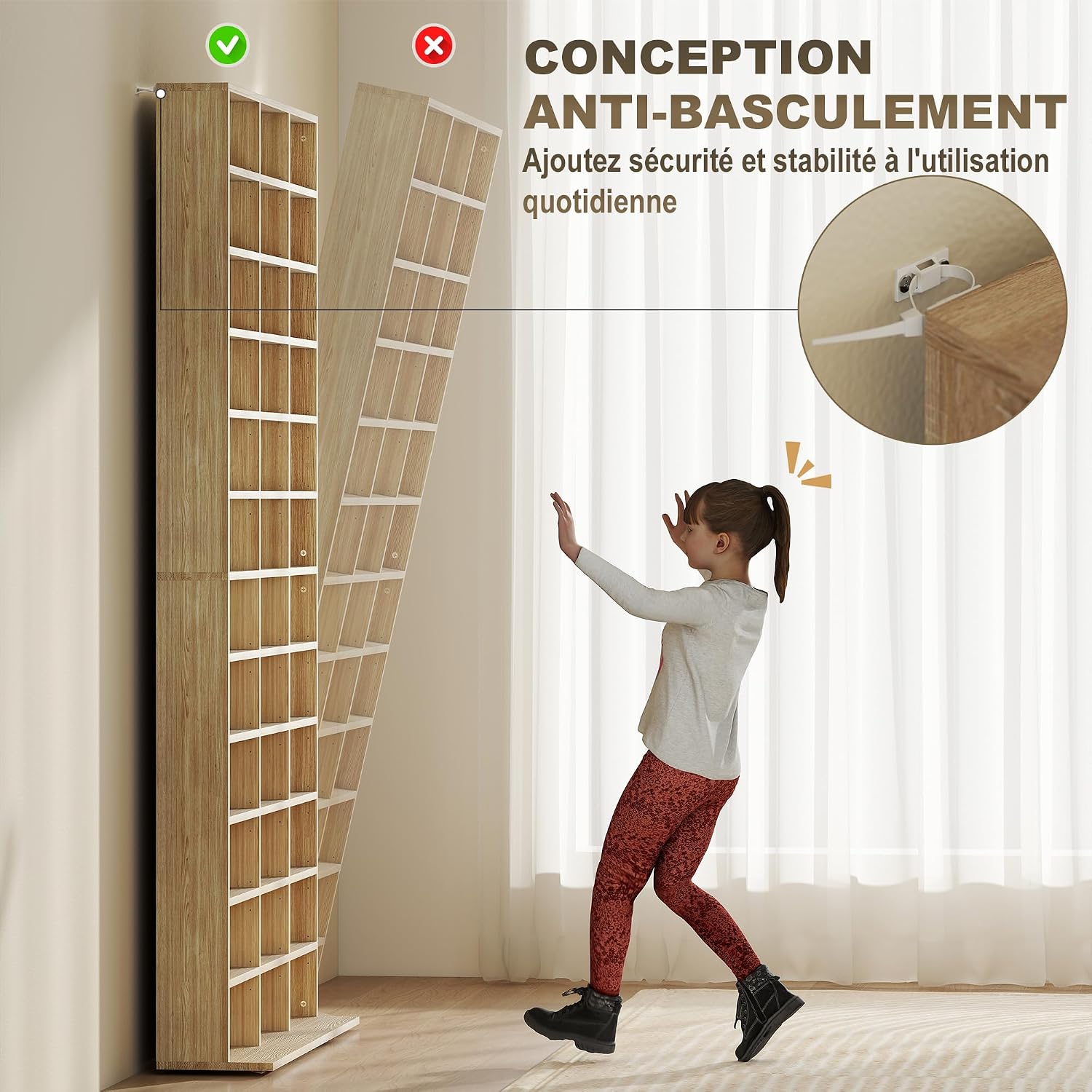
Image: Illustration of the anti-tipping design, showing how to secure the shelf to the wall for enhanced safety.
Setup and Assembly
Your HOMCOM CD/DVD Storage Shelf requires assembly. Please follow the illustrated assembly instructions provided in the package. Ensure all components are present before beginning.
Required Tools (Not Included):
- Screwdriver (Phillips head recommended)
- Hammer (for dowels, if applicable)
- Drill (for wall mounting anti-tip device)
- Level
Assembly Steps:
- Unpack and Verify: Carefully unpack all components and compare them with the parts list in the assembly manual. Report any missing or damaged parts immediately.
- Assemble Frame: Follow the diagrams to connect the main side panels and back panel. Ensure all screws and dowels are securely fastened.
- Install Fixed Shelves: Attach any fixed shelves as indicated in the instructions.
- Insert Shelf Pins: Place the adjustable shelf pins into the desired holes. The shelves can be adjusted to 3 different levels to customize compartment sizes.
- Place Adjustable Shelves: Carefully place the adjustable shelves onto the pins.
- Attach Anti-Tipping Device: Securely attach the anti-tipping device to the top rear of the unit and then to a solid wall stud or appropriate wall anchor. This step is critical for safety.

Image: Detail showing the adjustable shelf mechanism, allowing for flexible compartment sizing.
Operating and Usage
The HOMCOM CD/DVD Storage Shelf is designed for organizing various media items. Its adjustable shelves allow for flexible storage configurations.
- Capacity: The unit can hold up to 1116 CDs or 528 DVDs, depending on your chosen shelf configurations.
- Adjustable Shelves: To adjust a shelf, carefully remove the items, lift the shelf, reposition the pins to the desired height, and then place the shelf back onto the pins. Ensure the pins are fully inserted and the shelf is level before placing items back.
- Organization: Utilize the multiple compartments to categorize your media collection for easy access and a tidy appearance.

Image: Example of the large storage capacity, showing the shelf filled with various media and decorative items.
Maintenance
To maintain the appearance and longevity of your storage shelf, follow these simple maintenance guidelines:
- Cleaning: Wipe the surfaces with a damp cloth. Avoid using harsh chemicals or abrasive cleaners, as they may damage the melamine finish.
- Dusting: Regularly dust the shelves and compartments to prevent buildup.
- Inspection: Periodically check all screws and connections to ensure they remain tight. Retighten if necessary.
- Avoid Moisture: Protect the unit from excessive moisture and spills. Wipe up any liquids immediately.
Troubleshooting
If you encounter any issues with your HOMCOM CD/DVD Storage Shelf, refer to the following common problems and solutions:
| Problem | Possible Cause | Solution |
|---|---|---|
| Unit is wobbly or unstable. | Screws are loose; unit is not level; anti-tipping device not installed or improperly installed. | Ensure all screws are tightened. Check if the unit is on a level surface. Verify the anti-tipping device is correctly installed and secured to the wall. |
| Shelves do not fit or are uneven. | Shelf pins are not fully inserted or are in incorrect positions. | Remove the shelf and pins. Reinsert pins firmly into the desired holes, ensuring they are at the same height on both sides. |
| Damage during assembly (e.g., chipped wood). | Excessive force used; incorrect tools; material defect. | Handle components carefully. If damage occurs due to a manufacturing defect, contact customer support. |
| Missing parts. | Packaging error. | Contact HOMCOM customer support with your purchase details and the specific missing parts. |
Specifications
| Feature | Detail |
|---|---|
| Model Number | 836-014V00AK |
| Brand | HOMCOM |
| Material | Engineered Wood (MDF with Melamine finish) |
| Color | Oak |
| Overall Dimensions (L x W x H) | 102 cm x 23.5 cm x 195 cm (40.1" x 9.25" x 76.7") |
| Shelf Thickness | 1.6 cm (0.63") |
| Number of Shelves | 36 (adjustable) |
| Max. Total Load Capacity | 50 kg (110 lbs) |
| Min. Individual Shelf Capacity | 1.5 kg (3.3 lbs) |
| Features | Anti-tipping, Large storage, Versatile, Stable and robust, Adjustable shelves |
| Assembly Required | Yes (Illustrated assembly instructions provided) |
| Recommended Use | Storage for books, audiovisual material (CDs, DVDs, Blu-rays) |
| Product Weight | 36.3 kg (79.9 lbs) |
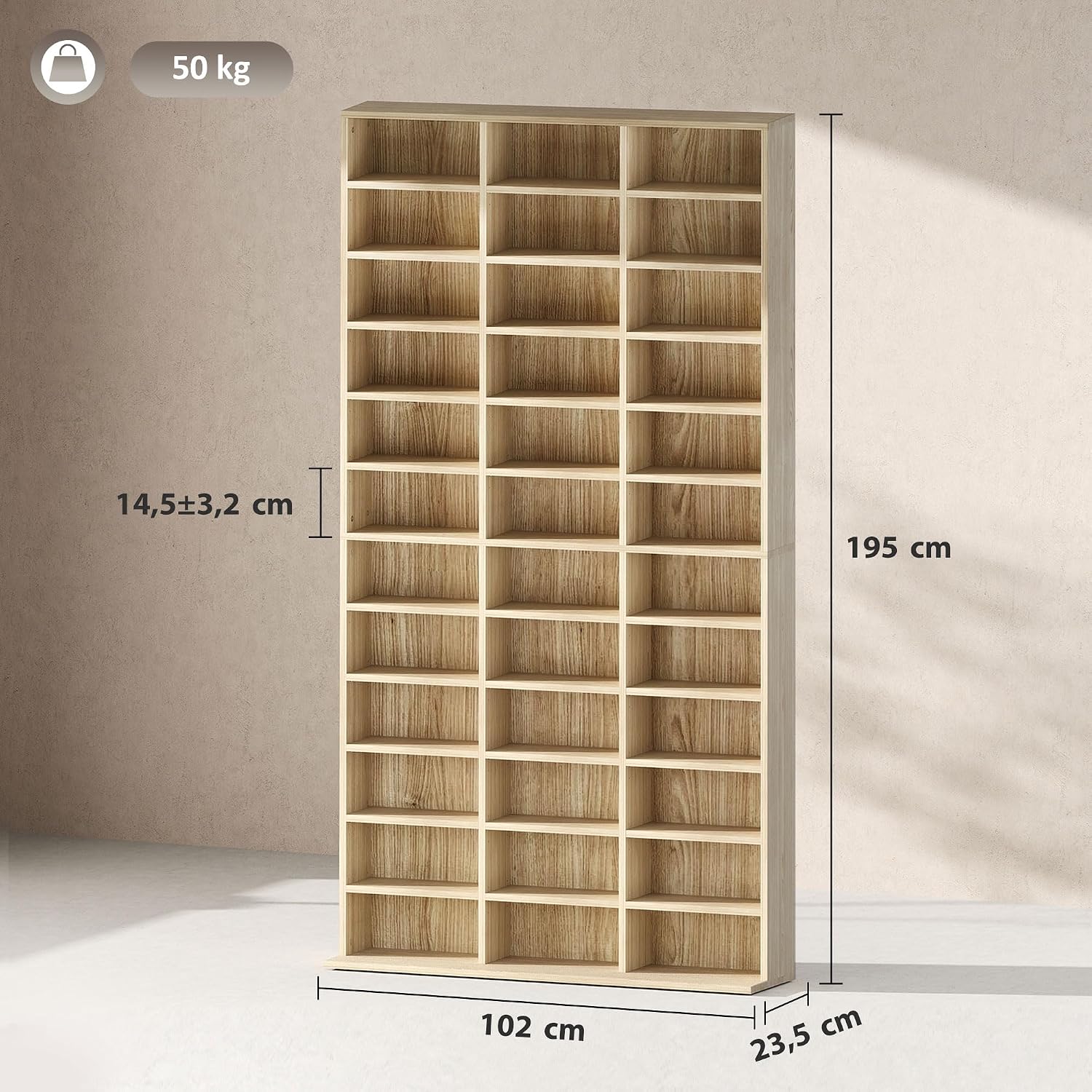
Image: Dimensional drawing of the storage shelf, indicating overall measurements and maximum load.
Warranty and Support
For any questions, missing parts, or issues not covered in this manual, please contact HOMCOM customer support. Keep your purchase receipt and model number (836-014V00AK) handy for faster service.
While specific warranty details are not provided in this document, standard consumer rights and guarantees apply. Please refer to your point of purchase for detailed warranty information.
You can visit the HOMCOM brand store for more information: HOMCOM Store


