
1. Introduction
This manual provides detailed instructions for the assembly, operation, and maintenance of the UNCLE BRICK T2007 Mechanical Arm Building Blocks Set. This set is designed to offer an engaging STEM educational experience through the construction and remote control of a robotic arm.
Safety Information
WARNING: CHOKING HAZARD - Small parts. Not suitable for children under 3 years.
Always ensure all parts are securely connected during assembly and operation. Adult supervision is recommended for younger users.
2. Setup and Assembly
The UNCLE BRICK T2007 Mechanical Arm Building Blocks Set consists of 784 blocks, 4M motors, a lithium-ion battery box, and a remote control. Follow the included step-by-step building instructions carefully to assemble the mechanical arm.
2.1 Assembly Instructions
Refer to the separate, detailed assembly guide provided in the product packaging. Ensure each block is firmly connected to achieve structural integrity and proper functionality of the mechanical arm's movements.
2.2 Powering the Device
- Battery Box: Install the required lithium-ion battery into the arm's battery box according to the polarity indicators.
- Remote Control: Insert batteries into the remote control unit. Refer to the remote control's specific instructions for battery type and installation.
2.3 Initial Connection
After assembly and battery installation, power on both the mechanical arm and the remote control. The devices should automatically pair. If pairing issues occur, consult the troubleshooting section or the specific pairing instructions in the assembly guide.

Figure 1: The UNCLE BRICK T2007 Mechanical Arm Building Blocks Set, including the assembled robotic arm, its remote control, and the individual motors.
3. Operating Instructions
The mechanical arm is controlled via the provided remote control, allowing for precise movements and object manipulation.
3.1 Remote Control Functions
The remote control features various buttons and joysticks to operate the arm's different axes of movement. Familiarize yourself with the layout and functions as detailed in the assembly guide.
3.2 Movement Capabilities
- Chassis Rotation: The arm's base can rotate approximately 360 degrees, enabling a wide operational range.
- Arm Articulation: The two main sections of the arm can maneuver up to 90 degrees, allowing for vertical and horizontal positioning.
- Claw Operation: The hand claws can open and close up to 270 degrees to grip objects.
3.3 Object Handling
The mechanical arm is capable of gripping items weighing up to 150 grams. The actual gripping capacity may vary based on the item's size, surface smoothness, and the arm's configuration. For heavier items, ensure the arm's base is stable and consider the motor torque and gear durability.
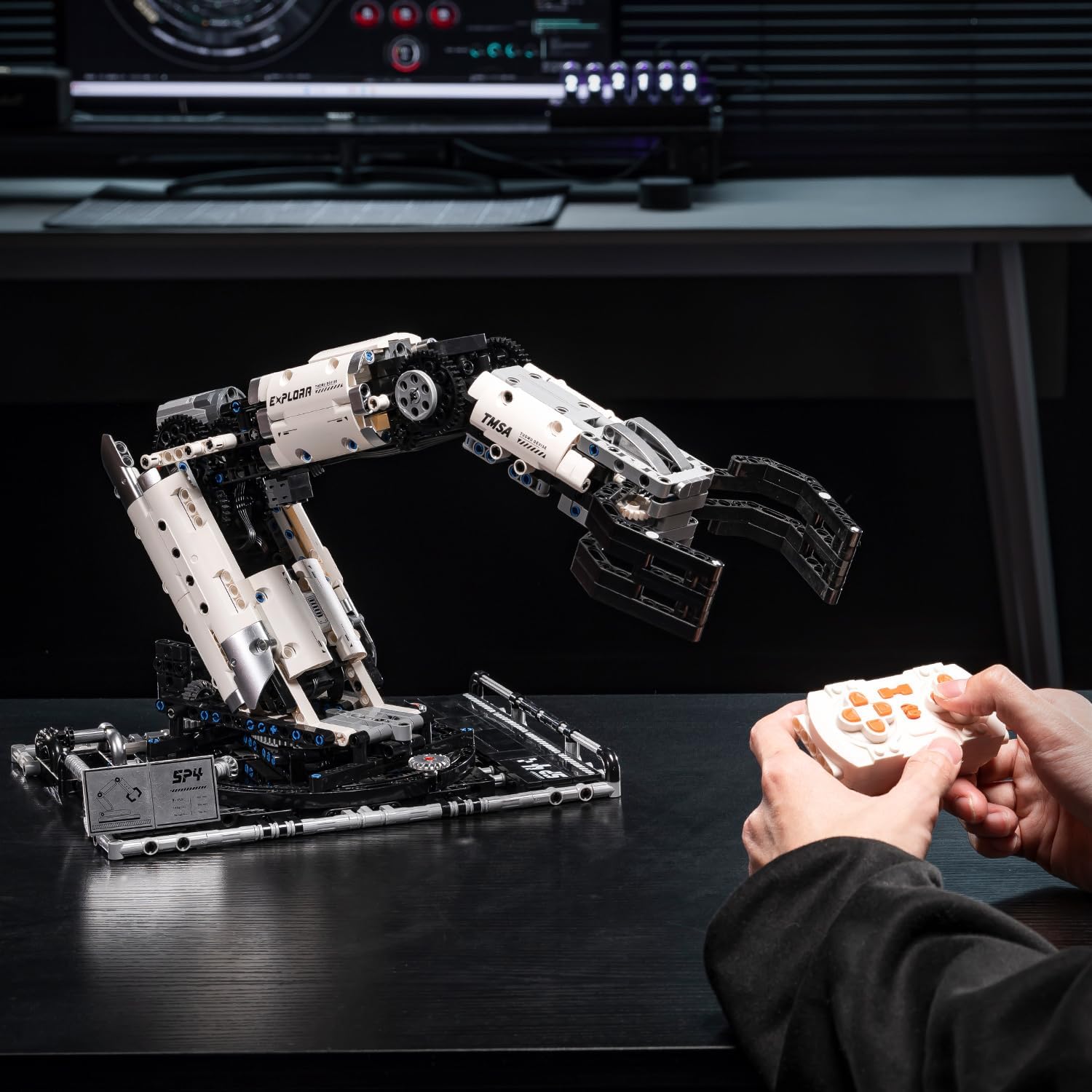
Figure 2: A user operating the UNCLE BRICK T2007 Mechanical Arm using the remote control.

Figure 3: A detailed view of the mechanical arm's claw, illustrating its gripping mechanism.
4. Maintenance
Proper maintenance ensures the longevity and optimal performance of your mechanical arm set.
4.1 Cleaning
- Use a soft, dry cloth to wipe down the building blocks and electronic components.
- Avoid using water or chemical cleaners, as these can damage the electronic parts and block material.
- Ensure no dust or debris accumulates in the gears or motor housing.
4.2 Storage
Store the mechanical arm in a cool, dry place away from direct sunlight and extreme temperatures. Disassemble if necessary for compact storage, ensuring all small parts are kept together to prevent loss.
4.3 Battery Care
- Remove batteries from both the arm and the remote control if the set will not be used for an extended period.
- Dispose of used batteries responsibly according to local regulations.
- Use only the specified battery types for optimal performance and safety.
5. Troubleshooting
If you encounter issues with your UNCLE BRICK T2007 Mechanical Arm, refer to the following common problems and solutions:
- Arm Not Responding:
Solution: Check if both the arm and remote control are powered on. Ensure batteries are correctly installed and charged. Re-attempt pairing if necessary. - Claw Not Gripping:
Solution: Verify that the claw mechanism is assembled correctly and free from obstructions. Ensure the object's weight does not exceed the 150-gram limit. - Motors Not Functioning:
Solution: Confirm all motor connections are secure. Check battery levels. If a specific motor is not working, inspect its wiring and connection points. - Intermittent Control:
Solution: Ensure there are no strong sources of interference nearby. Operate the arm within the recommended range of the remote control.
6. Specifications
Key technical specifications for the UNCLE BRICK T2007 Mechanical Arm Building Blocks Set:
| Feature | Detail |
|---|---|
| Model Name | T2007 |
| Brand | UNCLE BRICK |
| Number of Pieces | 784 |
| Material Type | Plastic |
| Product Dimensions (L x W x H) | 40.1 x 26.4 x 29.8 cm (15.7 x 10.4 x 11.7 inches) |
| Product Weight | 1.38 kg |
| Recommended Age | 8 - 15 years |
| Assembly Required | Yes |
| Batteries Required | Yes (Lithium-ion for arm, specific type for remote) |
| Educational Objective | Team Building Skills |
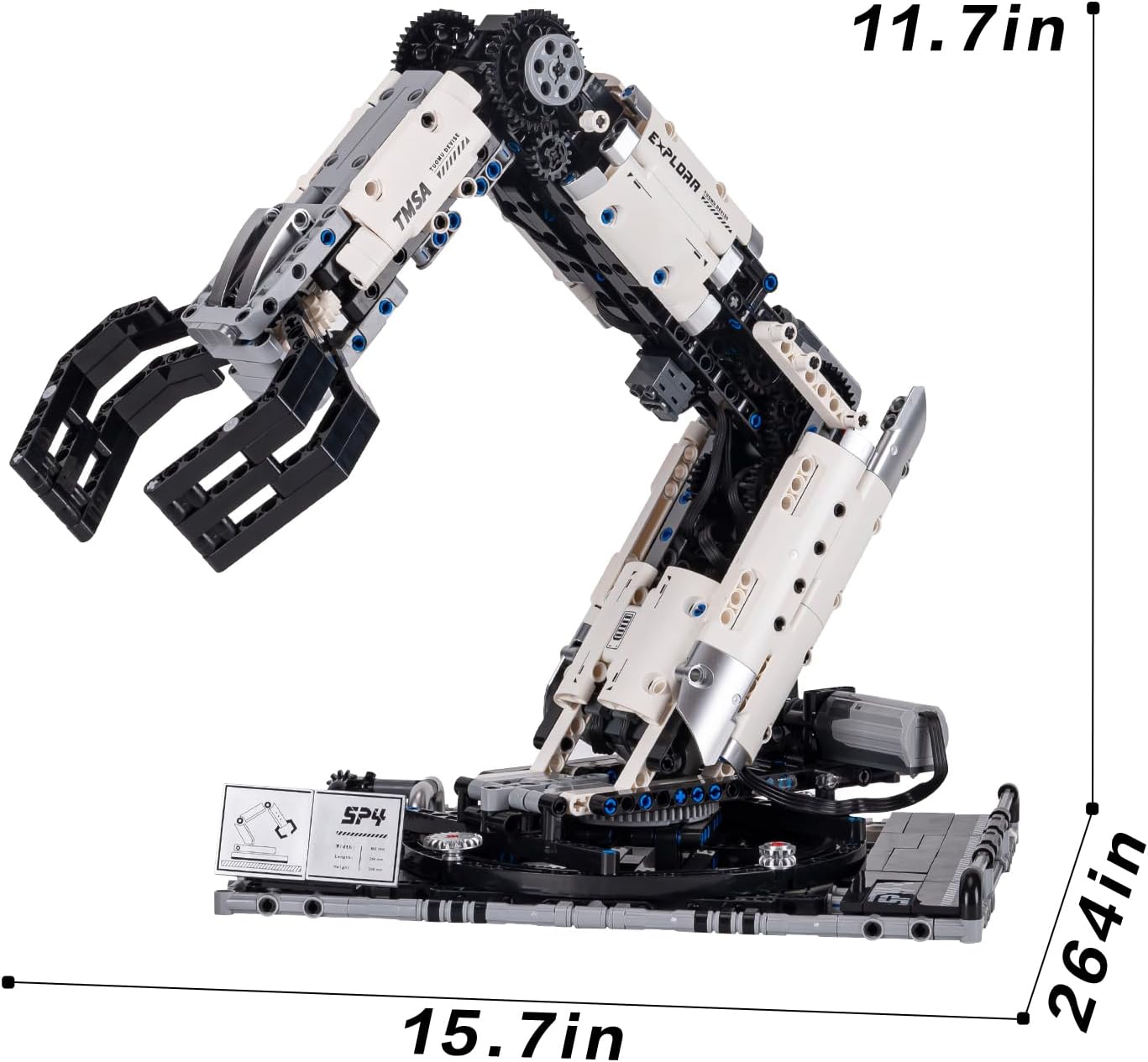
Figure 4: Diagram illustrating the approximate dimensions of the assembled mechanical arm.
7. Warranty Information
Warranty information for the UNCLE BRICK T2007 Mechanical Arm Building Blocks Set is not explicitly detailed in the provided product specifications. For comprehensive warranty terms and conditions, please refer to the official UNCLE BRICK website or contact their customer support directly.
8. Customer Support
Should you require further assistance, technical support, or have any inquiries regarding your UNCLE BRICK T2007 Mechanical Arm Building Blocks Set, please contact UNCLE BRICK customer service. Contact details can typically be found on the product packaging, the official UNCLE BRICK website, or through your point of purchase.