
Introduction
This manual provides detailed instructions for the installation, operation, and maintenance of your CAMWAY 2-Way Amplifier Speaker Selector Switch Box, Model CAM075. This device allows for flexible audio configuration, enabling you to connect two amplifiers to one pair of speakers or one amplifier to two pairs of speakers. It is designed for high-fidelity signal transmission without external power, ensuring pure and uncompromised sound quality.
Key Features
- Dual-Mode Switching: Supports connecting 2 amplifiers to 1 speaker pair (Mode A) or 1 amplifier to 2 speaker pairs (Mode B). Note: Only one input can be active at a time; simultaneous operation is not supported.
- Mechanical A/B/OFF Switch: Features a robust toggle switch for easy selection between inputs/outputs or to completely disconnect the signal.
- Gold-Plated Banana Jacks: Equipped with oxidation-resistant, low-impedance gold-plated connectors for stable, high-fidelity signal transmission. Compatible with speaker wires up to 12AWG.
- High-Power Compatibility: Internal wiring uses UL1007-certified 18AWG cable, supporting high-power loads up to 300W RMS / 600W peak power per channel.
- Plug-and-Play Operation: Requires no external power supply for convenient setup and use.
- Durable Construction: Features an all-metal housing and non-skid pads for stability and longevity.
Package Contents

This image shows the contents of the product package: one CAMWAY 2-Way Amplifier/Speaker Selector Switch and one user manual, indicating what is included with the purchase.
- 1 x CAMWAY 2-Way Amplifier/Speaker Selector Switch Box
- 1 x User Manual
Setup
Before connecting any components, ensure all audio equipment is powered off. The CAMWAY selector switch features gold-plated banana jacks for secure and optimal connections. You can use either bare speaker wire or banana plugs.
Connection Terminals Overview

This image displays the front and rear panels of the CAMWAY 2-Way Amplifier Speaker Selector Switch. The rear panel features gold-plated banana jacks for connecting amplifiers and speakers, labeled for left and right channels, and for Amp A, Speaker, and Amp B. The front panel has a toggle switch with positions A, B, and OFF for selecting the active audio path.
The rear panel of the switch box includes clearly labeled terminals:
- A-IN/OUT: For Amplifier A or Speaker Pair A.
- Speaker-IN/OUT: For the common speaker pair or common amplifier.
- B-IN/OUT: For Amplifier B or Speaker Pair B.
Mode 1: Connecting 2 Amplifiers to 1 Speaker Pair

This diagram illustrates how to connect two amplifiers (Amp A and Amp B) to a single pair of speakers using the CAMWAY selector switch. Speaker cables from both amplifiers connect to the 'A-IN/OUT' and 'B-IN/OUT' terminals, while the speaker output connects to the 'Speaker-IN/OUT' terminals. The diagram emphasizes that only one input can be active at a time.
- Connect the speaker output from your first amplifier (Amplifier A) to the A-IN/OUT terminals on the selector switch. Ensure correct polarity (positive to positive, negative to negative).
- Connect the speaker output from your second amplifier (Amplifier B) to the B-IN/OUT terminals on the selector switch. Ensure correct polarity.
- Connect your single pair of speakers to the Speaker-IN/OUT terminals on the selector switch. Ensure correct polarity.
Mode 2: Connecting 1 Amplifier to 2 Speaker Pairs

This diagram demonstrates connecting one amplifier to two separate pairs of speakers (Speaker A and Speaker B) via the CAMWAY selector switch. The amplifier's output connects to the 'Speaker-IN/OUT' terminals, and each speaker pair connects to the 'A-IN/OUT' and 'B-IN/OUT' terminals respectively. Only one speaker pair can be active at a time.
- Connect the speaker output from your amplifier to the Speaker-IN/OUT terminals on the selector switch. Ensure correct polarity.
- Connect your first pair of speakers (Speaker Pair A) to the A-IN/OUT terminals on the selector switch. Ensure correct polarity.
- Connect your second pair of speakers (Speaker Pair B) to the B-IN/OUT terminals on the selector switch. Ensure correct polarity.
Visual Setup Guide
This video provides a visual guide on how to set up and operate the CAMWAY 2-Way Amplifier Speaker Selector Switch Box. It shows the connection of speaker wires to the gold-plated banana jacks and the use of the A/B/OFF toggle switch for selecting between different audio configurations, such as connecting one amplifier to two speaker pairs or two amplifiers to one speaker pair.
Operating Instructions
The CAMWAY selector switch is designed for simple, one-touch operation using its mechanical toggle switch.
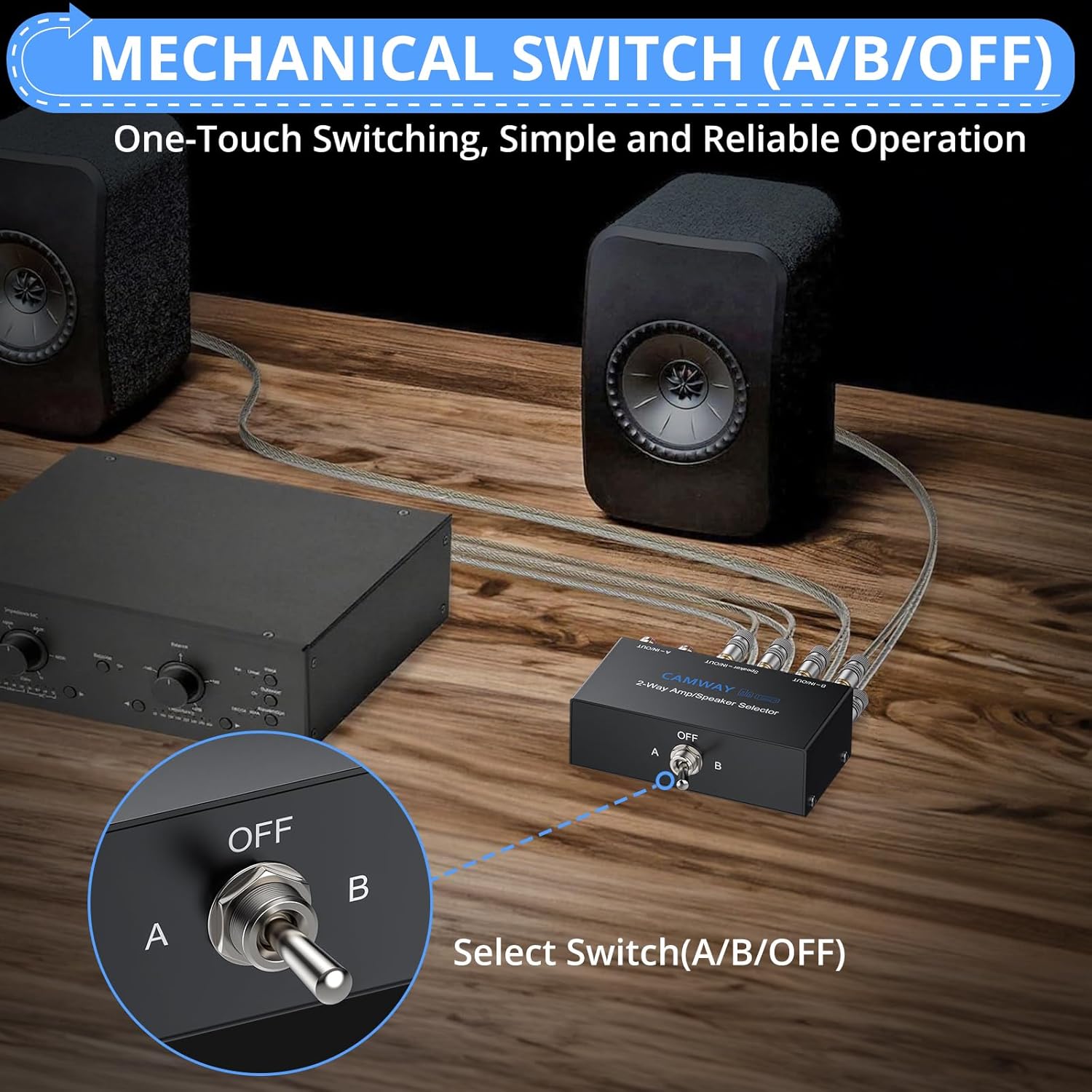
A close-up view of the mechanical toggle switch on the front of the CAMWAY selector box. The switch has three positions: A, OFF, and B, allowing for easy selection between different audio sources or outputs, or to completely disconnect the signal.
- Power On: After all connections are made, power on your amplifiers and speakers.
- Select Input/Output A: To activate the audio path connected to the 'A' terminals, move the toggle switch to position A.
- Select Input/Output B: To activate the audio path connected to the 'B' terminals, move the toggle switch to position B.
- Turn Off: To completely disconnect both audio paths, move the toggle switch to the OFF position (center). This is recommended when changing connections or when the system is not in use.
Always ensure the switch is in the OFF position before making or changing any connections to prevent potential damage to your equipment.
Maintenance
The CAMWAY 2-Way Amplifier Speaker Selector Switch Box requires minimal maintenance. Follow these guidelines to ensure its longevity and optimal performance:
- Cleaning: Use a soft, dry cloth to clean the exterior of the device. Avoid using liquid cleaners or solvents, as they may damage the finish or internal components.
- Connection Check: Periodically check all speaker wire connections to ensure they are secure. Loose connections can lead to signal degradation or intermittent audio.
- Environment: Keep the device in a dry, well-ventilated area, away from direct sunlight, excessive heat, and moisture.
Troubleshooting
If you encounter issues with your CAMWAY selector switch, refer to the following common troubleshooting steps:
- No Sound:
- Ensure the selector switch is not in the OFF position.
- Verify all speaker wire connections are secure and correctly polarized (positive to positive, negative to negative).
- Check that your amplifier(s) and speakers are powered on and functioning correctly.
- Confirm the correct input/output (A or B) is selected on the switch.
- Distorted Sound:
- Check for loose speaker wire connections.
- Ensure speaker wires are not frayed or shorting.
- Verify that the power output of your amplifier(s) does not exceed the switch's maximum handling capacity (300W RMS / 600W peak per channel).
- Only One Channel Working:
- Inspect the connections for the non-working channel on both the amplifier/speaker and the selector switch.
- Test the speaker and amplifier independently to rule out issues with those components.
If problems persist after following these steps, please contact CAMWAY customer support for further assistance.
Specifications
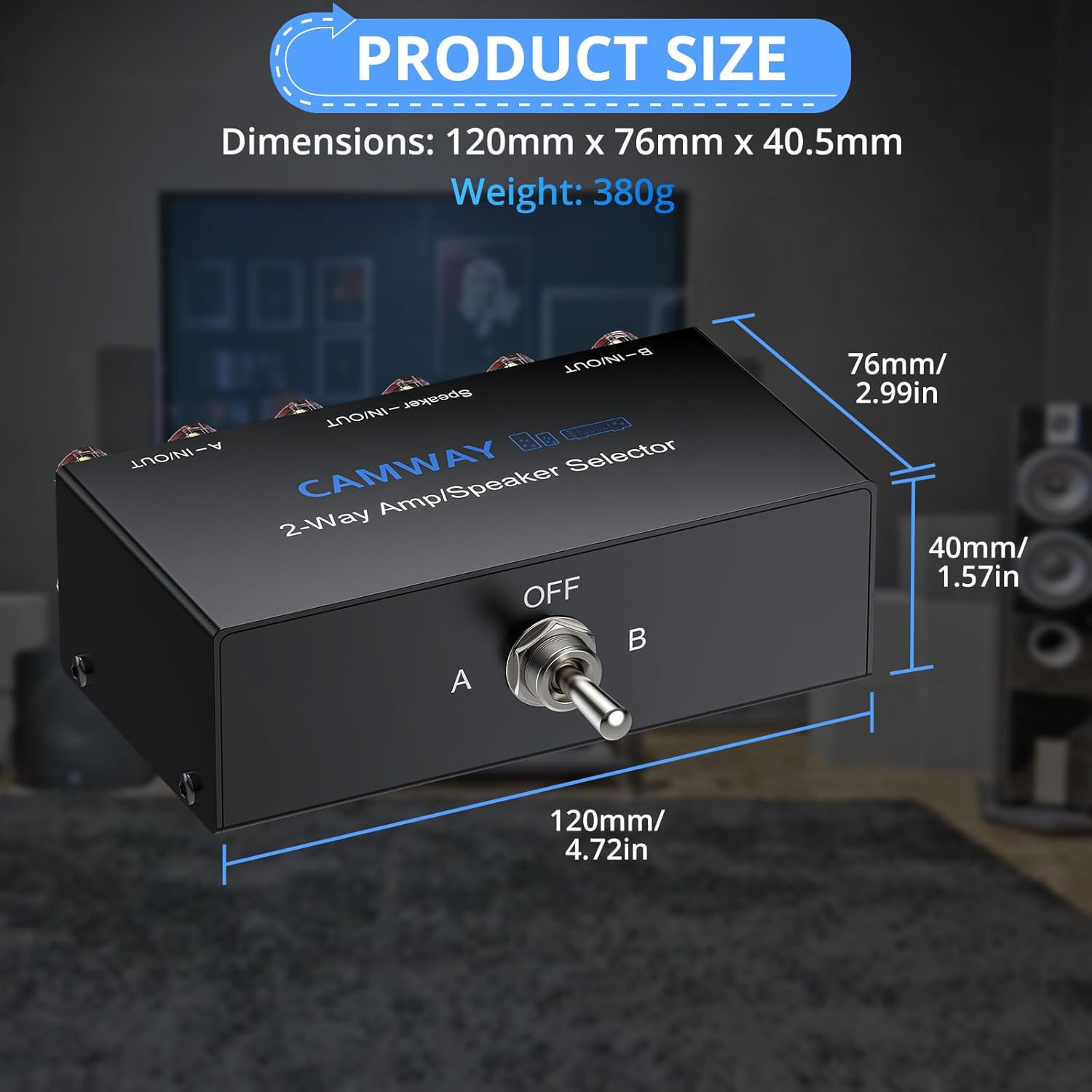
A visual representation of the product's dimensions: 120mm (4.72in) length, 76mm (2.99in) width, and 40.5mm (1.57in) height, with a weight of 380g. This provides a clear understanding of the device's compact size.
| Model Number | CAM075 |
| Dimensions (L x W x H) | 120mm x 76mm x 40.5mm (4.72 x 2.99 x 1.57 inches) |
| Item Weight | 380g (15.9 ounces) |
| Color | Black |
| Switch Type | Heavy-Duty Toggle Switch with A/B/OFF positions |
| Connectors | Gold-Plated Banana Jacks (compatible with up to 12 AWG wire) |
| Internal Wiring | UL1007 18AWG |
| Power Handling | 300W RMS / 600W Peak per channel |
| Housing Material | All Metal |
| Number of Ports | 4 (2 input/output pairs + 1 common speaker/amp pair) |
Warranty and Support
CAMWAY products are designed for reliability and performance. For any questions, technical support, or warranty inquiries regarding your CAMWAY 2-Way Amplifier Speaker Selector Switch Box, please refer to the contact information provided with your product packaging or visit the official CAMWAY store online.
For additional information and products, you can visit the CAMWAY Store.