
1. Important Safety Instructions
Please read all instructions carefully before using the ToLife TZ-C2 Dehumidifier. Keep this manual for future reference.
- Electrical Safety: Always plug the unit into a grounded electrical outlet. Do not use with extension cords or adapters. Ensure the power cord is not damaged or pinched.
- Placement: Place the dehumidifier on a stable, level surface. Maintain at least 8 inches (20 cm) of clearance from walls or furniture to ensure proper airflow. Do not block air inlets or outlets.
- Water Tank: Do not drink the collected water. Empty the water tank regularly. Ensure the water tank is correctly installed before operating the unit.
- Children and Pets: Keep the appliance out of reach of children and pets.
- Maintenance: Unplug the unit before cleaning or performing any maintenance.
2. Product Overview
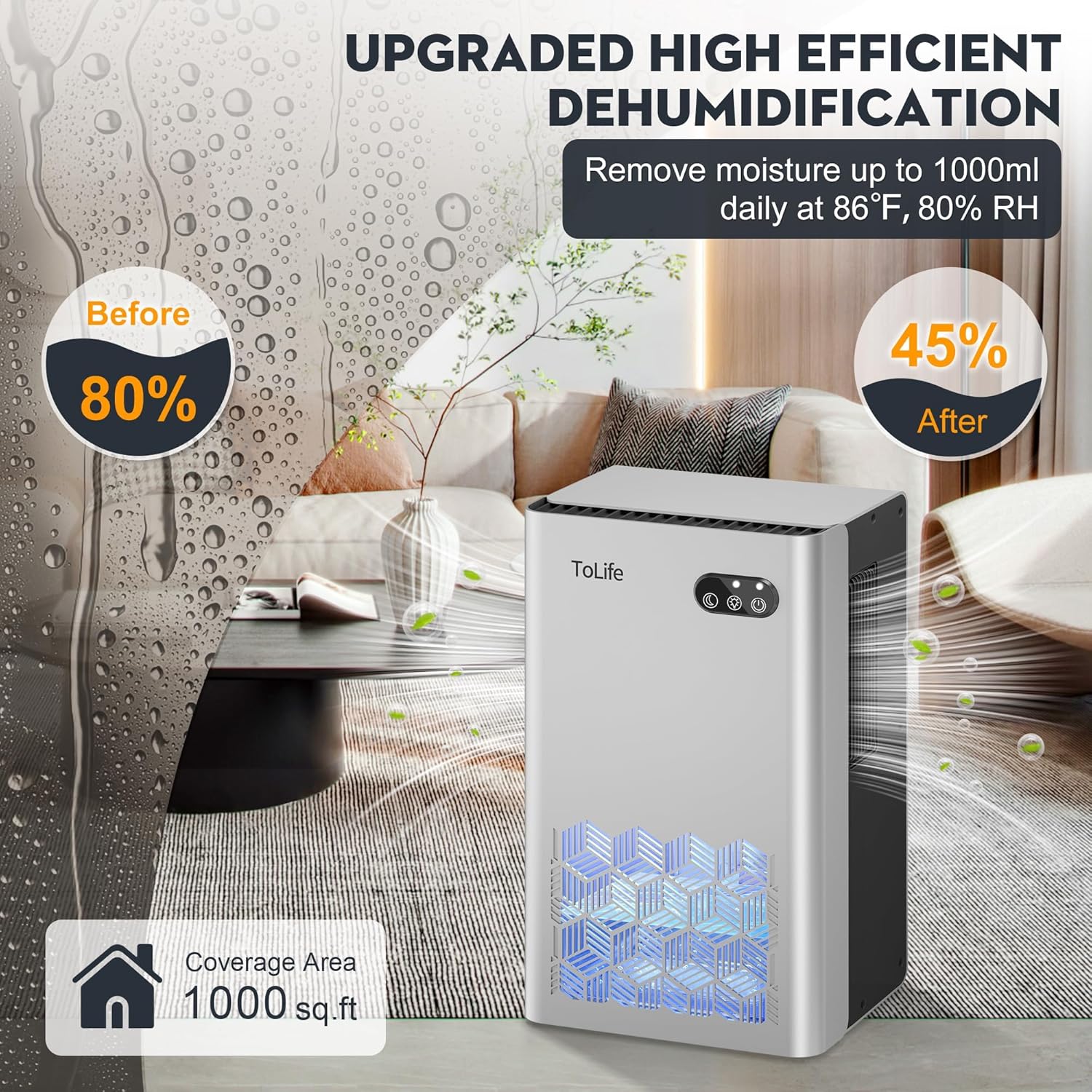
The ToLife TZ-C2 Dehumidifier is designed to efficiently reduce humidity in small to medium-sized spaces up to 1000 sq.ft. It features advanced semiconductor condensation technology for quiet operation and effective moisture removal.
Key Features:
- High-Efficiency Dehumidification: Utilizes semiconductor technology to maintain humidity levels below 45%.
- Large Water Tank: Equipped with a 95 oz (2.8 L) water tank, reducing the frequency of emptying.
- Dual Operating Modes: Offers a Powerful Mode for rapid dehumidification and a quiet Sleep Mode (below 30 dB).
- 7-Color LED Light: Provides ambient lighting with 7 changing colors, the option to lock a favorite color, or turn off the light.
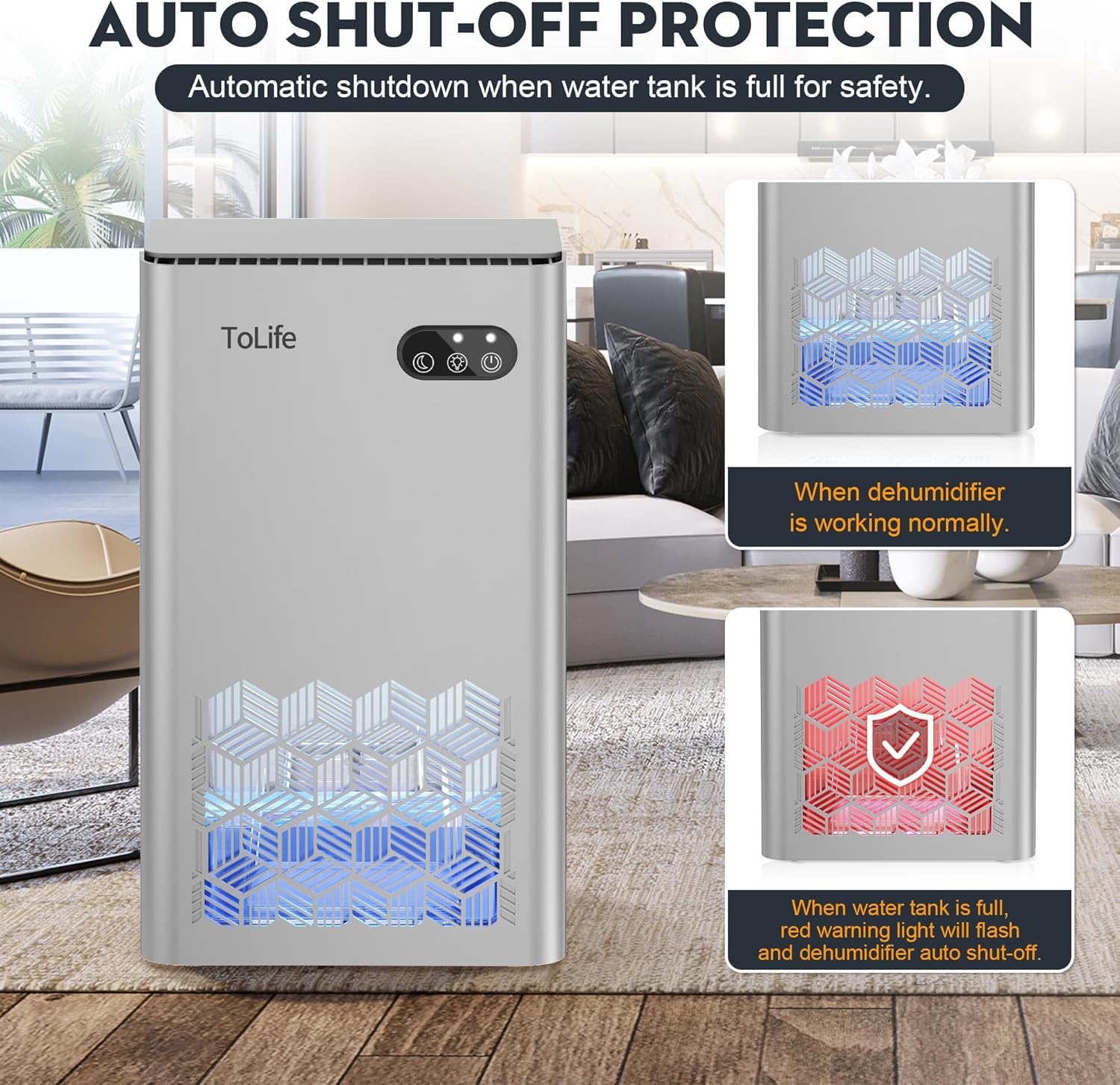
- Automatic Shut-Off: Automatically powers off when the water tank is full or incorrectly placed, preventing overflow.
- Portable Design: Compact size (8.27"D x 5.55"W x 13.75"H) with integrated handles for easy relocation.

3. Setup
- Unpack: Carefully remove the dehumidifier and all packaging materials from the box. Retain packaging for future storage or transport.
- Placement: Choose a suitable location for the dehumidifier. Ensure it is placed on a firm, level surface. Avoid placing it in direct sunlight or near heat sources.
- Clearance: Allow at least 8 inches (20 cm) of space around the unit for optimal air circulation. Do not place it against a wall or in a confined space like a closet without adequate ventilation.
- Water Tank: Ensure the 95 oz water tank is securely inserted into the back of the unit. The unit will not operate if the tank is not properly seated.
- Power Connection: Plug the power cord into a standard 120V AC grounded electrical outlet.
4. Operating Instructions
The ToLife TZ-C2 Dehumidifier features intuitive controls for ease of use.
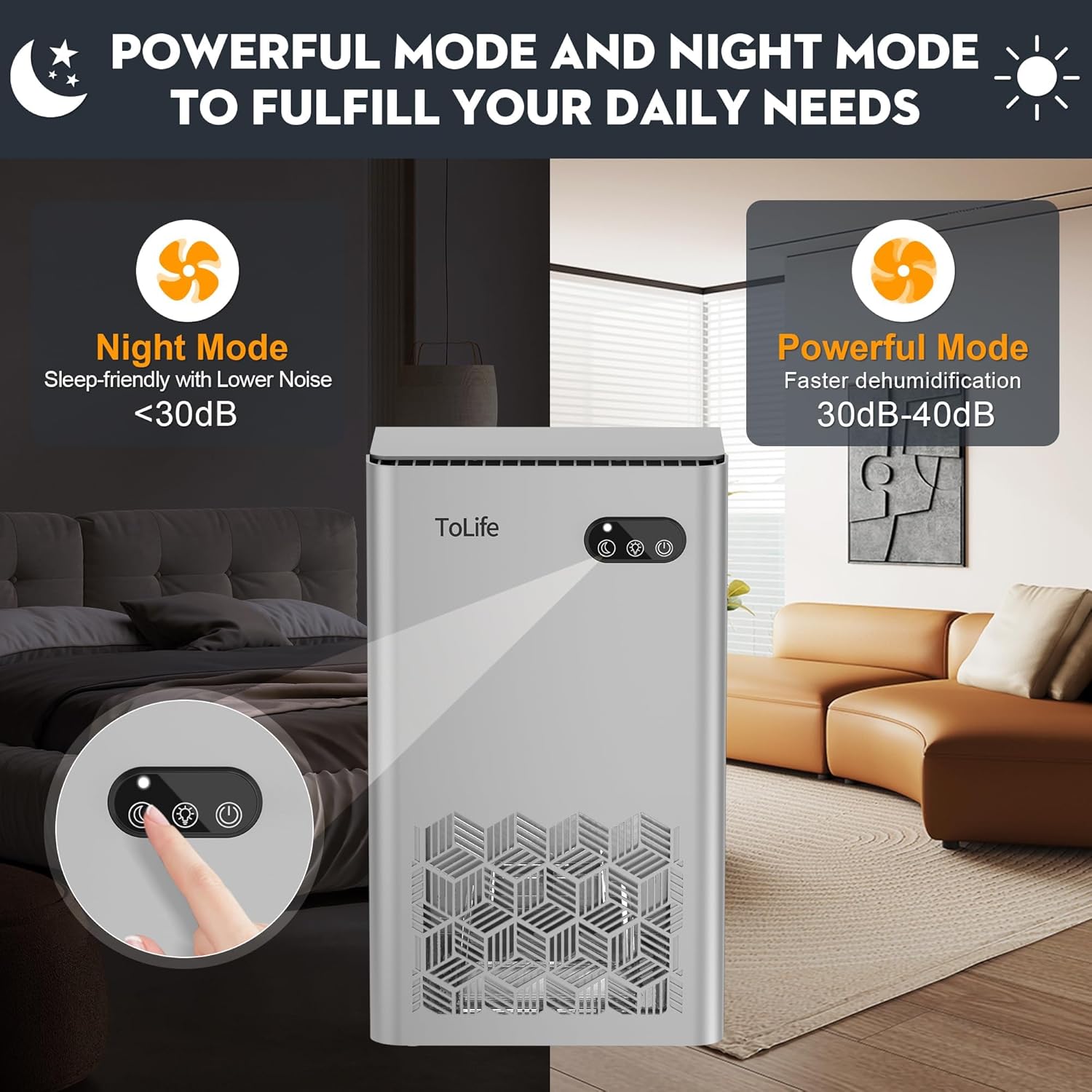
- Power On/Off: Press the Power button (
 ) to turn the unit on or off.
 - Mode Selection: Press the Mode button (
 ) to switch between:
- Powerful Mode: For faster and more aggressive moisture removal.
- Sleep Mode: Operates at a lower speed with reduced noise (<30 dB) for quiet environments.
- LED Light Control: Press the Light button (
 ) to cycle through the 7 ambient colors. Press and hold to lock a specific color, or press again to turn the light off.
 - Automatic Shut-Off: The unit will automatically stop operating and a red warning light will flash when the water tank is full or not correctly inserted. This prevents water overflow.

5. Maintenance
Regular maintenance ensures optimal performance and longevity of your dehumidifier.
- Emptying the Water Tank:
- When the water tank is full, the unit will automatically shut off and indicate with a red light.
- Gently pull out the water tank from the back of the unit.
- Carefully pour out the collected water.
- Slide the empty water tank back into the unit until it clicks into place. Ensure it is properly seated for the unit to resume operation.
- Cleaning the Unit:
- Always unplug the dehumidifier from the power outlet before cleaning.
- Wipe the exterior of the unit with a soft, damp cloth. Do not use abrasive cleaners or solvents.
- Clean the water tank with mild soap and water periodically to prevent mold or mildew buildup. Rinse thoroughly and dry before reinserting.
- Ensure air inlets and outlets are free from dust and debris. Use a soft brush or vacuum cleaner attachment to gently clean them.
6. Troubleshooting
If you encounter issues with your ToLife TZ-C2 Dehumidifier, refer to the following common problems and solutions:
| Problem | Possible Cause | Solution |
|---|---|---|
| Dehumidification effect is not noticeable. |
|
|
| Dehumidifier stops working after a period of use. |
|
|
| Unit is noisy. |
|
|
7. Specifications
| Feature | Detail |
|---|---|
| Brand | ToLife |
| Model Name | TZ-C2 |
| Floor Area Coverage | Up to 1000 sq.ft |
| Water Tank Capacity | 95 Fluid Ounces (approx. 2.8 Liters) |
| Product Dimensions | 8.27"D x 5.55"W x 13.75"H |
| Item Weight | 5.94 pounds |
| Number of Speeds | 2 (Powerful, Sleep) |
| Special Features | Automatic Shutoff, Portable, Quiet Operation, Removable Tank, Sleep Mode, 7-Color LED Light |
| Material | Plastic |
| Wattage | 93 watts |
| Color | Silver |
8. Warranty and Support
For warranty information or technical support, please refer to the warranty card included with your product or contact ToLife customer service directly. Our support team is available to assist you with any questions or concerns regarding your ToLife TZ-C2 Dehumidifier.
