
1. Introduction
Thank you for choosing the Genérico PD8-02AE Intelligent Dehumidifier. This appliance is designed to efficiently remove excess moisture from your indoor environment, creating a healthier and more comfortable living or working space. Please read this manual thoroughly before operating the dehumidifier to ensure safe and optimal performance. Keep this manual for future reference.
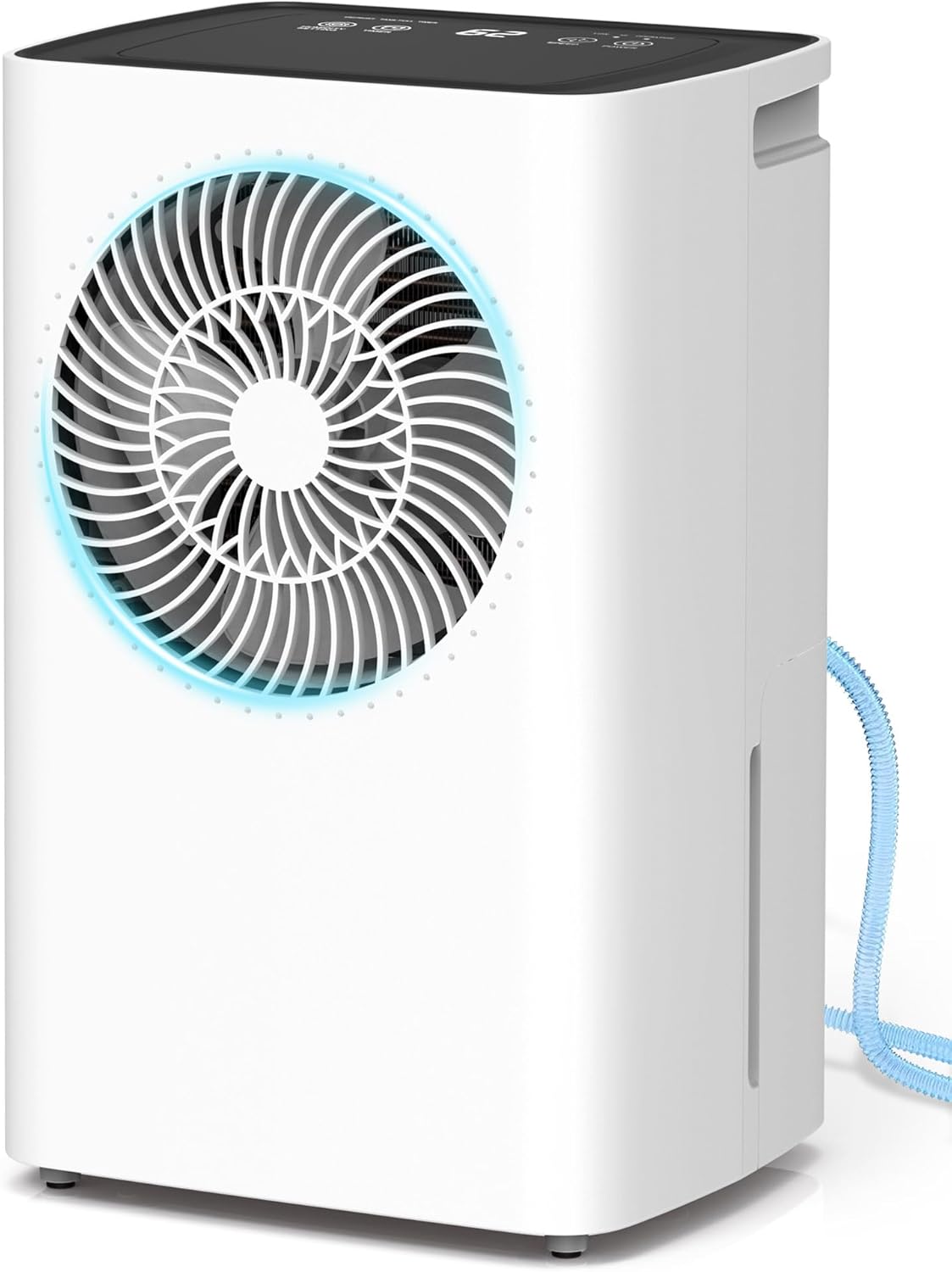
Image 1.1: Front view of the Genérico PD8-02AE Intelligent Dehumidifier, showcasing its compact design and front air outlet.
2. Safety Instructions
To prevent injury to the user or others and property damage, the following instructions must be followed. Incorrect operation due to ignoring instructions may cause harm or damage.
- Always operate the unit on a stable, level surface.
- Do not block the air inlet or outlet. Maintain at least 20 cm clearance from walls or other objects.
- Do not insert fingers or foreign objects into the air inlet/outlet.
- Ensure the power supply matches the voltage specified on the rating label (220V).
- Do not use the unit in wet environments such as bathrooms without proper ventilation.
- Unplug the unit before cleaning or performing any maintenance.
- Keep the unit away from heat sources and direct sunlight.
- Do not allow children to play with the dehumidifier.
- If the power cord is damaged, it must be replaced by the manufacturer, its service agent, or similarly qualified persons to avoid a hazard.
3. Product Components
Familiarize yourself with the main parts of your dehumidifier:
- Control Panel (Top)
- Air Outlet (Front)
- Air Inlet (Rear)
- Water Tank (Bottom Front)
- Continuous Drainage Outlet (Rear)
- Ergonomic Handles (Sides)
- Washable Air Filter (Behind Air Inlet)

Image 3.1: Detailed view of key components including the ventilation valve, continuous drainage hose connection, and ergonomic handle.
4. Setup
- Unpacking: Carefully remove the dehumidifier from its packaging. Retain packaging for future storage or transport.
- Placement: Place the unit upright on a firm, level surface in the desired room. Ensure there is at least 20 cm (8 inches) of space around the unit for proper airflow. Avoid placing it near heat sources or in direct sunlight.
- Power Connection: Plug the power cord into a grounded 220V electrical outlet.
- Drainage Option: Decide between manual or continuous drainage.
- Manual Drainage: Ensure the water tank is correctly inserted. The unit will collect water in the 2L tank and automatically shut off when full.
- Continuous Drainage: Connect the provided drainage hose to the continuous drainage outlet at the rear of the unit. Route the hose to a suitable drain, ensuring it is sloped downwards to allow water to flow freely.

Image 4.1: Illustration of the two drainage methods: manual drainage using the 2L water tank and continuous drainage via the included 2-meter hose.
5. Operating Instructions
The Genérico PD8-02AE features an intelligent control panel for easy operation.

Image 5.1: Close-up of the intelligent control panel, showing buttons for Humidity Setting, Timer, Speed (fan), and Power, along with indicators for Defrost, Tank Full, and Operation.
5.1 Power On/Off
Press the POWER button to turn the dehumidifier on or off. The unit will start operating in its last used mode.
5.2 Intelligent Humidity Control
The dehumidifier monitors ambient humidity and operates automatically to maintain your desired level. When the set humidity is reached, the unit pauses to save energy and restarts if humidity levels rise again.
- Press the HUMIDITY SETTING button to adjust the target humidity level. The range is typically between 30% and 80% Relative Humidity (RH) in 10% increments.
- The display will show the current humidity level and the set target.
5.3 Operating Modes
The unit offers two intelligent operating modes:
- Comfort Mode (RU): In this mode, the dehumidifier automatically adjusts the humidity level based on the ambient temperature to provide optimal comfort and efficiency.
- Continuous Mode (CO): Allows manual adjustment of the humidity level between 30% and 80% RH, in 10% intervals. This mode is ideal for specific situations or environments with persistently high humidity where precise control is desired.
5.4 24-Hour Timer
The adjustable timer allows you to program the dehumidifier to turn on or off automatically within a 1 to 24-hour period.
- Press the TIMER button to set the desired operating duration.
- Each press increases the time by one hour.
- This function helps save energy by ensuring the unit operates only when needed.
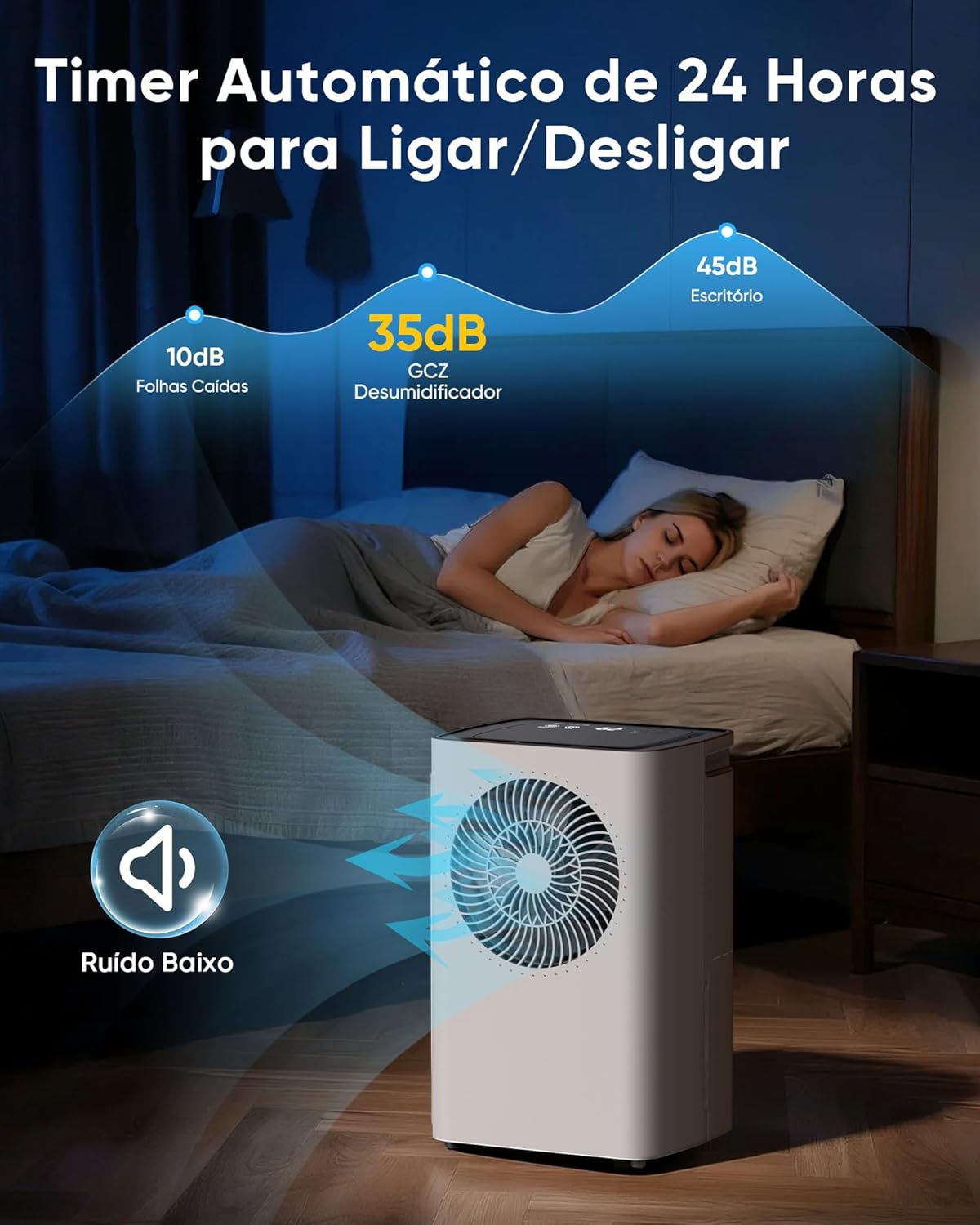
Image 5.2: The dehumidifier operating quietly at 35dB, suitable for bedrooms, highlighting the 24-hour automatic timer for convenience.
5.5 Automatic Defrost
The unit features an intelligent automatic defrost function to prevent ice buildup on the coils, ensuring efficient operation in cooler environments.
- When the defrost indicator light illuminates, the dehumidification function temporarily pauses.
- The fan continues to operate to circulate air and melt any ice.
- Between 5°C and 12°C: The unit operates for 30 minutes, then defrosts for 10 minutes.
- Between 12°C and 16°C: The unit operates for 45 minutes, then defrosts for 10 minutes.
- Once defrosting is complete, normal dehumidification resumes automatically.
5.6 Water Tank Full Indicator & Auto Shut-off
The dehumidifier is equipped with an intelligent level sensor. When the 2L water tank is full, the unit will automatically shut off to prevent overflow, and the 'Tank Full' indicator light will illuminate.

Image 5.3: Visual guide demonstrating the automatic shut-off when the tank is full, the process of removing the tank, emptying the collected water, and reinserting the tank.
6. Maintenance
Regular maintenance ensures the longevity and efficiency of your dehumidifier.
6.1 Cleaning the Air Filter
The removable and washable air filter traps dust and particles, improving air quality and unit performance. Clean it regularly, especially if the unit is used frequently.
- Power Off: Unplug the dehumidifier from the power outlet.
- Remove Filter: Locate the air filter at the rear of the unit and carefully pull it out.
- Clean Filter: Rinse the filter under running water (not hot) or use a vacuum cleaner to remove dust. For stubborn dirt, use a mild detergent and soft brush.
- Dry Filter: Allow the filter to air dry completely before reinserting. Do not expose to direct sunlight or use a dryer.
- Reinstall Filter: Slide the dry filter back into its slot.
6.2 Cleaning the Water Tank
Clean the water tank periodically to prevent mold and bacteria growth.
- Power Off: Unplug the dehumidifier.
- Remove Tank: Carefully pull out the water tank.
- Clean Tank: Wash the tank with warm water and a mild detergent. Rinse thoroughly.
- Dry Tank: Ensure the tank is completely dry before reinserting it into the unit.
7. Troubleshooting
If you encounter issues with your dehumidifier, refer to the following table for common problems and solutions.
| Problem | Possible Cause | Solution |
|---|---|---|
| Dehumidifier does not turn on. | No power supply. Power cord not plugged in. | Ensure the unit is plugged into a working 220V outlet. Check circuit breaker. |
| Unit is running but not collecting water. | Ambient humidity is too low. Temperature is too low. Air filter is clogged. | Check the set humidity level. Ensure room temperature is above 5°C. Clean the air filter. |
| Unit stops operating and 'Tank Full' light is on. | Water tank is full. Water tank is not properly inserted. | Empty the water tank. Reinsert the water tank correctly. |
| Unit is noisy. | Unit is not on a level surface. Air filter is clogged. | Place the unit on a flat, stable surface. Clean the air filter. |
| Defrost indicator is on frequently. | Room temperature is low. | This is normal operation in cooler environments (below 16°C). The unit will automatically defrost. |
8. Specifications
| Brand Name | Genérico |
| Model | PD8-02AE |
| Color | White |
| Special Features | Adjustable Humidity Control, Automatic Defrost, 24H Timer |
| Voltage | 220 Volts |
| Energy Efficiency Label (ENCE) | A+ |
| Wattage | 120 watts |
| Power Source Type | Electric power |
| Product Dimensions (L x W x H) | 23.5 x 28.6 x 44.6 cm |
| Product Weight | 5.3 kilograms |
| Floor Area Coverage | Up to 120 m² |
| Dehumidification Capacity | 6 Liters/day (at 30°C, 80% RH) |
| Water Tank Capacity | 2 Liters |
9. Warranty and Support
Your Genérico PD8-02AE Intelligent Dehumidifier comes with a 1-year warranty against manufacturing defects from the date of purchase. This warranty ensures your peace of mind and covers any issues related to product manufacturing.
For any questions, technical assistance, or warranty claims, please contact our customer support team. Our dedicated team is available to provide guidance and prompt solutions to ensure your continued satisfaction with our product.
Please retain your proof of purchase for warranty validation.