
Introduction
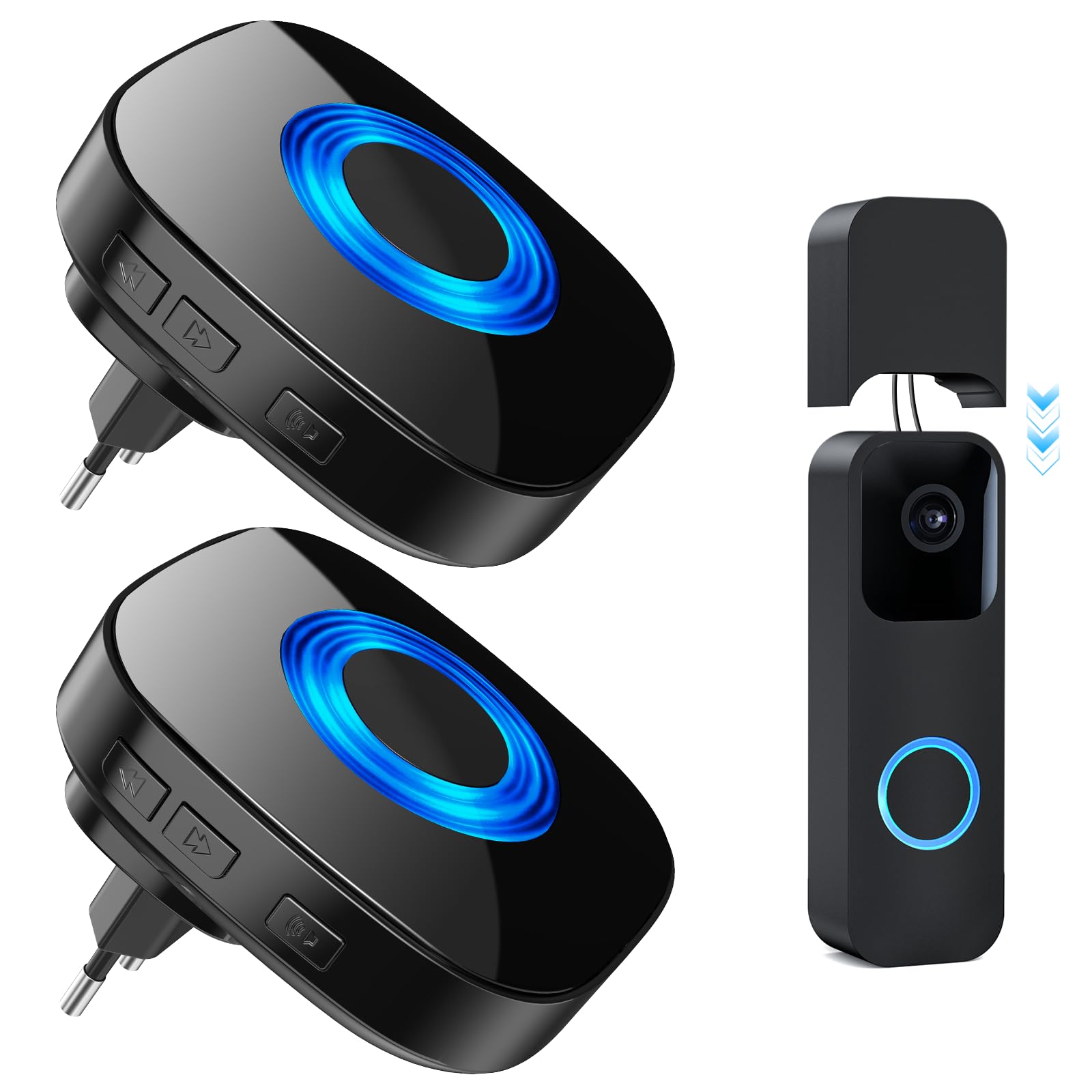
The PHYSEN WET03A 1T2 Wireless Signal Forwarding Kit is designed to extend the functionality of your Blink Video Doorbell when operating in fixed wired mode. This kit includes a radio converter and two plug-in receivers, providing an audible and visual alert system for your doorbell presses.
Important Safety Information
- Read all instructions carefully before use.
- Do not expose the device to extreme temperatures or humidity.
- Ensure proper electrical connections to avoid damage or injury.
- This device is for indoor use only.
- Keep out of reach of children.
Package Contents
- 1 x PHYSEN WET03A Radio Converter
- 2 x Plug-in Receivers
- 1 x Connection Cable (16 cm long)
Product Overview and Compatibility
The PHYSEN WET03A 1T2 kit enhances your Blink Doorbell experience by providing a reliable wireless chime system. It offers 58 selectable melodies and 5 adjustable volume levels (0 dB to 110 dB). The system has a long operating range of up to 200 meters (656 feet) and operates effectively between -10°C and 55°C.
It features two bell modes: mute (only LED flashes) and LED + sound (LED flashes and melody plays). A memory function retains your last chosen melody and volume settings after a power outage.
Important Compatibility Note: This WET03A wireless bell forwarding kit is specifically designed for Blink Video Doorbells operating in fixed wired mode. It is not compatible with Blink doorbells that are already connected to an existing wired doorbell system, nor is it suitable for Blink video doorbells running in battery-only operating mode.
The image illustrates the compatible Blink Video Doorbell model on the left, indicated by a green checkmark, which works with the PHYSEN WET03A kit. The incompatible Blink Video Doorbell (newest gen) is shown on the right with a red 'X' mark.
Setup Instructions
- Plug in Receivers: Insert the plug-in receivers into standard electrical outlets within the desired range of your Blink Video Doorbell.
- Connect Converter to Doorbell: Connect the two wires of the PHYSEN WET03A radio converter to the terminals of your Blink Video Doorbell. The converter wires have no fixed polarity, meaning either wire can be connected to either terminal on the doorbell. Ensure your Blink Doorbell is configured for 'mounting with wiring' mode within its application settings.
- Adjust Cable Length: The connection cable for the WET03A converter is adjustable. If there is excess cable, it can be neatly tucked into the designated hole from which the cable exits on the converter.
- Pairing (if necessary): The converter and receivers are typically pre-paired. If they do not connect automatically, refer to the pairing instructions provided in the separate quick start guide (not included in this manual).
Operating Instructions
- Selecting Melodies: On the receiver, press the 'Music' button (or equivalent) to cycle through the 58 available melodies. To set a melody, press and hold the 'Music' button for approximately 3 seconds.
- Adjusting Volume: Press the 'Volume' button (or equivalent) on the receiver to cycle through the 5 available volume levels, ranging from 0 dB (mute) to 110 dB.
- Bell Modes: The kit supports two operational modes: Mute Mode (only the LED indicator flashes when the doorbell is pressed) and LED + Sound Mode (the LED flashes and the selected melody plays). You can typically switch to mute mode by setting the volume to 0 dB.
- Visual Signal: In addition to the audible chime, the receiver provides a visual alert by flashing its LED when the doorbell is pressed. This feature is particularly useful in noisy environments or for individuals with hearing impairments.
- Memory Function: The system automatically saves your last selected melody and volume settings. These settings will be retained even after a power outage, eliminating the need for re-configuration.
Maintenance
- Clean the devices with a soft, dry cloth. Do not use liquid cleaners, abrasive materials, or solvents.
- Keep the devices away from water, excessive moisture, and direct sunlight.
- Ensure proper ventilation around the plug-in receivers.
Troubleshooting
No Sound or Light from Receiver:
- Ensure the receiver is properly plugged into a working electrical outlet.
- Check if the volume on the receiver is set to 0 dB (mute mode).
- Verify that the converter is correctly wired to the Blink Video Doorbell and that the doorbell is in 'mounting with wiring' mode within its application settings.
- If the connection is lost, re-pair the converter with the receiver according to the pairing instructions.
Short Operating Range:
- Ensure there are no large metal objects, thick walls, or other electronic devices obstructing the wireless signal path between the converter and receivers.
- Relocate the receivers closer to the Blink Video Doorbell and converter if possible.
Incompatible Blink Doorbell:
- This kit is exclusively for Blink Video Doorbells configured for fixed wired mode. It is not compatible with battery-operated Blink doorbells or those already integrated into an existing wired doorbell system.
Technical Specifications
| Model Number | WET03A 1T2 |
| Brand | PHYSEN |
| Product Dimensions | 9.5 x 9 x 7.7 cm |
| Item Weight | 230 g |
| Connectivity Technology | Wireless |
| Operating Range | Up to 200 m (656 ft) |
| Operating Temperature | -10°C to 55°C |
| Melodies | 58 selectable |
| Volume Levels | 5 (0 dB to 110 dB) |
| Power Source | AC (for receivers), Wired (for converter connection to doorbell) |
| Indoor/Outdoor Usage | Indoor |
Warranty and Support
For detailed warranty information, technical support, or customer service inquiries, please contact PHYSEN customer service directly through your retailer or the official PHYSEN website. Please have your product model number (WET03A 1T2) and purchase details ready.