
DINDIN DINDIN-007
DINDIN Portable Bluetooth Speaker DINDIN-007 Instruction Manual
Model: DINDIN-007 | Brand: DINDIN
Introduction
Thank you for choosing the DINDIN Portable Bluetooth Speaker DINDIN-007. This powerful 80W (Peak) wireless boombox features deep bass, TWS pairing, and a 20-hour playtime, making it ideal for various settings including parties, outdoor activities, and home use. This manual provides detailed instructions for setup, operation, maintenance, and troubleshooting to ensure you get the best experience from your speaker.
Package Contents
Please check the package for the following items:
- DINDIN Bluetooth Speaker x 1
- Type-C Charging Cable x 1
- AUX Cable x 1
- Instruction Manual x 1

Image: What's in the box. This image displays the DINDIN Bluetooth Speaker, a Type-C charging cable, an AUX cable, and the instruction manual, laid out on a grassy background.
Product Overview
Familiarize yourself with the speaker's controls and ports:

Image: Panel Introduction. This diagram highlights the various buttons and ports on the top panel of the DINDIN speaker, including the charging indicator, Bluetooth indicator, MIC microphone jack, AUX 3.5mm interface, USB interface, Type-C charging port, and battery level display. Control buttons for volume, play/pause, and bass boost are also shown.
- Charging Indicator: Shows charging status.
- Bluetooth Indicator: Indicates Bluetooth connection status.
- MIC Microphone Jack: For connecting an external microphone.
- AUX 3.5mm Interface: For wired audio input.
- USB Interface: For USB audio input or power bank function.
- Type-C Charging Port: For charging the speaker.
- Battery Level Display: Shows current battery charge.
- Control Buttons: Volume down (-), Play/Pause, Volume up (+), Bass Boost, Power On/Off.
- Long Press to Disconnect Bluetooth: Press and hold the Bluetooth button to disconnect.
Tip: Press the Play/Pause button three times in a row to enter the prompt tone adjustment function. Use the "+" and "-" buttons to adjust the prompt tone volume. This function automatically exits if no operation is performed for five seconds.
Setup
1. Charging the Speaker
Before first use, fully charge the speaker. Connect the provided Type-C charging cable to the speaker's Type-C charging port and the other end to a suitable USB power adapter (not included).
- The charging indicator will illuminate during charging.
- The battery level display will show the charging progress.
- A full charge provides approximately 20 hours of playtime, depending on volume and usage.
Video: Long battery life. This video demonstrates the speaker's charging capability and extended playtime, showing a user connecting a phone to charge from the speaker while sleeping, highlighting its power bank function and 20-hour battery life.
2. Powering On/Off
Press and hold the Power On/Off button on the control panel to turn the speaker on or off.
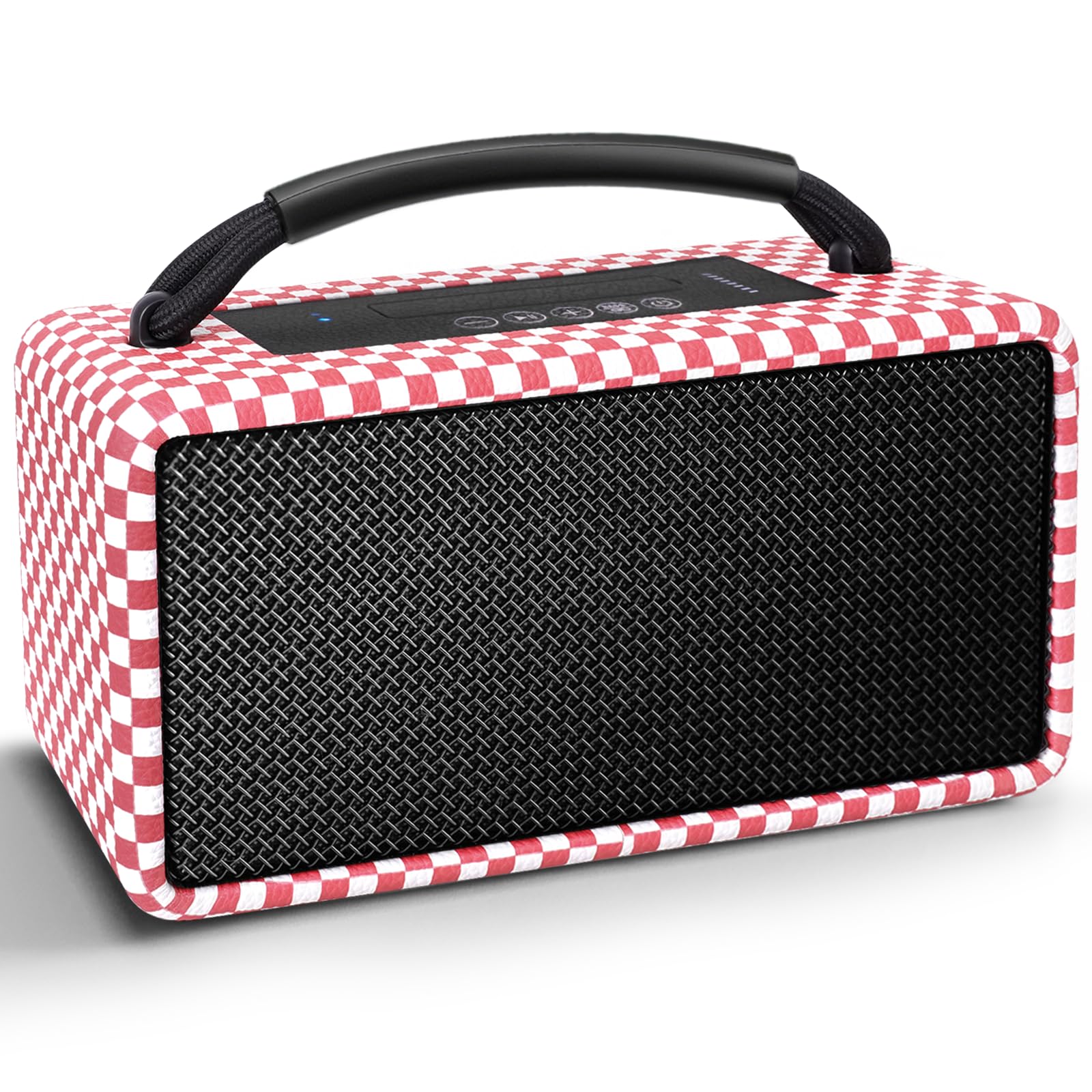
Image: DINDIN Portable Bluetooth Speaker. This image shows the main view of the DINDIN-007 speaker in its pink and white checkered design, highlighting its compact and portable form factor.
3. Bluetooth Pairing
- Turn on the speaker. The Bluetooth indicator will flash, indicating it's in pairing mode.
- On your device (smartphone, tablet, etc.), enable Bluetooth and search for available devices.
- Select "DINDIN-007" from the list of devices.
- Once connected, the Bluetooth indicator will stop flashing and remain solid.
Video: Quick Connect BT5.3. This video demonstrates the fast and easy Bluetooth 5.3 pairing process, showing a user turning on the speaker and connecting it to a smartphone.
Operating Instructions
1. Basic Playback
- Play/Pause: Press the Play/Pause button once.
- Volume Up/Down: Press the "+" or "-" buttons.
- Next/Previous Track: Long press the "+" button for next track, long press the "-" button for previous track.
- Bass Boost: Press the "Bass" button to activate or deactivate the bass boost feature for enhanced low frequencies.
2. True Wireless Stereo (TWS) Pairing
To achieve 160W surround sound, you can pair two DINDIN-007 speakers together:
- Ensure both speakers are powered on and not connected to any Bluetooth device.
- On one speaker (this will be the primary speaker), press and hold the TWS button (often integrated with the Play/Pause or Bass button, refer to the panel diagram). The speaker will enter TWS pairing mode.
- The primary speaker will automatically search for the secondary speaker. Once connected, you will hear an audible confirmation.
- Now, connect your device to the primary speaker via Bluetooth as described in the "Bluetooth Pairing" section. Audio will play through both speakers in stereo.
Video: TWS pairing. This video illustrates the process of pairing two DINDIN-007 speakers for True Wireless Stereo sound, showing the steps to connect them for a wider audio experience.
3. Using the Power Bank Function
The DINDIN-007 speaker can act as a power bank to charge your mobile devices in emergencies:
- Connect your device's charging cable to the USB interface on the speaker.
- The speaker will begin charging your device.

Image: Reverse charging Bluetooth speaker. This image shows the DINDIN speaker connected via USB to a smartphone, demonstrating its built-in power bank functionality for charging other devices.
4. AUX Input
For wired audio playback, connect your audio source to the speaker's AUX 3.5mm interface using the provided AUX cable.
Maintenance
- Keep the speaker away from extreme temperatures, direct sunlight, and moisture.
- Clean the speaker with a soft, dry cloth. Do not use abrasive cleaners or solvents.
- Avoid dropping the speaker or subjecting it to strong impacts.
- When not in use for extended periods, store the speaker in a cool, dry place and charge it periodically to maintain battery health.
Troubleshooting
| Problem | Possible Cause | Solution |
|---|---|---|
| Speaker does not power on. | Low battery. | Charge the speaker fully using the provided Type-C cable. |
| Cannot pair via Bluetooth. | Speaker is not in pairing mode; Bluetooth is off on device; device is too far. | Ensure speaker is on and indicator is flashing. Enable Bluetooth on your device. Move device closer to speaker (within 10 meters). Long press the Bluetooth button on the speaker to force pairing mode. |
| No sound. | Volume too low; incorrect input source; device not playing. | Increase volume on both speaker and connected device. Ensure correct input (Bluetooth, AUX, USB) is selected. Check if audio is playing on your device. |
| Speaker automatically turns off. | Power-saving feature (no activity); low battery. | The speaker has an automatic shut-off feature after a period of inactivity (e.g., 15-30 minutes). Ensure music is playing or interact with the speaker to keep it active. Charge the speaker if the battery is low. |
| TWS pairing fails. | Speakers already connected to other devices; speakers too far apart. | Disconnect both speakers from any Bluetooth devices. Ensure both speakers are in TWS pairing mode and close to each other. |
Specifications
| Feature | Detail |
|---|---|
| Brand | DINDIN |
| Model Name | DINDIN-007 |
| Connectivity Technology | Bluetooth 5.3 |
| Peak Power Output | 80W |
| Playtime | Up to 20 hours (10000mAh battery) |
| Speaker Type | Portable Bluetooth Speaker, Floorstanding |
| Material | Wood, Paper, Silk (Enclosure) |
| Additional Features | Bass Boost, TWS Pairing, Built-in Power Bank, DSP Advanced Chip Technology |
| Color (Current Model) | Pink |
| Dimensions (Approximate) | 9.88 in (L) x 4.92 in (H) x 3.78 in (D) |

Image: Speaker Dimensions. This image provides a visual representation of the speaker's dimensions (9.88 inches long, 4.92 inches high, 3.78 inches deep), shown next to two baseballs for scale.
Warranty and Support
DINDIN products are designed and manufactured to the highest quality standards. For warranty information or technical support, please refer to the warranty card included in your package or contact DINDIN customer service through the retailer where you purchased the product. Please retain your proof of purchase for warranty claims.
Related documentsDINDIN-007


Ask a question about this manual
Ask about setup, troubleshooting, compatibility, parts, safety, or missing instructions. Manuals+ will review the question and use this page’s manual context to help answer it.