
1. Introduction
Thank you for choosing the ANTELA 4MP PTZ WiFi Outdoor Security Camera. This manual provides essential information for the proper installation, operation, and maintenance of your security camera. Please read it thoroughly before use and retain it for future reference.
This camera features 4MP resolution, 355° horizontal and 90° vertical rotation (PTZ), three night vision modes (infrared, full-color, and intelligent), two-way audio, motion detection with alerts, and IP65 weather resistance for outdoor use. It operates on 2.4 GHz Wi-Fi and is compatible with Smart Life and Tuya Smart applications.
2. Product Components
The package includes the following items:
- ANTELA 4MP PTZ WiFi Outdoor Security Camera
- Instruction Manual
- Mounting Accessories (screws, wall plugs)
- Power Adapter
3. Setup Guide
3.1 Physical Installation
- Choose a Location: Select an outdoor location with a clear view of the area you wish to monitor. Ensure the camera is within range of your 2.4 GHz Wi-Fi network. The camera is IP65 rated for outdoor weather conditions.
- Mounting: Use the provided mounting accessories to securely attach the camera to a wall or suitable surface. Ensure the camera is positioned to allow for optimal pan and tilt movement.
- Power Connection: Connect the camera to the power adapter and plug it into a power outlet. The camera will power on and initiate its self-test.
3.2 App Installation and Pairing
- Download App: Download the 'Smart Life' or 'Tuya Smart' app from your mobile device's app store (iOS or Android).
- Register/Log In: Open the app and register for a new account or log in if you already have one.
- Add Device: Follow the in-app instructions to add a new device. Select 'Security Camera' or 'Smart Camera'.
- Connect to Wi-Fi: Ensure your phone is connected to a 2.4 GHz Wi-Fi network. The app will guide you through connecting the camera to your Wi-Fi network, typically by scanning a QR code displayed on your phone with the camera lens.
- Completion: Once connected, you can name your camera and begin live viewing and configuration.
4. Operating Instructions
4.1 Pan and Tilt Control
The camera offers 355° horizontal pan and 90° vertical tilt capabilities. You can remotely control the camera's viewing angle using the directional controls within the Smart Life or Tuya Smart app.

Image: The camera's pan (355°) and tilt (90°) range, controllable via the mobile app.
4.2 Night Vision Modes
The camera supports three night vision modes, allowing clear visibility up to 50 meters in low-light conditions:
- Infrared Night Vision: Provides black and white video in complete darkness using infrared LEDs.
- Full-Color Night Vision: Utilizes built-in spotlights to provide color video even at night.
- Intelligent Night Vision: Automatically switches from infrared to full-color vision when motion is detected, illuminating the area.

Image: Visual representation of infrared, full-color, and alarm light night vision modes.
4.3 Motion Detection and Alerts
The camera features smart motion detection. When movement is detected, the camera triggers an alarm and sends real-time notifications to your mobile device. You can customize alarm sounds and notification settings within the app.
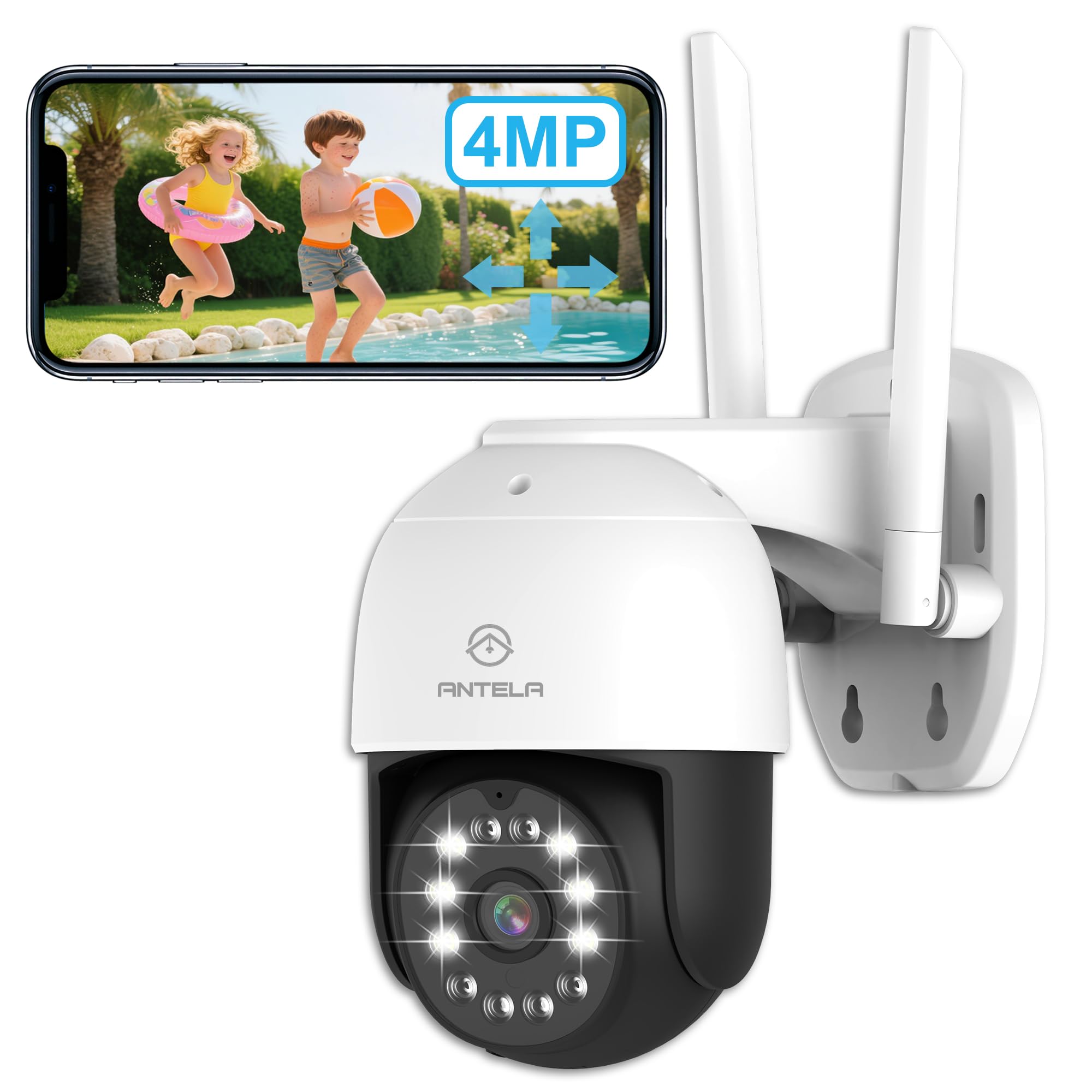
Image: A smartphone screen showing a 'Motion Detected' alert from the camera.
4.4 Two-Way Audio
Equipped with a built-in microphone and speaker, the camera allows for two-way communication. You can speak through the camera to visitors or deter intruders directly from your smartphone app.

Image: Illustrates two-way audio communication between a user and a delivery person.
4.5 Video Storage
The camera supports two storage options for recorded video footage:
- Micro SD Card: Insert a Micro SD card (up to 128GB, not included) into the designated slot on the camera for local storage.
- Cloud Storage: Subscribe to the cloud storage service via the app for secure, remote storage of your video recordings.
4.6 Multi-User Sharing
You can share access to your camera's live feed and recordings with family members or trusted individuals through the app. This allows multiple users to monitor the property simultaneously.

Image: Depicts the multi-user sharing feature, allowing several people to view the camera feed.
5. Maintenance
- Cleaning: Regularly clean the camera lens with a soft, dry cloth to ensure clear image quality. Do not use harsh chemicals.
- Firmware Updates: Check the app periodically for firmware updates. Keeping the camera's firmware updated ensures optimal performance and security.
- Power Supply: Ensure the power adapter and cable are free from damage and properly connected.
6. Troubleshooting
| Problem | Possible Cause | Solution |
|---|---|---|
| Camera offline | No power; Wi-Fi disconnected; Weak Wi-Fi signal | Check power connection; Restart camera and router; Relocate camera closer to router or use a Wi-Fi extender. |
| Cannot connect to Wi-Fi | Incorrect Wi-Fi password; 5 GHz Wi-Fi network; Camera too far from router | Verify Wi-Fi password; Ensure you are connecting to a 2.4 GHz network; Move camera closer to router. |
| Motion detection not working | Detection sensitivity too low; Detection area not set; App notifications disabled | Adjust sensitivity in app settings; Configure detection zones; Enable app notifications for the camera. |
| Poor image quality | Dirty lens; Poor lighting; Network bandwidth issues | Clean the camera lens; Ensure adequate lighting or use night vision modes; Check your internet speed. |
7. Specifications
| Feature | Specification |
|---|---|
| Video Recording Resolution | 4MP |
| Pan/Tilt Rotation | 355° Horizontal, 90° Vertical |
| Wireless Communication Technology | 2.4 GHz Wi-Fi (5 GHz not supported) |
| Night Vision Range | 50 Meters |
| Frame Rate | 25 frames per second |
| Material | Plastic |
| Dimensions (L x W x H) | 9 x 9 x 16 cm |
| Weight | 286 Grams |
| Water Resistance Level | IP65 (Waterproof) |
| Supported Mobile OS | iOS 7+, Android 4.0+ |
| Storage Options | Micro SD Card (max. 128GB), Cloud Storage |
| Connectivity Protocol | Wi-Fi |
| Power Source | Electric Cable |
8. Warranty and Support
Information regarding specific warranty details is not available in the provided product data. For warranty claims or technical support, please refer to the contact information provided with your purchase or visit the official ANTELA website.
Spare parts availability information is currently unavailable.
