1. Introduction
This manual provides essential instructions for setting up, operating, and maintaining your Infinix XWatch N4 Pro (XW4E) smartwatch. Please read this guide thoroughly to ensure proper use and to maximize the device's features.
2. Package Contents
Verify that all items are present in your product package:
- Infinix XWatch N4 Pro Smartwatch
- Charging Cable
- Quick Start Guide
- Safety Information
- Warranty Card
3. Product Overview
The Infinix XWatch N4 Pro features a 1.43-inch AMOLED HD screen and a durable design. Familiarize yourself with the watch's components.
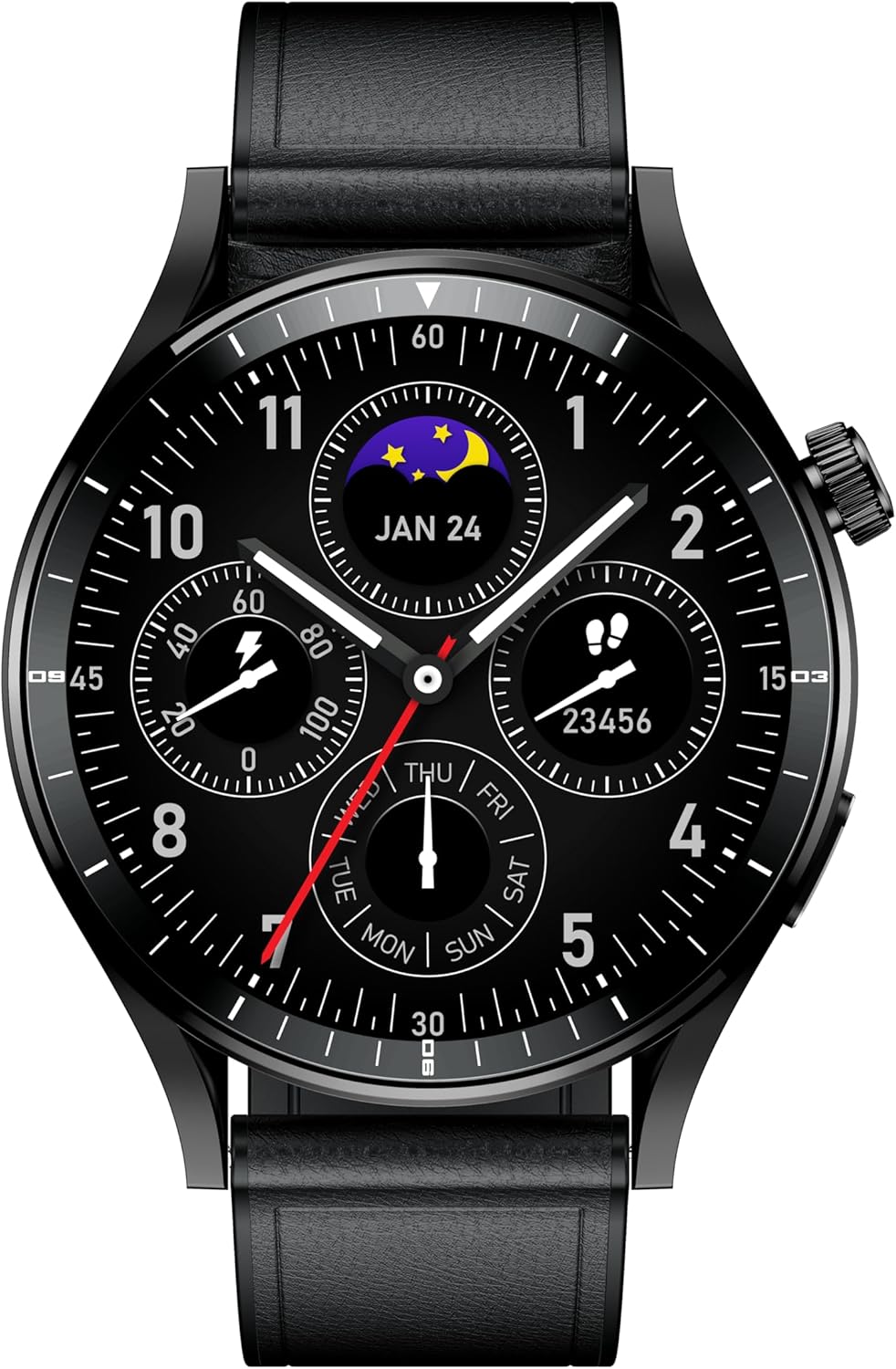
Figure 3.1: Front view of the Infinix XWatch N4 Pro. This image shows the round AMOLED display with a detailed watch face, including time, date, and various health indicators. The watch features a black casing and a matching black leather-textured strap.
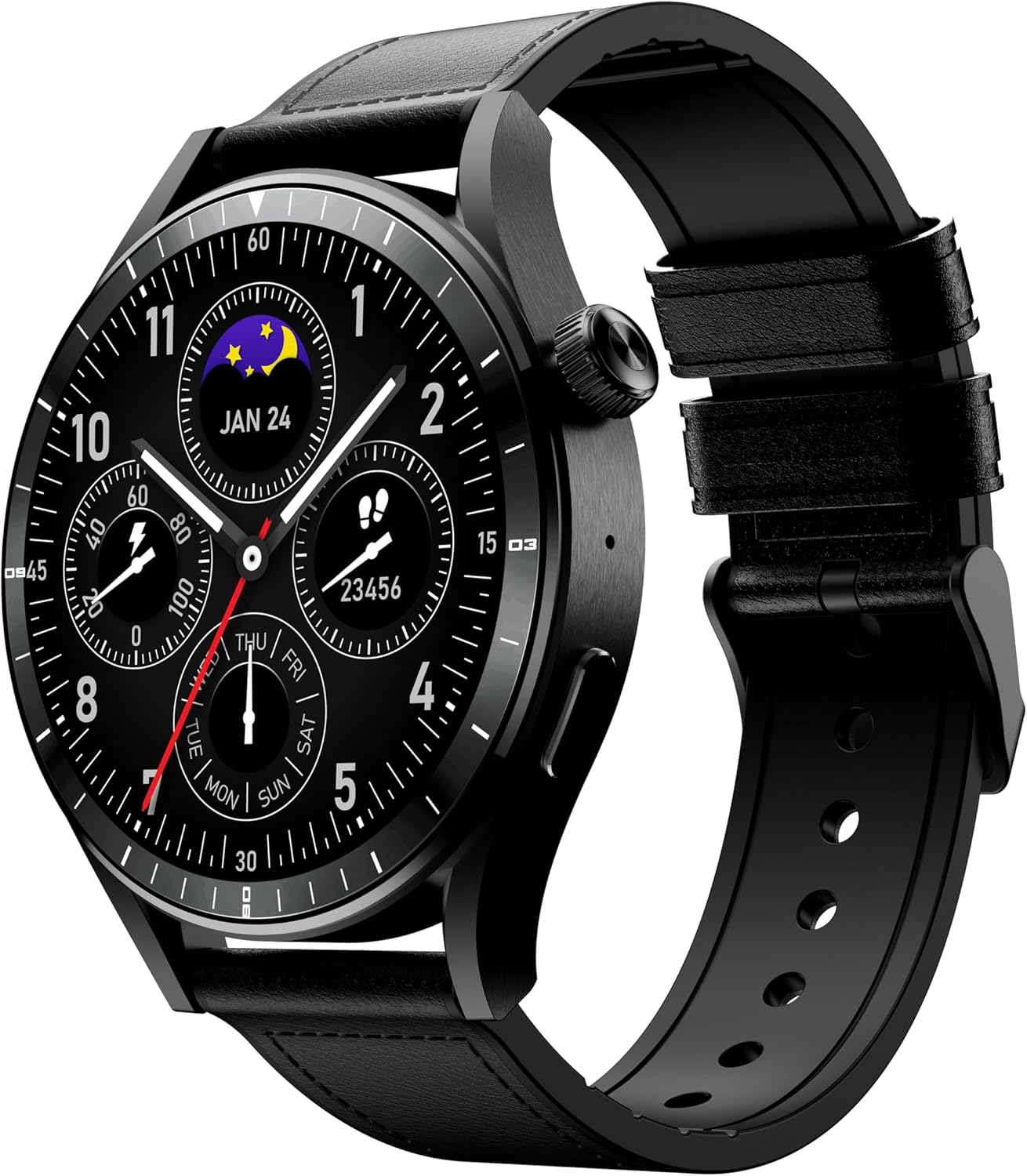
Figure 3.2: Angled view of the Infinix XWatch N4 Pro. This perspective highlights the watch's profile, including the rotating crown and a function button on the right side of the casing. The black strap is visible, extending from the watch body.

Figure 3.3: Side profile of the Infinix XWatch N4 Pro. This image emphasizes the watch's sleek design and the placement of the crown and button on the side of the black metal casing. The strap attachment points are also visible.

Figure 3.4: Back view of the Infinix XWatch N4 Pro. This shows the sensor array for heart rate and SpO2 monitoring, along with the wireless charging contact points. The 'Infinix' brand name and model number 'XW4E' are engraved on the back casing.

Figure 3.5: Detail of the Infinix XWatch N4 Pro strap. This close-up illustrates the texture and design of the black strap, including the buckle mechanism, which ensures a secure and comfortable fit.
4. Setup
4.1 Initial Charging
Before first use, fully charge your Infinix XWatch N4 Pro. Place the watch on the wireless charging pad. The watch display will indicate charging status. A full charge typically takes approximately 2 hours.
4.2 Pairing with Your Smartphone
- Download the Companion App: Search for the official Infinix smartwatch application on your smartphone's app store (compatible with iOS and Android devices).
- Enable Bluetooth: Ensure Bluetooth is enabled on your smartphone.
- Open the App: Launch the Infinix smartwatch app and follow the on-screen instructions to create an account or log in.
- Add Device: Within the app, select the option to add a new device. The app will search for available smartwatches.
- Select Your Watch: Choose 'Infinix XWatch N4 Pro' from the list of discovered devices.
- Confirm Pairing: A pairing request will appear on both your watch and smartphone. Confirm the pairing on both devices.
Once paired, your watch will synchronize data with your phone, and you can customize settings through the app.
5. Operating Instructions
5.1 Basic Navigation
- Touchscreen: Swipe left, right, up, or down to navigate through menus and notifications. Tap to select an item.
- Crown: Rotate the crown to scroll through lists or adjust settings. Press the crown to return to the watch face or access the app menu.
- Side Button: Press the side button for quick access to frequently used functions or to return to the previous screen.
5.2 Customizing Watch Faces
You can change the watch face directly on the device by long-pressing the current watch face and swiping to select a new one, or through the companion app for more options.
6. Key Features
6.1 Health Monitoring
The XWatch N4 Pro includes sensors for monitoring your health metrics:
- Heart Rate: The watch continuously monitors your heart rate. View real-time data on the watch or detailed trends in the app.
- SpO2 (Blood Oxygen): Measure your blood oxygen saturation levels. Ensure the watch is worn snugly on your wrist for accurate readings.
6.2 Calling Function
With Bluetooth V5.3 connectivity, the XWatch N4 Pro supports making and receiving calls directly from your wrist when paired with your smartphone. Ensure your watch is within Bluetooth range of your phone.
7. Charging and Battery Life
The Infinix XWatch N4 Pro is equipped with a 300mAh battery and supports wireless charging. A full charge provides up to 12 days of typical usage, depending on feature usage and settings.
8. Water Resistance (IP68)
The device has an IP68 water resistance rating. This means it is protected against dust ingress and can withstand immersion in water up to 1.5 meters for up to 30 minutes. It is suitable for daily use, such as hand washing or light rain. However, it is not recommended for swimming, diving, or exposure to high-pressure water.
9. Maintenance
- Cleaning: Regularly clean your watch and strap with a soft, dry cloth. If necessary, use a slightly damp cloth and dry thoroughly. Avoid harsh chemicals or abrasive materials.
- Strap Care: Ensure the strap is not too tight or too loose for comfort and accurate sensor readings.
- Storage: When not in use for extended periods, store the watch in a cool, dry place.
10. Troubleshooting
If you encounter issues with your Infinix XWatch N4 Pro, refer to the following common solutions:
| Problem | Solution |
|---|---|
| Watch not turning on | Ensure the watch is fully charged. Connect it to the charger for at least 30 minutes. |
| Unable to pair with phone | Check if Bluetooth is enabled on your phone. Restart both the watch and phone. Ensure the watch is not already paired with another device. Try resetting the watch to factory settings. |
| Inaccurate heart rate/SpO2 readings | Ensure the watch is worn snugly on your wrist, not too tight or too loose. Clean the sensor on the back of the watch. Remain still during measurements. |
| Battery drains quickly | Reduce screen brightness, disable unnecessary notifications, or limit continuous health monitoring features. |
11. Specifications
Key technical specifications for the Infinix XWatch N4 Pro (XW4E):
| Feature | Detail |
|---|---|
| Model Number | XW4E |
| Display | 1.43 Inches AMOLED HD Touchscreen |
| Connectivity | Bluetooth V5.3 |
| Battery Capacity | 300 mAh |
| Charging | Wireless Charging |
| Usage Time | Up to 12 days (typical usage) |
| Water Resistance | IP68 |
| Health Monitoring | Heart Rate, SpO2 |
| GPS | No GPS |
| Compatible Devices | Smartphones (iOS and Android) |
| Item Weight | 67 g |
| Item Shape | Round |
12. Warranty and Support
Your Infinix XWatch N4 Pro (XW4E) comes with a 12-month manufacturer's warranty. Please refer to the included Warranty Card for detailed terms and conditions.
For technical support or warranty claims, please contact Infinix customer service through their official website or the contact information provided in your product packaging.


