
1. Introduction
The Shakas Digital Dashboard Clock is designed to provide clear and convenient time display in various environments. It features a large digital screen, night light display, and touch control for ease of use. Constructed from high-quality alloy, it offers durability and a sleek design suitable for cars, homes, and offices.
Key Features:
- Large Digital Display: Clear, prominent fonts for easy readability in various lighting conditions.
- Night Light Display: Soft backlight for visibility in low-light environments.
- Touch Control: Simple touch functionality to activate the display.
- Intelligent Power Saving: Automatic low-power mode to extend battery life, with instant wake-up via touch.
- Durable Construction: Made from high-quality alloy for wear and scratch resistance.
- Versatile Placement: Suitable for dashboards, center consoles, desks, and other flat surfaces.

Image 1: Product Features. This image highlights the key features of the clock, including its touchscreen display, luminous digital numbers, and alloy fuselage construction.
2. Setup
2.1 Unpacking
Carefully remove the clock from its packaging. Ensure all components, including the clock and its housing, are present.
2.2 Powering On
The clock is battery-powered. It is equipped with a high-performance power source designed for long-lasting use. There is no external power button; the device is always in a low-power sleep mode until activated by touch.
2.3 Setting the Time
To set the time, gently touch the screen to activate the display. Specific instructions for adjusting the time are not explicitly provided in the product details. Please refer to the official product video for a visual guide on time setting, if available, or experiment with prolonged touches on the screen or specific areas of the display to enter a setting mode.
Video 1: Shakas Digital Dashboard Clock Overview. This video demonstrates the clock's features and may include instructions on how to set the time. It shows the clock in operation and highlights its design.
2.4 Installation
The clock features a self-adhesive backing for easy installation. Ensure the chosen surface is clean, dry, and smooth for optimal adhesion. It can be installed on various surfaces without causing damage.
- For Car Use: Apply to dashboards or center consoles.
- For Home/Office Use: Apply to study desks, office desks, or other flat surfaces.

Image 2: Multiple Usage Scenarios. This image illustrates various places where the clock can be installed, including car dashboards, electric vehicles, and office desks, demonstrating its versatility.
3. Operating Instructions
3.1 Viewing the Time
The clock's screen automatically enters a sleep mode to conserve power. To view the time, simply touch the screen. The time will display for a few seconds before the screen returns to sleep mode.

Image 3: Multi-Faceted Display. This image shows the clock's display from different angles, emphasizing its clear digital readout and modern design.
3.2 Night Light Function
The clock features a night light display. When activated by touch in low-light conditions, the display will illuminate with a soft backlight, ensuring readability without being overly bright or distracting.
3.3 Power Saving Mode
The intelligent power-saving mode automatically turns off the display backlight when there is no operation, significantly extending battery life. The screen can be instantly awakened by touch sensing.

Image 4: Intelligent Power Saving. This image highlights the clock's ultra-long battery life and intelligent power-saving features, showing the clock face with a subtle background design.
4. Maintenance
4.1 Cleaning
To clean the clock, gently wipe the surface with a soft, dry, or slightly damp cloth. Avoid using abrasive cleaners, solvents, or harsh chemicals, as these can damage the alloy finish or the display screen.
4.2 Durability
The clock is constructed from high-quality alloy, providing excellent wear and scratch resistance. This material helps protect against minor impacts and scratches from daily use, such as those from fingernails or other objects.
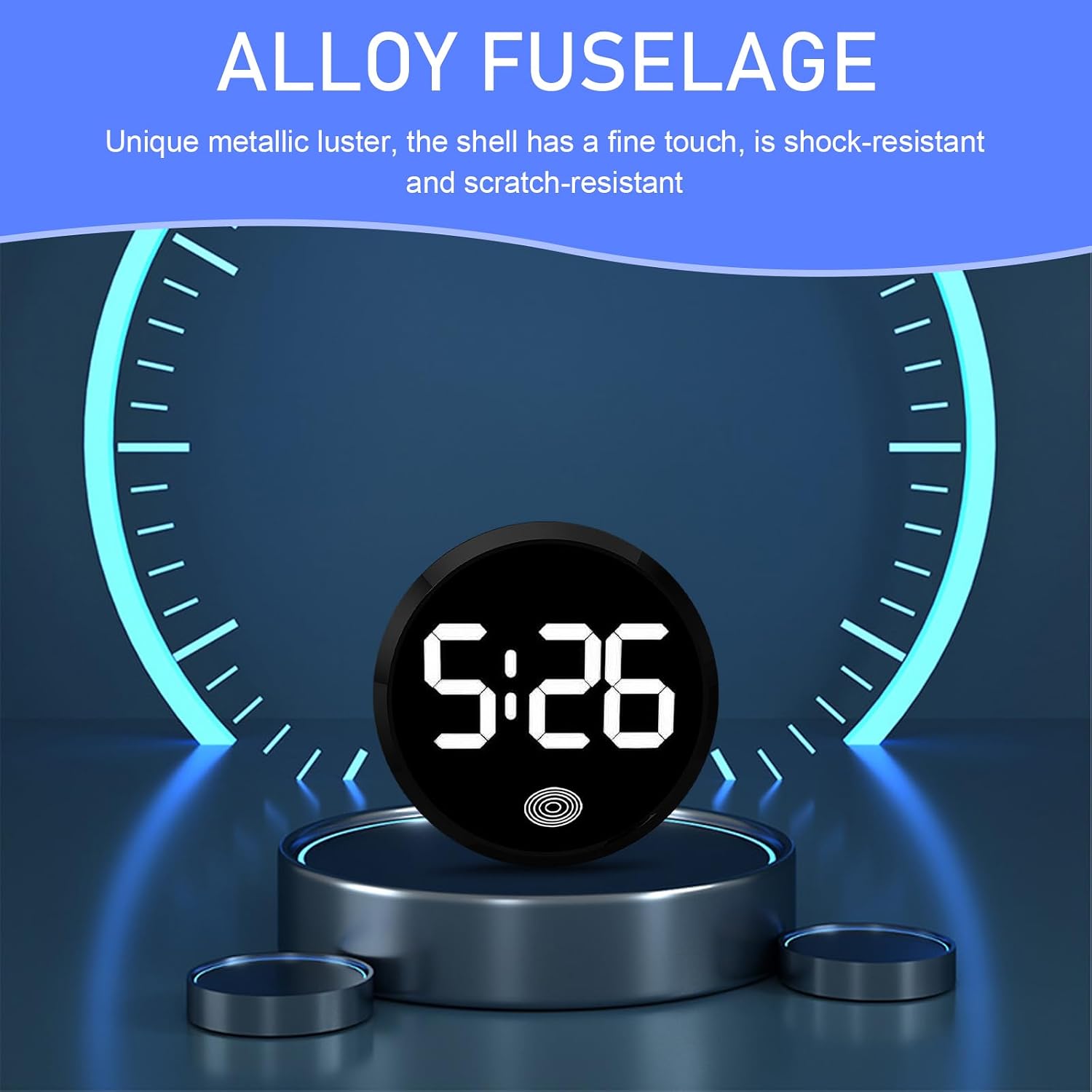
Image 5: Alloy Fuselage. This image highlights the clock's durable alloy construction, noting its unique metallic luster, fine touch, and resistance to shock and scratches.
4.3 Battery Replacement
Information regarding battery type and replacement procedure is not explicitly provided. If the clock stops functioning or the display becomes dim, it may indicate a need for battery replacement. Please consult the manufacturer's support for guidance on battery access and replacement.
5. Troubleshooting
| Problem | Possible Cause | Solution |
|---|---|---|
| Clock display does not turn on. | Clock is in power-saving sleep mode or battery is depleted. | Gently touch the screen to activate. If it still doesn't turn on, the battery may need replacement. |
| Time is incorrect or cannot be set. | Incorrect time setting procedure or internal malfunction. | Refer to the official product video for time setting instructions. If issues persist, contact customer support. |
| Display is dim or inconsistent. | Low battery or environmental factors. | Consider battery replacement. Ensure the clock is not exposed to extreme temperatures. |
| Clock detaches from surface. | Improper installation or surface not clean/smooth. | Clean the surface thoroughly before re-applying. Ensure firm pressure is applied during installation. |
6. Specifications
| Brand | Shakas |
| Model Number | SHASZ3222WH-1PC |
| Color | White |
| Display Type | Digital |
| Style | Modern |
| Special Features | Night Light Display, Touch Control, Intelligent Power Saving, Ultra-low Power Consumption |
| Power Source | Battery Powered |
| Shape | Round |
| Indoor/Outdoor Usage | Indoor |
| Material | Metal (Alloy Frame) |
| Mounting Type | Tabletop (Self-adhesive for various surfaces) |
| Dimensions (Approx.) | 1.81 inches (Diameter) x 0.43 inches (Thickness) |
| Included Components | Comes with housing |

Image 6: Product Dimensions. This image provides a visual representation of the clock's size, indicating a diameter of 1.81 inches and a thickness of 0.43 inches.
7. Warranty Information
The Shakas Digital Dashboard Clock comes with a manufacturer warranty for 30 days from the date of purchase. This warranty covers defects in materials and workmanship under normal use. Please retain your proof of purchase for warranty claims.
8. Customer Support
For further assistance, technical support, or warranty claims, please contact Shakas customer service. Refer to the contact information provided with your product packaging or visit the official Shakas website for support details.
When contacting support, please have your product model number (SHASZ3222WH-1PC) and date of purchase readily available.
