
Introduction
This manual provides comprehensive instructions for the ZWP Replacement Remote Control. It is designed to help you set up, operate, and maintain your remote control for various compatible under-desk elliptical machines. Please read this manual thoroughly before use to ensure proper function and longevity of your device.
Product Overview
The ZWP Replacement Remote Control is a durable and ergonomic device designed to operate compatible under-desk elliptical machines. It features a comfortable hand feeling and is constructed from high-quality ABS material with soft silicone buttons for reliable performance.

Image 1: The ZWP Replacement Remote Control shown alongside a compatible under-desk elliptical machine, illustrating its operational distance of up to 8 meters.

Image 2: A detailed view of the remote control, highlighting the "FUNCTION" button and the high-quality ABS material with soft silicone buttons used in its construction.
Setup
1. Battery Installation
The remote control requires two 1.5V AAA batteries (not included). Follow these steps to install them:
- Locate the battery compartment cover on the back of the remote control.
- Slide the cover downwards to open the compartment.
- Insert two AAA batteries, ensuring the positive (+) and negative (-) terminals match the diagrams inside the compartment.
- Slide the cover back into place until it clicks securely.
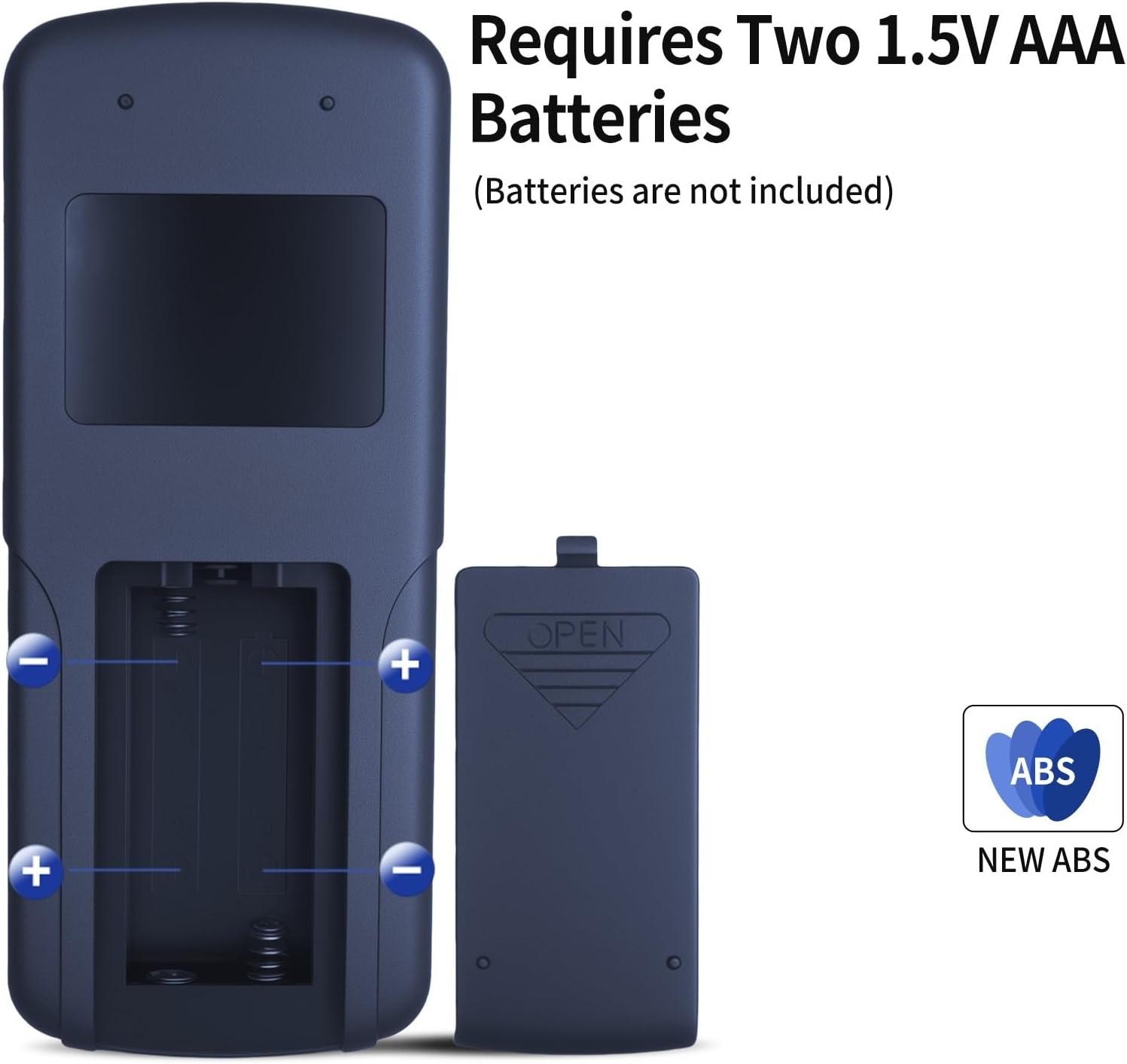
Image 3: Illustration showing the battery compartment of the remote control and the correct orientation for inserting two 1.5V AAA batteries.
2. Pairing Instructions
The manufacturer provides the following pairing instruction. Please note that the button names mentioned may refer to functions on the elliptical machine itself or a different type of device. If these instructions do not apply directly to your elliptical machine, please consult your elliptical's user manual for specific pairing procedures.
To re-pair the remote control with your device:
- Within 10 seconds of plugging the power cord of your elliptical machine into the electrical outlet:
- Press and hold the “Head Up” and “Foot Down” buttons simultaneously for 10 seconds.
- The adjustable base (or corresponding mechanism on your elliptical) should re-pair with the remote.
If your remote does not have "Head Up" and "Foot Down" buttons, or if your elliptical machine does not have an "adjustable base," please refer to the user manual provided with your specific elliptical machine for pairing instructions.
Operation
The remote control features several buttons for controlling your under-desk elliptical machine. Familiarize yourself with the button layout and their functions:

Image 4: A close-up of the remote control, highlighting the "SPEED" and "POWER" buttons and their positions.
- POWER Button: Turns the elliptical machine on or off.
- START/STOP Button: Initiates or pauses the elliptical's movement.
- MODE Button: Cycles through different exercise modes or display options.
- SPEED Buttons (Up/Down Arrows): Adjusts the speed or intensity level of the elliptical.
- DIRECTION Button: Changes the direction of the elliptical's movement (if supported by your machine).
- FUNCTION Button: Activates additional functions or settings (refer to your elliptical's manual for specific functions).
Ensure the remote is pointed towards the elliptical machine for optimal signal transmission. The operational distance is approximately 8 meters.
Maintenance
Cleaning
To clean the remote control, use a soft, dry cloth. For stubborn dirt, slightly dampen the cloth with water. Do not use abrasive cleaners, solvents, or harsh chemicals, as these can damage the remote's surface and internal components.
Battery Replacement
Replace the batteries when the remote control's response becomes sluggish or stops functioning. Refer to the "Battery Installation" section under Setup for instructions on how to replace the two 1.5V AAA batteries.
Always dispose of used batteries responsibly according to local regulations.
Troubleshooting
| Problem | Possible Cause | Solution |
|---|---|---|
| Remote control not responding. |
|
|
| Elliptical machine not turning on/off. |
|
|
| Buttons not functioning correctly. |
|
|
Specifications
- Brand: ZWP
- Compatible Devices: Under Desk Elliptical Machines (e.g., Putnen MF-H-01, HJDFGSS D802, CURSOR Fitness C5, GEONEO S200, Medilax P70324, Morelax M858, DOMNIU, Yagud ZF0801, Roylvan TD05-EB-010, VIVURN 018)
- Power Source: 2 x 1.5V AAA Batteries (not included)
- Material: High-quality ABS with soft silicone buttons
- Color: Black
- Item Weight: 2.08 ounces (approx. 59 grams)
- Package Dimensions: 7.4 x 2.5 x 1.1 inches (approx. 18.8 x 6.35 x 2.8 cm)
- Operational Distance: Up to 8 meters
Warranty and Support
For any questions or issues regarding your ZWP Replacement Remote Control, please contact the seller or manufacturer directly. Specific warranty information may be provided with your purchase documentation. Please retain your proof of purchase for warranty claims.
If you require further assistance with your elliptical machine, please refer to the user manual provided by the elliptical machine's manufacturer.