
1. Important Safety Information
Please read all instructions carefully before installation and operation. Failure to follow these instructions may result in property damage, personal injury, or death. Keep this manual for future reference.
- Professional Installation: Installation, maintenance, and repair must be performed by qualified service personnel.
- Electrical Safety: Ensure the unit is properly grounded and connected to a dedicated circuit with the correct voltage (230V). Do not use extension cords.
- Refrigerant: This unit uses R-32 refrigerant. Only qualified technicians should handle refrigerant.
- Clearances: Maintain adequate clearances around both indoor and outdoor units for proper airflow and service access.
- Children and Pets: Keep children and pets away from the unit during operation and maintenance.
2. Product Overview
The PG Mini Split Air Conditioner Heat Pump System provides efficient heating and cooling for your space. This system includes an indoor unit, an outdoor unit, and a remote control, with optional Wi-Fi smart control capabilities.
2.1 Key Features
- 18,000 BTU Cooling Capacity: Ideal for larger rooms up to 750 sq ft.
- Inverter Technology: Ensures energy-efficient operation and consistent temperature.
- Wi-Fi Connectivity: Allows remote operation via smartphone or voice assistants.
- R-32 Refrigerant: Environmentally friendly refrigerant with low global warming potential.
- Heat Pump Functionality: Provides both heating and cooling for year-round comfort.
- Quiet Operation: Designed for minimal noise during use.
- Sleep Mode: Gradually adjusts temperature for nighttime comfort and energy efficiency.
2.2 System Components
The PG Mini Split system typically includes the following components:
- Indoor Unit (Evaporator)
- Outdoor Unit (Condenser)
- Remote Control
- Installation Kit (line set, drainage hose, electrical wiring - may vary)
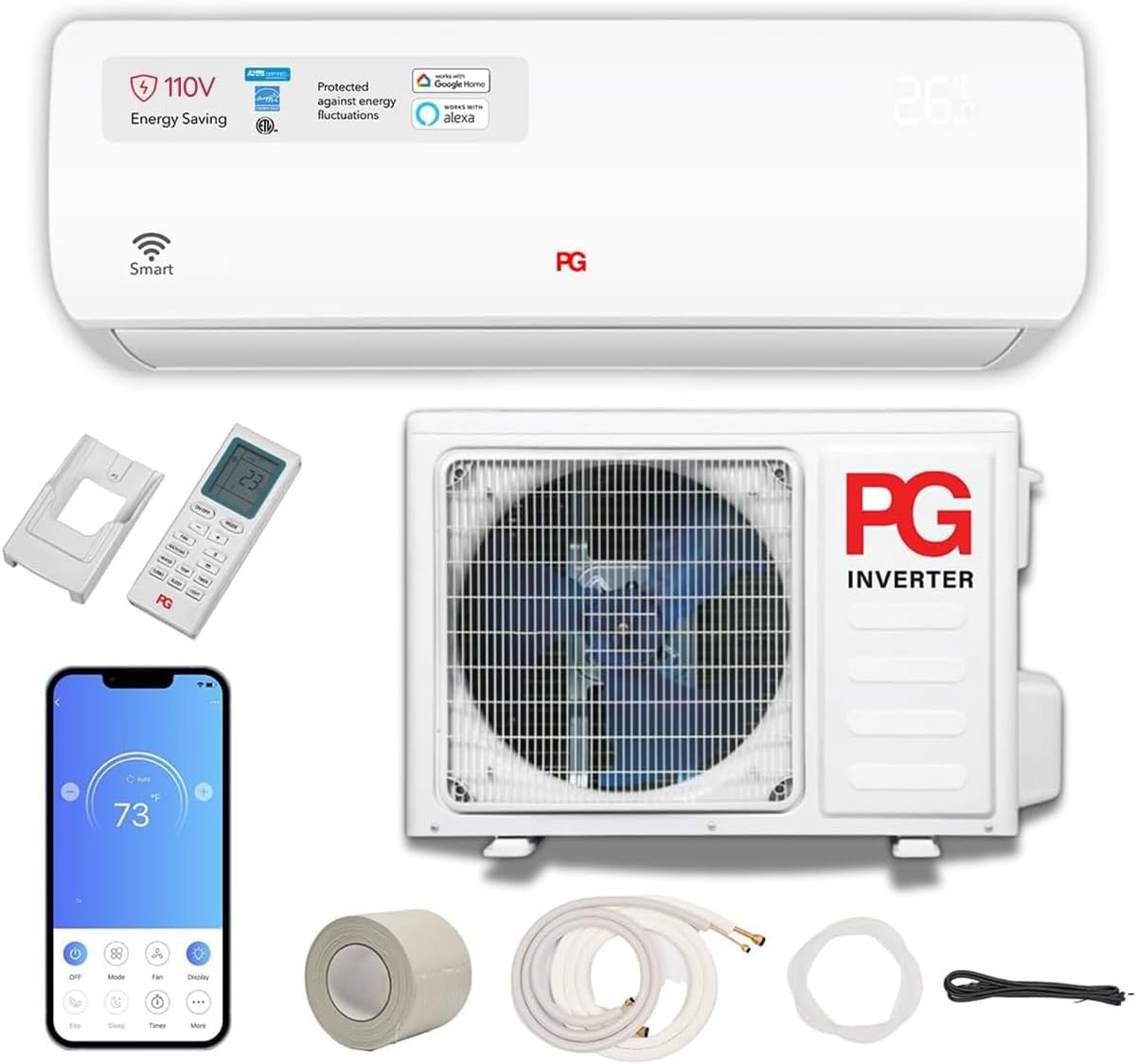
Figure 1: Overview of the PG Mini Split Air Conditioner Heat Pump System, showing the indoor unit, outdoor unit, remote control, smartphone app interface, and various installation accessories like copper tubing, insulation, and electrical cables.
3. Setup and Installation
Installation of a mini-split system requires specialized knowledge and tools. It is strongly recommended that installation be performed by a certified HVAC professional to ensure proper function, safety, and warranty validity.
3.1 Pre-Installation Checklist
- Verify correct voltage (230V) and dedicated circuit availability.
- Ensure adequate space and clearances for both indoor and outdoor units.
- Confirm all components are present and undamaged.
- Consult local building codes and regulations.
3.2 General Installation Steps (Professional Recommended)
- Mounting the Indoor Unit: Secure the mounting plate to the wall, ensuring it is level.
- Drilling Wall Hole: Create a hole through the wall for the refrigerant lines, drain hose, and electrical cables.
- Connecting Piping and Wiring: Connect the refrigerant lines, drain hose, and electrical cables between the indoor and outdoor units. This step requires specialized tools for flaring and vacuuming.
- Mounting the Outdoor Unit: Place the outdoor unit on a stable, level surface or mount it using a wall bracket, ensuring proper vibration isolation.
- Vacuuming and Refrigerant Charging: Evacuate the system to remove air and moisture, then release the refrigerant from the outdoor unit.
- Electrical Connections: Connect the power supply to the outdoor unit and ensure all electrical connections are secure and correct.
- Drainage: Ensure the drain hose is properly sloped to allow for condensate drainage.
- Test Run: Perform a test run to verify proper operation in both cooling and heating modes.

Figure 2: The indoor unit installed, illustrating its capacity and coverage area. Professional installation ensures optimal performance.
4. Operating Instructions
Your PG Mini Split system can be operated using the included remote control or via the Wi-Fi smart control feature.
4.1 Remote Control Operation
The remote control allows you to adjust settings from anywhere in the room. Ensure the remote is pointed towards the indoor unit when sending commands.

Figure 3: Remote control for the PG Mini Split system, detailing the function of each button for easy climate management.
- Power Button (ON/OFF): Turns the unit on or off.
- Mode Button: Cycles through operating modes: Cool, Heat, Fan, Dry, and Auto.
- Fan Button: Adjusts fan speed (Auto, Low, Medium, High).
- TEMP Buttons (+/-): Adjusts the desired temperature.
- Turbo Button: Activates maximum cooling or heating for rapid temperature change.
- Sleep Button: Engages Sleep Mode for quiet, energy-efficient nighttime operation.
- Timer Button: Sets a timer for automatic on/off operation.
- Light Button: Controls the display backlight or AC panel lighting.
4.2 Wi-Fi Smart Control
The system supports Wi-Fi connectivity, allowing control via a smartphone app or voice assistants like Alexa and Google Home. Refer to the separate Wi-Fi setup guide for detailed instructions on connecting your unit to your home network.
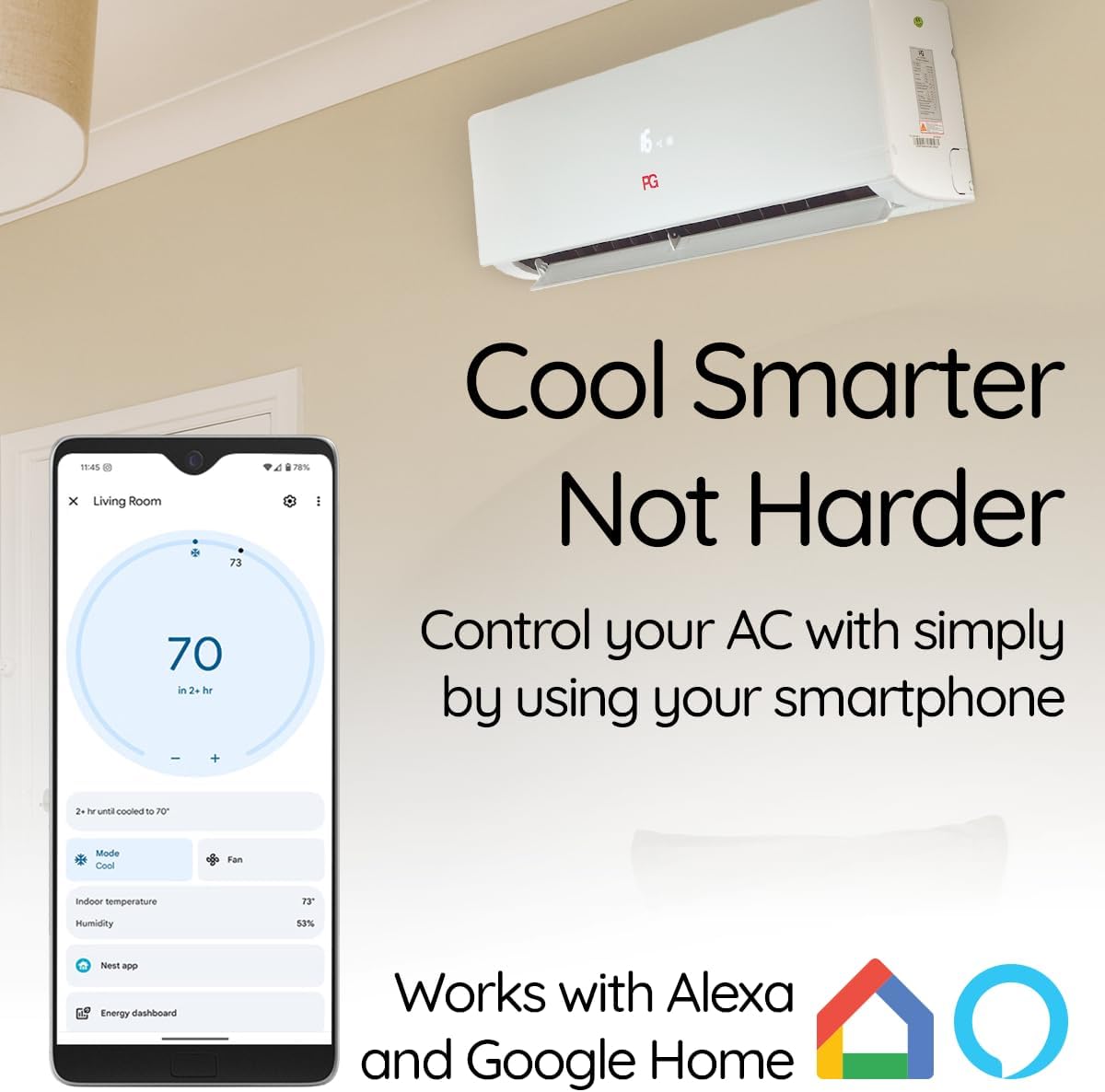
Figure 4: Smartphone app interface for controlling the PG Mini Split system, demonstrating remote temperature and mode adjustments.

Figure 5: Smart control via smartphone, allowing convenient management of your air conditioner from anywhere.
4.3 Advanced Features
- 4D Air Supply: This feature optimizes airflow to avoid direct blowing, enhancing comfort.
- Sleep Mode: When activated, the unit gradually adjusts the temperature over several hours to maintain comfort and reduce energy consumption during sleep.

Figure 6: The 4D Air Supply feature ensures comfortable air distribution without direct drafts.

Figure 7: Sleep Mode provides a quiet and comfortable environment for restful sleep.
5. Maintenance
Regular maintenance ensures optimal performance and extends the lifespan of your PG Mini Split system. Always turn off the power to the unit before performing any maintenance.
5.1 Air Filter Cleaning
- Open the front panel of the indoor unit.
- Remove the air filters.
- Clean filters with a vacuum cleaner or wash them with lukewarm water. Allow them to dry completely before reinserting.
- Clean filters every 2-4 weeks, or more frequently if the unit is used heavily or in dusty environments.
5.2 Outdoor Unit Cleaning
- Clear any debris (leaves, dirt) from around the outdoor unit.
- Gently clean the condenser coils with a soft brush or water hose. Avoid bending the fins.
- Ensure the drainage outlet is not blocked.
5.3 Professional Servicing
It is recommended to have a certified HVAC technician inspect and service your system annually. This includes checking refrigerant levels, electrical connections, and overall system performance.
6. Troubleshooting
Before contacting customer support, please refer to the following common issues and solutions.
| Problem | Possible Cause | Solution |
|---|---|---|
| Unit does not turn on. | No power, remote control batteries low, circuit breaker tripped. | Check power supply, replace remote batteries, reset circuit breaker. |
| Insufficient cooling/heating. | Dirty air filters, blocked outdoor unit, incorrect mode/temperature setting, low refrigerant. | Clean filters, clear outdoor unit, adjust settings, contact technician for refrigerant check. |
| Water leaking from indoor unit. | Blocked drain hose, improper installation. | Clear drain hose, ensure proper slope. If issue persists, contact technician. |
| Unusual noise. | Loose parts, fan obstruction, compressor issue. | Check for loose panels or obstructions. If noise is persistent or loud, contact technician. |
| Wi-Fi connection issues. | Router issues, incorrect Wi-Fi settings, app malfunction. | Restart router, reconfigure Wi-Fi settings in the app, ensure app is updated. |
7. Specifications
Detailed technical specifications for the PG Mini Split Air Conditioner Heat Pump System.
| Specification | Detail |
|---|---|
| Brand | PG |
| Model Info | PG-18S18E-HP/PG-18S18C-HP |
| Cooling Capacity | 18,000 BTU (1.5 Tons) |
| Seasonal Energy Efficiency Ratio (SEER) | 17 |
| Voltage | 230 Volts |
| Wattage | 1840 watts |
| Refrigerant | R-32 |
| Noise Level | 55 Decibels |
| Floor Area Coverage | Up to 850 Square Feet |
| Product Dimensions | 21.64"D x 31.49"W x 26"H |
| Item Weight | 27.5 pounds |
| Special Features | Heating & Cooling Function, Inverter Compressor, Remote Controlled, Sleep Mode |
| Included Components | Remote |
8. Warranty and Support
For warranty information, please refer to the documentation included with your purchase or contact PG customer support. Keep your proof of purchase for warranty claims.
For technical support, troubleshooting assistance, or to schedule service, please contact PG customer service. Contact details can typically be found on the manufacturer's website or in your product packaging.