Introduction
The BoxWave ClearTouch Crystal Anti-UV EyeCare Screen Protector is designed to protect the display of your Homtone Coffee Maker (CM1706BAT) while also safeguarding your eyes from harmful blue light and UV rays. This manual provides essential information for proper installation, usage, and maintenance of your screen protector.
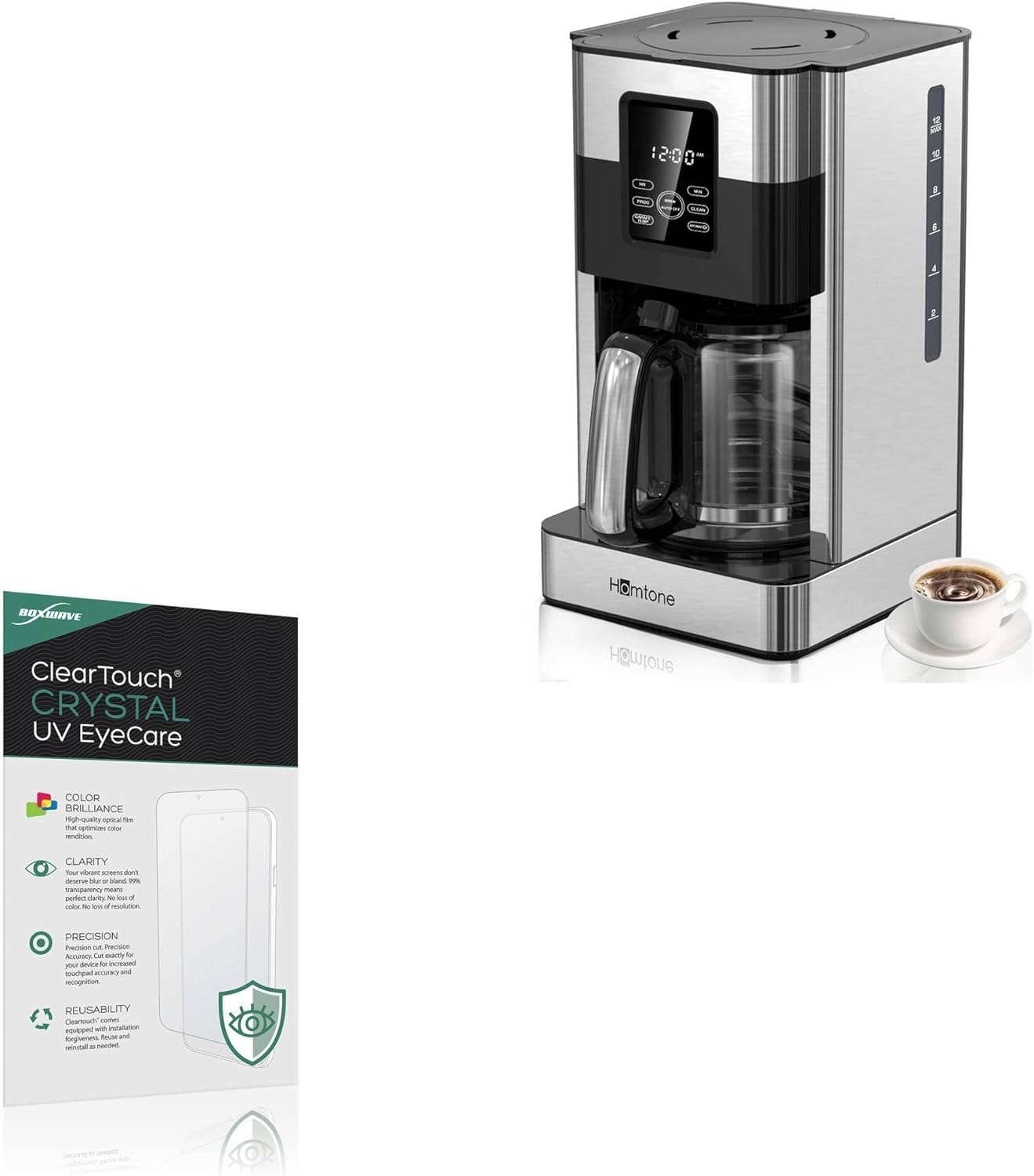
Image: BoxWave ClearTouch Crystal Anti-UV EyeCare Screen Protector packaging shown alongside a Homtone Coffee Maker (CM1706BAT). This illustrates the product and the device it is designed to protect.
Product Features
- Eye Protection: Engineered with built-in anti-blue light and anti-UV filters to reduce harmful rays, minimizing eye strain, fatigue, and blurry vision. Blocks 52% of harmful blue light and 99% of UV rays.
- Crystal Clear Transparency: Offers stunning glass-like clarity with ultra-high 99% visual transparency. A subtle blue tint indicates active UV filtering while maintaining sharp, vibrant, and true-to-color screen display.
- Durable Screen Protection: Crafted from high-grade, ultra-clear thermoplastics, providing durable scratch and dust protection. The protector remains virtually invisible once applied.
- Precision Fit: Designed exclusively for the Homtone Coffee Maker (CM1706BAT), ensuring a perfect fit with exact dimensions, contours, and cutouts for full functionality without interference.
- Two-Pack Inclusion: Each package includes two premium ClearTouch screen protectors along with necessary installation accessories, providing a spare or option to share.

Image: The product packaging for BoxWave ClearTouch Crystal UV EyeCare, detailing key features such as Color Brilliance, Clarity, Precision, and Reusability. This image emphasizes the quality and benefits of the screen protector.

Image: A visual representation of a person using a device, with text indicating 'Reduce Eye Strain'. This highlights the eye protection benefit of the screen protector, which filters blue light and UV rays.

Image: A graphic displaying a protective shield icon and the phrase 'Blocks Harmful Rays'. This visually communicates the screen protector's ability to block blue light and UV rays, protecting the user's eyes.

Image: An illustration featuring a sparkling diamond next to a vibrant tablet screen, with the text 'Crystal Clarity'. This image highlights the screen protector's ability to maintain the display's original vibrancy and clarity.

Image: A close-up view of a screen displaying intricate patterns, labeled 'High Definition Clarity'. This image demonstrates the screen protector's 99.9% color and transparency, ensuring no loss of visual quality.

Image: A digital caliper measuring a screen, set against a blueprint background, with the text 'Designed to Fit Your Device'. This emphasizes the precision manufacturing and exact fit of the screen protector for the intended device.

Image: A key positioned near a screen protector applied to a tablet, with the text 'Unmatched Protection'. This visually represents the screen protector's dual-layered, high-grade PET material, which protects against scratches, fingerprints, and dust.
Package Contents
Your BoxWave ClearTouch Crystal Anti-UV EyeCare Screen Protector package includes the following items:
- 2 x ClearTouch Crystal Anti-UV EyeCare Screen Protectors
- 2 x Dust Stickers
- 1 x Application Card (Squeegee)
- 1 x Microfiber Cleaning Cloth

Image: A clear display of the items included in the BoxWave ClearTouch Crystal UV EyeCare package. This includes two screen protectors, two dust stickers, an application card, and a microfiber cleaning cloth, providing a complete installation kit.
Setup: Installation Guide
Follow these steps carefully for optimal installation of your screen protector. Ensure you are in a clean, dust-free environment.
- Clean the Screen: Use the included microfiber cleaning cloth to thoroughly wipe the screen of your Homtone Coffee Maker (CM1706BAT). Ensure all dust, smudges, and fingerprints are removed. For stubborn marks, a slightly damp cloth followed by the dry microfiber cloth can be used.
- Remove Dust: Use the dust stickers to lift any remaining dust particles from the screen. Lightly dab the sticker across the screen surface.
- Align the Protector: Carefully peel back a small portion of the protective film labeled '1' (if present) from one end of the screen protector. Align the exposed edge of the screen protector with the corresponding edge of your device's screen. Ensure precise alignment with all cutouts (e.g., sensors, camera if applicable).
- Apply the Protector: Slowly and steadily peel off the rest of the protective film '1' while simultaneously lowering the screen protector onto the device's screen. Use the application card (squeegee) to gently push out any air bubbles as you apply, working from the aligned edge outwards.
- Remove Air Bubbles: If bubbles remain, use the application card to push them towards the nearest edge. For small, persistent bubbles, you can gently lift the nearest edge of the protector and re-apply, pushing the bubble out.
- Remove Top Film: Once the protector is fully applied and free of bubbles, carefully peel off the top protective film labeled '2' (if present).
- Final Cleaning: Give the newly installed screen protector a final wipe with the microfiber cloth to remove any smudges from handling.
Operating (Usage)
Once installed, the BoxWave ClearTouch Crystal Anti-UV EyeCare Screen Protector operates seamlessly with your Homtone Coffee Maker (CM1706BAT). It does not interfere with touch sensitivity or display functionality. The protector works continuously to filter harmful blue light and UV rays, providing eye comfort during use.
Maintenance
To ensure the longevity and clarity of your screen protector, follow these maintenance guidelines:
- Cleaning: Regularly wipe the screen protector with the provided microfiber cleaning cloth to remove dust, smudges, and fingerprints. Avoid using harsh chemicals, abrasive materials, or paper towels, as these can scratch the surface or leave residue.
- Avoid Sharp Objects: While the protector offers scratch resistance, extreme care should be taken to avoid contact with sharp objects like keys or knives, which could still damage the film.
- Reusability: The ClearTouch protector is designed for reusability and can be reinstalled if needed. If you remove it, ensure the adhesive side remains clean to maintain its stickiness.
Troubleshooting
Here are solutions to common issues you might encounter during or after installation:
| Issue | Solution |
|---|---|
| Bubbles under the protector | Use the application card to gently push bubbles towards the nearest edge. For large bubbles, carefully lift the protector from the nearest edge and re-apply slowly, pushing the air out. |
| Dust particles trapped under the protector | Carefully lift the protector near the dust particle. Use a dust sticker to gently dab and remove the particle from both the screen and the adhesive side of the protector. Re-apply the protector. |
| Protector not adhering properly | Ensure the screen is completely clean and free of oils or residue before application. If the adhesive side of the protector has been touched or contaminated, it may lose stickiness. Use a fresh protector from the two-pack if necessary. |
| Misalignment | If the protector is significantly misaligned, carefully peel it off completely, clean the screen again, and attempt re-installation, paying close attention to alignment before full application. |
Specifications
- Product Type: Screen Protector
- Brand: BoxWave
- Model: ClearTouch Crystal Anti-UV EyeCare
- Compatibility: Homtone Coffee Maker (CM1706BAT)
- Material: High-grade, ultra-clear thermoplastics
- Transparency: 99% visual transparency
- Blue Light Filtering: 52%
- UV Ray Filtering: 99%
- Package Quantity: 2 protectors per pack
- Item Weight: 0.7 ounces
Warranty Information
BoxWave products are manufactured with quality and care. For specific warranty details regarding your ClearTouch Crystal Anti-UV EyeCare Screen Protector, please refer to the packaging or visit the official BoxWave website. Keep your proof of purchase for any warranty claims.
Support
If you have any questions, require assistance with installation, or encounter issues not covered in this manual, please contact BoxWave customer support. Contact information can typically be found on the product packaging or on the official BoxWave website.


