
PG PG-12S18E-HP1
PG 12,000 BTU 17 SEER Split System Air Conditioner Heat Pump User Manual
Model: PG-12S18E-HP1 / PG-12S18C-HP1
Brand: PG
Introduction
This manual provides essential information for the safe and efficient operation of your PG 12,000 BTU Split System Air Conditioner Heat Pump. Please read it thoroughly before installation and use, and retain it for future reference.

Image: Overview of the PG Split System Air Conditioner components, including the indoor unit, outdoor unit, remote control, and a smartphone displaying the control app. Various installation accessories are also shown.
Important Safety Information
Always follow basic safety precautions when using electrical appliances to reduce the risk of fire, electric shock, and injury to persons.
- Read all instructions before using the appliance.
- Ensure the unit is properly grounded.
- Do not operate the unit with a damaged power cord or plug.
- Keep children away from the unit.
- Only qualified personnel should install or service this equipment.
Package Contents
Verify that all items listed below are included in your package:
- Indoor Unit
- Outdoor Unit
- Remote Control
- Installation Accessories (e.g., copper tubing, drainage hose, electrical wire, insulation tape)
- User Manual (this document)
Setup and Installation
Installation of this split system air conditioner requires professional expertise. It is recommended that a certified HVAC technician performs the installation to ensure proper function and safety.
Key Installation Considerations:
- Location: Select appropriate indoor and outdoor locations, ensuring adequate clearance for airflow and maintenance.
- Power Supply: The unit operates on 115V. Ensure a dedicated circuit with appropriate amperage is available.
- Refrigerant Lines: Proper connection and vacuuming of R-32 refrigerant lines are crucial.
- Drainage: Ensure proper condensate drainage for the indoor unit.

Image: The PG indoor unit mounted on a wall in a living room setting, illustrating a typical installation scenario.
Operating Instructions
Your PG Split System Air Conditioner offers multiple ways to control your comfort.
Remote Control Operation
The included remote control provides full functionality for your air conditioner. Ensure batteries are installed correctly.

Image: A detailed view of the PG remote control, highlighting its LCD display and various function buttons. Each button is labeled with its primary function.
- Power Button (ON/OFF): Turns the unit on or off.
- Mode Button: Cycles through operating modes: Cool, Heat, Fan, Auto, Dry.
- Fan Button: Adjusts fan speed (Auto, Low, Medium, High).
- TEMP Buttons (+/-): Adjusts the desired temperature.
- Heater Button: Activates the heating function directly.
- Turbo Button: Engages maximum cooling or heating for rapid temperature change.
- Sleep Button: Activates sleep mode for quiet, energy-efficient operation during rest.
- Timer Button: Sets a timed operation for turning the unit on or off.
- Light Button: Controls the display backlight on the indoor unit.
Wi-Fi Smart Control
The unit features Wi-Fi connectivity, allowing remote operation via a smartphone app or voice assistants like Alexa and Google Home.
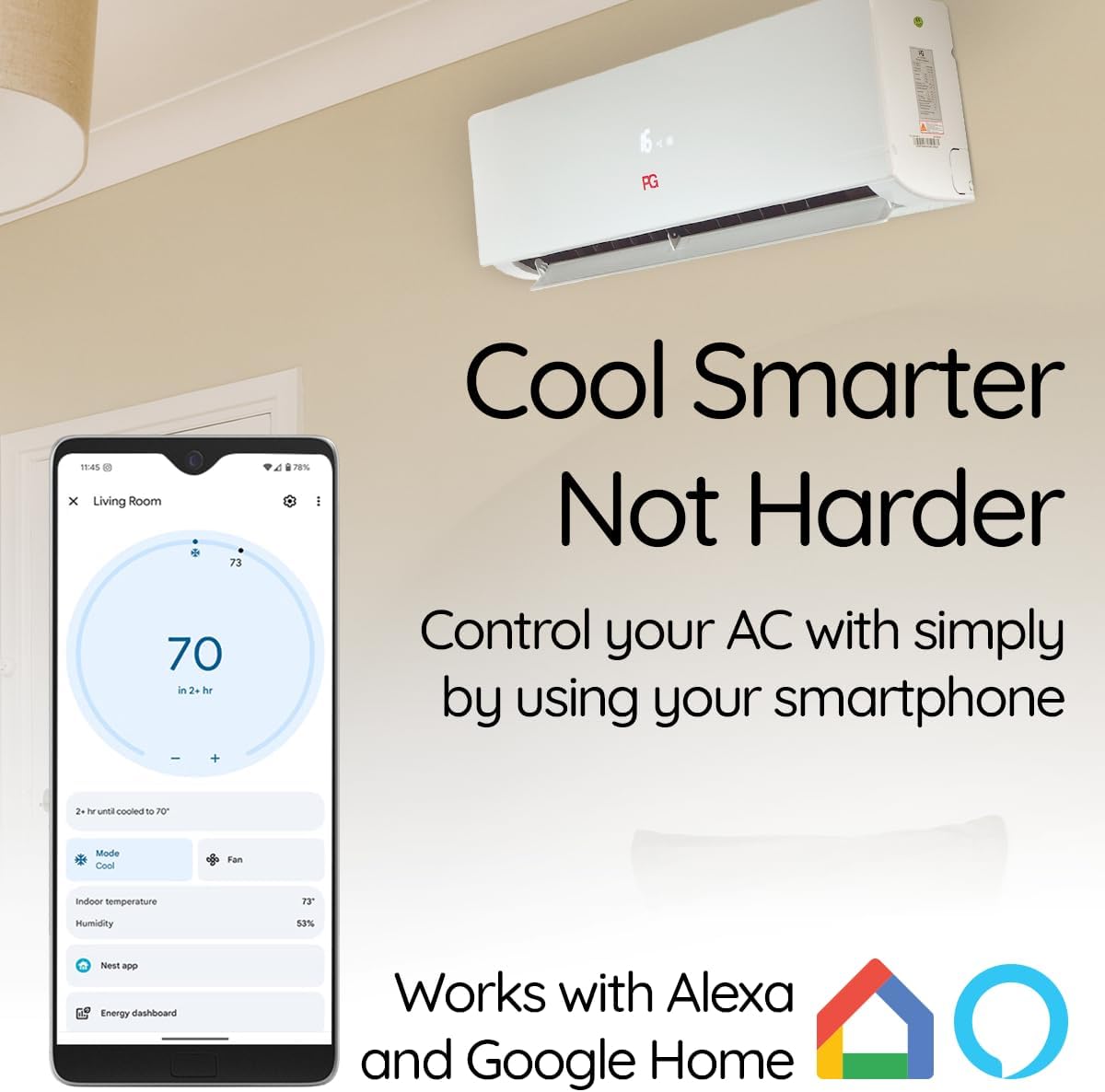
Image: A smartphone displaying the PG air conditioner control application, illustrating how users can manage settings remotely. The image also indicates compatibility with Alexa and Google Home.
- Download the official PG Smart AC app from your device's app store.
- Follow the in-app instructions to connect your air conditioner to your home Wi-Fi network.
- Once connected, you can control temperature, mode, fan speed, and schedule operations from anywhere.
- For voice control, link the PG Smart AC app with your Alexa or Google Home account.
Special Features
- Inverter Technology: Provides precise temperature control and energy efficiency by adjusting compressor speed.
- Heat Pump Functionality: Offers both cooling and heating capabilities for year-round climate control.
- Sleep Mode: Gradually adjusts temperature and reduces noise for comfortable sleep.
- 4D Air Supply: Designed to distribute air evenly and avoid direct drafts for enhanced comfort.

Image: Individuals sleeping in a bedroom, emphasizing the quiet operation and comfort facilitated by the unit's sleep mode.

Image: The indoor unit mounted on a wall, with visual cues indicating the "4D Air Supply" feature, which aims to prevent direct airflow onto occupants.
Maintenance
Regular maintenance ensures optimal performance and longevity of your air conditioner.
Filter Cleaning:
- Turn off the unit and disconnect power before cleaning.
- Open the front panel of the indoor unit and remove the air filters.
- Clean filters with a vacuum cleaner or wash with lukewarm water. Allow them to dry completely before reinstallation.
- Clean filters every two weeks or more frequently depending on usage and air quality.
Outdoor Unit Cleaning:
- Keep the area around the outdoor unit clear of debris, leaves, and obstructions.
- Periodically clean the outdoor coil with a soft brush or water hose (ensure power is off).
Professional Servicing:
It is recommended to have a qualified technician inspect and service your unit annually.
Troubleshooting
Before contacting customer support, review the following common issues and solutions:
| Problem | Possible Cause | Solution |
|---|---|---|
| Unit does not turn on | No power, circuit breaker tripped, remote batteries dead. | Check power supply, reset breaker, replace remote batteries. |
| Insufficient cooling/heating | Dirty air filters, blocked outdoor unit, wrong mode selected, low refrigerant. | Clean filters, clear obstructions, select correct mode, contact technician for refrigerant check. |
| Unusual noise | Loose parts, foreign objects, compressor issue. | Inspect for loose parts, remove objects, contact technician if noise persists. |
| Water leakage from indoor unit | Blocked drain pipe, improper installation. | Clear drain pipe, contact technician for inspection. |
Specifications
Technical details for the PG 12,000 BTU Split System Air Conditioner Heat Pump:
| Feature | Detail |
|---|---|
| Brand | PG |
| Model Numbers | PG-12S18E-HP1 / PG-12S18C-HP1 |
| Cooling Capacity | 12,000 BTU |
| Heating Capacity | Heat Pump Functionality |
| SEER Rating | 17 SEER |
| Voltage | 115 Volts |
| Refrigerant | R-32 |
| Coverage Area | Up to 500 sq ft |
| Noise Level | 55 Decibels (Max) |
| Special Features | Dehumidifier, Fast Cooling, Heating & Cooling Function, Inverter Compressor, Silent Mode, Wi-Fi Smart Control |
| Item Weight | 55.1 pounds |
| Product Dimensions | 12 x 29 x 22 inches (Indoor Unit) |

Image: The PG indoor unit highlighting its 12,000 BTU heating/cooling capacity, 115V power requirement, and suitability for areas up to 500 square feet.
Warranty and Customer Support
PG products are manufactured to high-quality standards and are backed by a manufacturer's warranty. For specific warranty terms and conditions, please refer to the warranty card included with your product or visit the official PG website.
For technical assistance, troubleshooting beyond this manual, or to inquire about service, please contact PG customer support:
- Online Support: Visit the PG Brand Store on Amazon for contact information and FAQs.
- Phone Support: Refer to your product documentation for the customer service phone number.
Related documentsPG-12S18E-HP1


Ask a question about this manual
Ask about setup, troubleshooting, compatibility, parts, safety, or missing instructions. Manuals+ will review the question and use this page’s manual context to help answer it.