
1. Product Overview
The BoxWave ClearTouch Anti-Glare ToughShield 9H is a screen protector designed to safeguard the display of your Blaupunkt NEBRASKA NBR4105BP device. It features a 9H hardness rating, offering robust protection against scratches and impacts without the risk of chipping or cracking like traditional glass protectors. The anti-glare matte surface is engineered to reduce reflections and fingerprints, enhancing screen visibility in various lighting conditions.
Each package includes two (2) ClearTouch Anti-Glare ToughShield 9H screen protectors and necessary installation accessories.
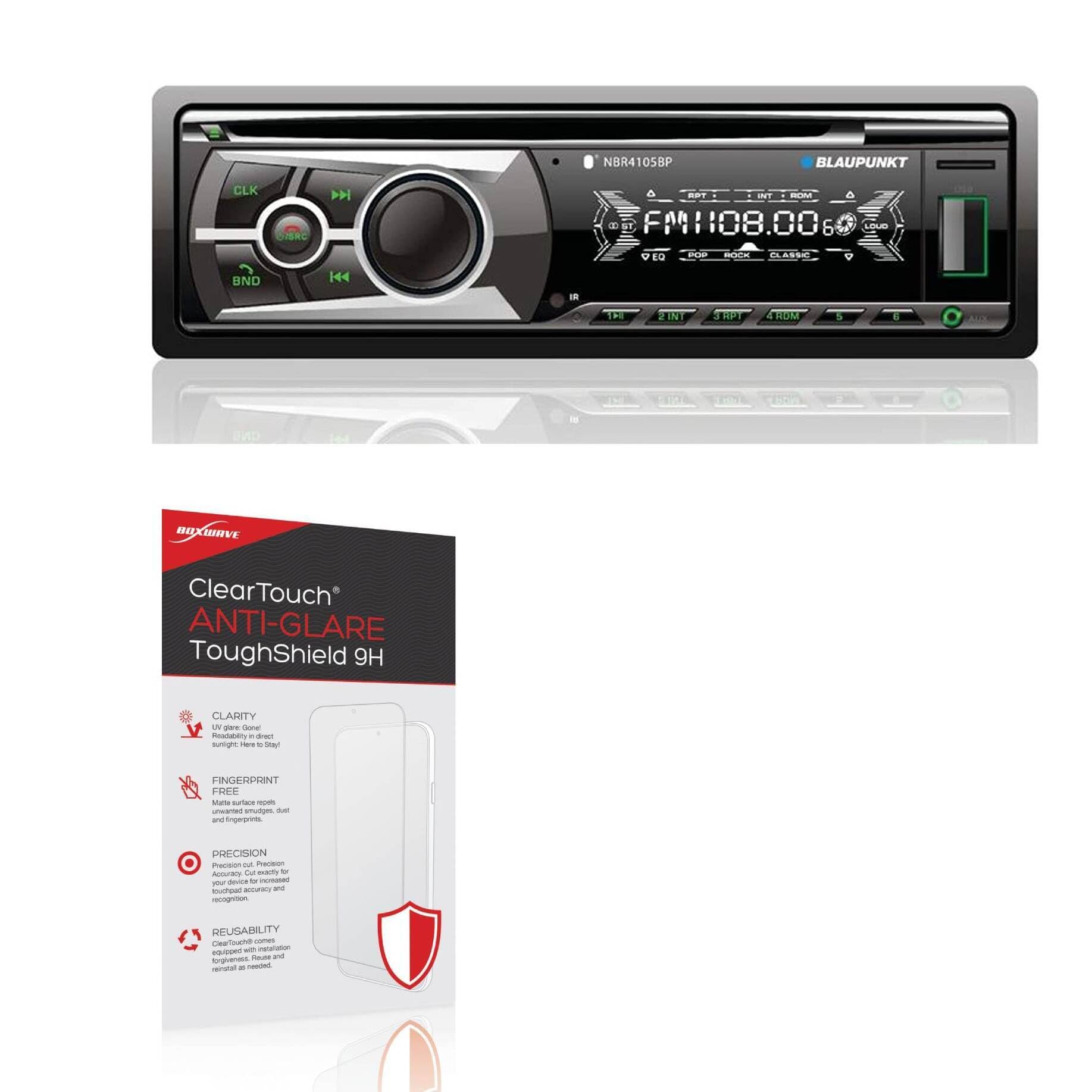
Image: BoxWave ClearTouch Anti-Glare ToughShield 9H Screen Protector packaging. This image highlights the product's main features: enhanced clarity by reducing UV glare, a fingerprint-free matte surface, precision-cut design for perfect fit, and reusability for installation flexibility.
2. Package Contents
- Two (2) BoxWave ClearTouch Anti-Glare ToughShield 9H Screen Protectors
- Installation Accessories (e.g., cleaning cloth, dust removal sticker, squeegee)
3. Installation Guide
Proper installation is essential for optimal performance and longevity of your screen protector. Perform the installation in a clean, dust-free environment.
- Clean the Device Screen: Use the provided cleaning cloth to thoroughly clean the screen of your Blaupunkt NEBRASKA NBR4105BP. Ensure all dust, smudges, and fingerprints are removed. For stubborn marks, a screen cleaning solution (not included) can be used sparingly.
- Remove Dust: Use the dust removal sticker to pick up any remaining dust particles from the screen. Inspect the screen carefully under light to ensure it is completely free of debris.
- Align the Screen Protector: Carefully peel back a small portion of the protective film from one end of the screen protector (usually marked "Step 1" or similar). Align the exposed edge of the screen protector with the corresponding edge of your device screen, ensuring precise alignment with cutouts for cameras, sensors, or buttons.
- Apply the Protector: Once aligned, slowly and steadily lower the screen protector onto the device screen, gradually peeling off the remaining protective film. Use the provided squeegee or a soft card to gently push out any air bubbles as you apply, working from the center outwards.
- Remove Top Film: After the screen protector is fully applied and all bubbles are removed, carefully peel off the top protective film (usually marked "Step 2" or similar).
- Final Inspection: Perform a final check for any remaining bubbles or dust. Small bubbles may disappear over 24-48 hours.
Note: The ClearTouch Anti-Glare ToughShield is designed to be reusable, allowing for re-installation if needed. Handle with care during removal and reapplication to avoid damage.

Image: A screen protector being carefully aligned and applied to a device screen. This demonstrates the precision required for proper installation, ensuring the protector fits the device's exact dimensions and cutouts.
4. Usage and Features
Your BoxWave ClearTouch Anti-Glare ToughShield 9H screen protector offers several benefits during daily use:
- Enhanced Protection: The 9H hardness rating provides significant resistance against scratches from keys, coins, and other sharp objects, as well as protection from minor impacts and spills.
- Anti-Glare Surface: The matte finish disperses light, reducing reflections and glare from ambient light sources, both indoors and outdoors. This improves screen readability and reduces eye strain.
- Fingerprint Resistance: The ultra-smooth matte surface repels fingerprints and smudges, keeping your screen cleaner and clearer with less effort.
- Smooth Touch Experience: The paper-like surface maintains the original touch sensitivity of your device, ensuring smooth navigation and interaction.

Image: Visual representation of the screen protector's 9H ultimate protection. It shows a key and water droplets near a device screen, symbolizing resistance against scratches, spills, and drops.

Image: A comparison demonstrating the anti-glare feature. One screen shows significant glare, while another, protected by the ClearTouch Anti-Glare film, shows reduced reflections and improved visibility.
5. Maintenance and Care
To maintain the clarity and effectiveness of your screen protector, follow these simple care instructions:
- Cleaning: Use a soft, lint-free cloth (like the one provided) to gently wipe the screen protector. For smudges or fingerprints, lightly dampen the cloth with water or a mild, alcohol-free screen cleaner. Avoid harsh chemicals or abrasive materials.
- Avoid Sharp Objects: While the protector is highly durable, extreme pressure or very sharp objects can still cause damage.
- Storage: If you remove the protector for any reason, store it on its original backing film in a clean, flat environment to prevent dust accumulation and damage.
6. Troubleshooting
| Issue | Possible Cause | Solution |
|---|---|---|
| Bubbles after installation | Dust trapped underneath, or uneven application. | Gently lift the nearest edge of the protector and reapply, using the squeegee to push out air. For dust, carefully lift the protector, use a dust removal sticker to remove the particle, then reapply. Small bubbles may dissipate over 24-48 hours. |
| Screen protector not adhering properly | Screen not clean enough, or protector edge was touched. | Ensure the screen is thoroughly clean. If an edge is lifting, gently press it down. If the issue persists, you may need to use the second protector provided. |
| Reduced touch sensitivity | Incorrect installation or a faulty protector (rare). | Ensure the protector is applied smoothly without air gaps. The ClearTouch is designed to maintain touch sensitivity. If issues persist, contact BoxWave support. |
| Excessive glare despite anti-glare feature | Extreme lighting conditions or incorrect product. | While anti-glare, the protector reduces, but does not eliminate, all reflections. Adjust your viewing angle or lighting environment. Ensure you have the correct "Anti-Glare" version. |
7. Specifications
| Feature | Detail |
|---|---|
| Brand | BoxWave |
| Model Compatibility | Blaupunkt NEBRASKA NBR4105BP |
| Material | Polyethylene Terephthalate (PET) |
| Hardness Rating | 9H |
| Screen Surface | Matte, Anti-Glare |
| Item Weight | 2.5 Ounces (for the package) |
| Part Number | bw-2074-20756-0 |
8. Warranty and Support
BoxWave products are designed for quality and durability. For any questions, concerns, or support needs regarding your ClearTouch Anti-Glare ToughShield 9H screen protector, please contact BoxWave Corporation directly.
Return Policy: This product is subject to a 30-day return policy for refunds or replacements, as per standard retail terms.
For further assistance, please visit the official BoxWave website or contact their customer service department. Contact information can typically be found on the product packaging or the BoxWave official website.