
Introduction
This manual provides essential information for the safe and efficient operation, maintenance, and troubleshooting of your Denzel Pneumatic Stapler. Please read this manual thoroughly before using the tool and keep it for future reference.
Safety Instructions
Always follow basic safety precautions to reduce the risk of fire, electric shock, and personal injury. This tool operates with compressed air and requires careful handling.
- Wear appropriate personal protective equipment (PPE), including safety glasses and hearing protection.
- Ensure the air compressor is properly maintained and set to the correct pressure.
- Disconnect the air supply before performing any adjustments, maintenance, or when the tool is not in use.
- Never point the tool at yourself or others.
- Keep hands and body parts clear of the staple discharge area.
- Use only staples of the specified size and type.
- Do not operate the tool if it is damaged or malfunctioning.
Product Overview
The Denzel PS8016 5740055 Pneumatic Stapler is designed for fastening flat materials such as plywood, particle board, MDF, and upholstery fabric to a base. It uses 21GA rectangular staples ranging from 6-16 mm in size. Its aluminum housing ensures durability, and features like a staple indicator and adjustable airflow direction enhance usability.

Figure 1: Side view of the Denzel Pneumatic Stapler, showing the main body, handle, and staple magazine.

Figure 2: The Denzel Pneumatic Stapler shown with included accessories: a lubricator bottle and two hex wrenches.
Setup
1. Connecting to Air Supply
- Ensure the air compressor is turned off and depressurized.
- Apply a few drops of pneumatic tool oil (lubricator included) into the air inlet of the stapler.
- Connect a 1/4" air hose fitting to the air inlet nozzle of the stapler. Ensure a secure connection to prevent air leaks.
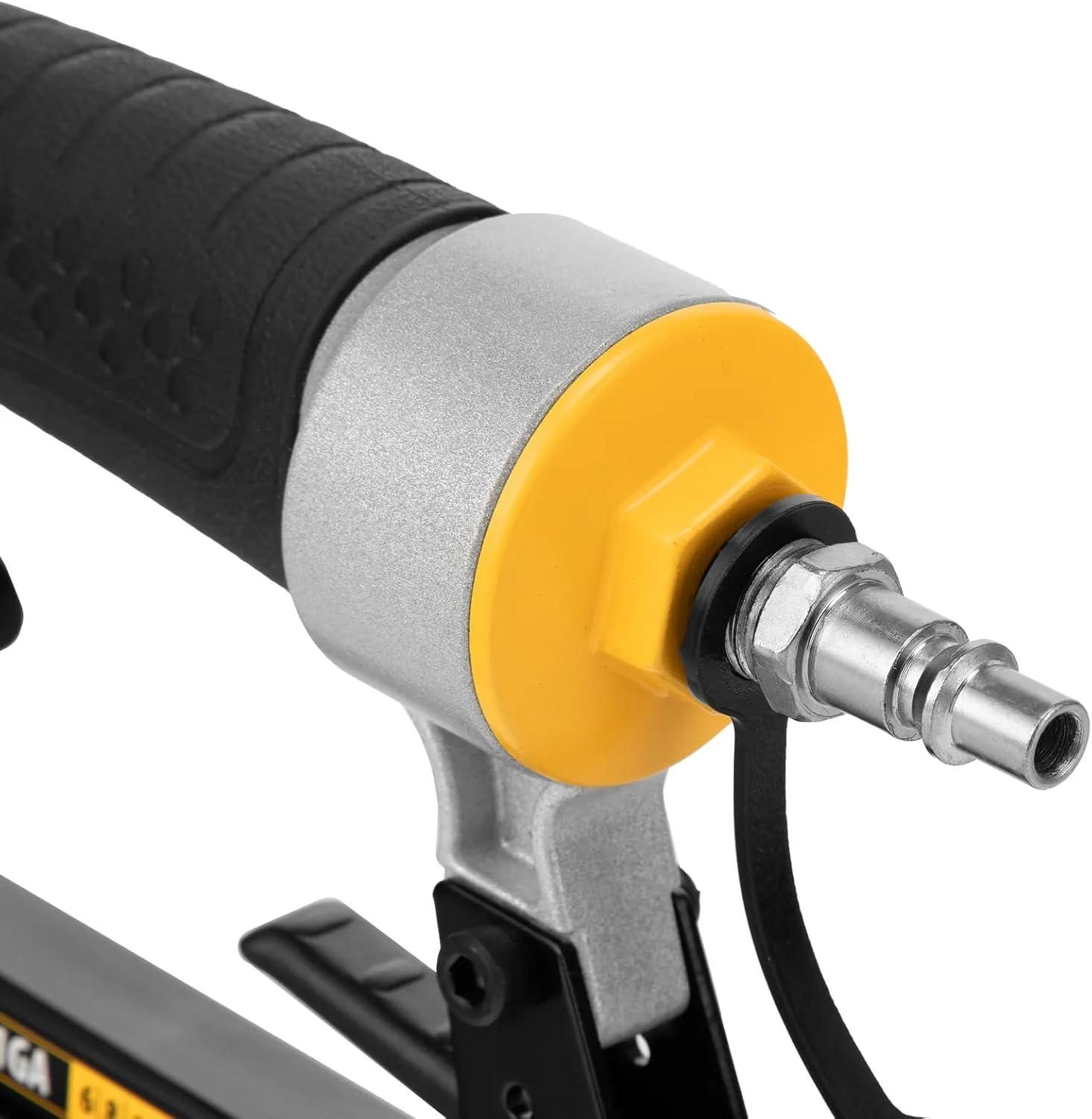
Figure 3: Close-up view of the 1/4" air inlet nozzle, where the air hose connects.
2. Loading Staples
- Ensure the tool is disconnected from the air supply.
- Locate the staple magazine release latch, typically at the rear or bottom of the magazine.
- Pull open the staple magazine.
- Insert a strip of 21GA staples (6-16 mm) into the magazine with the staple points facing down.
- Close the magazine until it latches securely. The staple indicator will show the presence of staples.
Operating Instructions
1. Initial Operation
- Connect the tool to the air compressor and turn on the compressor. Set the air pressure according to the tool's specifications (refer to the Specifications section).
- Hold the stapler firmly with both hands.
- Place the nose of the tool against the workpiece where the staple is to be driven.
- Press the trigger to fire a staple. Ensure the tool is held perpendicular to the surface for proper staple insertion.

Figure 4: A user demonstrating the proper grip and positioning of the Denzel Pneumatic Stapler on a wooden surface.
2. Adjusting Airflow Direction
The tool features an adjustable airflow direction. This allows you to direct the exhaust air away from your face or the workpiece. Consult the tool's body for the adjustment mechanism, typically a rotatable cap near the air exhaust port.
Maintenance
Regular maintenance ensures the longevity and optimal performance of your pneumatic stapler.
- Daily Lubrication: Apply 2-3 drops of pneumatic tool oil into the air inlet before each use or after every hour of continuous operation.
- Cleaning: Keep the tool clean and free from dust and debris. Use a dry cloth to wipe down the exterior. Do not use solvents that may damage plastic parts.
- Air Filter: Periodically check and clean the air filter on your compressor to ensure clean air supply to the tool.
- Fastener Magazine: Keep the staple magazine clean to ensure smooth feeding of staples.
- No-Mar Tip: The tool's tip can be replaced if worn. Use the included wrenches for replacement.

Figure 5: An alternative view of the Denzel Pneumatic Stapler, highlighting the overall compact design and rubberized grip for comfortable handling.
Troubleshooting
| Problem | Possible Cause | Solution |
|---|---|---|
| Staples not firing or misfiring | Low air pressure; Empty magazine; Jammed staples; Worn driver blade. | Check air pressure and compressor; Reload staples; Clear jam (disconnect air first); Contact service for blade replacement. |
| Staples not fully driven | Insufficient air pressure; Incorrect staple size for material; Worn bumper. | Increase air pressure; Use appropriate staple length; Contact service for bumper replacement. |
| Air leaks | Loose fittings; Damaged O-rings or seals. | Tighten all air fittings; Replace damaged O-rings or seals. |
Specifications
| Feature | Specification |
|---|---|
| Model | PS8016 5740055 |
| Staple Type | 21GA Rectangular Staples |
| Staple Length | 6 - 16 mm |
| Air Inlet Diameter | 1/4" |
| Housing Material | Aluminum |
| Magazine Capacity | 125 staples |
| Weight | 0.9 kg |
Warranty and Support
This Denzel Pneumatic Stapler comes with a 6-month warranty from the date of purchase. This warranty covers defects in materials and workmanship under normal use. It does not cover damage resulting from misuse, abuse, unauthorized modifications, or normal wear and tear.
For warranty claims, technical support, or to purchase replacement parts, please contact Denzel customer service. Keep your proof of purchase for warranty validation.
Note: The kit includes a lubricator and a set of wrenches for convenient maintenance and minor repairs. The tip can be replaced as needed.