
1. Introduction
This manual provides essential instructions for the setup, operation, and maintenance of your Fi Series 3+ Smart Dog Collar. The Fi Series 3+ is a GPS dog tracker and activity monitor designed to help you keep track of your dog's location and health metrics. Please read this manual thoroughly before using the device to ensure optimal performance and safety.
2. Setup Guide
Follow these steps to set up your Fi Series 3+ Smart Dog Collar:
2.1 Unboxing and Initial Charge
Upon unboxing, ensure all components are present: the Fi Series 3+ device, a collar, a charging cable, and a charging base.

Image: The Fi Series 3+ package includes the main device, a USB charging cable, the collar strap, and a circular charging base.
Connect the charging cable to the charging base and a power source. Place the Fi device onto the charging base. The device should begin charging. Allow the device to fully charge before first use.
2.2 App Download and Account Creation
- Download the official Fi app from your smartphone's app store (available for iOS and Android).
- Open the app and follow the on-screen instructions to create a new account or log in if you already have one.
- Pair your Fi Series 3+ device with the app as prompted.
2.3 Attaching the Collar
Select the appropriate collar size for your dog. The Fi device integrates directly into the collar strap. Ensure the collar is snug but comfortable, allowing two fingers to fit underneath.

Image: A visual guide illustrating the available collar sizes (XS to XL) with corresponding neck circumference ranges, and how the Fi device integrates into the collar.
2.4 Setting Up Safe Zones
Use the Fi app to define "Safe Zones" for your dog, such as your home or yard. When your dog is within a Safe Zone, the collar conserves battery by using Wi-Fi. If your dog leaves a defined Safe Zone, you will receive an immediate "Escape Alert".

Image: The Fi app interface demonstrating how to set up custom safe zones, an example of an escape alert notification, and the functionality of the lost dog mode with real-time tracking.
3. Operating Instructions
3.1 GPS Tracking
The Fi Series 3+ uses GPS technology to track your dog's location. You can view your dog's real-time location through the Fi app. The collar utilizes cellular networks for nationwide coverage when outside of Wi-Fi Safe Zones.
3.2 Activity and Sleep Monitoring
The collar monitors your dog's activity levels, including steps taken, and sleep patterns. This data is displayed in the Fi app, allowing you to track fitness goals and identify changes in behavior.

Image: A visual representation of the Fi app's dashboard, displaying a dog's daily steps, sleep duration, and overall activity. It also highlights the app's compatibility with Apple Watch for features like "Lost Dog Mode."
3.3 AI Behavior Tracking
The Fi Series 3+ can detect and analyze various behaviors such as scratching, barking, licking, drinking, and eating. This feature provides insights into your dog's well-being and can help identify potential health issues early.
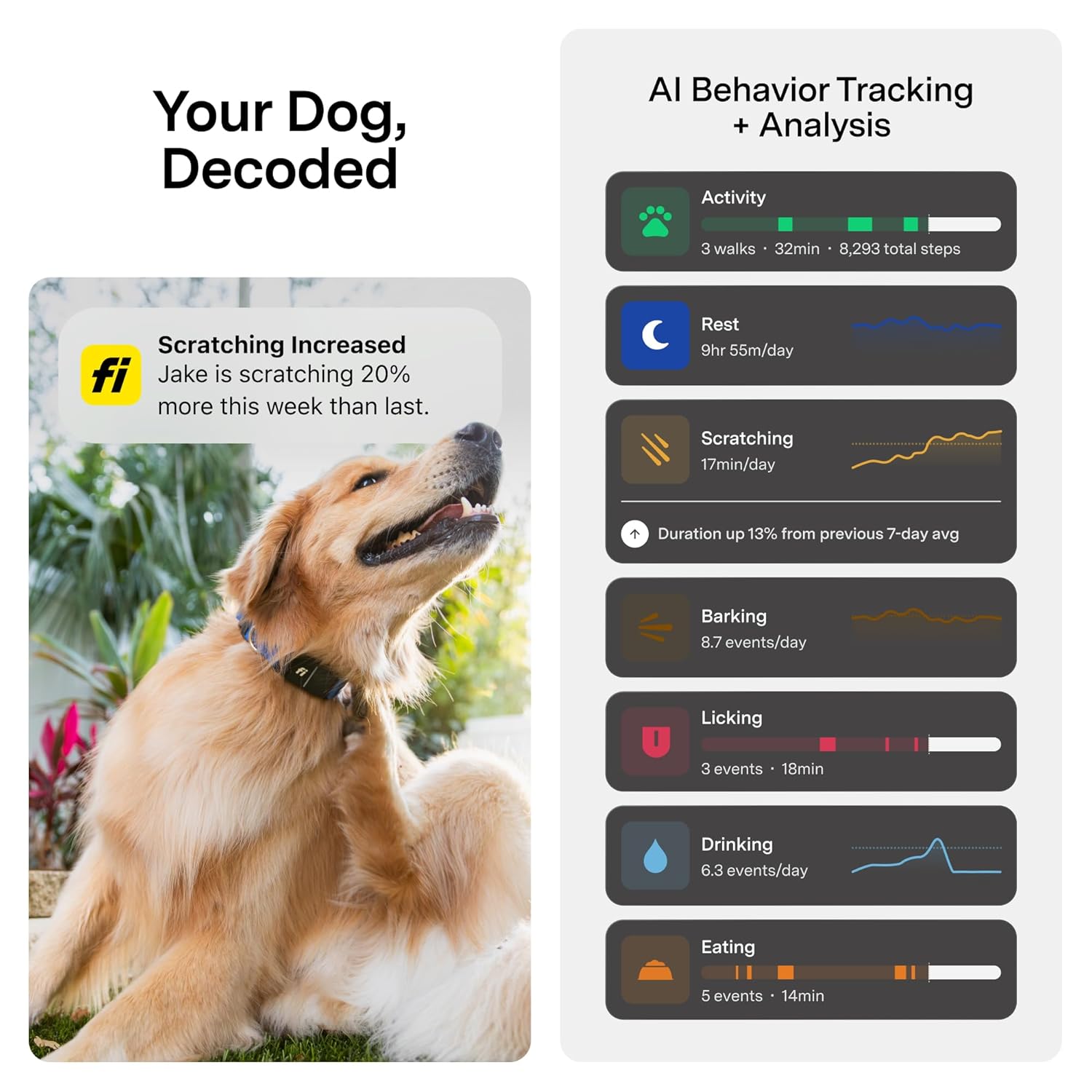
Image: The Fi app's "Your Dog, Decoded" section, illustrating AI-powered behavior tracking and analysis, including metrics for activity, rest, scratching, barking, licking, drinking, and eating, with graphical representations of trends.
3.4 LED Light
The collar features a customizable LED light for enhanced visibility of your dog in low-light conditions. You can control the LED light settings through the Fi app.

Image: A collage highlighting key features of the Fi collar: its robust 500 lbs pull resistance, a sleek low-profile design suitable for continuous wear, a customizable nightlight for visibility, and an impressive battery life of up to three months on a single charge.
3.5 Lost Dog Mode
In the event your dog goes missing, activate "Lost Dog Mode" in the Fi app. This mode increases the frequency of location updates and can activate the collar's LED light to aid in recovery. You can also initiate a "Search Party" to enlist help from your community.
4. Maintenance
4.1 Cleaning
The Fi Series 3+ collar is fully waterproof (IP68/66K rated for fresh and salt water). To clean, simply wipe the device and collar strap with a damp cloth. For deeper cleaning, the collar can be rinsed under water. Ensure the charging contacts are dry before placing on the charging base.
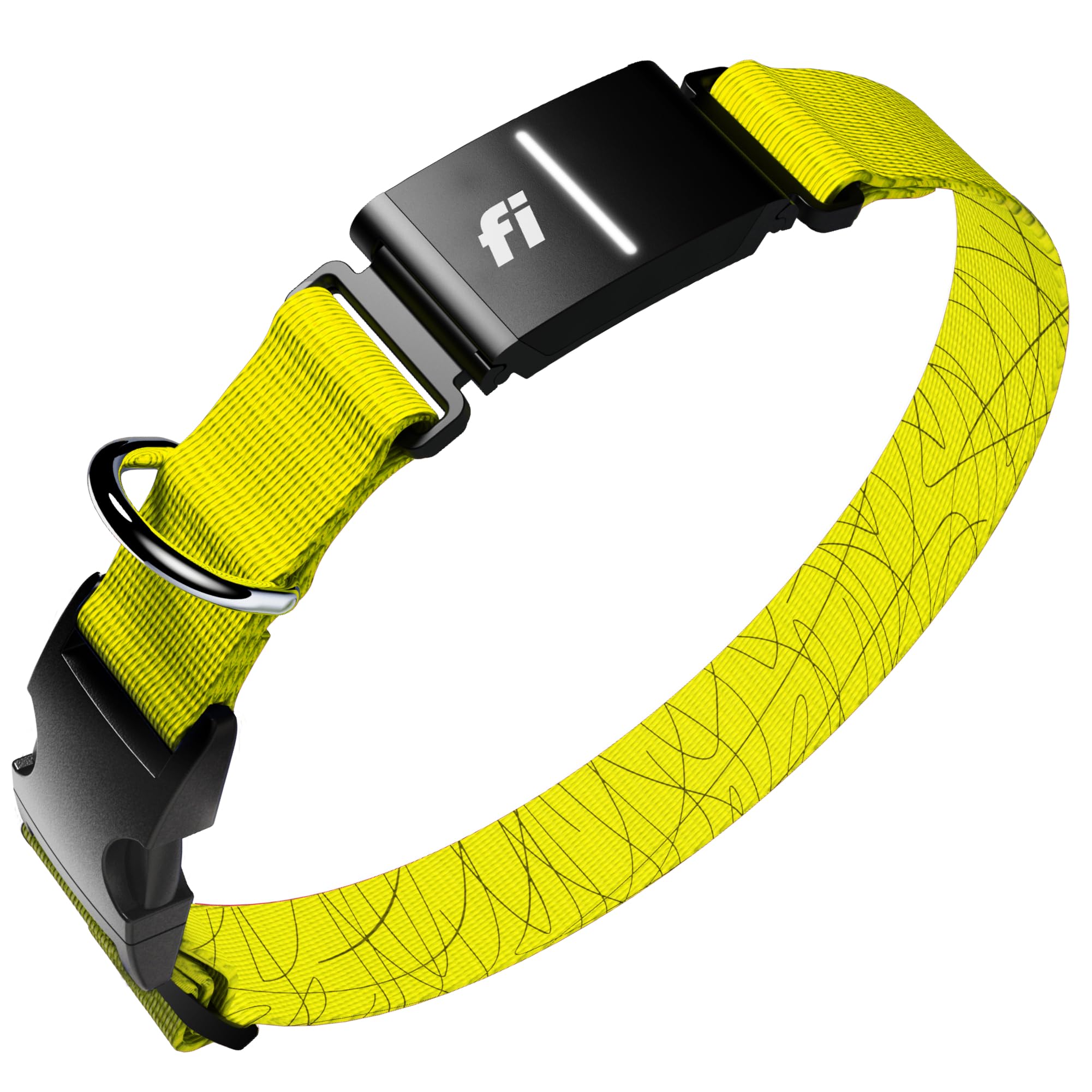
Image: A golden retriever with a Fi collar, partially submerged in water, demonstrating the collar's fully waterproof design, rated IP68/66K for both fresh and salt water.
4.2 Charging
Charge the Fi device regularly using the provided charging base and cable. A full charge can last up to three months, depending on usage and signal availability. The app will notify you when the battery is low.
4.3 Firmware Updates
Periodically, firmware updates may be released to improve performance and add new features. Ensure your Fi app is up-to-date and follow any prompts for firmware updates to your collar.
5. Troubleshooting
5.1 Device Not Charging
- Ensure the charging cable is securely connected to both the charging base and a power source.
- Verify that the Fi device is correctly seated on the charging base, with the contacts aligned.
- Try a different USB power adapter or outlet.
- Clean the charging contacts on both the device and the base with a dry cloth to remove any debris.
5.2 Inaccurate Location Tracking
- Poor Signal: GPS accuracy can be affected by dense foliage, tall buildings, or being indoors. Move to an open area for better signal reception.
- Battery Level: Low battery can impact GPS performance. Ensure the device is adequately charged.
- App Refresh: Close and reopen the Fi app to refresh the location data.
- Lost Dog Mode: Activate Lost Dog Mode for more frequent location updates.
5.3 Escape Alerts Not Received
- Confirm that Safe Zones are correctly configured in the Fi app.
- Check your phone's notification settings to ensure the Fi app is permitted to send alerts.
- Ensure the collar has a cellular signal when outside a Safe Zone.
5.4 Collar Not Connecting to App
- Ensure your smartphone's Bluetooth is enabled.
- Restart both your smartphone and the Fi device.
- Make sure the Fi device is within Bluetooth range of your phone.
- If issues persist, try re-pairing the device through the app settings.
6. Specifications
| Brand | Fi |
| Model Number | FCB3 |
| Special Feature | GPS Tracking, Activity & Fitness Monitoring, LED Light, Escape Alerts |
| Connectivity Technology | RF (Cellular, Wi-Fi, Bluetooth) |
| Supported Application | Fi App (GPS, Activity Tracking) |
| Specific Uses For Product | Pet Monitoring, Location Tracking |
| Compatible Devices | Smartphone, Tablet, Personal Computer (via web app) |
| Item Weight | 77 Grams |
| Enclosure Material | Plastic, Rubber |
| Waterproof Rating | IP68/66K (Fresh & Salt Water) |
| UPC | 850064800456 |
7. Support & Warranty Information
For detailed support, frequently asked questions, and the most current warranty information, please visit the official Fi website. You can typically find contact information for customer service, including email and phone support, on their website.
Note: A subscription plan is required for full GPS tracking functionality and cellular connectivity. Please refer to the Fi website for subscription details and terms of service.


