
Introduction
The Roborock F25 Ultra is a versatile wet and dry vacuum cleaner designed for comprehensive floor cleaning. It integrates advanced steam and hot water cleaning technologies with powerful suction and intelligent features to provide an efficient cleaning experience. This manual provides essential information for the proper setup, operation, and maintenance of your device.

Figure 1: Roborock F25 Ultra Steam Wet Dry Vacuum Cleaner
What's in the Box
Carefully unpack all components and ensure all items are present before beginning setup.
- Vacuum Cleaner Main Unit
- Charging Dock
- Power Cord
- Roller Brush (pre-installed)
- Extra Roller Brush
- Extra Washable Filter
- Maintenance Brush
- Floor Cleaning Solution (Detergent)
- User Manual

Figure 2: Included components of the Roborock F25 Ultra.
Setup
1. Handle Installation
Align the handle with the top opening of the main unit. Push down firmly until you hear a click, indicating it is securely in place. Ensure the electrical connection is properly seated.
2. Charging Dock Placement and Power Connection
Place the charging dock on a flat, stable surface near a power outlet. Connect the power cord to the charging dock and plug it into a 120V, 60Hz outlet. The dock will dry and charge the vacuum cleaner.
3. Initial Charging
Place the vacuum cleaner onto the charging dock. Ensure the charging contacts align. Allow the device to fully charge before its first use. The display on the handle will indicate the battery level.
4. Filling the Clean Water Tank and Detergent Dispenser
Press the release button to detach the clean water tank from the main unit. Open the cap and fill the tank with tap water. Locate the auto detergent dispenser compartment on the clean water tank. Pour the provided Roborock floor cleaning solution into this compartment. The device will automatically mix and dispense the detergent as needed.
5. Installing the Roller Brush
If not already installed, align the roller brush with the drive mechanism at the bottom of the main unit. Gently push and rotate until it clicks into place. Ensure the brush cover is securely closed.
Video 1: Preparing Roborock F25 Ultra for Use. This video demonstrates the initial setup steps including handle installation, charging dock connection, and tank filling.
Operating Instructions
1. Powering On and Mode Selection
Tilt the vacuum cleaner back to disengage the parking lock. Press the Power button on the handle to turn on the device. Use the Mode button to cycle through the available cleaning modes: Steam Mode, Hot Water Mode, Sponge Mode (suction only), and Auto Mode. The display on the handle will show the current mode and battery level.
2. Cleaning Modes
- Steam Mode: Delivers 356°F steam to lift dried messes and stubborn stains. Ideal for deep cleaning.
- Hot Water Mode: Uses 187°F hot water to break down grease and sticky spills. Effective for kitchen and dining areas.
- Sponge Mode: Provides powerful suction for dry debris and light wet messes without heat.
- Auto Mode: The AI-enhanced DirTect Smart Sensor monitors dirt levels in real-time and automatically adjusts cleaning intensity (suction, water, and heat) for optimal results.

Figure 3: Key cleaning technologies and features of the Roborock F25 Ultra.
3. Blue Light Illumination
The integrated blue light illuminates dust, crumbs, and fine particles on dark or hard-to-see surfaces, ensuring thorough cleaning.
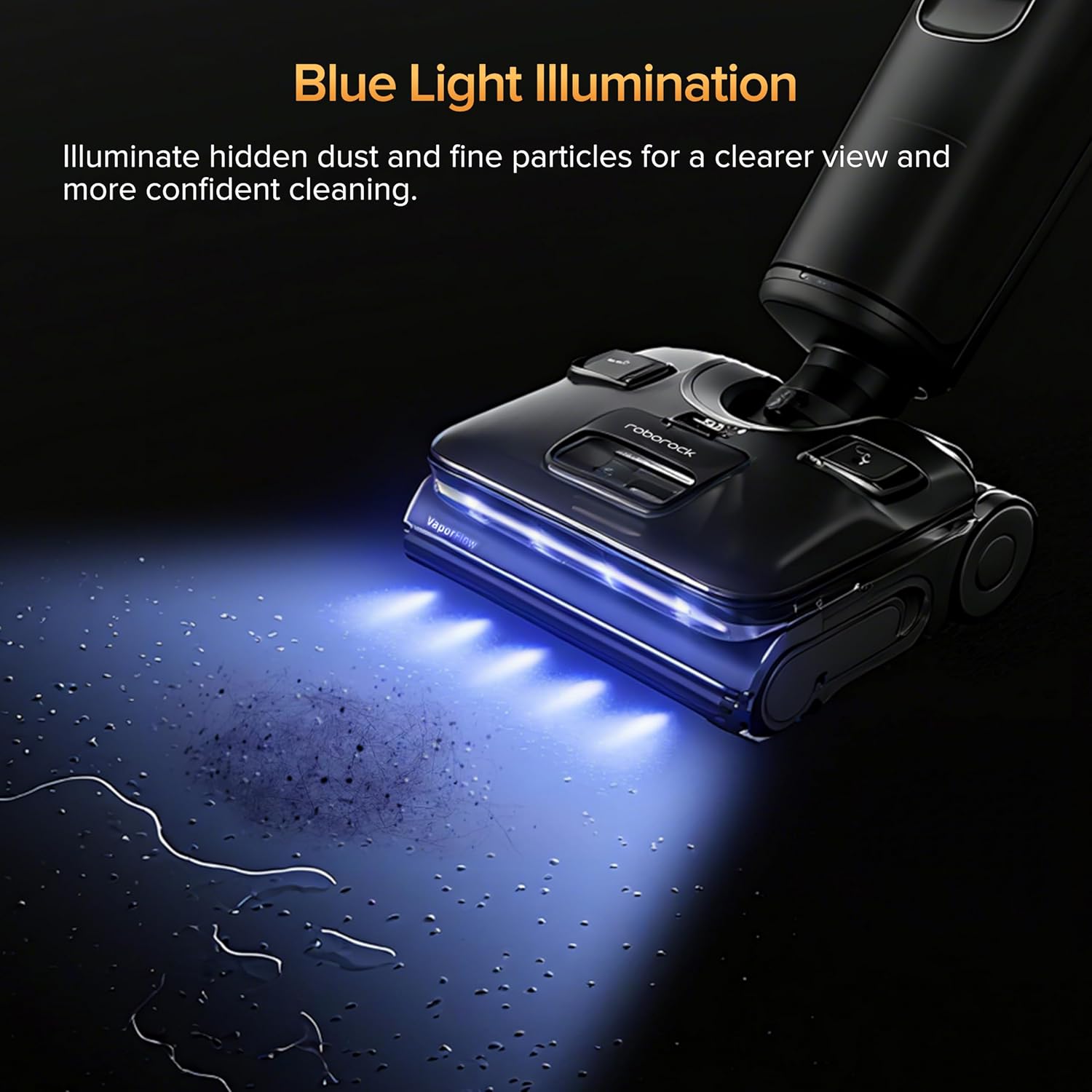
Figure 4: Blue Light Illumination for enhanced debris detection.
4. 180° Lay-Flat Design & APP Remote Control
The 180° lay-flat design allows the vacuum cleaner to glide effortlessly under low furniture like beds, sofas, and cabinets. For precise control in hard-to-reach spaces, the device can be steered via a dedicated mobile application.

Figure 5: 180° Lay-Flat Design and App Remote Control for cleaning under furniture.
5. AI-Enhanced Wheels
The AI-enhanced SlideTech 2.0 features dual brushless motors controlling each wheel, providing ultra-smooth maneuverability and responsive turns. This reduces effort during cleaning.
Maintenance
1. Self-Cleaning & Self-Drying System
After each use, place the vacuum cleaner on the charging dock. Press the Self-Clean button on the handle. The device will automatically clean the rollers with 356°F steam and 194°F high-temperature water, removing stuck-on messes. Following the self-cleaning, 203°F hot-air drying will activate to keep internal parts dry and ready for the next use. This system eliminates the need for manual scrubbing of the rollers.

Figure 6: Automated Self-Cleaning and Self-Drying process.
2. Emptying and Cleaning the Dirty Water Tank
Regularly empty the dirty water tank after each cleaning session. Press the release button to detach the dirty water tank. Open the tank and dispose of the collected dirty water and debris. Rinse the tank thoroughly with clean water. The multi-stage separation system helps to separate solid waste from wastewater, making disposal easier.
3. Filter Maintenance
Remove the filter from the dirty water tank. Rinse it under running water to remove any trapped debris. Allow the filter to air dry completely for at least 24 hours before reinstalling. Do not reinstall a wet filter. An extra filter is provided for convenience, allowing you to use the device while one filter is drying.
4. Roller Brush Maintenance
While the self-cleaning system handles most of the roller maintenance, it is recommended to periodically inspect the roller brush for any tangled hair or debris that might not have been removed. The Anti-Tangle Design with JawScrapers helps prevent hair wrap, but manual removal may occasionally be necessary. The roller brush can be easily removed for deeper cleaning if required.
Video 7: Routine Maintenance of Roborock F25 Ultra. This video provides detailed steps for cleaning the dirty water tank, filter, and roller brush.
Specifications
| Feature | Specification |
|---|---|
| Brand | roborock |
| Model Name | WD6Y3A |
| Special Feature | Cordless, Large Capacity Tank, Self-Propelled, Steam Control, Washable Filter |
| Filter Type | Washable filter |
| Included Components | Accessory Kit |
| Is Cordless? | Yes |
| Clean Water Tank Capacity | 1 Liters |
| Wattage | 86.4 Watt-hours |
| Form Factor | Upright |
| Color | Black |
| Product Dimensions | 9.84"L x 11"W x 45"H |
| Item Weight | 12 pounds |
| Batteries | 1 Lithium Ion batteries required (included) |
| UPC | 195043009094 |
Troubleshooting
If you encounter issues with your Roborock F25 Ultra, consider the following common troubleshooting steps:
- No Power: Ensure the device is properly seated on the charging dock and the power cord is securely plugged into a working outlet. Check the battery level on the display.
- Poor Suction/Cleaning: Verify that the clean water tank is filled and the dirty water tank is not full. Check if the roller brush is free of tangles and debris. Ensure the filter is clean and dry.
- No Steam/Hot Water: Confirm the device is in Steam Mode or Hot Water Mode and has sufficient water in the clean tank. Allow adequate time for the device to heat up (indicated on the display).
- Unusual Noises: Check the roller brush and dirty water tank for any obstructions or foreign objects.
- App Connectivity Issues: Ensure your device is within Wi-Fi range and the app is updated to the latest version. Refer to the app's instructions for pairing.
For more detailed troubleshooting, please refer to the full user manual or contact Roborock customer support.
Warranty and Support
The Roborock F25 Ultra comes with a standard manufacturer's warranty. For specific warranty terms, conditions, and duration, please refer to the warranty card included in your product packaging or visit the official Roborock website. For technical support, spare parts, or service inquiries, please contact Roborock customer service through their official channels.


