
1. Introduction
Welcome to the ECOROAD EC10 Electric Scooter user manual. This guide provides essential information for the safe assembly, operation, maintenance, and troubleshooting of your new electric scooter. Please read this manual thoroughly before your first ride to ensure optimal performance and safety.
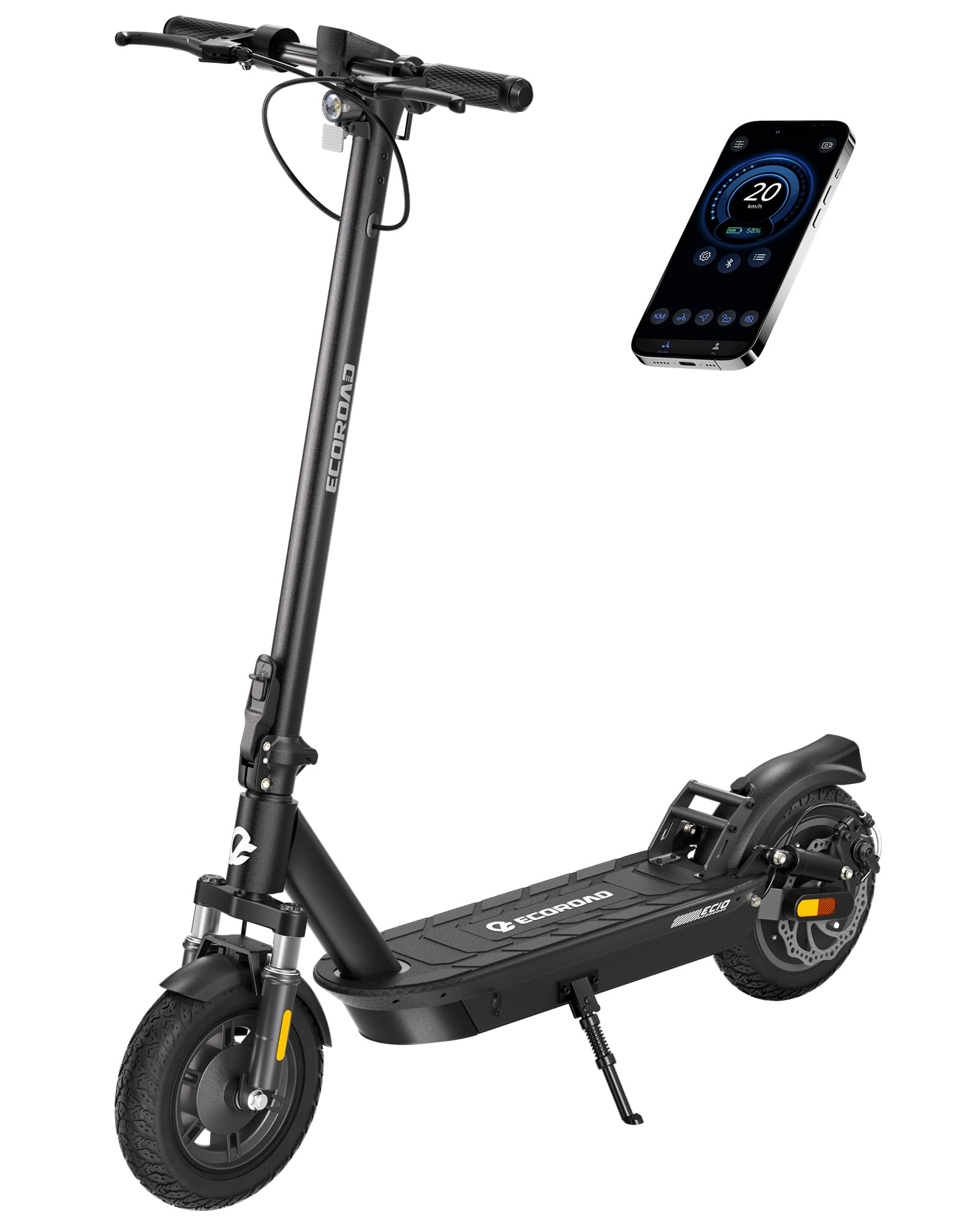
Video 1: ECOROAD EC10 Electric Scooter Overview. This video provides a general overview of the ECOROAD EC10 Electric Scooter in various urban settings, showcasing its design and functionality.
2. What's in the Box
Upon unboxing, please ensure all the following components are present:
- Electric Scooter EC10
- Instruction Manual
- Inner tube (1)
- T-Hex Wrench
- Charger (1)
3. Setup
3.1. Initial Assembly
Your ECOROAD EC10 Electric Scooter comes partially assembled. Follow the instructions in the included printed manual for handlebar attachment and other minor assembly steps. Ensure all screws are tightened securely before use.
3.2. Charging the Battery
Before first use, fully charge the scooter's battery. The charging time is approximately 7 hours. Use only the provided charger. The battery has a capacity of 36V 13.5Ah, providing a range of 25-32 miles.
Video 2: Battery Access and Replacement. This video demonstrates how to access and replace the battery of the ECOROAD EC10 Electric Scooter. This process is useful for understanding battery compartment access.
4. Operating Instructions
4.1. Starting the Scooter
To activate the motor, you must first kick-start the scooter to a speed over 3 MPH, then press the throttle to accelerate. This safety feature prevents accidental acceleration from a standstill.
4.2. Speed Modes
The EC10 offers multiple speed modes. Quickly press the power button TWICE to cycle through the available gears: ECO, D (Drive), S (Sport), and Push Assist mode. Each mode offers different speed and power characteristics.
4.3. Controls and Digital Display
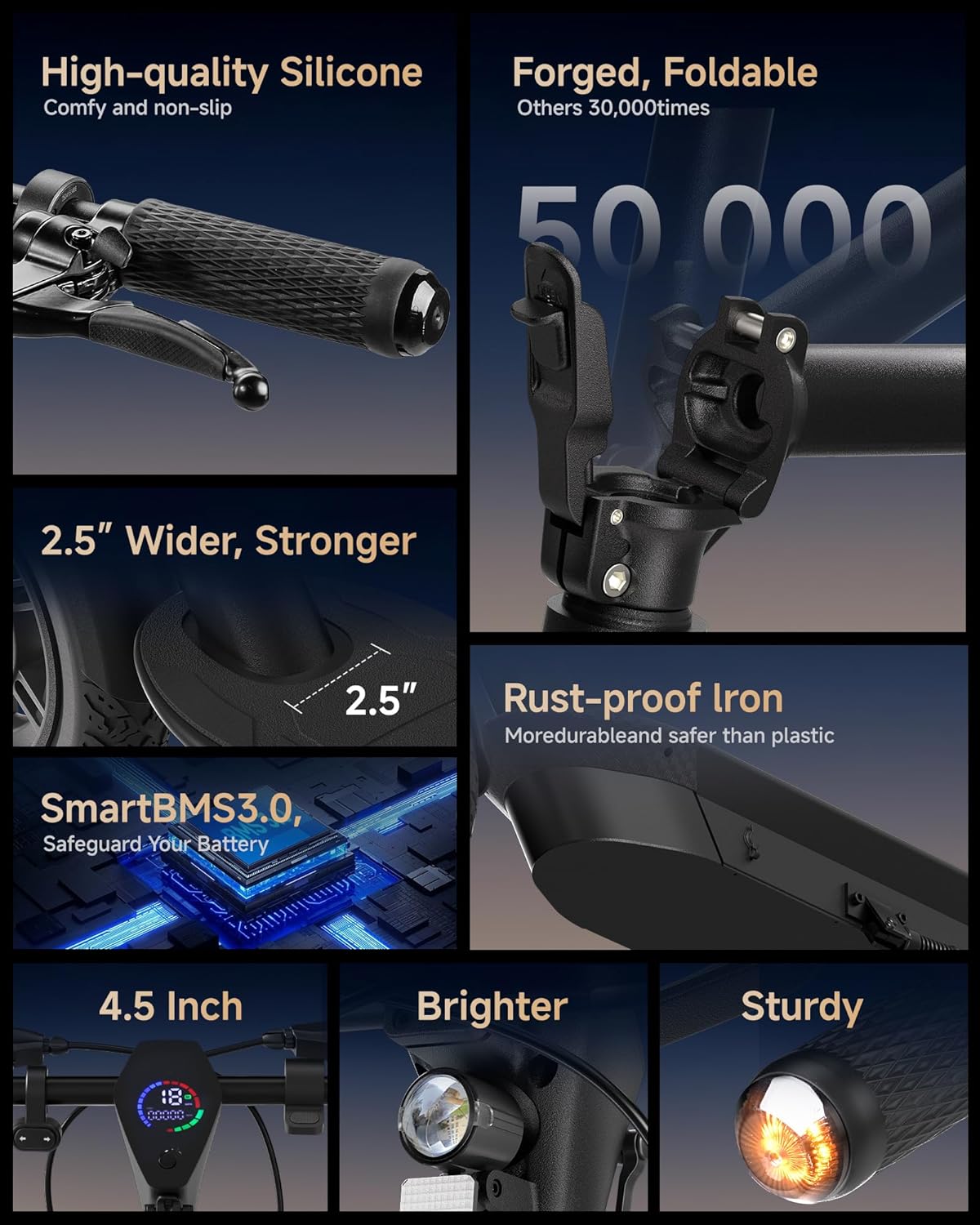
The handlebar features a digital display that shows your current speed, total mileage, and battery level. The ECOROAD App can be connected via Bluetooth for smart locking and additional control features.
4.4. Lighting and Signals
Press the power button ONCE to turn the headlight on or off. The scooter is equipped with integrated turn signals (left and right) for enhanced visibility and safety, especially during night rides or when changing direction.

4.5. Braking System
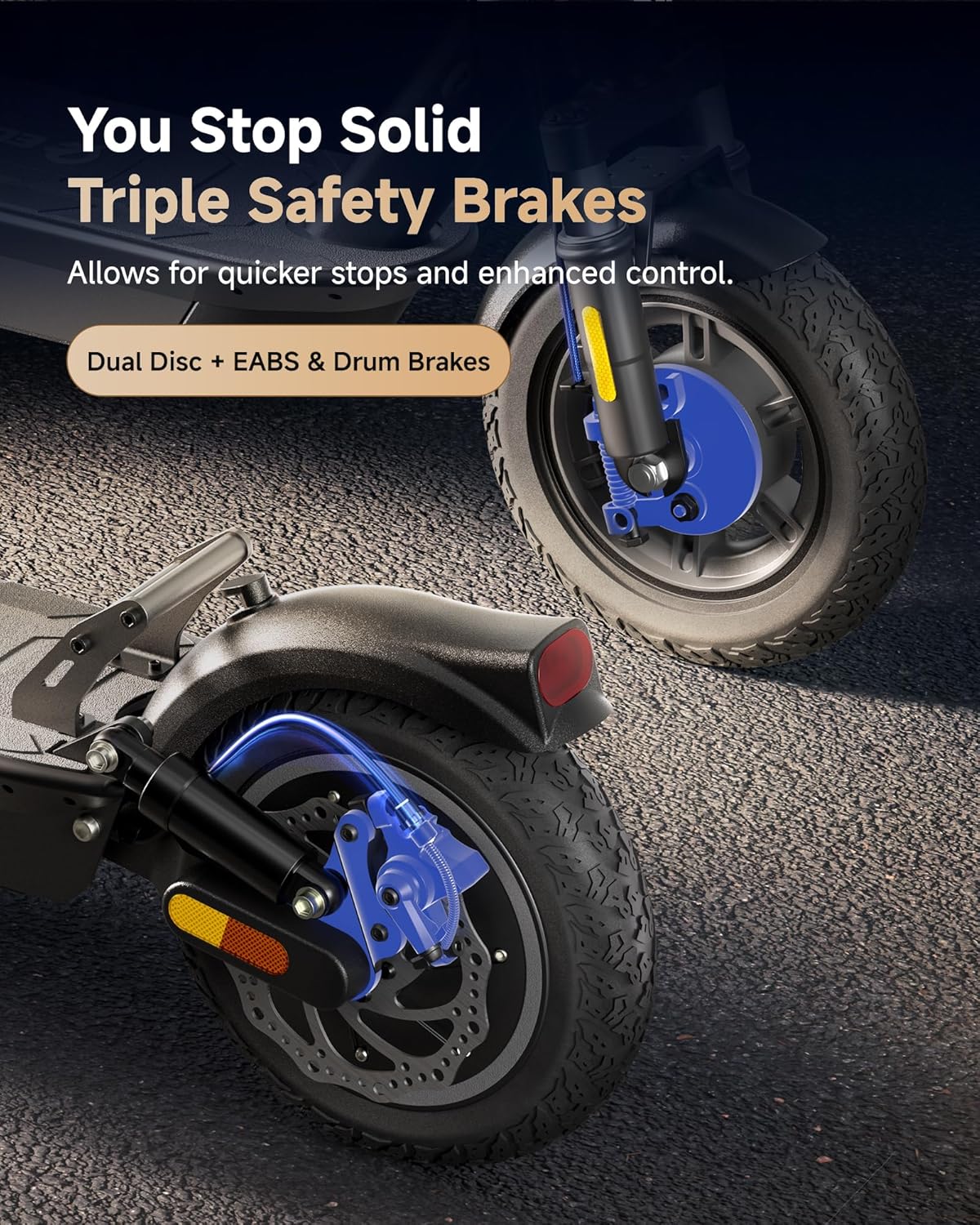
The EC10 features a triple braking system for reliable stopping power: a front drum brake, a rear disc brake, and an E-brake. Always use brakes smoothly and anticipate stops.

4.6. Cruise Control
To activate or deactivate cruise control, quickly press the power button FOUR TIMES. This feature helps maintain a consistent speed during longer rides.
5. Maintenance
5.1. General Care
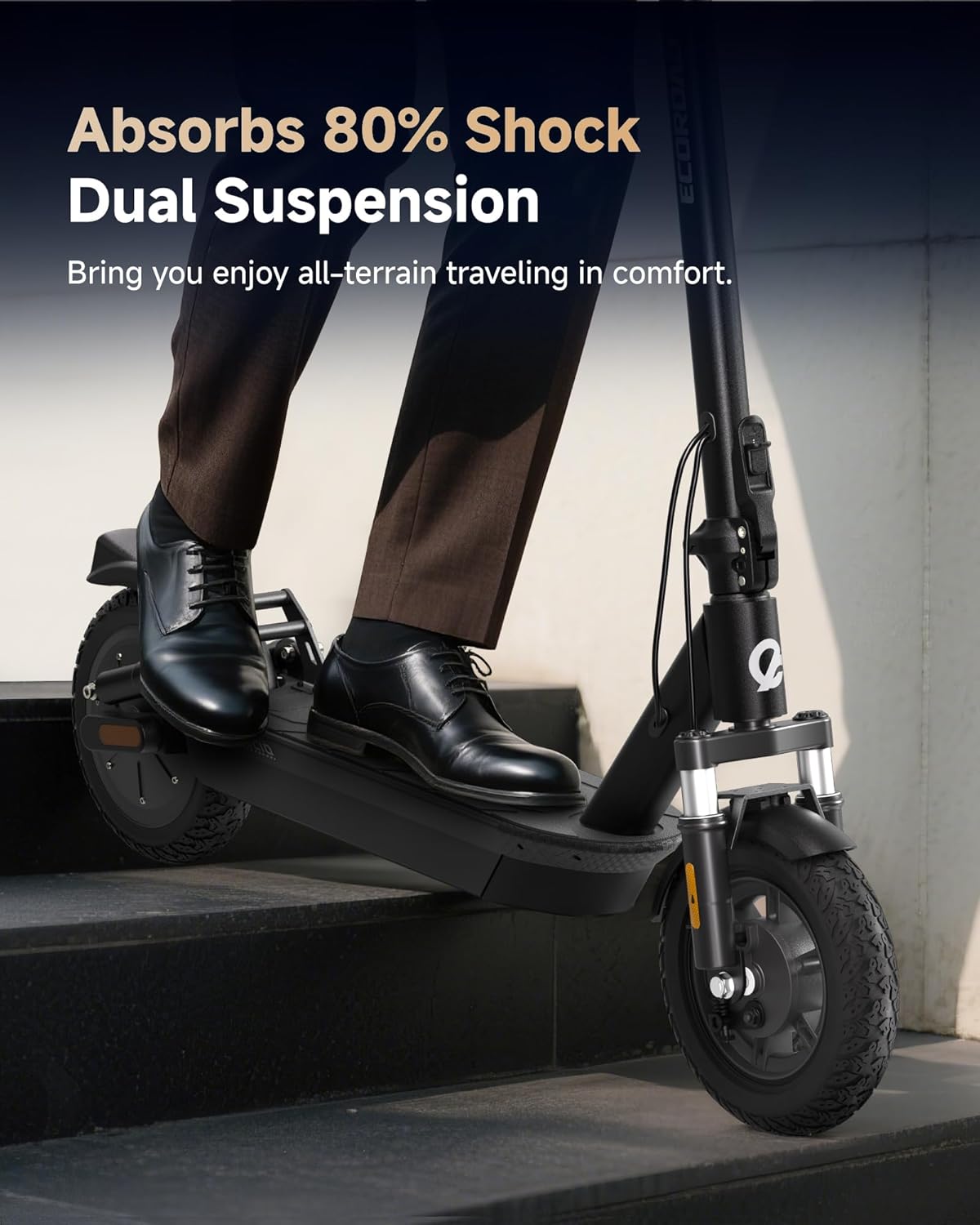
Regularly inspect your scooter for any loose parts, damage, or wear. Keep the scooter clean and dry. Check tire pressure periodically to ensure optimal ride quality and safety. The 10-inch pneumatic tires and dual shock absorbers are designed for a comfortable ride.

5.2. Battery Replacement
If battery replacement becomes necessary, refer to the following video for detailed instructions. Always use genuine ECOROAD replacement parts.
Video 3: Battery Replacement. This video demonstrates the step-by-step process of replacing the battery in the ECOROAD EC10 Electric Scooter.
5.3. Meter Replacement
Should the digital meter require replacement, consult the instructional video below for guidance. Ensure proper connection of all wires.
Video 4: Meter Replacement. This video illustrates how to replace the meter on the ECOROAD EC10 Electric Scooter, detailing the wiring connections.
5.4. Controller Replacement
For controller replacement, please follow the instructions provided in the video below. This is an advanced procedure and should be performed with care.
Video 5: Controller Replacement. This video guides users through the process of replacing the controller unit of the ECOROAD EC10 Electric Scooter.
6. Troubleshooting
If you encounter any issues with your ECOROAD EC10 Electric Scooter, please refer to the following common troubleshooting tips:
- E10 Error Code: If an E10 error code appears on the display, it indicates a specific system malfunction. Consult the ECOROAD App or contact customer support for diagnostic assistance.
- Reduced Range/Speed: Ensure the battery is fully charged. Factors like rider weight, terrain, wind, and temperature can affect range and speed.
- Braking Issues: Check brake cables and pads for wear. Ensure proper adjustment for effective stopping power.
- Unresponsive Controls: Verify all electrical connections are secure. If using the app, ensure Bluetooth connectivity is stable.
For persistent issues, please contact ECOROAD customer support.
7. Specifications
| Feature | Detail |
|---|---|
| Brand | ECOROAD |
| Model Name | EC10 |
| Motor Power | 500W (750W Peak) |
| Maximum Speed | 25 MPH |
| Maximum Distance Range | 32 Miles |
| Wheel Size | 10 Inches |
| Wheel Type | Pneumatic |
| Suspension Type | Spring Suspension (Dual) |
| Brake Style | Rear Braking (Triple: Front Drum, Rear Disc, E-brake) |
| Weight Limit | 264 Pounds |
| Item Weight | 48.2 Pounds |
| Product Dimensions (LxWxH) | 46.5"L x 8.3"W x 23.2"H |
| Charging Time | 7 Hours |
| Age Range (Description) | 13+ |
| Frame Material | Aluminum |
8. Safety Guidelines
Your safety is paramount. Please adhere to the following guidelines:
- Always wear a helmet and appropriate safety gear when riding.
- Ensure you are within the recommended age range (13+) and weight limit (264 lbs).
- Familiarize yourself with local traffic laws and regulations regarding electric scooters.
- Perform a pre-ride check before each use, including brakes, tires, and battery level.
- Avoid riding in wet conditions, on slippery surfaces, or in heavy traffic.
- Maintain a safe distance from other vehicles and pedestrians.

9. Warranty & Support
The ECOROAD EC10 Electric Scooter comes with a 180-day limited manufacturer warranty covering various parts. For warranty claims, technical support, or any inquiries, please contact ECOROAD customer support.
You can also visit the official ECOROAD store for more information: ECOROAD Store