
1. Introduction
The TELESIN Bluetooth Floating Selfie Stick Tripod is a versatile 4-in-1 accessory designed for action cameras. It functions as a floating hand grip, an extendable selfie stick, a tripod, and a handle. This device is engineered for both underwater and land shooting, offering stable and responsive control for your GoPro Hero 9, 10, 11, 12, 13, and Max cameras.
2. Package Contents
Please verify that all items are present in your package:
- 1 x Floating Rod
- 1 x Locking Screw
- 1 x Anti-loss Wrist Strap
- 1 x Charging Cable
- 1 x User Manual

Image: Contents of the TELESIN Bluetooth Floating Selfie Stick Tripod package.
3. Product Overview
The TELESIN Floating Selfie Stick Tripod integrates multiple functions into a single device, designed for ease of use and durability in various environments.
Key Features:
- 4-in-1 Design: Functions as a floating hand grip, extendable selfie stick, tripod, and handle.
- Stable Floating Capability: Buoyant tripod legs ensure the device floats and remains stable in water.
- Extendable Pole: Telescopic aluminum pole extends up to 47.2 cm (18.5 inches) and collapses to 27.4 cm (10.8 inches).
- Bluetooth Control: Features a built-in signal booster for strong, fast response, operating up to 15 meters (49 feet) underwater.
- User-Friendly Interface: Clear 3-button and 3-light design for mode switching and status indication.
- Lightweight and Portable: Weighs only 215g for easy transport.

Image: The TELESIN Bluetooth Floating Selfie Stick Tripod with a GoPro camera.
Component Identification:
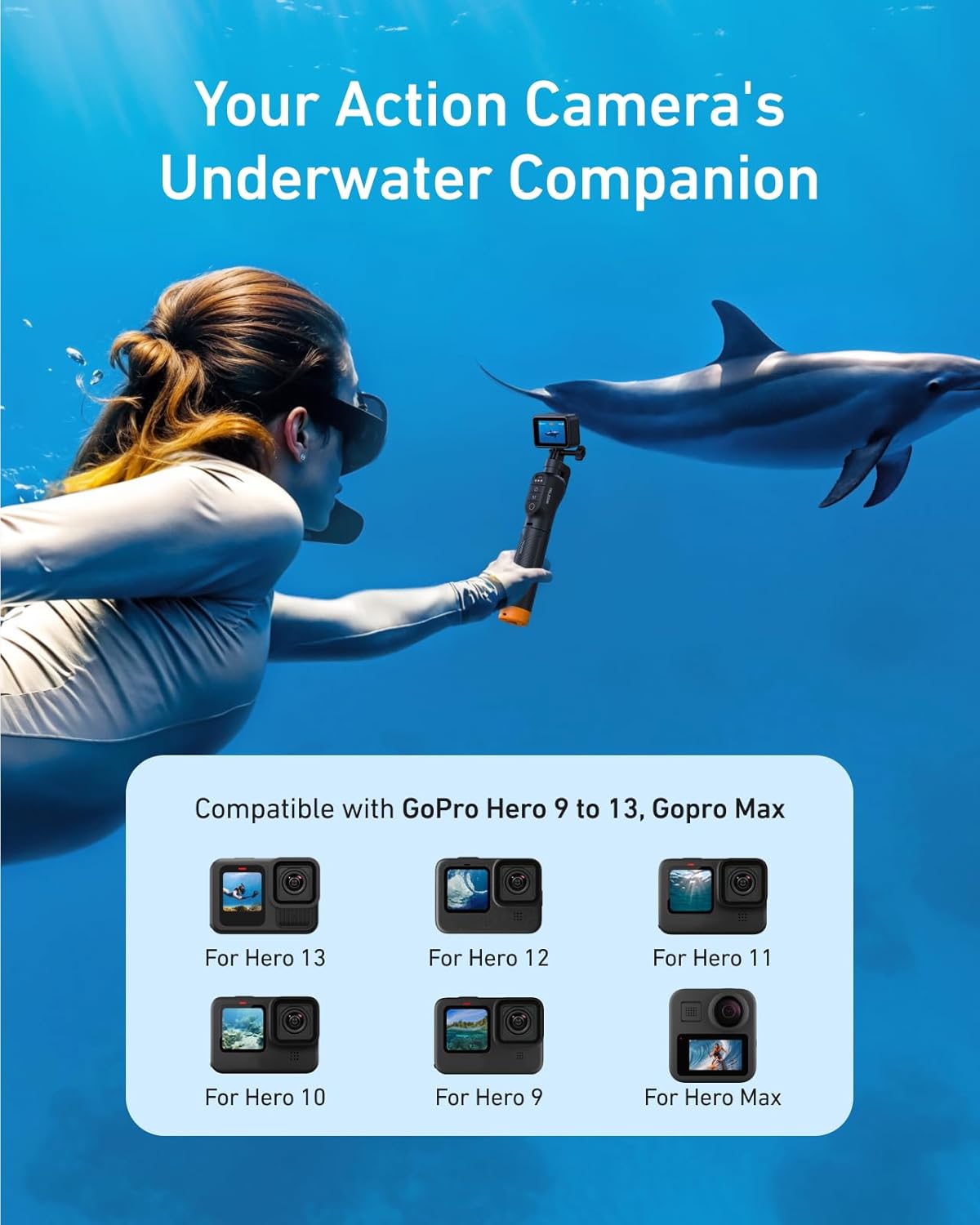
Image: Detailed view of the control panel with signal light, charging port, power button, mode button, and shutter button labeled.
- Power Button: Turns the device on/off.
- Mode Button (M): Cycles through different camera modes (Timelapse, Video, Photo).
- Shutter Button: Activates photo capture or video recording.
- Signal Light: Indicates Bluetooth connection status and battery level.
- Charging Port: For connecting the charging cable.
4. Setup
4.1 Charging the Device
Before first use, fully charge the selfie stick. Connect the provided charging cable to the charging port on the device and a USB power source. The signal lights will indicate charging status.
4.2 Attaching Your GoPro Camera
Align your GoPro camera with the mounting bracket at the top of the selfie stick. Secure it using the provided locking screw. Ensure the camera is firmly attached before use.
4.3 Bluetooth Pairing
- Turn on your GoPro camera and enable Bluetooth in its settings.
- Press and hold the Power button on the TELESIN selfie stick until the signal lights illuminate.
- On your GoPro, search for new Bluetooth devices and select the TELESIN remote.
- Once paired, the signal light on the selfie stick will indicate a successful connection.
4.4 Wrist Strap Installation
For added security, especially during water activities, install the anti-loss wrist strap.
- The base of the product features three openings.
- Select any opening and thread the wrist strap through it.
- Secure the wrist strap firmly and wear it.
- Adjust the slider on the wrist strap to fit your wrist comfortably.
Video: Demonstrates the installation and proper wearing of the wrist strap for secure handling of the selfie stick.
5. Operating Instructions
5.1 Basic Operation
- Power On/Off: Press and hold the Power button for 3 seconds to turn the device on or off.
- Change Mode: Press the Mode (M) button to cycle through Timelapse, Video, and Photo modes on your connected GoPro. The 3 indicator lights will show the current mode.
- Capture/Record: Press the Shutter button to take a photo or start/stop video recording.
5.2 Extending and Collapsing the Pole
To extend the pole, gently pull the sections outwards until they lock into place. To collapse, push the sections back in. The pole extends up to 47.2 cm (18.5 inches) and collapses to 27.4 cm (10.8 inches).
5.3 Using as a Tripod
The base of the selfie stick features integrated tripod legs. Fold out the legs to use the device as a stable tripod on flat surfaces. The magnetic closure helps keep the legs secure when folded.

Image: The TELESIN 3-in-1 Remote Floating Selfie Stick demonstrating its use as a floating handle, selfie stick, and tripod.
5.4 Underwater Use
The device is waterproof up to 15 meters (49 feet). Its buoyant design helps keep your GoPro afloat. For diving depths of 10 meters or more, ensure your action camera is equipped with its own waterproof housing for optimal protection.
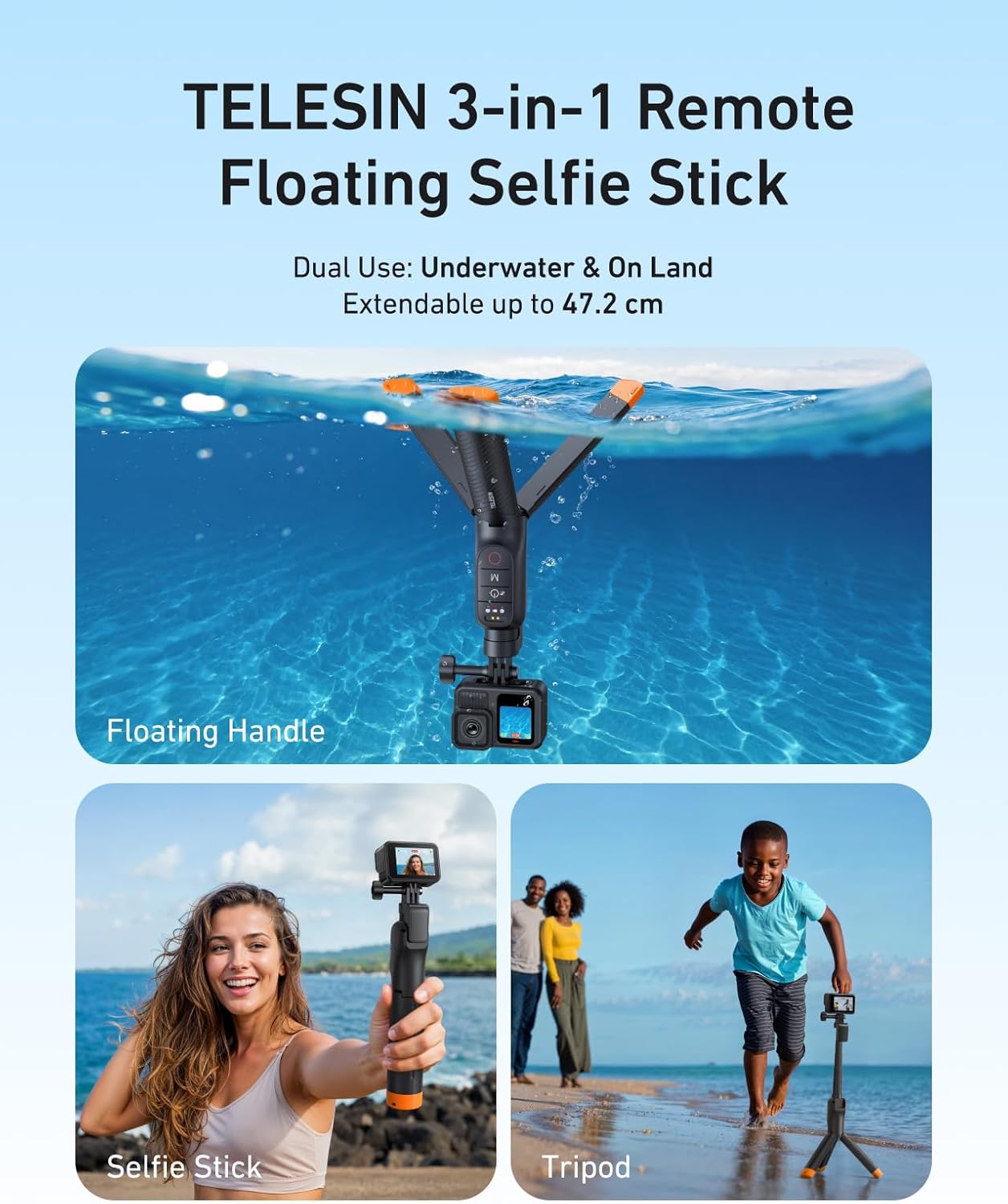
Image: The TELESIN selfie stick being used by a diver underwater, highlighting its 15-meter waterproof rating.
6. Maintenance
Cleaning After Seawater Use
To ensure the longevity and proper function of your TELESIN selfie stick, especially after use in seawater, follow these cleaning instructions:
- Shake out any remaining seawater inside the pole.
- Soak the entire device in fresh water for 10 minutes.
- To prevent salt residue from affecting the extension mechanism or causing charging issues, fully extend the pole and rinse it upside down under running tap water for at least 5 minutes.
- After cleaning, wipe off any remaining surface moisture with a dry towel.

Image: Visual representation of cleaning the selfie stick after exposure to seawater.
7. Troubleshooting
Common Issues and Solutions:
| Problem | Possible Cause | Solution |
|---|---|---|
| Device does not power on. | Low battery or device malfunction. | Ensure the device is fully charged. If the issue persists after charging, contact customer support. |
| Bluetooth connectivity issues. | Device not paired, out of range, or interference. | Ensure the selfie stick is charged and powered on. Re-pair the device with your GoPro. Keep the devices within close proximity. |
| Buttons are unresponsive. | Low battery, connection issue, or internal fault. | Charge the device fully. Re-establish Bluetooth connection. If buttons remain unresponsive, contact customer support. |
| Pole is difficult to extend/collapse. | Salt residue or debris. | Perform thorough cleaning as described in the Maintenance section, especially after seawater use. |
8. Specifications
Detailed technical specifications for the TELESIN Bluetooth Floating Selfie Stick Tripod:
- Model Name: CXCY-S1-TSS-07-US
- Material: Plastic / Aluminum Alloy
- Dimensions: 52.5 × 45.3 × 27.4 mm (Folded)
- Weight: 215 g
- Telescoping Length: 27.4 cm (10.8 in) to 47.2 cm (18.5 in)
- Waterproof Rating: IP68, underwater ≤ 15 meters
- Charging Method: Pogo Pin
- Battery Specs: 80mAh, 5V/1A
- Charging Time: Approximately 2.5 hours
- Compatible Models: GoPro Hero 9, 10, 11, 12, 13, and Max

Image: Product specifications diagram illustrating folded and extended lengths.
9. Warranty and Support
Warranty Information:
This TELESIN product comes with a 1-year warranty from the date of purchase. The warranty covers manufacturing defects and malfunctions under normal use. Please retain your proof of purchase for warranty claims.
Customer Support:
For technical assistance, troubleshooting, or warranty inquiries, please contact TELESIN customer support through their official website or the retailer where the product was purchased. Provide your model number (CXCY-S1-TSS-07-US) and a detailed description of the issue for efficient service.