
UYIKOO TB10
UYIKOO TB10 Mini Action Camera User Manual
Model: TB10 | Brand: UYIKOO
Introduction
This manual provides detailed instructions for the UYIKOO TB10 Mini Action Camera. Please read this manual thoroughly before using the device to ensure proper operation and to maximize its features. Keep this manual for future reference.
The UYIKOO TB10 Mini Action Camera, a compact device designed for capturing high-definition video.
What's in the Box
Verify that all items listed below are included in your package. If any items are missing or damaged, please contact customer support.
- UYIKOO TB10 Mini Action Camera
- 32 GB Micro SD Card
- Reset Pin
- Wrist Strap
- Short Lanyard
- Type-C USB Cable
- Bicycle Mount Set
- Mounting Screw
- Magnetic Chest Mount
- 360° Rotation Clip
- Screw Mount Adapter
- Long Lanyard
- Flat Adhesive Mount
- Curved Adhesive Mount
- Quick Release Buckle
- J-Hook Buckle Mount
- Tripod Adapter

A visual representation of the camera and its comprehensive accessory kit.
Product Overview
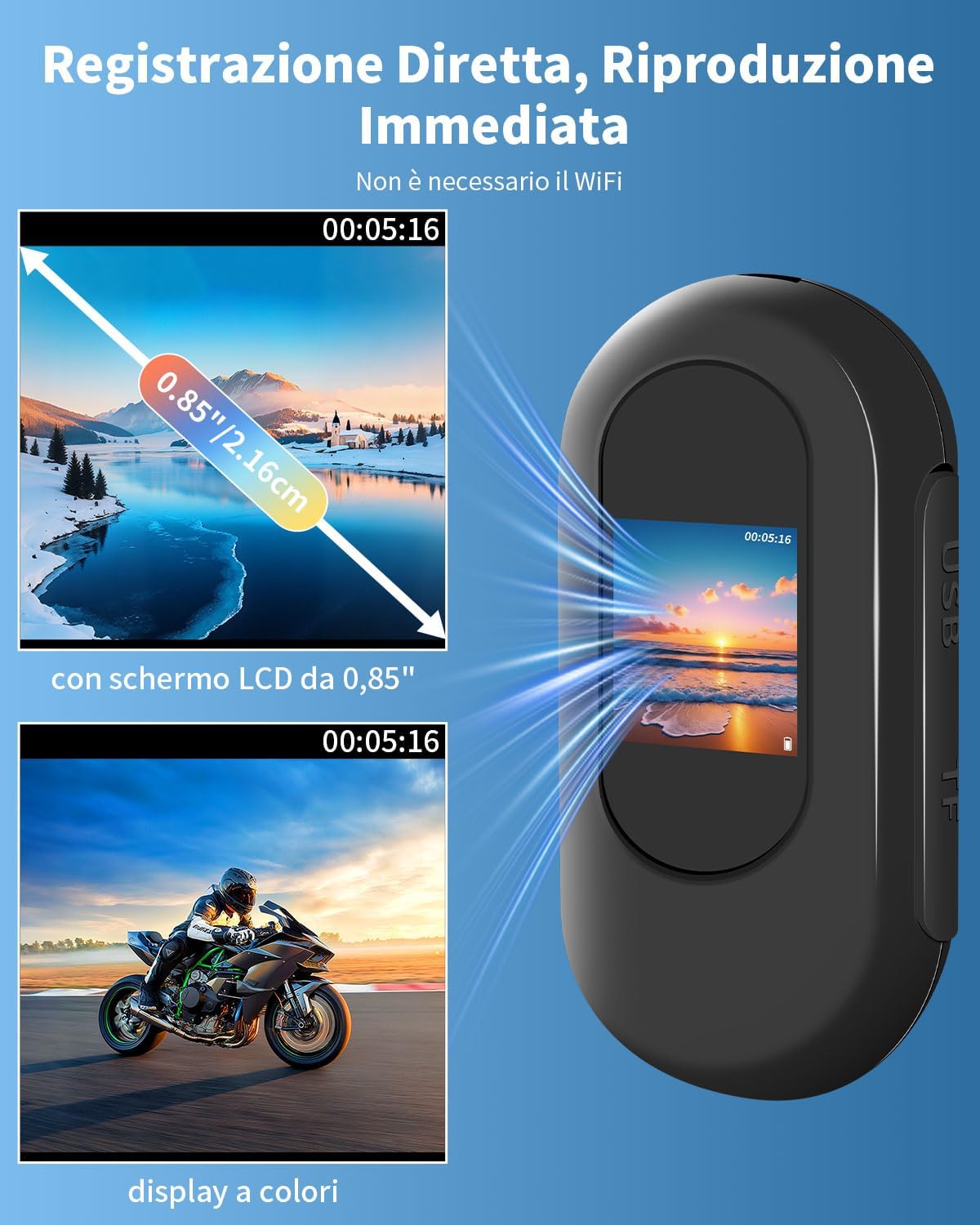
The UYIKOO TB10 is a compact and versatile action camera designed for various recording scenarios. It features a 0.85-inch display for instant playback and real-time viewing, 1080P HD video recording, and a 120° wide-angle lens.
Key Features:
- 0.85" Display: For real-time viewing and instant playback of recorded footage.
- 1080P HD Video: Captures high-definition video at a 120° wide-angle.
- Night Vision: Equipped with 6 high-intensity infrared LEDs for recording in low-light conditions up to 3 meters.
- 32GB Memory Card Included: Supports long-term recording with loop recording functionality.
- Compact and Lightweight: Measures 6x2.8x2cm and weighs 27g, making it highly portable.
- 2-Hour Continuous Recording: Built-in battery provides extended usage. Supports recording while charging.
- Versatile Mounting: Comes with various accessories for attachment to clothing, bicycles, helmets, and more.

The camera's display allows for immediate review of recordings.

The camera's small dimensions and integrated battery allow for extended recording.

The camera is suitable for a wide range of activities and applications.
Setup
1. Charging the Camera
Before first use, fully charge the camera.
- Connect the included Type-C USB cable to the camera's charging port.
- Connect the other end of the cable to a USB power adapter (not included) or a computer's USB port.
- The charging indicator light will illuminate. Once fully charged (approximately 3 hours), the light will change or turn off.
2. Inserting the Micro SD Card
The camera comes with a pre-formatted 32GB Micro SD card.
- Locate the Micro SD card slot on the side of the camera.
- Gently insert the Micro SD card into the slot until it clicks into place. Ensure the card is inserted in the correct orientation.
- To remove, gently push the card in again until it springs out.
3. Attaching Accessories
Utilize the various included accessories to mount the camera according to your activity.
- Magnetic Chest Mount: Attach the camera to the magnetic pendant for hands-free, first-person perspective recording.
- 360° Rotation Clip: Use this clip to attach the camera to clothing, backpacks, or other gear, allowing for flexible angle adjustments.
- Bicycle Mount Set: Securely attach the camera to bicycle handlebars for cycling footage.
- Helmet Mounts (Flat/Curved Adhesive Mounts, J-Hook Buckle Mount): Use these to affix the camera to helmets for action sports.
- Wrist Strap: Wear the camera on your wrist for convenient access and recording.

The camera can be mounted in diverse ways for different activities.

The accessory kit provides multiple options for mounting the camera in diverse scenarios.
Operating Instructions
Power On/Off
- Power On: Press and hold the Power button for a few seconds until the screen illuminates.
- Power Off: Press and hold the Power button again until the screen turns off.
Recording Video
- Ensure the camera is powered on and a Micro SD card is inserted.
- Press the Record button (usually marked with "REC" or a red dot) to start recording. The recording indicator light will flash.
- Press the Record button again to stop recording. The indicator light will stop flashing.
- The camera supports 1080P HD video recording with a 120° wide-angle view.

The camera allows for hands-free recording from a first-person perspective.
Night Vision Mode
The camera automatically activates night vision in low-light conditions.
- The integrated 6 high-intensity infrared LEDs provide clear recording up to 3 meters in darkness.

Automatic night vision ensures clear footage even in dark environments.
Loop Recording
The camera supports loop recording, which automatically overwrites the oldest files when the memory card is full.
- The included 32GB Micro SD card can store approximately 8 hours of continuous video.
- The camera supports Micro SD cards up to 256GB.

Loop recording ensures continuous capture by overwriting older files when storage is full.
Viewing Files
You can view recorded videos and images directly on the camera's 0.85-inch screen or by connecting to a computer.
- On Camera: Use the navigation buttons (if available, or follow on-screen prompts) to browse and play back files on the 0.85" LCD screen.
- Via Computer (Direct Connection):
- Connect the camera to your computer using the Type-C USB cable.
- The camera should appear as a removable disk drive.
- Open the drive to access your video (MP4) and image (JPEG) files.
- Via Computer (Micro SD Card Reader):
- Remove the Micro SD card from the camera.
- Insert the Micro SD card into a card reader (not included) connected to your computer.
- Access the files directly from the card reader.

Files can be reviewed on the camera's screen or transferred to a computer for viewing.
Maintenance
- Cleaning: Use a soft, dry cloth to clean the camera body and lens. Avoid using harsh chemicals or abrasive materials.
- Storage: Store the camera in a cool, dry place away from direct sunlight and extreme temperatures.
- Battery Care: To prolong battery life, avoid fully discharging the battery frequently. Charge the camera regularly, even if not in use for extended periods.
- Micro SD Card: Periodically back up your files and format the Micro SD card to maintain optimal performance.
- Water Resistance: This camera is not water resistant. Avoid exposure to water or moisture.
Troubleshooting
| Problem | Possible Cause | Solution |
|---|---|---|
| Camera does not power on. | Low battery. | Charge the camera fully. |
| Cannot record video. | Micro SD card full or not inserted correctly. | Check Micro SD card insertion. Back up and format the card, or replace with a new one. |
| Poor video quality. | Lens is dirty; insufficient lighting. | Clean the lens. Ensure adequate lighting or utilize night vision feature. |
| Camera freezes or becomes unresponsive. | Software glitch. | Use the reset pin to perform a soft reset. Insert the pin into the reset hole and gently press. |
| Computer does not recognize camera. | Faulty USB cable or port; driver issue. | Try a different USB cable or port. Ensure the camera is powered on when connected. Try connecting the Micro SD card directly via a card reader. |
Specifications
| Feature | Detail |
|---|---|
| Brand | UYIKOO |
| Model Name | TB10 |
| Camcorder Type | Action Camera |
| Video Capture Resolution | 1080p Full HD |
| Effective Video Resolution | 1080 Pixels |
| Viewing Angle | 120 Degrees |
| Photo Sensor Technology | CMOS |
| Optical Sensor Technology | CMOS |
| Lens Type | Wide-angle |
| Focus Type | Auto focus |
| Max Focal Length | 2.94 mm |
| Min Focal Length | 2.93 mm |
| Special Feature | Night Vision (6 IR LEDs, up to 3 meters) |
| Image Stabilization | No |
| Connectivity Technology | None (Direct USB connection for data transfer) |
| Display | 0.85-inch LCD Screen |
| Installed Flash Memory Size | 32 GB (Micro SD card included, supports up to 256GB) |
| Video Capture Format | H264 (MP4 file format) |
| Supported Audio Format | AAC, MP3 |
| Supported Image Format | JPEG |
| Aspect Ratio | 16:9 |
| Shooting Modes | Action, Night, Landscape |
| Form Factor | Ultra compact (6x2.8x2cm, 27g) |
| Battery Type | Built-in, Non-standard (1 battery included) |
| Average Battery Life | 2 Hours (continuous recording) |
| Water Resistance Level | Not water resistant |
| Compatible Devices | Smartphone, Laptop, Personal Computer, Tablet |
| Country of Origin | China |
Warranty and Support
The UYIKOO TB10 Mini Action Camera comes with a 1-year limited warranty from the date of purchase. This warranty covers manufacturing defects and workmanship. It does not cover damage caused by misuse, accidents, unauthorized modifications, or normal wear and tear.
For technical support, warranty claims, or any questions regarding your product, please contact UYIKOO customer service through the retailer where the product was purchased. Please have your purchase receipt and product model number (TB10) ready.
Safety Information
- Do not expose the camera to extreme temperatures, direct sunlight, or high humidity.
- Keep the camera away from strong magnetic fields.
- Do not attempt to disassemble or modify the camera. This will void the warranty.
- Keep out of reach of children. Small parts may pose a choking hazard.
- Dispose of the camera and its battery responsibly according to local regulations.
- This camera is not waterproof. Avoid contact with water.
Related documentsTB10

Ask a question about this manual
Ask about setup, troubleshooting, compatibility, parts, safety, or missing instructions. Manuals+ will review the question and use this page’s manual context to help answer it.