
1. Introduction
Thank you for purchasing the SOFTSEA Twin Size Loft Bed with L-Shaped Desk. This manual provides essential information for the safe assembly, operation, and maintenance of your new loft bed. Please read these instructions carefully before assembly and retain them for future reference.

Image 1.1: The SOFTSEA Twin Size Loft Bed with L-Shaped Desk, featuring a black metal frame and wood-grain desk surfaces, integrated into a modern bedroom environment.
2. Safety Information
- Weight Capacity: The upper bed has a maximum weight capacity of 400 lbs. Do not exceed this limit.
- Mattress Thickness: Recommended mattress thickness is 6-8 inches. Ensure the mattress does not exceed the height of the guardrails.
- Guardrails: Always ensure full-length guardrails are securely in place on the upper bunk to prevent falls.
- Assembly: Assembly requires two people. Do not attempt to assemble alone.
- Children: This bed is designed for kids, teens, and adults. Supervise young children when using the loft bed.
- Ventilation: Ensure adequate ventilation around the bed.
- Regular Checks: Periodically check all bolts and connections to ensure they remain tight. Retighten as necessary.

Image 2.1: Detail showing the robust full-length guardrails on the upper bunk and the integrated ladder design with storage steps, emphasizing safety and functionality.
3. Package Contents
Your SOFTSEA Twin Size Loft Bed will arrive in two separate packages, which may be delivered on different days. Please ensure you have received all packages before beginning assembly.
The package includes the loft bed frame components. Refer to the packing list provided with your shipment for a detailed inventory of all parts, hardware, and tools.
- Metal frame components
- Wood-grain desk and stair shelf panels
- Assembly hardware (screws, bolts, washers, etc.)
- Assembly tools (e.g., Allen wrench)
- Instruction manual
4. Assembly Instructions
Please follow these steps carefully. It is recommended to have two people for assembly.
- Unpack and Identify Parts: Lay out all components on a clean, soft surface (e.g., a rug or blanket) to prevent scratches. Compare each part with the provided packing list and hardware diagram to ensure all pieces are present.
- Assemble the Base Frame: Begin by connecting the main vertical and horizontal metal frame pieces for the lower structure, including the L-shaped desk supports. Use the provided bolts and tools, tightening them finger-tight initially.
- Install Desk Panels: Secure the wood-grain panels for the L-shaped desk onto the assembled frame using the designated hardware.
- Construct the Staircase: Assemble the metal frame for the storage staircase. Once the frame is stable, insert the wood-grain shelf panels into each step.
- Attach Staircase to Main Frame: Carefully align and attach the assembled staircase to the main loft bed frame. Ensure all connection points are secure.
- Assemble Upper Bunk Frame: Connect the remaining metal frame pieces to form the upper bunk structure. This includes the bed base and the guardrails.
- Secure Upper Bunk: Lift and attach the upper bunk frame to the main vertical supports. Ensure all connections are firm and stable.
- Final Tightening: Once the entire structure is assembled, go back and fully tighten all bolts and screws using the provided tools. Do not overtighten.
- Placement: Position the assembled loft bed in its desired location, ensuring it is stable and level.

Image 4.1: An illustration detailing the overall dimensions of the loft bed, including the height, length, width, and specific measurements for the desk, staircase, and under-bed clearance. Mattress thickness recommendation is also shown.
5. Operating Instructions
5.1 Mattress Recommendation
For optimal safety and comfort, use a twin-size mattress with a recommended thickness of 6-8 inches. This ensures that the mattress sits below the top edge of the guardrails, providing adequate fall protection.
5.2 Weight Capacity
The upper bunk is designed to support a maximum weight of 400 pounds. This includes the weight of the mattress and the occupant(s). Do not exceed this weight limit to ensure structural integrity and safety.
5.3 L-Shaped Desk Usage
The integrated L-shaped desk provides a dedicated space for studying, working, or creative activities. Ensure items placed on the desk do not obstruct movement or pose a falling hazard.
5.4 Storage Staircase Usage
The staircase features built-in shelves for convenient storage. Use these shelves to organize books, clothes, or other personal items. Ensure items are placed securely and do not protrude, which could impede safe access to the upper bunk.

Image 5.1: The loft bed showcasing the L-shaped desk area and the generous under-bed clearance, illustrating the potential for customization and flexible use of space.
6. Maintenance
6.1 Cleaning
To clean the metal frame and wood-grain surfaces, use a soft, damp cloth. Avoid harsh chemicals or abrasive cleaners, as these can damage the finish. Wipe spills immediately.
6.2 Fastener Checks
Periodically (e.g., every 3-6 months), inspect all bolts, screws, and connections. Tighten any that have become loose. Do not overtighten.
6.3 Moving the Bed
If you need to move the bed, it is recommended to disassemble it partially or fully to prevent damage to the frame or connections. Do not drag the bed, as this can weaken its structure.
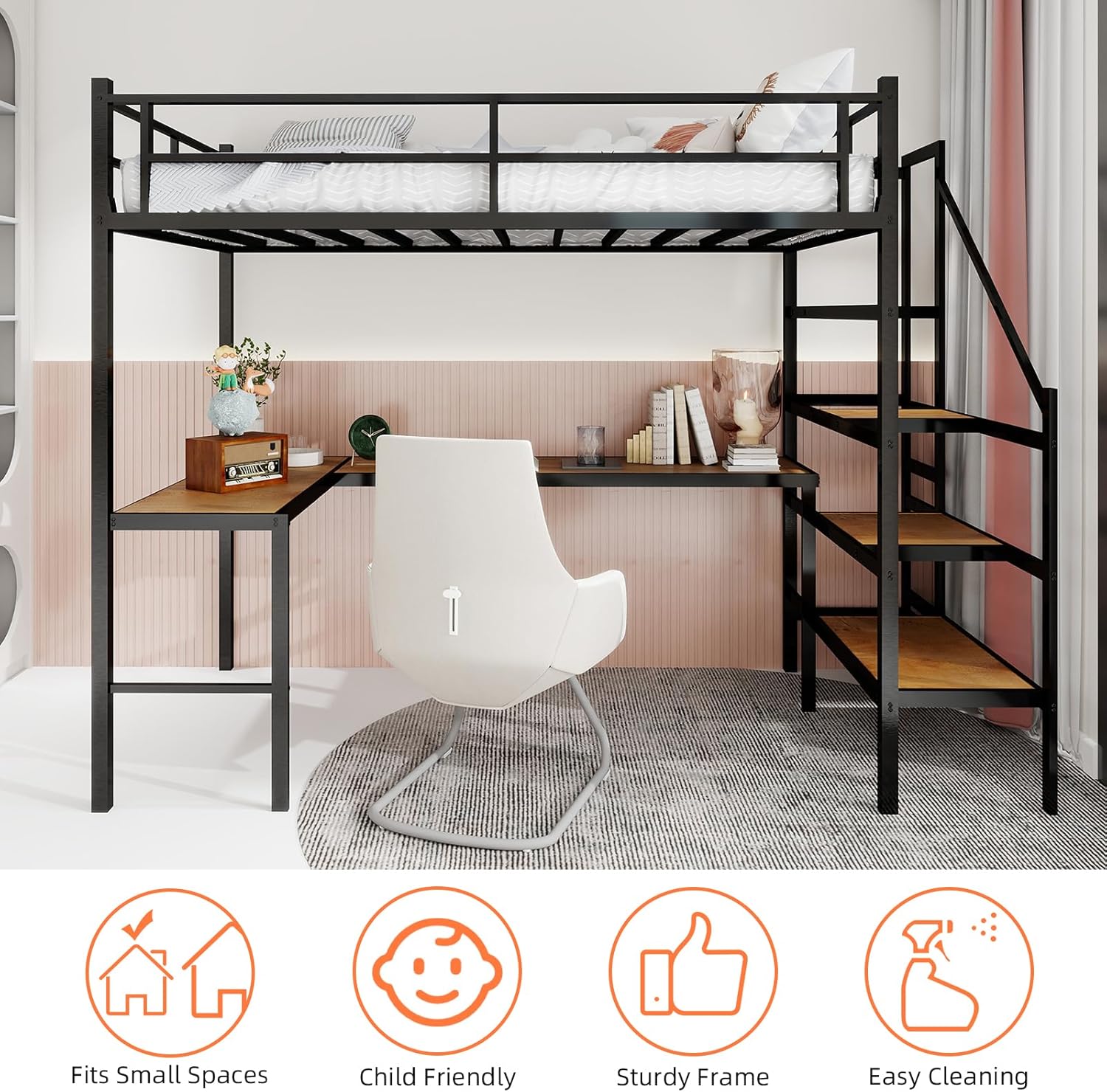
Image 6.1: The loft bed in a room setting, accompanied by icons highlighting its key attributes: suitability for small spaces, child-friendly design, sturdy frame construction, and ease of cleaning.
7. Troubleshooting
- Squeaking/Noise: If the bed makes noise, check all bolts and screws. Tighten any loose connections. Ensure the bed is on a level surface.
- Instability/Wobbling: Verify that all components are correctly assembled and all fasteners are securely tightened. Ensure the bed is placed on a flat, even floor.
- Missing Parts: If you find any parts missing upon unpacking, refer to the package contents section and contact customer support immediately.
- Difficulty Assembling: Review the assembly instructions carefully. Ensure you have the correct parts for each step. If issues persist, contact customer support.
8. Specifications
| Brand | SOFTSEA |
| Model Number | x3 |
| Size | Twin |
| Material | Metal |
| Product Dimensions (L x W x H) | 77.56"L x 41.73"W x 69.09"H |
| Color | Black |
| Style | Modern |
| Special Features | L-Shaped Desk, Storage Staircase |
| Maximum Weight Recommendation | 400 pounds (Upper Bed) |
| Item Weight | 135 pounds |
| Recommended Mattress Thickness | 6-8 inches |
| Assembly Required | Full Assembly Needed |
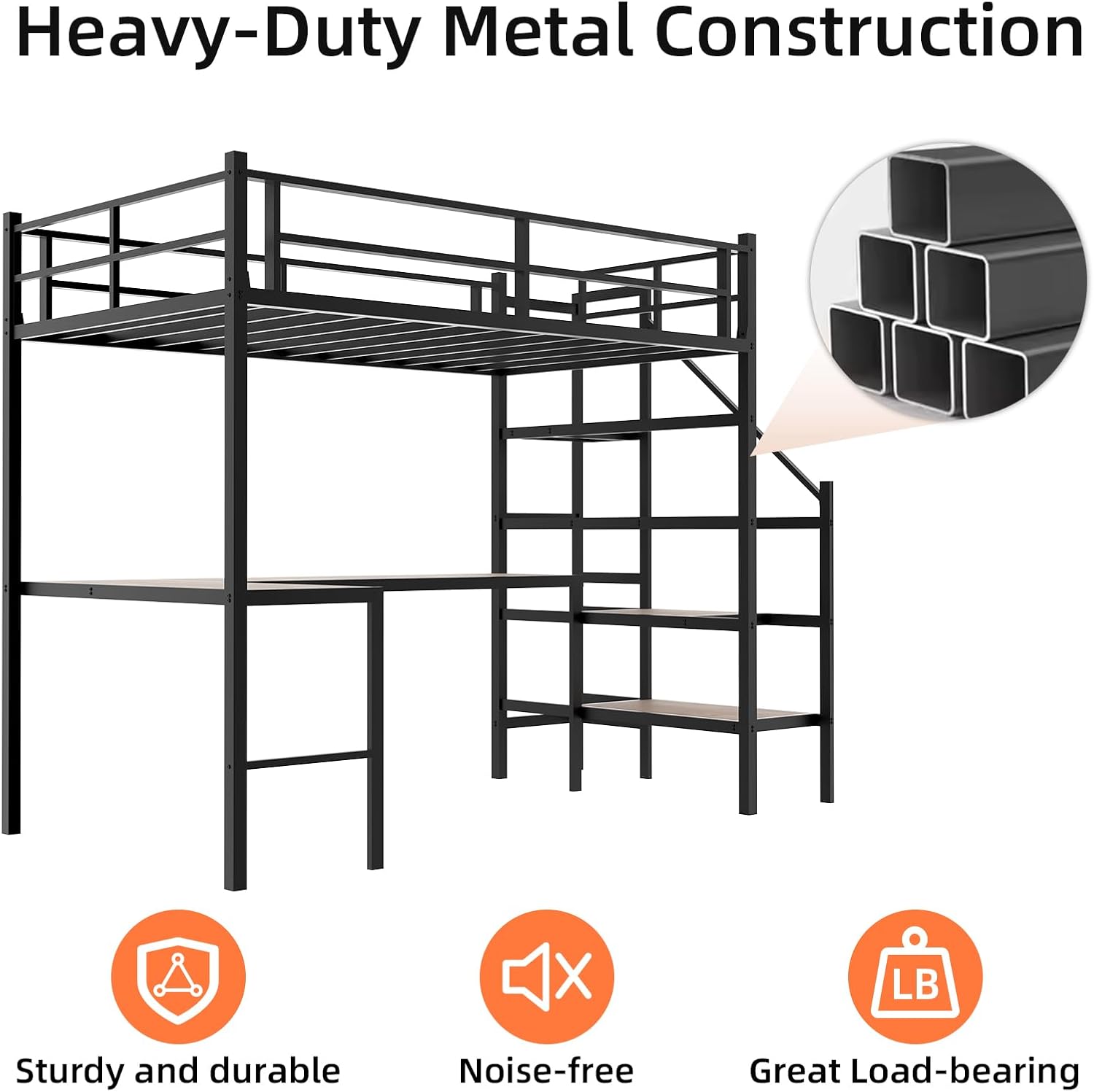
Image 8.1: An illustration highlighting the heavy-duty metal construction of the bed frame, accompanied by icons emphasizing its sturdy and durable nature, noise-free operation, and significant load-bearing capacity.
9. Warranty and Support
9.1 Warranty Information
This SOFTSEA product comes with a One Year Warranty covering manufacturing defects from the date of purchase. This warranty does not cover damage resulting from improper assembly, misuse, accidents, or normal wear and tear.
9.2 Customer Support
For any questions, missing parts, or assistance with assembly or troubleshooting, please contact SOFTSEA customer support. Have your model number (x3) and purchase information ready when contacting support.
You can visit the official SOFTSEA store on Amazon for more information: SOFTSEA Store