
1. Introduction
Thank you for choosing the WdtPro SFL042 Rechargeable LED Flashlight. This high-performance flashlight is designed for durability, versatility, and exceptional brightness, making it ideal for various applications including camping, hiking, emergency situations, and everyday use. Please read this manual thoroughly to ensure proper operation and maintenance of your device.
2. Product Overview
Key Features:
- Ultra-Bright Illumination: Up to 90,000 lumens, with a beam reaching nearly 3,280 feet and illuminating an area of 2,000 square feet.
- 5 Lighting Modes: High, Medium, Low, Flashing, and SOS for diverse needs.
- Zoomable Design: Easily switch between spotlight and floodlight functions.
- Power Bank Functionality: Built-in 10,000 mAh rechargeable battery with USB output to charge external devices.
- LCD Display: Real-time battery level indicator for convenient power management.
- Durable Construction: Crafted from aircraft-grade aluminum alloy, IP67 waterproof, shockproof, and drop-resistant.
- Emergency Hammer: Designed with a robust head for emergency situations.
Package Contents:
- 1x WdtPro SFL042 Tactical Flashlight
- 1x User Manual
- 1x USB-C Charging Cable
3. Setup
Initial Charge:
Before first use, fully charge the flashlight. Connect the provided USB-C cable to the flashlight's USB-C input port (located under the protective rubber cap) and to a compatible USB power adapter (not included). The LCD display will show the charging progress. A full charge typically takes 3-4 hours.
Attaching the Lanyard (Optional):
If desired, attach a wrist lanyard (not included) to the designated loop at the tail cap of the flashlight for added security during use.
4. Operating Instructions
Power On/Off:
- To Turn On: Press and hold the power button (located on the side of the flashlight) for approximately 2 seconds. The LCD display will activate, showing the current battery percentage.
- To Turn Off: Press and hold the power button for approximately 2 seconds.
Mode Selection:
Once the flashlight is on, short press the power button to cycle through the 5 lighting modes:
- Ultra-Bright
- High
- Eco (Low)
- Strobe
- SOS
The flashlight features a 10-second reset function: if the flashlight remains in any mode for more than 10 seconds, a single click of the power button will turn it off directly, rather than cycling to the next mode.
Zoom Function (Spotlight/Floodlight):
To adjust the beam focus, gently slide the head of the flashlight forward or backward. Sliding forward will narrow the beam for a focused spotlight, while sliding backward will widen the beam for a broad floodlight.
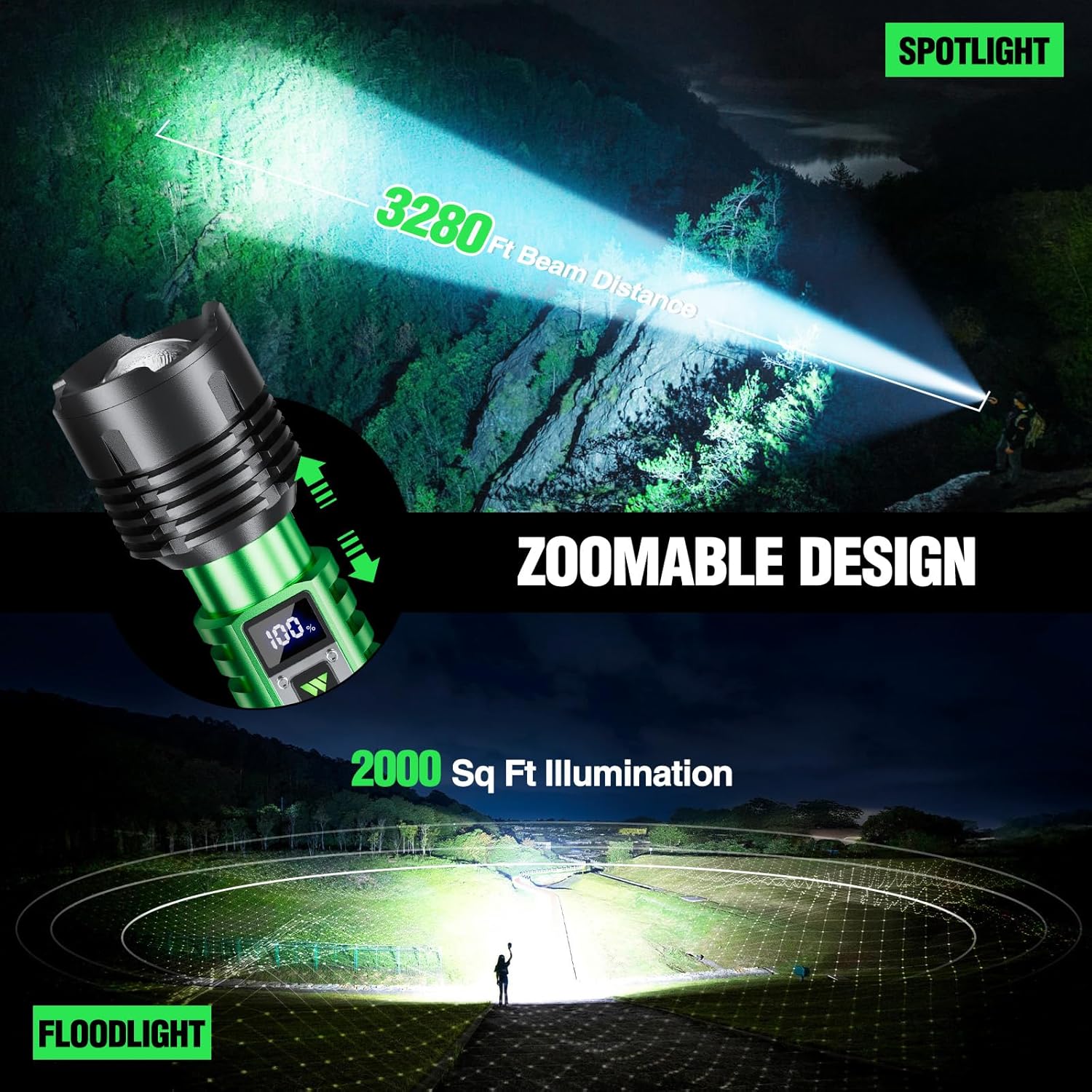
Image: The WdtPro SFL042 Flashlight showcasing its zoomable design, transitioning from a narrow spotlight beam to a wide floodlight illumination pattern.
Charging External Devices (Power Bank Function):
The WdtPro SFL042 can act as a power bank to charge your mobile devices. Lift the protective rubber cap to reveal the USB output port. Connect your device's charging cable to the USB output port on the flashlight. The flashlight's internal 10,000 mAh battery will provide power to your external device.

Image: The WdtPro SFL042 Flashlight connected via its USB output port to a smartphone, demonstrating its emergency power bank capability.
5. Charging the Flashlight
To charge the flashlight, lift the protective rubber cap to access the USB-C input port. Connect the provided USB-C cable to this port and plug the other end into a USB power source (e.g., wall adapter, computer USB port). The LCD display will show the battery charging percentage. Ensure the flashlight is fully charged before extended use.

Image: A detailed view of the WdtPro SFL042 Flashlight highlighting its USB-C charging port, USB output port, and the power indicator light on the side.
6. Maintenance
- Cleaning: Wipe the flashlight body with a soft, damp cloth. Do not use abrasive cleaners or solvents.
- Lens Care: Keep the lens clean for optimal light output. Use a lens cleaning cloth or cotton swab with a small amount of lens cleaner.
- Storage: Store the flashlight in a cool, dry place away from direct sunlight when not in use. For long-term storage, charge the battery every 3-6 months to maintain battery health.
- Waterproof Seals: Periodically check the rubber seals around the charging ports and connections to ensure they are free from dirt and damage, maintaining the IP67 waterproof rating.
7. Troubleshooting
| Problem | Possible Cause | Solution |
|---|---|---|
| Flashlight does not turn on. | Low battery. | Charge the flashlight fully using the USB-C cable. |
| Light output is dim. | Low battery or dirty lens. | Charge the flashlight. Clean the lens as per maintenance instructions. |
| Cannot charge external device. | Flashlight battery is low or cable issue. | Ensure flashlight is sufficiently charged. Try a different USB cable. |
| Water ingress. | Damaged or improperly sealed rubber caps. | Ensure all rubber caps are securely closed. Inspect for damage and contact support if necessary. |
8. Specifications
| Feature | Detail |
|---|---|
| Model | SFL042 |
| Brand | WdtPro |
| Brightness | Up to 90,000 Lumens |
| Beam Distance | Up to 3,280 feet |
| Illumination Area | Up to 2,000 square feet |
| Lighting Modes | High, Medium, Low, Flashing, SOS |
| Battery Capacity | 10,000 mAh |
| Battery Type | NiMH (Nonstandard Battery) |
| Charging Port | USB-C (Input) |
| Output Port | USB (Output for power bank function) |
| Charging Time | Approx. 3-4 hours (via USB-C) |
| Runtime | Up to 15 hours (normal use) |
| Material | Aircraft-grade Aluminum Alloy |
| Water Resistance | IP67 Waterproof |
| Dimensions | 2.5"D x 2.5"W x 11"H |
| Weight | 1.41 pounds |
9. Safety Information
- Do not shine the flashlight directly into eyes, as the high lumen output can cause temporary vision impairment or permanent damage.
- Keep out of reach of children.
- Do not disassemble the flashlight, as this may void the warranty and cause damage.
- Avoid exposing the flashlight to extreme temperatures or open flames.
- Ensure the rubber caps for the charging ports are securely closed when not in use to maintain water resistance.
- The flashlight may become warm during prolonged use on high settings; this is normal.
10. Warranty and Support
Specific warranty information for the WdtPro SFL042 Rechargeable LED Flashlight is not provided in the available product details. For warranty claims, technical support, or any inquiries, please contact WdtPro customer service directly through their official website or the retailer where the product was purchased.
11. Product Media
Product Images:

Image: The WdtPro SFL042 Flashlight demonstrating its super bright, long-distance beam (90,000 lumens, 3,280 feet) illuminating a wide outdoor area at night.
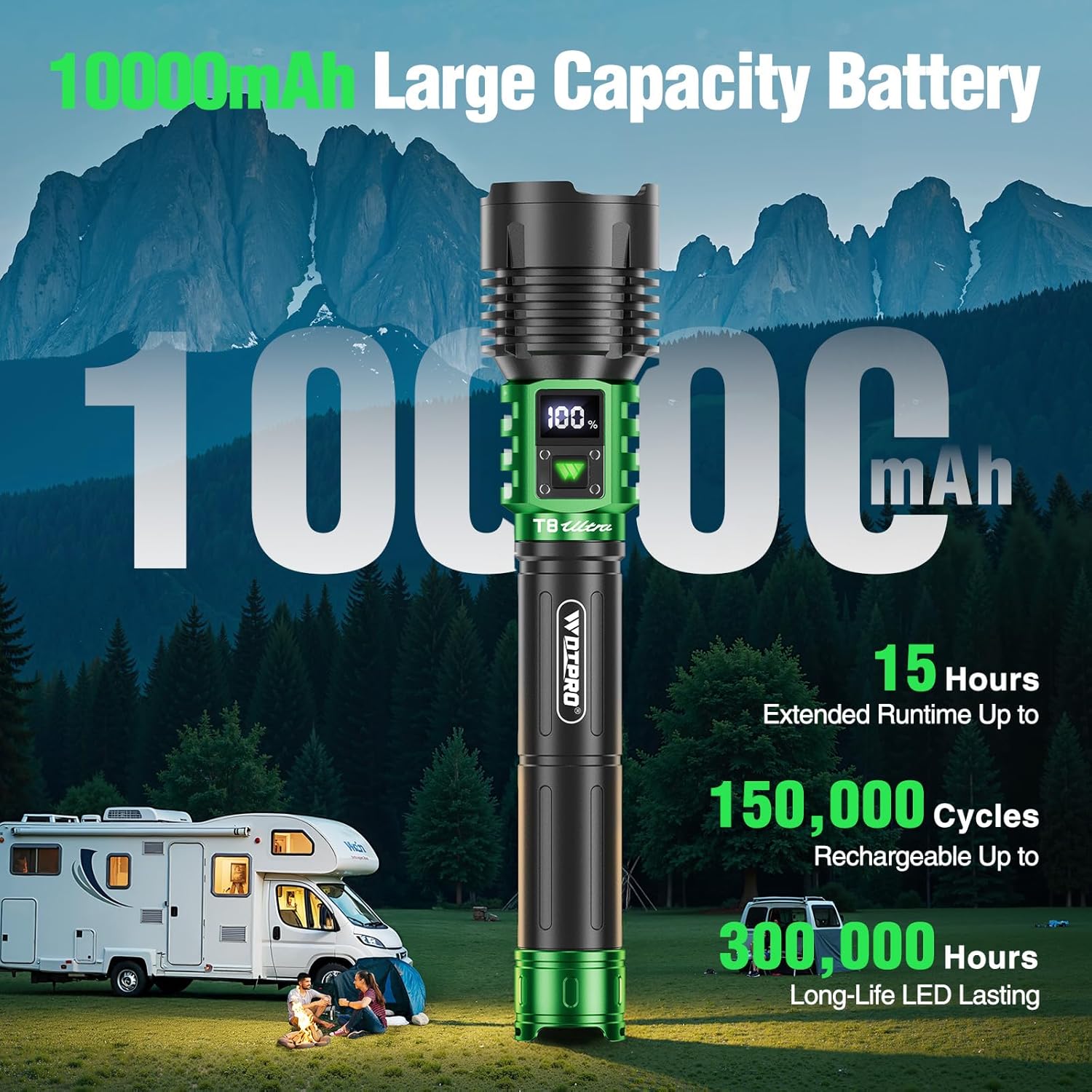
Image: The WdtPro SFL042 Flashlight highlighting its 10,000 mAh large capacity battery, offering up to 15 hours extended runtime, 150,000 rechargeable cycles, and 300,000 hours LED lasting.

Image: The WdtPro SFL042 Flashlight illustrating its five lighting modes: Ultra-Bright, High, Eco, Strobe, and SOS, with a 10-second reset feature.

Image: The WdtPro SFL042 Flashlight highlighting its IP67 waterproof rating, shockproof and crush-resistant design, and integrated emergency hammer function.
Official Product Videos:
Video: An official product video from WdtPro showcasing the SFL042 Rechargeable LED Flashlight's features, including its brightness, durability, and various modes.