
1. Introduction
Thank you for purchasing the SHIHOT 54" Black Ceiling Fan with Lights and Remote. This modern ceiling fan is designed to provide efficient air circulation and adjustable lighting for various indoor and covered outdoor spaces. It features an ultra-quiet DC motor, 6 adjustable speeds, a reversible function for year-round comfort, and versatile control options via both a remote and a smartphone application. Please read this manual thoroughly before installation and use to ensure safe and optimal performance.
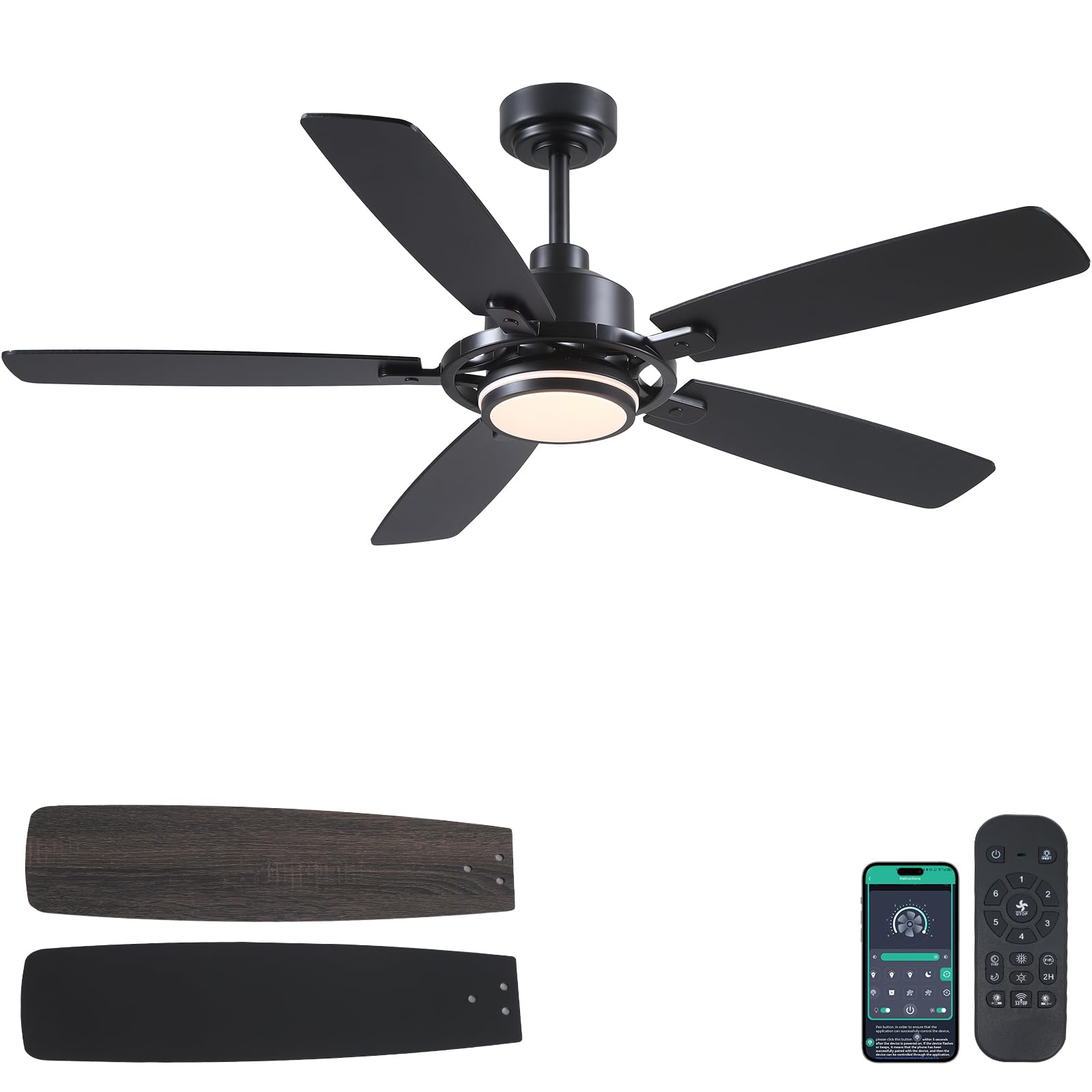
Figure 1: SHIHOT 54-inch Black Ceiling Fan with Lights
2. Safety Information
To reduce the risk of electric shock, fire, or personal injury, always follow these basic safety precautions:
- Read all instructions carefully before beginning installation.
- Ensure the electrical supply is disconnected at the main fuse box or circuit breaker before installation or servicing.
- All electrical connections must be in accordance with local codes, ordinances, and the National Electric Code. If you are unfamiliar with electrical wiring, consult a qualified electrician.
- The mounting structure must be capable of supporting the weight of the fan (approximately 12.32 lbs).
- Ensure there is adequate clearance from the blade tips to the floor (at least 7 feet) and to any walls or obstructions.
- Do not operate the fan if any part is damaged.
- Avoid placing objects in the path of the fan blades.
3. Package Contents
Verify that all components listed below are included in your package:
- Fan body assembly
- Canopy
- Cover
- Downrod (4" and 8" options)
- Blades (5 pieces)
- Blades Arm (5 pieces)
- Light Source
- Lamp Shade
- Remote control
- Receiver
- Screws and mounting hardware
- Instruction Manual
Video 1: Installation Guide for SHIHOT 54" Ceiling Fans with Lights. This video demonstrates the assembly and installation process of the ceiling fan components.
4. Specifications
| Brand | SHIHOT |
| Model Number | 8253 |
| Color | Black |
| Product Dimensions | 54"D x 54"W x 15.74"H |
| Number of Blades | 5 |
| Blade Material | Engineered Wood |
| Motor Type | DC Motor |
| Number of Speeds | 6 |
| Noise Level | 35 Decibels |
| Light Type | LED (Dimmable, 3 Color Temperatures) |
| Control Method | Remote Control, App Control |
| Power Source | DC (90-265 Volt) |
| Wattage | 50 watts |
| Room Type | Attic, Bedroom, Dining Room, Kids Room, Kitchen |
| Indoor/Outdoor Usage | Indoor, Covered Outdoor (not directly exposed to rain) |
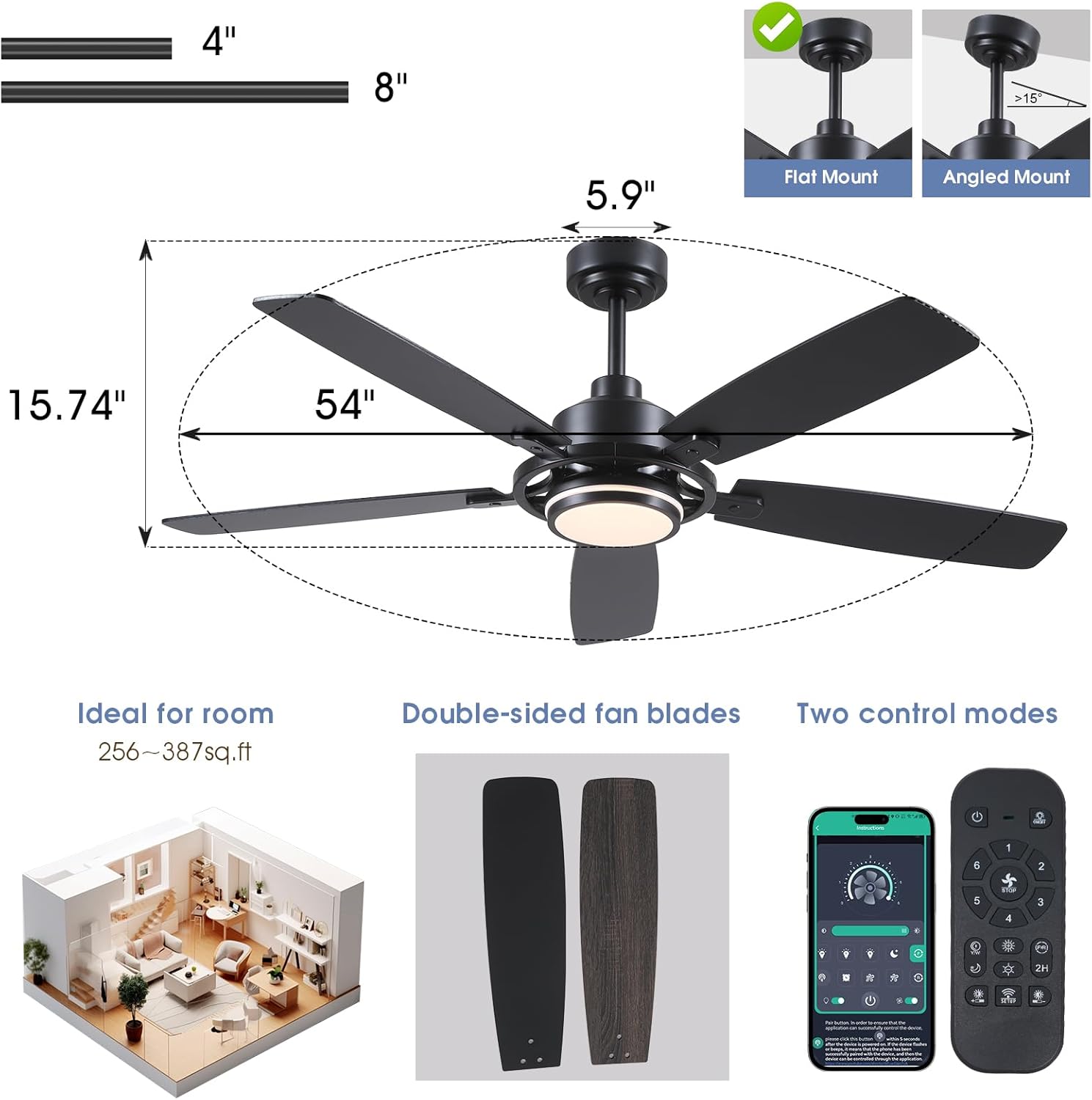
Figure 2: Product dimensions and compatible mounting types (flat and angled up to 15°).
5. Installation Instructions
Follow these steps for proper installation. Refer to Video 1 for a visual guide.
5.1 Blade Assembly
- Attach each blade arm to a blade using the provided screws. Ensure the screws are tightened securely.
- Repeat for all five blades.
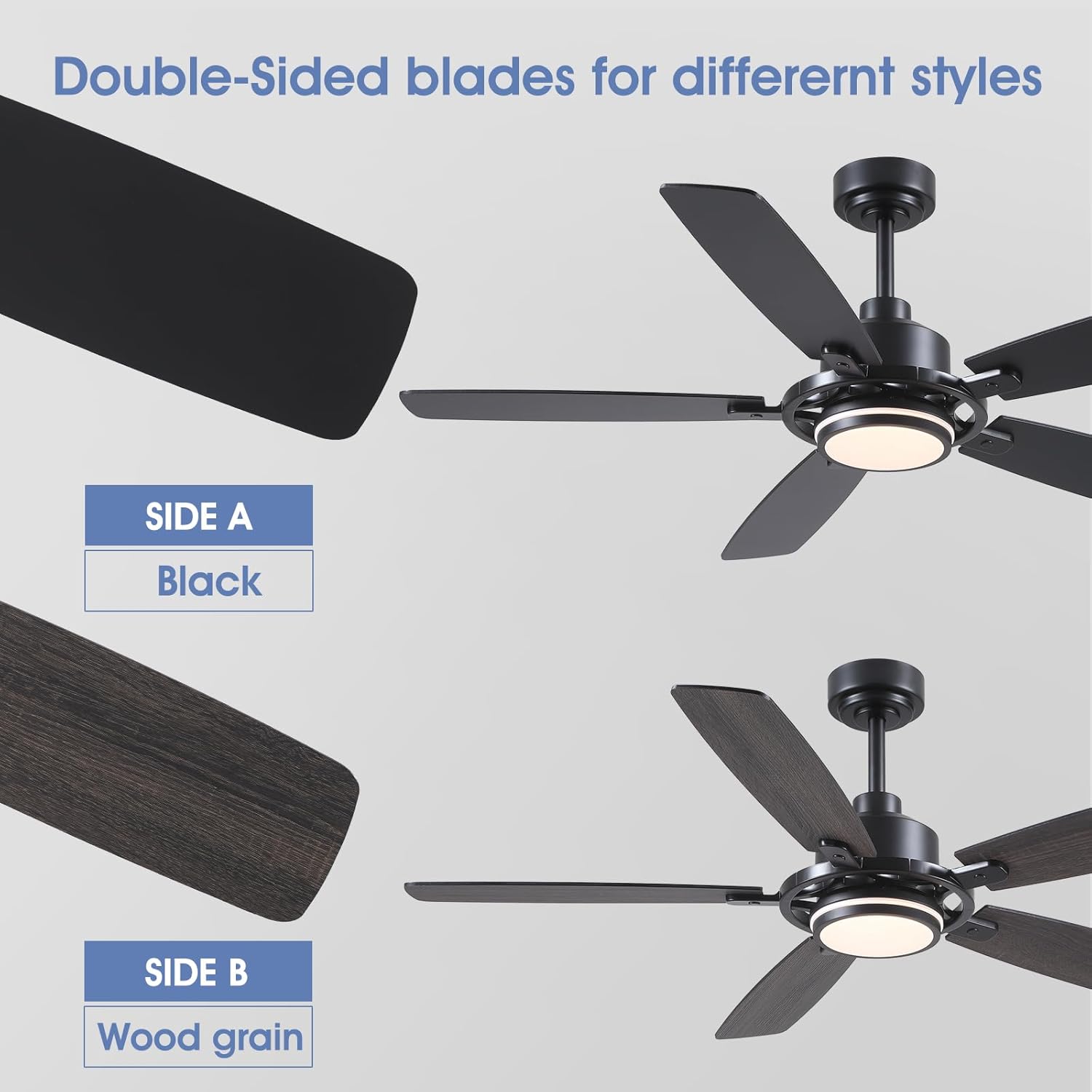
Figure 3: The fan blades are double-sided, offering a black finish on one side and a wood grain finish on the other for versatile styling.
5.2 Motor and Light Assembly
- Secure the light source to the fan body assembly.
- Attach the lamp shade.
- Connect the downrod to the fan body, feeding the wires through the downrod.
5.3 Mounting to Ceiling
- Install the mounting bracket to the ceiling junction box using appropriate screws. Ensure the bracket is securely fastened.
- Hang the fan assembly onto the mounting bracket.
- Connect the electrical wires (live, neutral, ground) from the fan to the household wiring. Use wire nuts to secure connections.
- Insert the receiver into the mounting bracket.
- Secure the canopy to cover the wiring and mounting bracket.
6. Operating Instructions
Your SHIHOT ceiling fan can be controlled via the included remote control or a smartphone application.
6.1 Remote Control Functions
The remote control allows you to adjust various settings:
- Power On/Off: Turns the fan and light on or off.
- Fan Speed: Select from 6 different fan speeds.
- Light On/Off: Controls the light independently.
- Light Color Temperature: Cycle through 3 color temperatures (Warm, Natural, White).
- Brightness Adjustment: Dims or brightens the light (stepless dimming).
- Reversible Function: Changes the direction of blade rotation.
- Timer: Sets a 1-hour or 2-hour timer for automatic shutdown.

Figure 4: The fan offers 6 adjustable speeds to suit various comfort levels.

Figure 5: The integrated LED light offers stepless dimming from 0-100% and 3 adjustable color temperatures (3000K Warm, 4500K Natural, 6000K White Light).
6.2 App Control
The fan can also be controlled using the "Fan Lamp Pro" smartphone application. Follow these steps to connect:
- Scan the QR code provided in the manual or on the product packaging to download the "Fan Lamp Pro" app.
- Ensure Bluetooth is enabled on your smartphone.
- Turn off the main power to the fan for a few seconds, then turn it back on.
- Within 5 seconds of restoring power, open the app and follow the on-screen instructions to add a new device. The fan light will blink twice to confirm a successful connection.
- Once connected, you can control fan speed, light settings, and other functions directly from your phone.
Video 2: APP Setting for Black Ceiling Fan with Light. This video demonstrates how to connect and control the fan using the smartphone application.
6.3 Reversible Function (Summer/Winter Mode)
The reversible function allows you to change the direction of the fan blades to optimize air circulation for different seasons:
- Summer Mode (Downdraft): Blades rotate counter-clockwise, pushing cool air downwards to create a cooling effect.
- Winter Mode (Updraft): Blades rotate clockwise, drawing cool air up and pushing warm air down from the ceiling, helping to distribute heat more evenly.
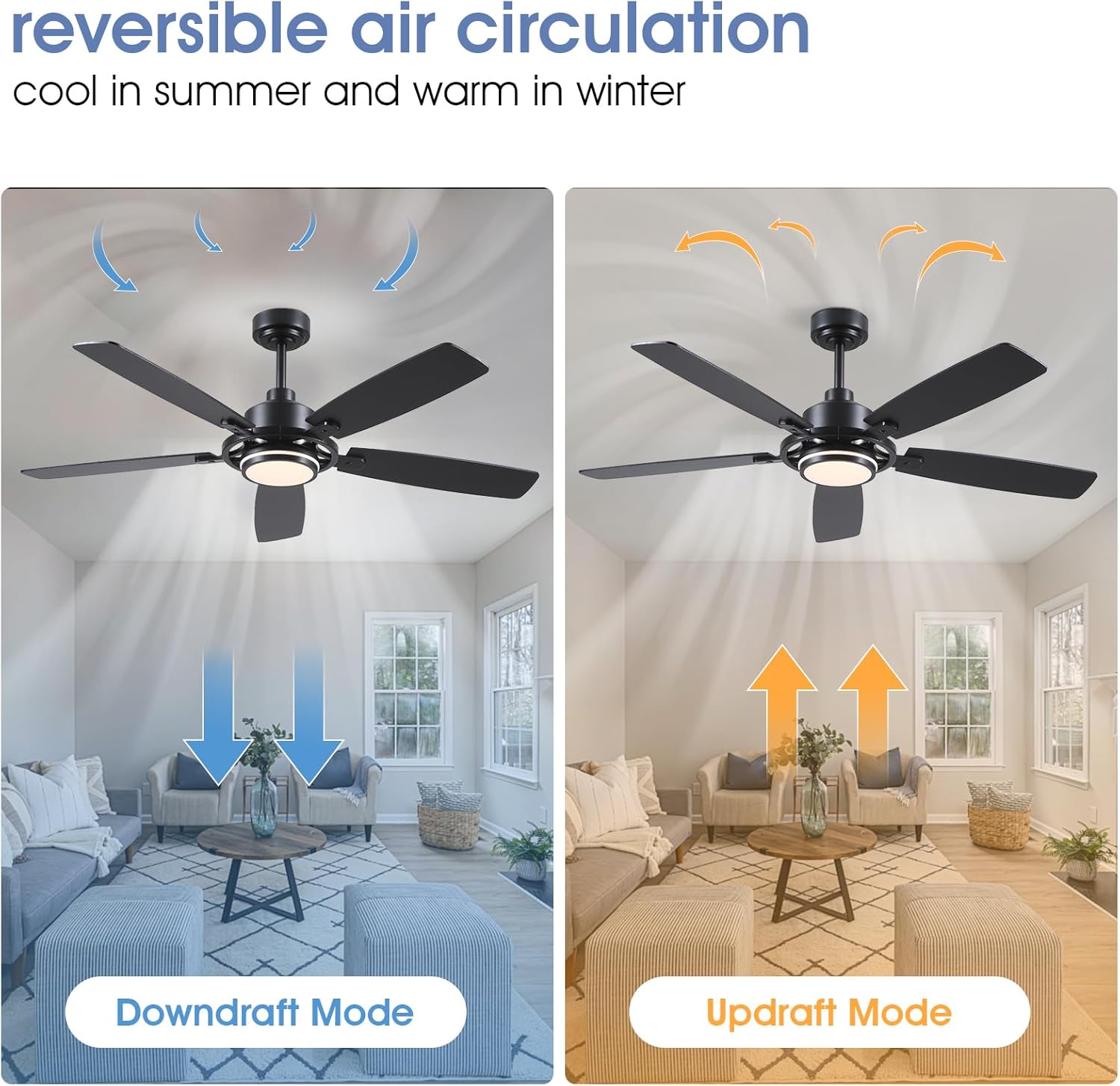
Figure 6: Illustration of downdraft (summer) and updraft (winter) modes for optimal air circulation.
7. Maintenance
Regular maintenance ensures the longevity and optimal performance of your ceiling fan.
- Cleaning: Periodically wipe the fan blades and motor housing with a soft, damp cloth. Do not use abrasive cleaners or solvents.
- Tightening Screws: Check all screws and connections annually to ensure they are secure. Loose connections can cause noise or wobble.
- Blade Balance: If the fan wobbles, ensure all blades are securely attached and balanced. A balancing kit (not included) may be used if necessary.
8. Troubleshooting
If you encounter issues with your fan, refer to the following common problems and solutions:
| Problem | Possible Cause | Solution |
|---|---|---|
| Fan does not start | Loose wire connections, no power, remote battery dead. | Check all wiring connections. Ensure power is supplied to the fan. Replace remote battery. |
| Fan wobbles | Loose blade screws, unbalanced blades, loose mounting bracket. | Tighten all blade screws. Use a balancing kit to balance blades. Secure the mounting bracket. |
| Light does not work | Loose wire connection, faulty LED driver, light source issue. | Check light wiring connections. Contact customer support if the light source or driver is faulty. |
| Remote not working | Dead battery, remote not paired, interference. | Replace remote battery. Re-pair the remote with the fan (refer to app control section for pairing process). Ensure no strong interference sources are nearby. |
9. Warranty and Support
For warranty information or technical support, please refer to the contact details provided with your purchase or visit the official SHIHOT store on Amazon. Keep your purchase receipt for warranty claims.