
Introduction
The SmallRig MD5424 Quick Release Mount Plate is designed to enhance the functionality and security of your Canon EOS R series camera. This innovative baseplate features a hidden compartment for an Apple AirTag, allowing for discreet tracking of your valuable equipment. It integrates seamlessly with Arca-Swiss compatible systems, providing quick transitions between various shooting setups.
This manual provides detailed instructions for the proper installation, operation, and maintenance of your SmallRig MD5424 Mount Plate.
Product Features
- Integrated AirTag Compartment: Securely holds an Apple AirTag within a hidden slot, enabling discreet tracking of your camera equipment.
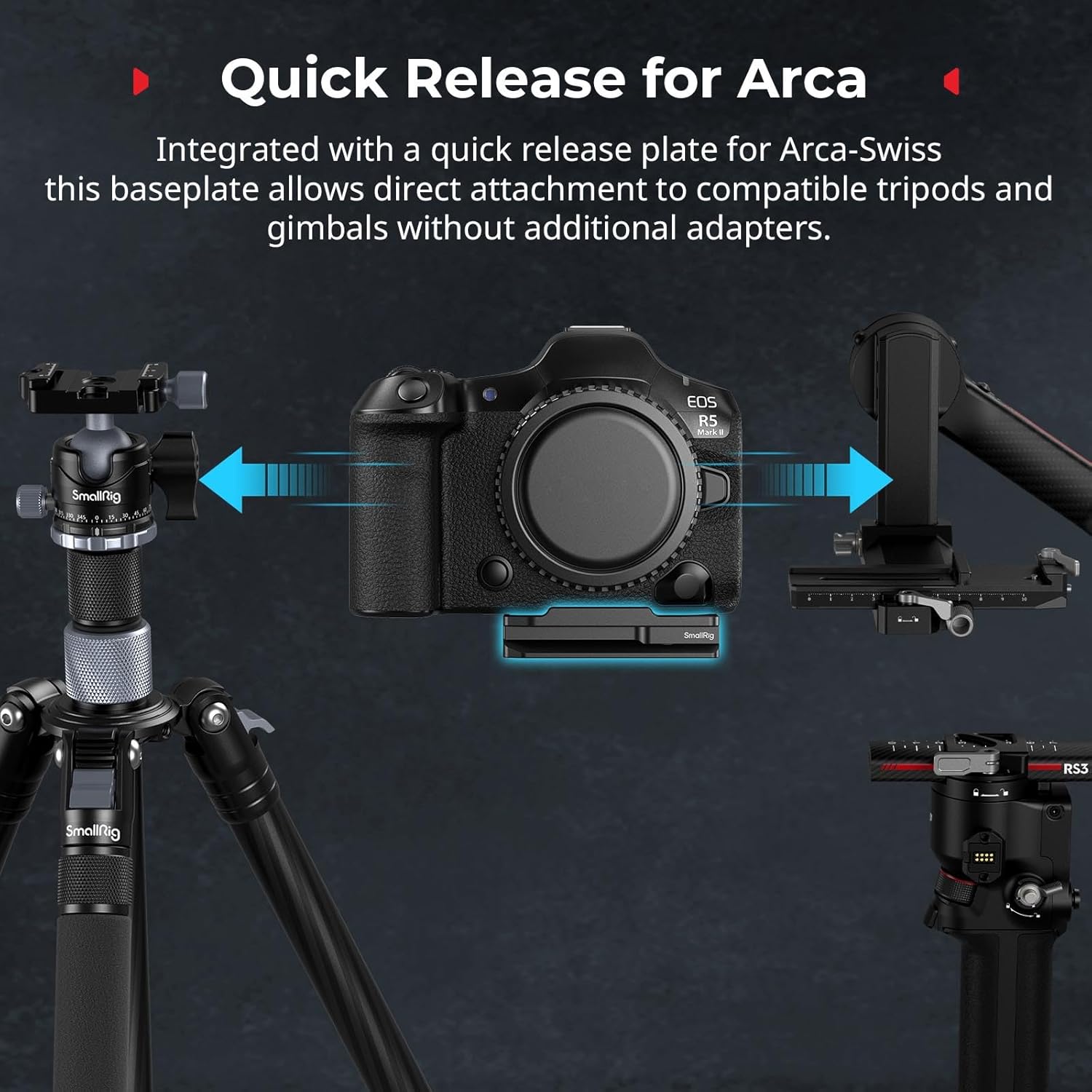
- Arca-Swiss Quick Release: Allows for direct and rapid attachment to Arca-Swiss compatible tripods and gimbals without the need for additional adapters.
- Enhanced Stability: Features anti-twist tabs and non-slip rubber pads to ensure a secure and stable connection to your camera, preventing unwanted movement during use.
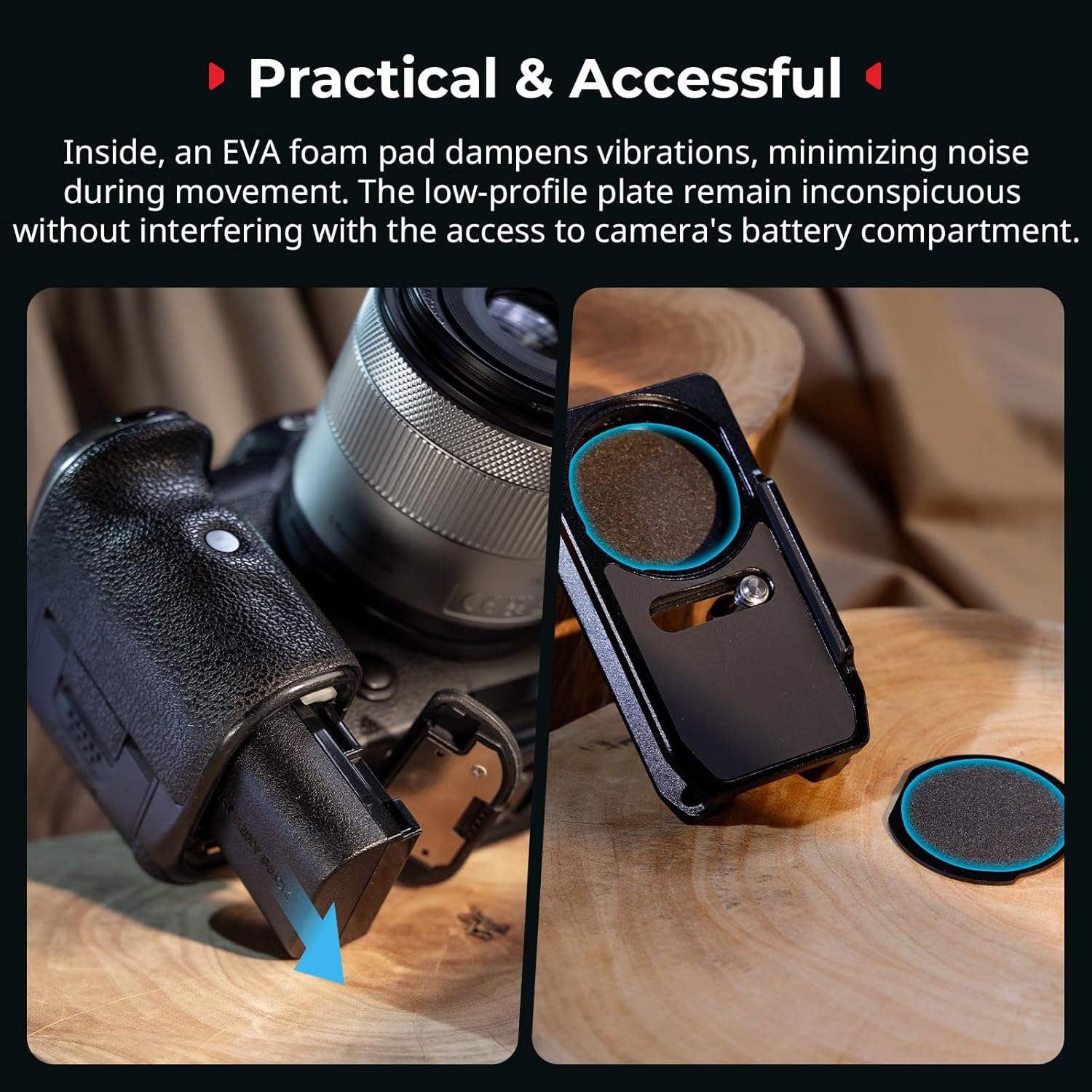
- Vibration Damping: Built-in EVA foam padding minimizes vibrations and reduces noise, contributing to smoother operation and improved audio quality.
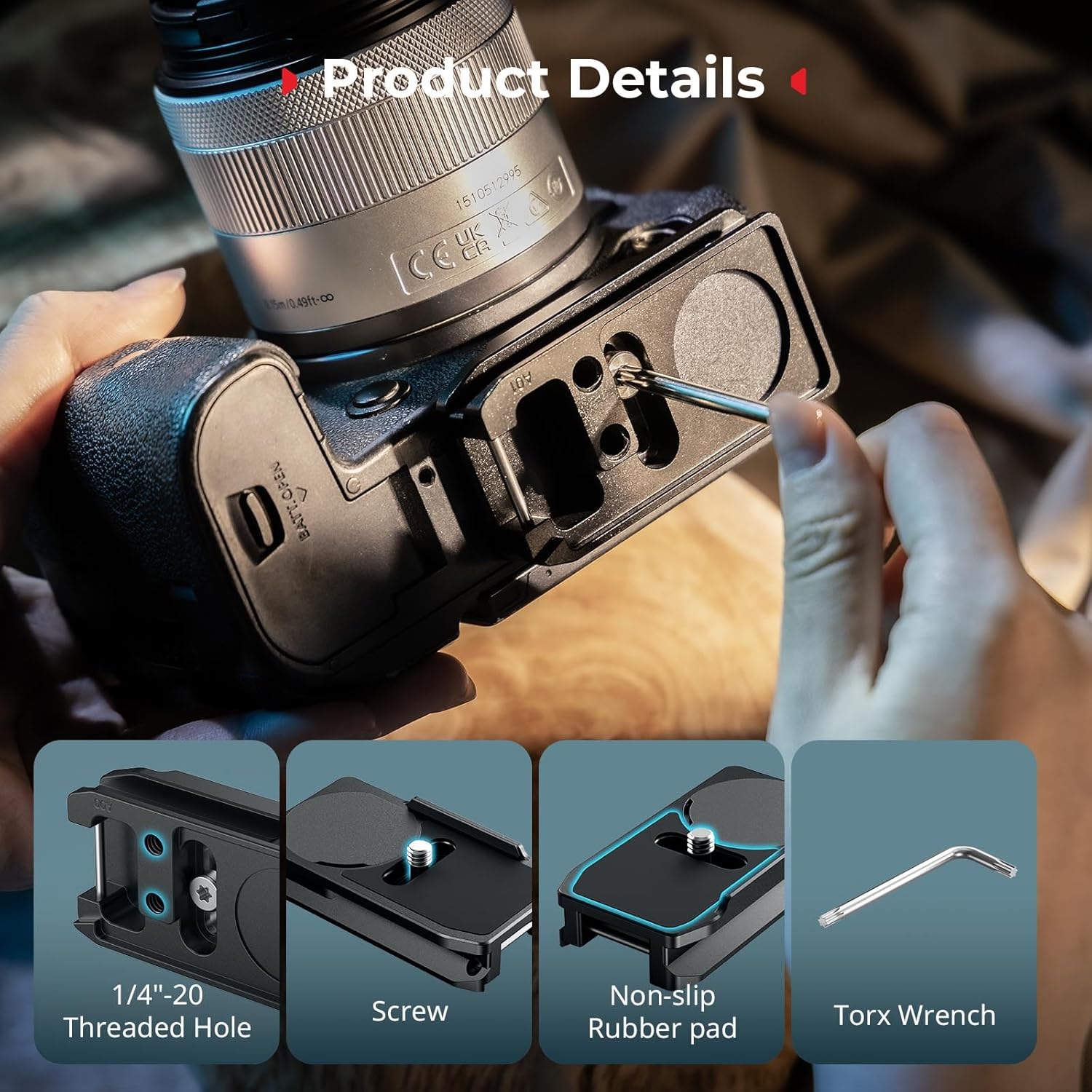
- Versatile Expansion: Equipped with multiple 1/4"-20 threaded holes for attaching various accessories such as magic arms, mini tripods, and other expansion gear.
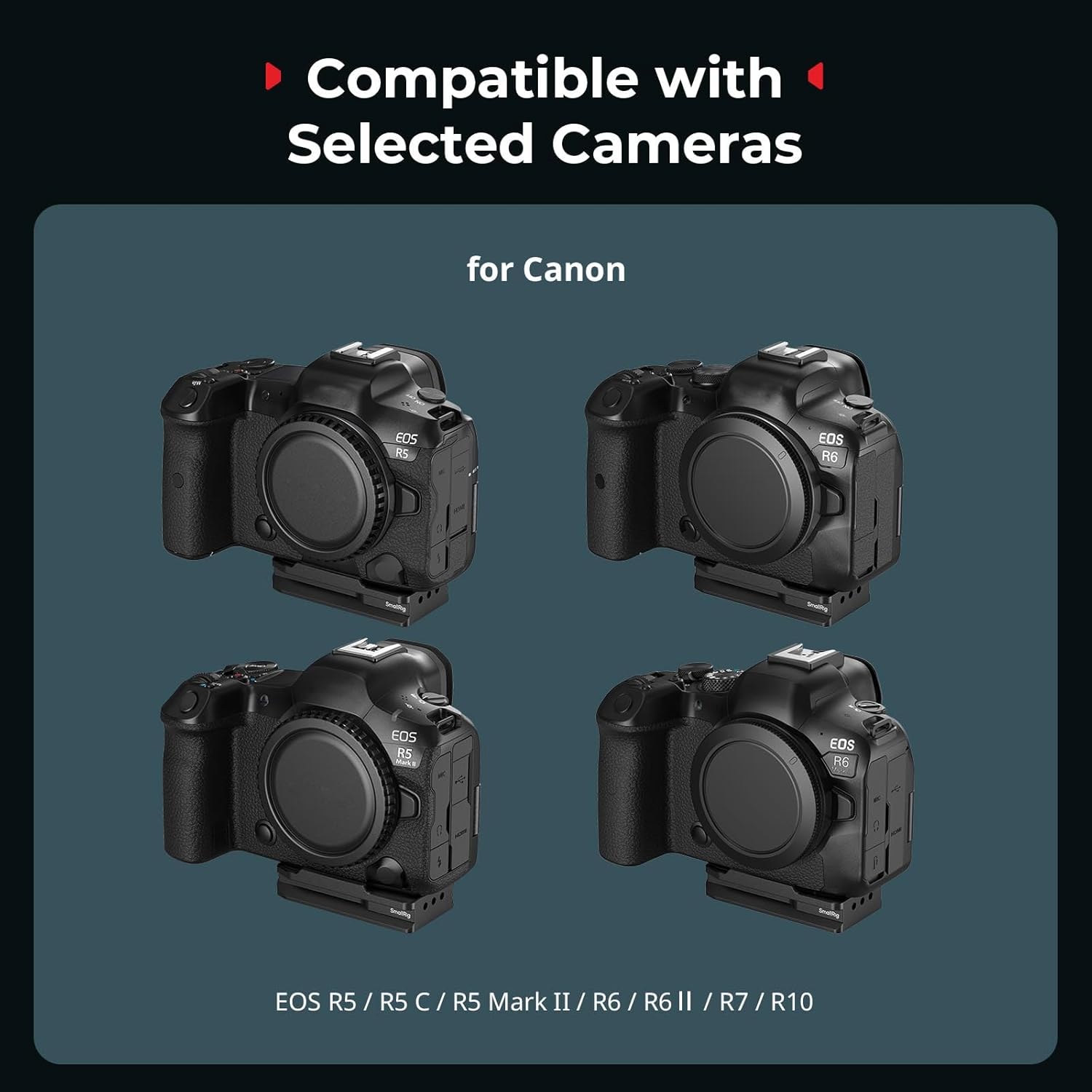
- Camera Compatibility: Specifically designed for Canon EOS R5, R5 C, R5 Mark II, R6, R7, and R10 cameras.
Package Contents
Verify that all items are present in your package:
- Quick Release Mount Plate x 1
- Torx Wrench x 1

Setup and Installation
1. Installing the AirTag
- Locate the circular cover on the mount plate.
- Gently remove the circular cover to reveal the AirTag compartment.
- Insert your Apple AirTag into the compartment. Ensure it sits flush with the EVA foam padding.
- Replace the circular cover, ensuring it snaps securely into place.

2. Attaching to Camera
- Align the 1/4"-20 screw on the mount plate with the tripod socket on the bottom of your Canon EOS R series camera.
- Ensure the anti-twist tabs on the plate engage with the corresponding slots on your camera body for a secure fit.
- Use the provided Torx wrench to tighten the 1/4"-20 screw until the plate is firmly attached to the camera. Do not overtighten.
3. Using with Arca-Swiss Systems
The integrated Arca-Swiss quick release plate allows for direct mounting onto compatible tripods and gimbals. Simply slide the camera with the attached MD5424 plate into the Arca-Swiss clamp until it locks securely.

Operating Instructions
Quick Transitions
The integrated quick release plate facilitates rapid transitions between handheld shooting, tripod mounting, and gimbal setups. This allows for flexibility in various photographic and videographic scenarios.
Accessory Expansion
Utilize the multiple 1/4"-20 threaded holes on the mount plate to attach additional accessories. These can include external monitors, microphones, LED lights, or other rigging components via magic arms or mini tripods.
AirTag Tracking Functionality
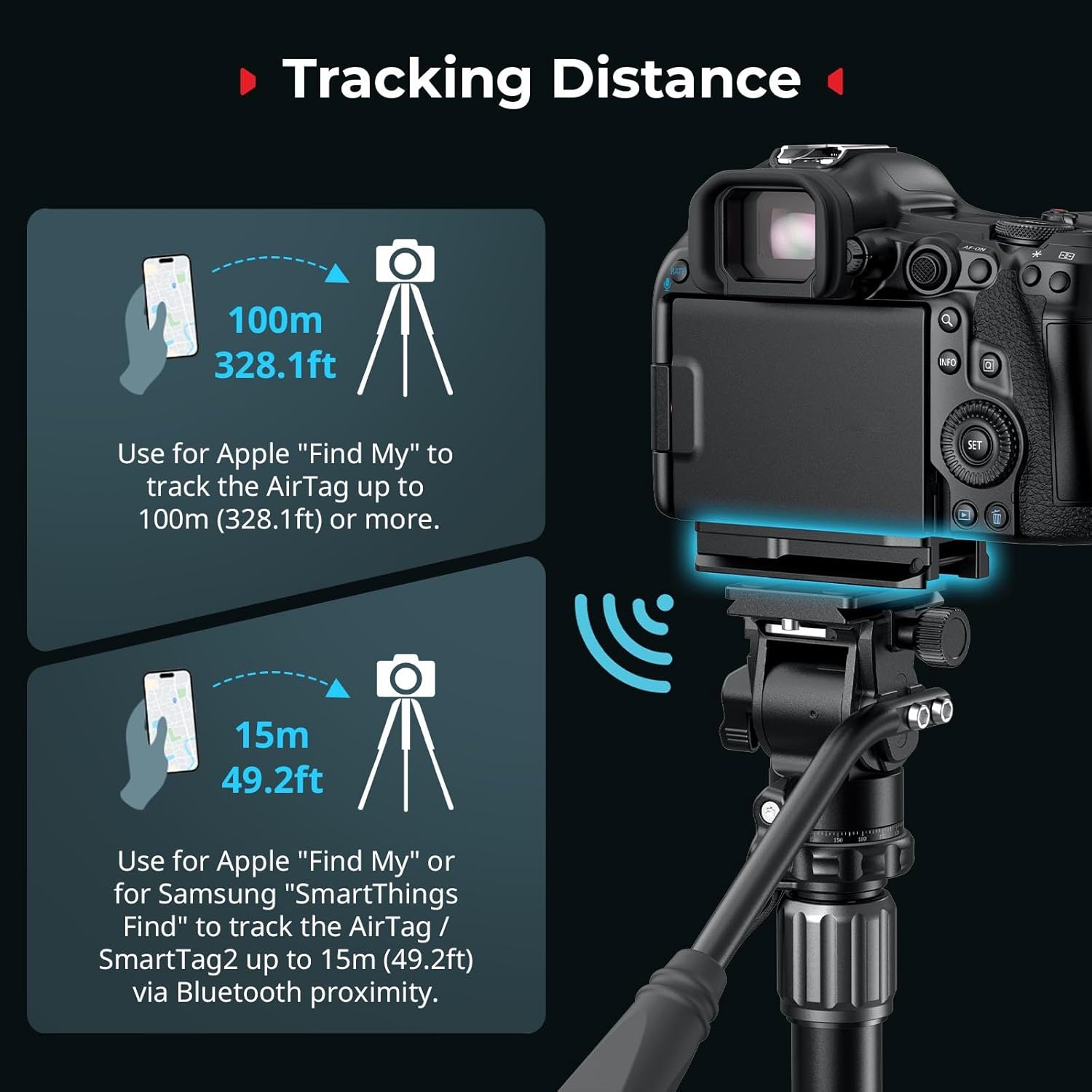
Once an Apple AirTag is installed, you can use the Apple "Find My" network to track your camera. Tracking distance varies:
- Up to 15m (49.2ft) via Bluetooth proximity for nearby tracking.
- Up to 100m (328.1ft) or more using the broader Apple "Find My" network.
Maintenance
- Cleaning: Wipe the mount plate with a soft, dry cloth to remove dust and debris. Avoid using harsh chemicals or abrasive materials.
- Screw Tightness: Periodically check the tightness of the 1/4"-20 screw connecting the plate to your camera. Retighten with the Torx wrench if necessary to ensure stability.
- EVA Pad Inspection: Ensure the EVA foam padding inside the AirTag compartment remains intact and free from damage to maintain vibration damping and secure AirTag placement.
Troubleshooting
- Plate feels loose on camera: Ensure the 1/4"-20 screw is fully tightened using the provided Torx wrench. Verify that the anti-twist tabs are correctly engaged with the camera body.
- AirTag cover pops off: Ensure the AirTag is correctly seated within the compartment and the cover is snapped firmly into place. The cover is designed to be secured once the plate is attached to the camera.
- Difficulty attaching to Arca-Swiss clamp: Confirm that your tripod or gimbal head is Arca-Swiss compatible. Ensure the clamp is fully open before attempting to slide the plate in.
- Interference with camera cage: This mount plate is designed for direct attachment to the camera body. If using a camera cage, ensure it does not obstruct the mounting points or the AirTag compartment. Some cages may not be compatible.
Specifications
| Product Dimensions | 2.99 x 1.57 x 0.71 inches (76.0 x 40.0 x 18.0mm) |
| Item Weight | 2.08 ounces (59 Grams) |
| Material | Aluminum Alloy, PC |
| Color | Black |
| Compatible Devices | Canon EOS R5, R5 C, R5 Mark II, R6, R7, R10 |
Official Product Video
Warranty and Support
SmallRig products are manufactured to high-quality standards. For warranty information, technical support, or service inquiries, please visit the official SmallRig website or contact their customer service department. Keep your purchase receipt for warranty claims.
For further assistance, you may also refer to the SmallRig Store on Amazon.


