
1. Introduction
The Yamnweo YU7 is a versatile dynamic microphone designed for gaming, streaming, recording, and video conferencing. It features dual connectivity modes (USB and XLR) for broad compatibility with various devices and professional audio setups. The microphone incorporates advanced features such as intelligent noise reduction, customizable RGB lighting, and on-board controls for volume, reverb, and mute functions, delivering high-fidelity audio capture.
2. What's in the Box
- Microphone Body
- Microphone Base
- USB Cable (USB-C to USB-A/USB-C)
- User Manual
- Packaging Box

3. Setup
3.1. Assembly
- Carefully unpack all components from the packaging box.
- Attach the microphone body to the microphone base by screwing it securely. Ensure the microphone is stable on its base.
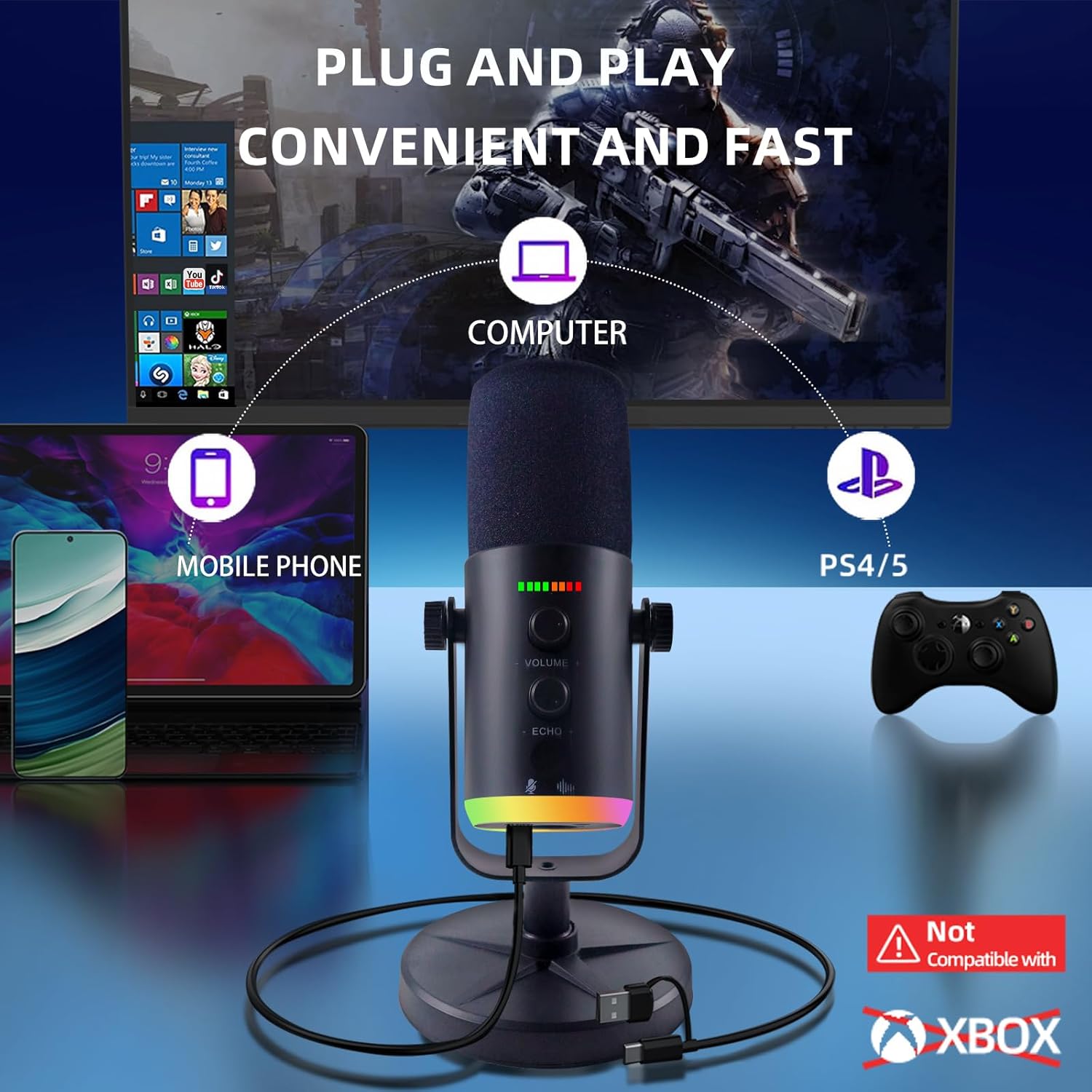
3.2. USB Connection (for PC, Mac, PS5, Mobile Phones)
- Connect the USB-C end of the provided USB cable to the USB-C port on the back of the microphone.
- Connect the USB-A or USB-C end of the cable to an available USB port on your computer (PC/Mac), PS5 console, or mobile phone (an adapter may be required for some mobile devices, not included).
- The microphone is plug-and-play and should be automatically recognized by your device.
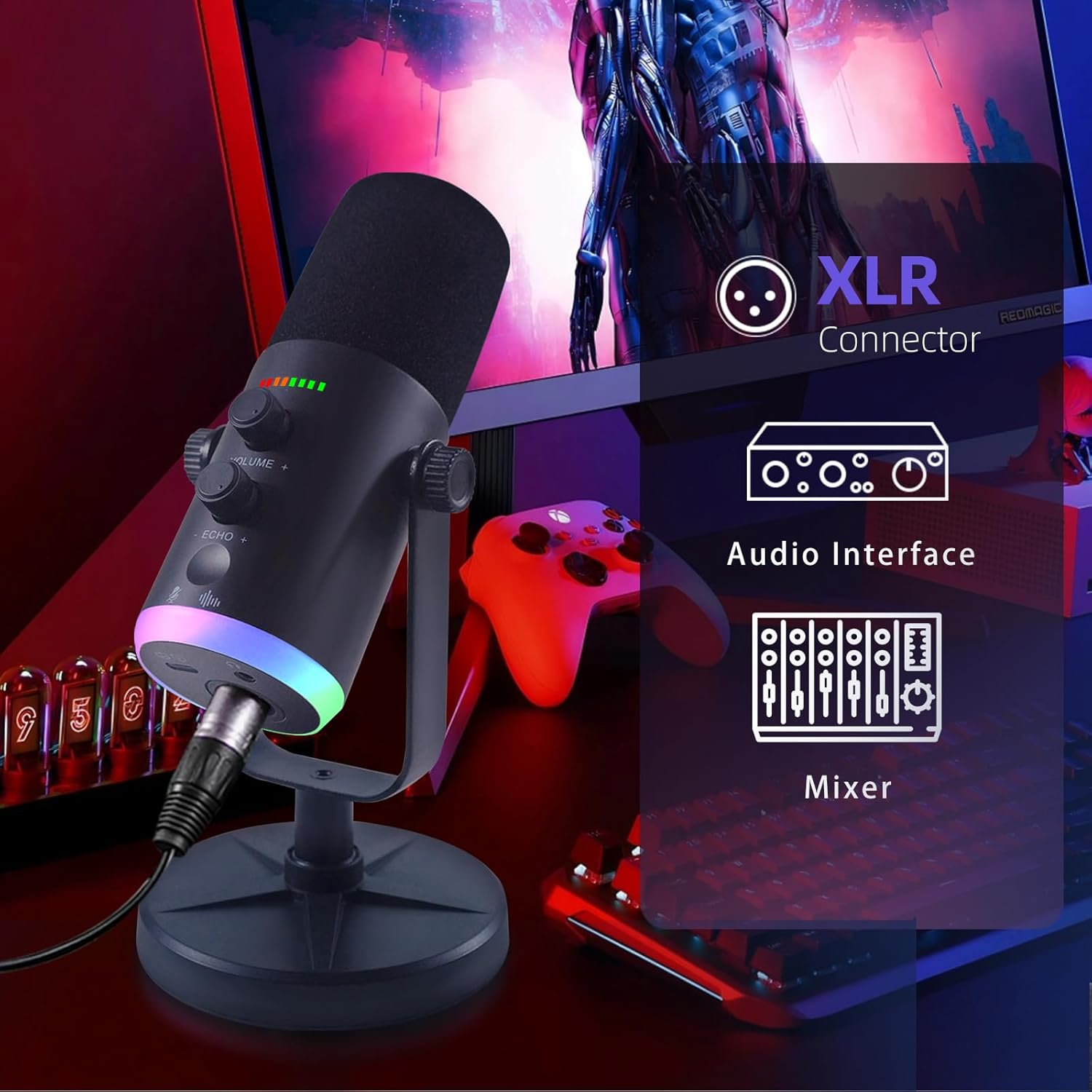
3.3. XLR Connection (for Audio Mixers, Sound Cards)
- Connect a standard XLR cable (not included) to the XLR port on the back of the microphone.
- Connect the other end of the XLR cable to the XLR input on your audio mixer or sound card.
- Ensure your audio mixer or sound card provides phantom power if required by the microphone for optimal performance (refer to your mixer/sound card manual).
4. Operating the Microphone
4.1. On-board Controls
The Yamnweo YU7 microphone features intuitive controls for easy adjustments during use:
- Volume Knob: Rotate to adjust the microphone's input volume.
- Reverb Knob: Rotate to adjust the reverberation/echo effect level.
- Mute Button: Short press the dedicated button to instantly mute or unmute the microphone.
- Noise Reduction: Long press the dedicated button for 2 seconds to activate or deactivate the intelligent noise reduction feature.

4.2. RGB Lighting Effects
The microphone features 10 distinct RGB lighting effects to enhance your setup's aesthetic. These effects can be switched between breathing, flowing, and static modes. A memory function automatically saves your preferred lighting settings.

4.3. Intelligent Noise Reduction
The built-in DSP chip provides intelligent noise reduction, effectively filtering out unwanted background sounds such as keyboard clicks or fan noise. This ensures clear voice capture, making your audio sound professional and focused.

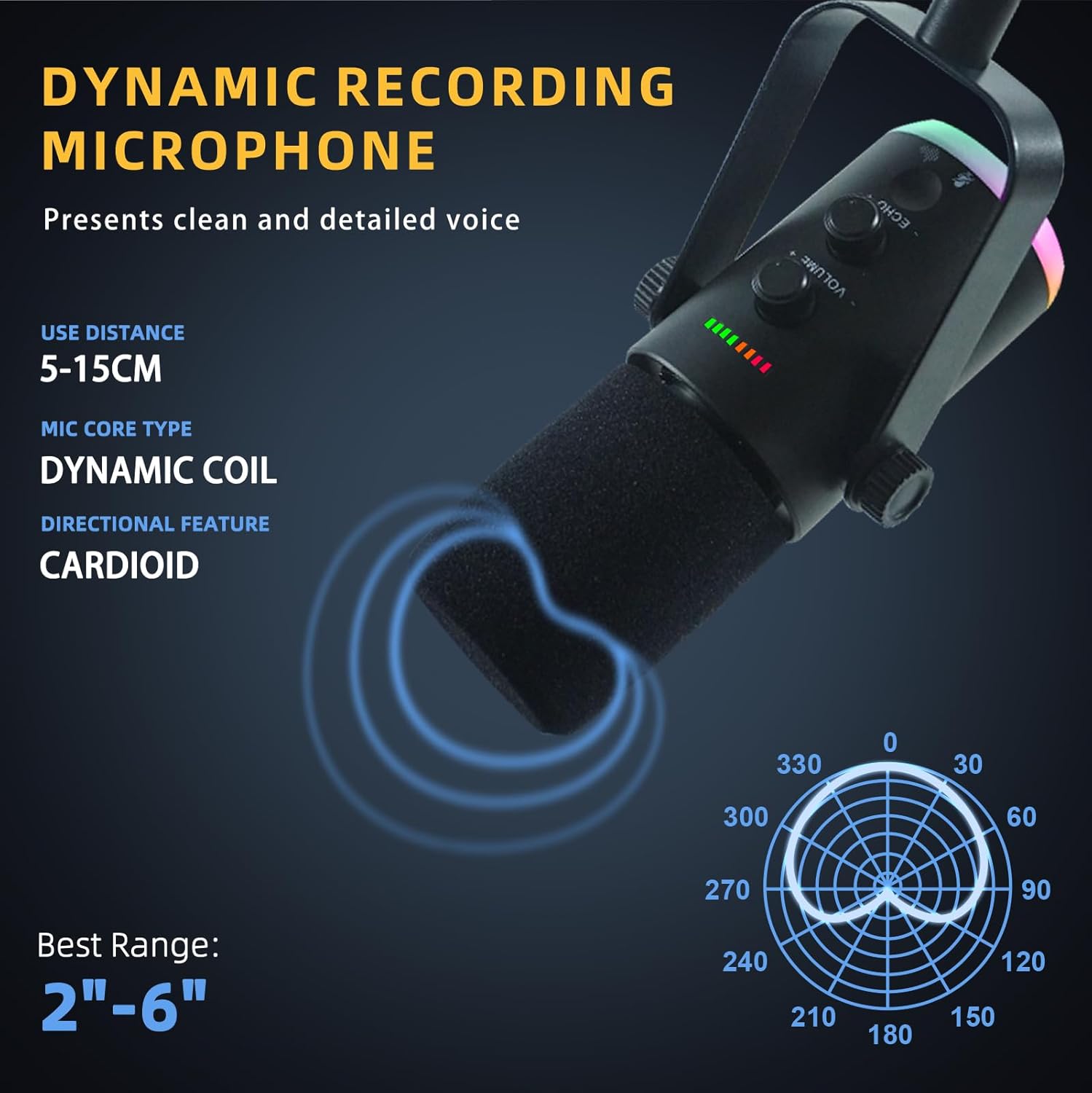
4.4. Voice Capture and Polar Pattern
The microphone features a heart-shaped (cardioid) directional dynamic microphone core and a top receiver design. This polar pattern primarily captures sound from the front, minimizing pickup from the sides and rear, which is ideal for isolating your voice and reducing ambient noise.
5. Compatibility
The Yamnweo YU7 microphone offers broad compatibility with various devices:
- Hardware Platforms: PC/Laptop, PS4/PS5, Smartphone/Tablet.
- Compatible Devices: Audio Mixer, Gaming Console, Laptop, Personal Computer, Smartphone.
- Note: This microphone is not compatible with XBOX.
6. Specifications
| Feature | Detail |
|---|---|
| Brand | Yamnweo |
| Model Name | YU7 |
| Connectivity Technology | USB, XLR |
| Connector Type | USB Type-C, XLR |
| Microphone Form Factor | Handheld (with desktop stand) |
| Polar Pattern | Unidirectional (Cardioid) |
| Audio Sensitivity | 52 Decibels |
| Frequency Response | 48 KHz |
| Signal-to-Noise Ratio | 85 dB |
| Special Features | Echo Control, Mute Function, Noise Reduction, Volume Control, RGB Lighting |
| Power Source | Corded Electric |
| Material | Plastic |
| Color | Black |
| Item Weight | 1.34 pounds |
| Product Dimensions (L x W x H) | 4.25 x 4.25 x 8.86 inches |
| Recommended Uses | Gaming, Singing, Streaming, Video Conference |
7. Maintenance
To ensure the longevity and optimal performance of your Yamnweo YU7 microphone, follow these maintenance guidelines:
- Cleaning: Use a soft, dry cloth to wipe the microphone body and base. Avoid using abrasive cleaners or solvents.
- Storage: When not in use, store the microphone in a clean, dry place away from extreme temperatures and humidity.
- Handling: Handle the microphone with care to prevent drops or impacts, which could damage internal components.
8. Troubleshooting
If you encounter issues with your Yamnweo YU7 microphone, refer to the following common troubleshooting steps:
- No Sound/Recognition (USB):
- Ensure the USB cable is securely connected to both the microphone and your device.
- Try a different USB port on your computer or device.
- Check your device's sound settings to ensure the Yamnweo YU7 is selected as the input device.
- Restart your computer or device.
- No Sound/Recognition (XLR):
- Ensure the XLR cable is securely connected to both the microphone and your audio interface/mixer.
- Verify that your audio interface/mixer is powered on and configured correctly.
- If using a dynamic microphone, ensure your mixer/interface gain is set appropriately. If it's a condenser microphone requiring phantom power, ensure phantom power is enabled on your mixer/interface.
- Poor Sound Quality/Static:
- Ensure the microphone is positioned correctly, facing the sound source directly.
- Adjust the microphone's volume knob to prevent clipping (distortion).
- If experiencing static, try reducing the reverb knob setting.
- Activate the noise reduction feature by long-pressing its button.
- Ensure there are no obstructions between the microphone and your mouth.
- RGB Lights Not Working:
- Ensure the microphone is properly powered via USB or XLR connection.
- Cycle through the RGB modes to see if they respond.
9. Warranty and Support
For warranty information, technical support, or service inquiries, please refer to the contact details provided in the original product packaging or visit the official Yamnweo website. Keep your purchase receipt as proof of purchase for warranty claims.