
Introduction
This manual provides detailed instructions for the safe and effective use of your VTech 924W 5-inch LCD Video Baby Monitor. This device allows you to monitor your baby with a 5-inch LCD screen, offering features such as remote pan, tilt, and zoom, two-way talk, lullabies, soothing sounds, and temperature monitoring. It operates on a secure, direct connection without requiring Wi-Fi.

Image: The VTech 924W Video Baby Monitor, showing the parent unit with a 5-inch LCD screen displaying a baby, and the rotating baby unit camera.
Important Safety Instructions
- Keep all small parts and packaging materials out of reach of children.
- Do not place the baby unit or cords within 3 feet (1 meter) of the crib or playpen.
- Use only the AC adapters provided with the product. Using unauthorized adapters may damage the device and void the warranty.
- Ensure proper ventilation for both units. Do not place them on soft surfaces that may block ventilation openings.
- This product is not a medical device and should not be used as a substitute for responsible adult supervision.
- The parent unit contains a rechargeable battery. Do not expose it to excessive heat or direct sunlight.
Package Contents
Verify that your package contains the following items:
- Parent Unit (with 5-inch LCD screen)
- Baby Unit (camera)
- 2 AC Adapters (one for each unit)
- Quick Start Guide
Product Overview
Parent Unit
The parent unit features a 5-inch LCD display for video monitoring, control buttons for various functions, and a built-in rechargeable battery for portability.
- LCD Screen: Displays live video feed from the baby unit.
- Control Buttons: Navigate menus, adjust volume, pan/tilt/zoom the camera, activate two-way talk, and play lullabies.
- Antenna: For wireless signal reception.
- Microphone & Speaker: For two-way communication.
- Power/Link Indicators: Show connection status and battery level.
Baby Unit (Camera)
The baby unit is equipped with a camera, microphone, speaker, and temperature sensor to monitor your baby's environment.
- Camera Lens: Captures video of the baby's room.
- Infrared LEDs: Enable automatic night vision in low light conditions.
- Microphone & Speaker: For two-way communication and playing lullabies/soothing sounds.
- Temperature Sensor: Monitors the room temperature.
- Power Jack: Connects to the AC adapter.
Setup
1. Charging the Parent Unit
Before initial use, charge the parent unit for at least 12 hours. Connect one of the provided AC adapters to the parent unit and a power outlet. The battery icon on the screen will indicate charging status. A full charge provides up to 17 hours of video streaming or 31 hours in audio-only mode.

Image: A close-up of the parent unit, highlighting the 5-inch LCD screen and control buttons, with a battery icon indicating charging.
2. Positioning the Baby Unit (Camera)
Place the baby unit in a location that provides a clear view of your baby in the crib or play area. Ensure it is at least 3 feet (1 meter) away from the baby to prevent entanglement with cords. The baby unit can be placed on a flat surface or mounted on a wall.
- Connect the second AC adapter to the baby unit and a power outlet.
- Adjust the camera angle manually or use the remote pan/tilt/zoom functions from the parent unit once powered on.

Image: An illustration demonstrating the 360-degree panoramic view and 132-degree vertical view capabilities of the baby unit camera, with a parent unit displaying a baby.
3. Powering On/Off
- Parent Unit: Press and hold the POWER button until the screen turns on/off.
- Baby Unit: The baby unit powers on automatically when connected to an AC adapter. To turn off, disconnect from power.
4. Secure Connection
The VTech 924W monitor uses a secure 2.4GHz FHSS wireless technology for direct connection between the parent and baby units. No Wi-Fi or app is required for operation, ensuring privacy and ease of use. The units are pre-paired from the factory.
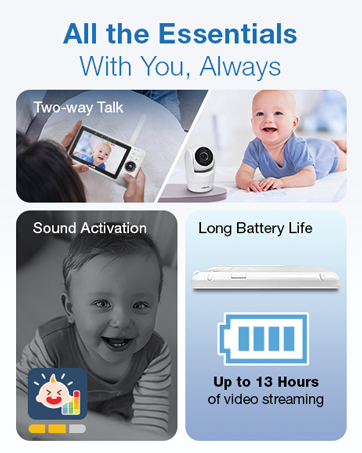
Image: An illustration showing the secure, direct connection between the parent unit and baby unit, emphasizing no Wi-Fi or app is needed.
Operating the Monitor
Video and Audio Monitoring
Once both units are powered on and linked, the parent unit will display live video from the baby unit. You will also hear audio from the baby's room.
- Volume Adjustment: Use the VOL+ and VOL- buttons on the parent unit to adjust the listening volume.
- Sound Indicator: The parent unit features a 3-level sound indicator to visually represent the intensity of sounds detected by the baby unit.
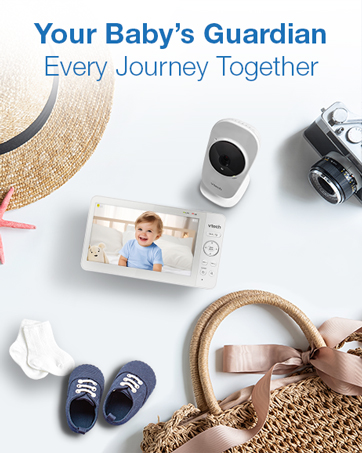
Image: A close-up of the parent unit's 5-inch LCD screen, showing a baby and highlighting the VTech logo and sound indicator lights.
Remote Pan, Tilt, and Zoom (PTZ)
Control the camera's view remotely from the parent unit:
- Use the directional arrows on the parent unit to pan (move horizontally) and tilt (move vertically) the camera.
- Press the ZOOM button to zoom in up to 2x for a closer view.
Two-Way Talk
Communicate with your baby through the monitor:
- Press and hold the TALK button on the parent unit to speak. Your voice will be transmitted to the baby unit.
- Release the button to hear your baby's response.
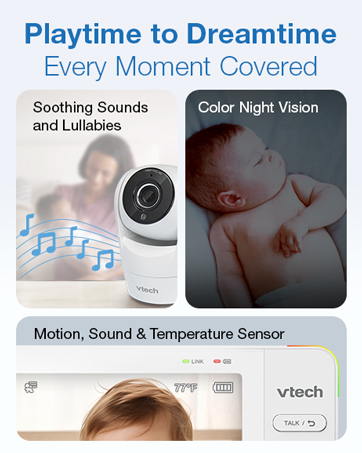
Image: An illustration depicting the two-way talk function, showing a baby in a crib and a parent holding the monitor, with speech bubbles indicating communication.
Lullabies and Soothing Sounds
Help soothe your baby with built-in melodies and sounds:
- Access the menu on the parent unit to select from 5 melodies and 4 soothing sounds.
- Adjust the volume of the lullabies/sounds played through the baby unit.
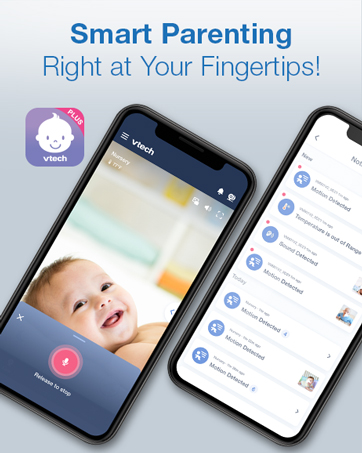
Image: A baby sleeping peacefully in a crib, with musical notes floating above the baby unit, illustrating the soothing sounds and lullabies feature.
Night Vision
The baby unit automatically activates infrared night vision in low light conditions, providing a clear black-and-white video feed on the parent unit.

Image: The parent unit displaying a black-and-white image of a sleeping baby, indicating the night vision mode is active.
Temperature Sensor
The baby unit includes a temperature sensor that displays the room temperature on the parent unit's screen. You can set alerts for temperature ranges to ensure your baby's comfort.

Image: The parent unit displaying a baby, with a prominent circle highlighting the temperature reading (77°F) on the screen.
VOX Mode (Sound Activation)
In VOX mode, the parent unit screen remains off during quiet periods to conserve battery. It automatically activates and displays video when the baby unit detects sound above a set threshold.
Maintenance
- Cleaning: Wipe the units with a soft, damp cloth. Do not use cleaning sprays or liquid cleaners.
- Storage: If storing the product for an extended period, remove the battery from the parent unit (if removable) and store both units in a cool, dry place.
- Battery Care: To prolong battery life, avoid fully discharging the parent unit battery frequently. Charge it regularly.
Troubleshooting
| Problem | Solution |
|---|---|
| No power on parent unit. | Ensure the AC adapter is securely connected and the unit is fully charged. Try pressing and holding the POWER button for a few seconds. |
| No video/audio on parent unit. | Check if both units are powered on. Ensure they are within range (up to 1000 feet). Move the parent unit closer to the baby unit. Obstructions like walls or electronics can interfere with the signal. |
| Poor video quality. | Ensure the camera lens is clean. Adjust the baby unit's position for better lighting. Night vision automatically activates in low light, providing a black-and-white image. |
| Short battery life on parent unit. | The battery may need to be replaced after extended use. Ensure the unit is fully charged before each use. Using VOX mode can help conserve battery. |
| Interference or static. | Move the units away from other electronic devices (e.g., cordless phones, Wi-Fi routers, microwaves) that may cause interference. |
Specifications
- Model: 924W
- Screen Size: 5-inch LCD
- Connectivity: 2.4GHz FHSS Wireless (No Wi-Fi required)
- Range: Up to 1000 feet (line of sight)
- Video Resolution: 480p
- Camera Features: Remote Pan, Tilt, Zoom (2x), Automatic Infrared Night Vision, Temperature Sensor, Speaker, Microphone
- Parent Unit Features: 2-Way Audio, Lullabies & Soothing Sounds, VOX Mode, Sound Indicator, Rechargeable Battery
- Parent Unit Battery Life: Up to 17 hours (video streaming), Up to 31 hours (audio-only mode)
- Power Source: Corded Electric (2 AC Adapters included)
- Dimensions (Parent Unit): Approximately 6.89 x 6.57 x 3.94 inches
- Weight: Approximately 1.55 pounds (total package)
- Color: White
Warranty and Support
VTech products are designed with quality and reliability in mind. For detailed warranty information, please refer to the warranty card included in your product packaging or visit the official VTech Baby Care website.
If you encounter any issues or require assistance with your VTech 924W Video Baby Monitor, please contact VTech Customer Support:
- Website: www.vtechbabycare.com
- Email: support@vtechbabycare.com
Please have your model number (924W) and purchase date available when contacting support.


