
1. Introduction
The Talkpod N39plus is an advanced Push-to-Talk over Cellular (PoC) radio designed for nationwide communication. Utilizing mobile cellular networks, it offers extended range beyond traditional radio signals. This device features a user-friendly interface with dual virtual channel monitoring, intuitive frequency display, and quick keypad input, similar to a traditional amateur radio. It is suitable for various applications including family use, logistics, and company operations.
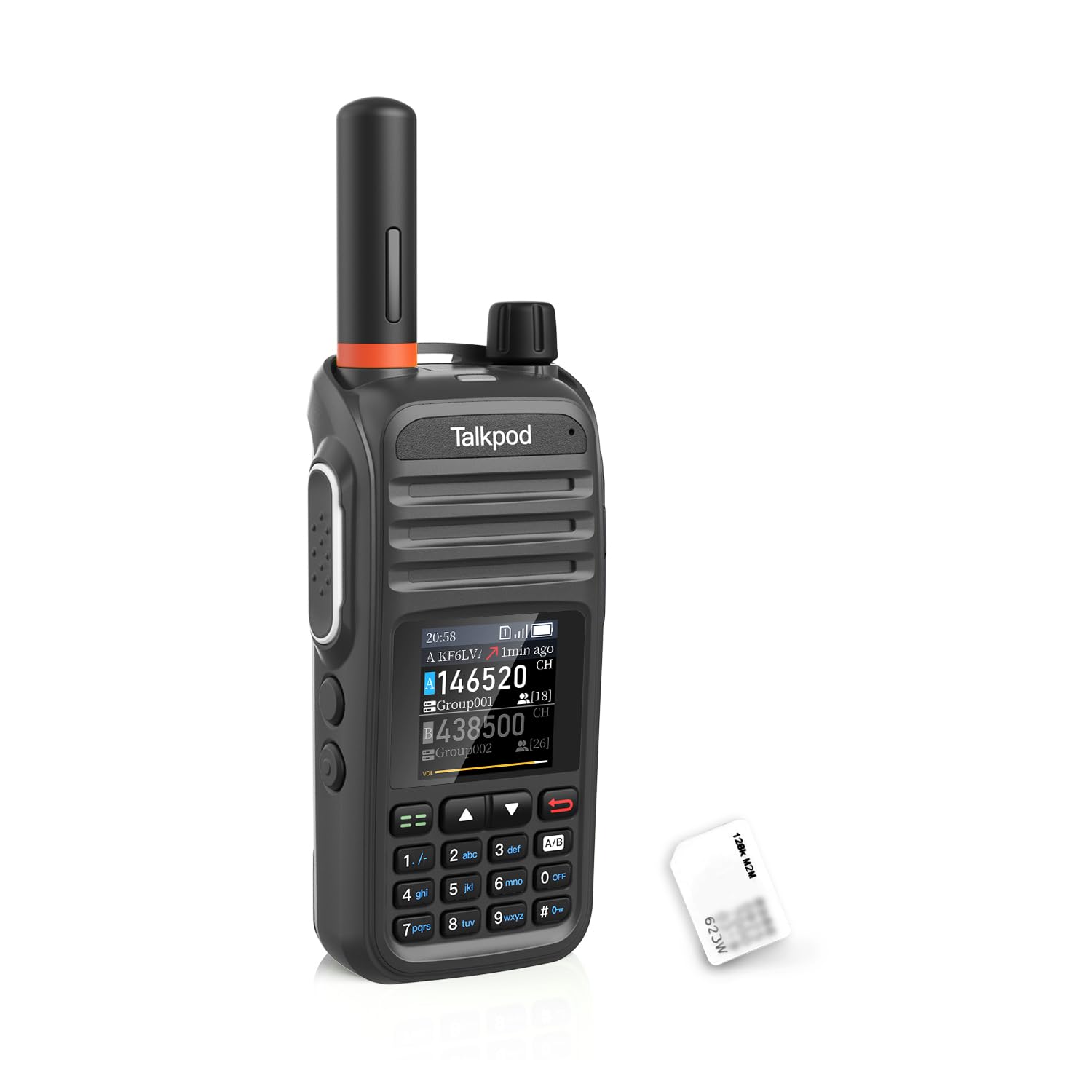
Image 1.1: The Talkpod N39plus PoC Radio, showcasing its compact design and display.
2. What's in the Box
Upon unboxing your Talkpod N39plus, please verify that all the following components are included:
- 1 x N39plus Radio
- 1 x Antenna
- 1 x Lithium-ion Battery
- 1 x USB-C Charging Cable
- 1 x Belt Clip
- 1 x Lanyard
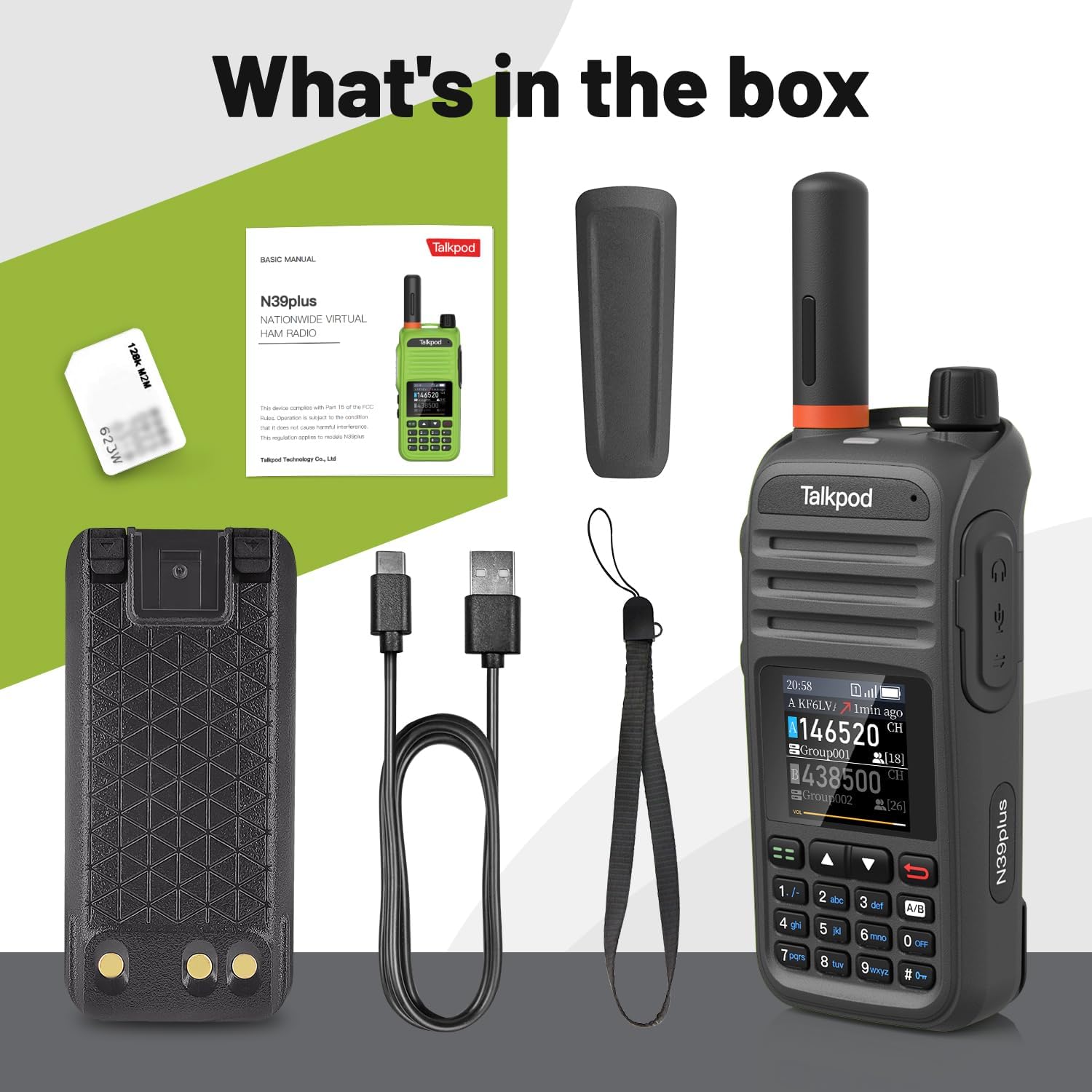
Image 2.1: All components included in the Talkpod N39plus package: radio, antenna, battery, USB-C cable, belt clip, and lanyard.
3. Product Features
The Talkpod N39plus incorporates several key features for enhanced communication:
- Innovative Technology: Leverages cellular networks (4G/5G) for nationwide communication, overcoming traditional radio signal limitations.
- User-Friendly Interface: Features dual virtual channel monitoring, virtual frequency display, quick keypad input, clear screen, and an intuitive menu system.
- Personalization: Users can set custom callsigns, view caller ID for incoming transmissions, and access a call history log.
- Long-Lasting Battery: Equipped with a high-capacity battery providing up to 24 hours of standby and talk time.
- Convenient Charging: Supports fast charging via USB-C.
- Free Authorization: Includes free authorization to use the Linkpoon HAM App for at least 5 years.
- Data Plan: Comes with a 1-year SIM data plan (up to 800MB/Month*12Month), suitable for regular voice-only communication.

Image 3.1: Key features of the Talkpod N39plus, highlighting ease of use and broad coverage.

Image 3.2: Additional features including global intercom, call record inquiry, and the 3000mAh battery.
4. Setup
Follow these steps to set up your Talkpod N39plus radio:
- Install Battery: Insert the provided Lithium-ion battery into the battery compartment on the back of the radio. Ensure it clicks securely into place.
- Attach Antenna: Screw the antenna clockwise onto the connector at the top of the radio until it is finger-tight.
- SIM Card: The N39plus comes with a pre-installed SIM card. No additional installation is required for the SIM card.
- Initial Charge: Connect the USB-C charging cable to the radio and a power source to fully charge the battery before first use.
- Power On: Rotate the top-left knob clockwise to turn on the radio and adjust the volume.
- App Authorization: The device includes free authorization for the Linkpoon HAM App. Follow the instructions provided with the radio or on the Talkpod website to activate this authorization.

Image 4.1: The Talkpod N39plus highlighting the pre-installed SIM card, simplifying setup.
5. Operating Instructions
Understanding the controls and basic operation of your N39plus radio:
5.1. Controls Overview

Image 5.1: Diagram illustrating the various parts and controls of the Talkpod N39plus radio, including antenna, volume knob, battery clip, headphone/data interface, function shortcut keys, PTT button, loudspeaker, screen, and numeric keypad.
- Turn On/Off Volume Knob: Located at the top-left, rotate to power on/off and adjust audio volume.
- Antenna: For signal reception and transmission.
- PTT (Push-to-Talk) Launch Key: Located on the side, press and hold to transmit, release to listen.
- Loudspeaker: For audio output.
- Screen: Displays virtual channels, frequencies, battery status, and menu options.
- Keypad: For numeric input, menu navigation, and function shortcuts.
- USB Charging Port: For charging the device.
5.2. Basic Operation
- Power On: Rotate the volume knob clockwise.
- Select Channel/Group: Use the keypad or navigation buttons to select your desired virtual channel or communication group.
- Transmit: Press and hold the PTT button on the side of the radio. Speak clearly into the microphone. Release the PTT button to listen for a response.
- Adjust Volume: Rotate the volume knob to increase or decrease the listening volume.
- Personalize Callsign: Access the menu system to set your unique callsign. Refer to the on-screen menu for specific steps.
- View Call History: Navigate through the menu to access the call history log, which displays previous transmissions and caller IDs.

Image 5.2: The Talkpod N39plus being used in different environments, demonstrating its versatility for businesses, outdoor hiking, camping, and self-driving tours.
6. Maintenance
Proper maintenance ensures the longevity and optimal performance of your Talkpod N39plus:
- Charging: Always use the provided USB-C charging cable. Ensure the radio is charged regularly, especially before extended use. Avoid overcharging or completely draining the battery for optimal battery life.
- Cleaning: Wipe the radio with a soft, damp cloth. Do not use harsh chemicals or abrasive cleaners. Ensure the charging port is free of dust and debris.
- Water Resistance: The N39plus has an IP54 rating, meaning it is protected against dust ingress and splashing water from any direction. It is not designed for submersion. Avoid exposing it to heavy rain or direct water jets.
- Storage: Store the radio in a cool, dry place away from direct sunlight and extreme temperatures when not in use for prolonged periods.
- Antenna Care: Ensure the antenna is securely attached. Do not bend or force the antenna, as this can damage the radio's internal components.
7. Troubleshooting
If you encounter issues with your Talkpod N39plus, refer to the following common problems and solutions:
7.1. Cannot Connect to Network
If your device has a SIM inserted but cannot connect to the network, consider these possibilities:
- SIM Not Activated: Ensure your SIM card is properly activated.
- APN Settings: Check if APN (Access Point Name) settings are correct or missing.
- Service Expired: Verify that your data plan or service has not expired.
- Local Carrier Incompatibility: Confirm compatibility with your local cellular network.
- Device Restart: Try restarting the device.
If these steps do not resolve the issue, please provide your ICCID and order number when contacting support.
7.2. Weak Signal or Unstable Connection
Weak signal or unstable connections are typically related to cellular coverage:
- Location: Areas such as basements, elevators, parking garages, metal buildings, rural areas, and mountains often have poor cellular coverage.
- Interference: Thick concrete walls, hills, or adverse weather conditions can affect signal strength.
Solution: Try moving to a location with better cellular reception, such as closer to a window or outdoors. Remember, PoC radios rely on live cellular towers, not satellite or long-range RF.
7.3. General Issues - Contacting Support
To help us assist you quickly and accurately, please prepare the following information when contacting support for any product issues:
- Amazon Order ID / ICCID
- Number of devices affected
- A short video or photo showing the screen, error message, or behavior
- What you have already tried to resolve the issue

Image 7.1: A visual representation of common questions and answers regarding the Talkpod N39plus, including network connectivity and signal strength issues.
8. Specifications
Detailed technical specifications for the Talkpod N39plus PoC Radio:
| Feature | Detail |
|---|---|
| Brand | Talkpod |
| Model Number | N39plus |
| Color | Black |
| Number of Channels | 999 |
| Connectivity Protocol | LTE (4G/5G cellular networks) |
| Battery Type | Lithium-ion (included) |
| Battery Life (Average) | 24 Hours |
| Charging | USB-C |
| Waterproof Rating | IP54 (Water Resistant) |
| Special Features | Automatic Squelch, Call Alert, Lightweight, Long Range, Noise Reduction, Portable, Rechargeable, Voice Operated Transmission |
| Included Components | N39plus Radio, Antenna, Lithium-ion Battery, USB-C Charging Cable, Belt Clip, Lanyard |
9. Warranty Information
Specific warranty details are not provided in the product information. Please refer to your purchase documentation or contact Talkpod customer support for warranty terms and conditions.
10. Support
For any product issues, technical assistance, or after-sales service, please contact Talkpod support directly:
Email: Support@talkpod.com

Image 10.1: Contact information for Talkpod customer support via email.


