
1. Setup Guide
This section provides instructions for the initial setup of your Motorola G96 smartphone.
1.1. Unboxing and Initial Inspection
Carefully unbox your device and check for all included accessories: Motorola G96 smartphone, charger, USB cable, and SIM ejector tool. Inspect the device for any physical damage before proceeding.
1.2. Inserting SIM Card(s) and microSD Card
- Locate the SIM tray on the side of your device.
- Insert the SIM ejector tool into the small hole on the SIM tray to open it.
- Place your Nano SIM card(s) and/or microSD card into the tray with the gold contacts facing down, ensuring they are correctly aligned. The Motorola G96 supports Dual SIM functionality and expandable storage up to 256 GB.
- Gently push the tray back into the slot until it clicks into place.
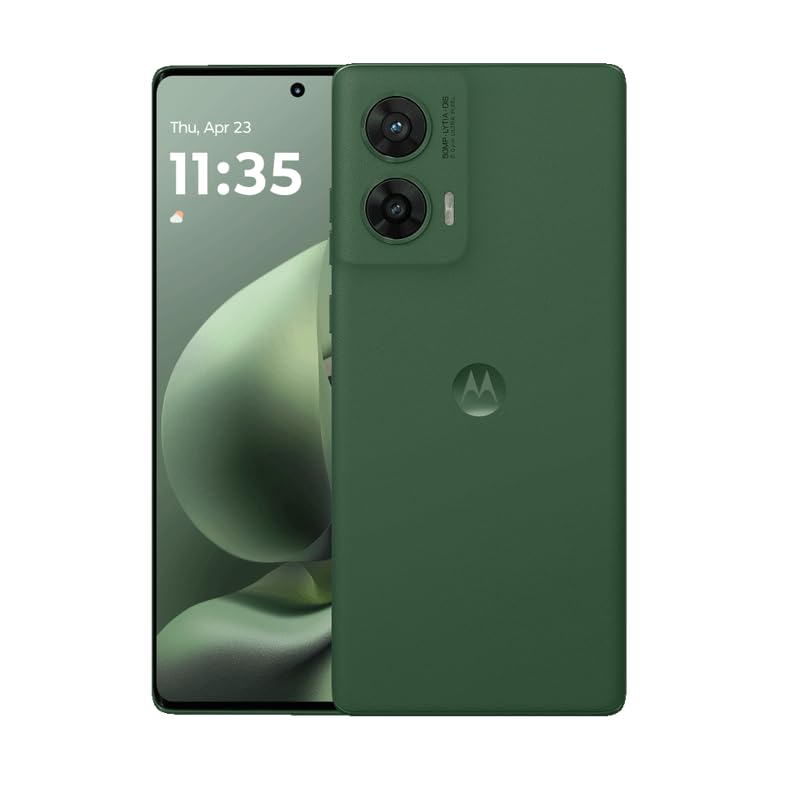
Image: Front and back view of the Motorola G96 smartphone. This image illustrates the overall design and color of the device, which is Greener Pastures.
1.3. Powering On and Initial Configuration
- Press and hold the Power button (located on the side) until the Motorola logo appears.
- Follow the on-screen prompts to select your language, connect to a Wi-Fi network, and set up your Google account.
- Configure security features such as Face Recognition and a screen lock (PIN, pattern, or password).
2. Operating Your Device
This section covers the primary functions and features of your Motorola G96 smartphone.
2.1. Display and Navigation
The Motorola G96 features a 144Hz 3D Curved pOLED FHD+ display (16.67 cm) with 1600 nits brightness and 100% DCI-P3 color gamut. Navigate the interface using touch gestures: swipe, tap, pinch-to-zoom. The display is protected by Corning Gorilla Glass 5.
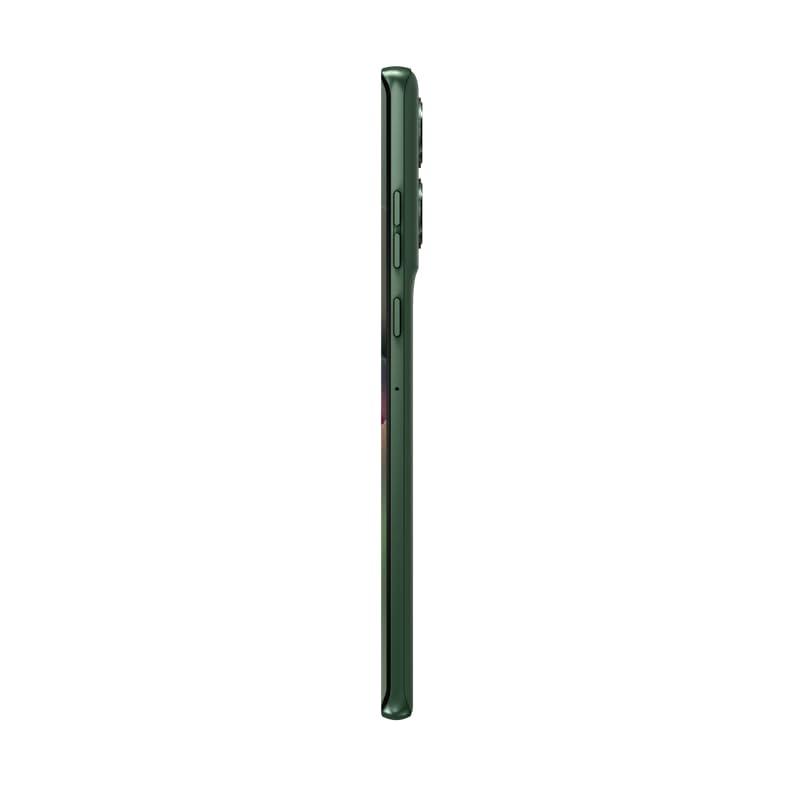
Image: Side profile of the Motorola G96, highlighting its slim design and curved screen. This view helps in identifying the location of physical buttons and the SIM tray.
2.2. Camera Functions
Your device is equipped with a 50MP OIS Sony-LYTIA 700C main camera, an 8MP ultra-wide/macro/depth sensor, and a 32MP front camera. All cameras support 4K video recording.
- Taking Photos: Open the Camera app, select your desired mode (Photo, Portrait, Night Vision), and tap the shutter button.
- Recording Videos: Switch to Video mode. Tap the record button to start and stop recording.
- AI Features: Utilize AI Photo Enhancement and Horizon Lock for improved image quality.
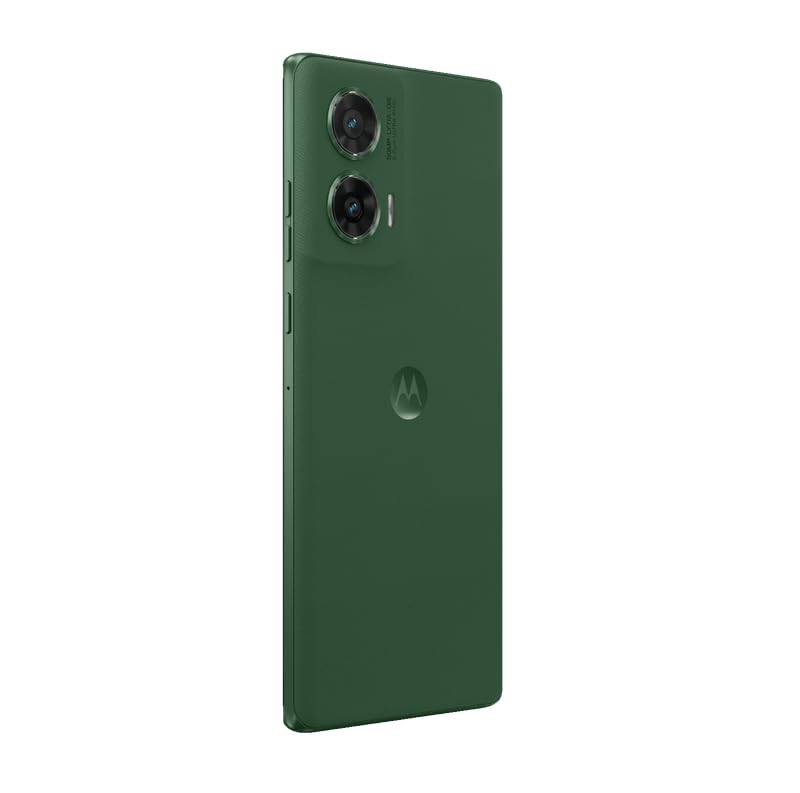
Image: Rear view of the Motorola G96, showcasing the dual camera module and the Motorola logo. This image helps in identifying the camera setup.
2.3. Performance and Storage
The Motorola G96 is powered by the Snapdragon 7s Gen 2 processor, offering efficient performance for multitasking and gaming. It comes with 8GB RAM (expandable up to 24GB with RAM Boost 2.0 Plus) and 128GB of internal storage, expandable via microSD card.
2.4. Audio and Connectivity
Experience immersive sound with Dolby Atmos Dual Stereo Speakers and Hi-Res Sound certification. The device supports 5G cellular technology, Bluetooth, USB, and Wi-Fi connectivity.
2.5. Battery Management
The 5500 mAh battery provides up to 42 hours of usage. For quick charging, use the included 33W TurboPower charger. To optimize battery life, manage background app usage and screen brightness.
3. Maintenance and Care
Proper care ensures the longevity and optimal performance of your Motorola G96.
3.1. Water and Dust Resistance
The device features IP68 underwater protection, making it resistant to dust and submersion in water up to 1.5 meters for 30 minutes. However, it is not waterproof. Avoid intentional submersion and exposure to pressurized water or liquids other than fresh water. Water Touch 2.0 technology allows for use with wet hands.
3.2. Screen Protection
The display is protected by Corning Gorilla Glass 5, offering superior scratch and impact resistance. For added protection, consider using a screen protector.
3.3. Cleaning Your Device
Use a soft, lint-free cloth to clean the screen and body. Avoid abrasive materials or harsh chemicals. For stubborn smudges, slightly dampen the cloth with water.
4. Troubleshooting Common Issues
This section addresses common problems you might encounter with your Motorola G96.
4.1. Device Not Powering On
- Ensure the battery is charged. Connect the device to the charger and wait a few minutes before attempting to power on.
- Press and hold the Power button for at least 10-15 seconds to perform a forced restart.
4.2. Poor Battery Life
- Check for apps running in the background and close unnecessary ones.
- Reduce screen brightness and set a shorter screen timeout.
- Disable Wi-Fi, Bluetooth, or GPS when not in use.
- Ensure your software is up to date.
4.3. Network Connectivity Issues
- Toggle Airplane Mode on and off.
- Restart your device.
- Check if your SIM card is properly inserted.
- Verify your network settings with your service provider.
4.4. Apps Crashing or Freezing
- Clear the cache and data for the problematic app (Settings > Apps > [App Name] > Storage > Clear Cache/Clear Data).
- Uninstall and reinstall the app.
- Ensure your device software and apps are updated.
5. Technical Specifications
Detailed technical specifications for the Motorola G96 smartphone.
| Feature | Specification |
|---|---|
| Model | Motorola G96 |
| Operating System | Android 14 |
| Processor | Snapdragon 7s Gen 2 |
| RAM | 8 GB (expandable up to 24 GB) |
| Internal Storage | 128 GB (expandable up to 256 GB via microSD) |
| Display | 16.67 cm (6.56 inch) 3D Curved pOLED FHD+, 144Hz, 1600 nits, Gorilla Glass 5 |
| Rear Camera | 50 MP OIS (main) + 8 MP (ultra-wide/macro/depth) |
| Front Camera | 32 MP |
| Video Recording | 4K (all lenses) |
| Battery | 5500 mAh, 33W TurboPower Charging |
| Water Resistance | IP68 (dust and water resistant) |
| Connectivity | 5G, Wi-Fi, Bluetooth, USB |
| SIM Type | Dual Nano SIM |
| Biometric Security | Face Recognition |
| Audio | Dolby Atmos Dual Stereo Speakers, Hi-Res Sound |
| Color | Greener Pastures |
| Manufacturer | Padget Electronics Pvt Ltd |
| UPC | 840023295935 |
6. Warranty and Support
Information regarding your device's warranty and how to obtain support.
6.1. Warranty Information
Your Motorola G96 comes with a Domestic Warranty of 1 year for the handset and 6 months for accessories from the date of purchase. This warranty covers manufacturing defects under normal use. Please retain your proof of purchase for warranty claims.
For detailed terms and conditions, please refer to the warranty card included in your product packaging or visit the official Motorola India website.
6.2. Customer Support
If you encounter issues not covered in the troubleshooting section or require further assistance, please contact Motorola customer support.
- Online Support: Visit the official Motorola India support website for FAQs, troubleshooting guides, and service center locations.
- Contact Number: Refer to your product packaging or the Motorola website for the latest customer service contact numbers.
- Service Centers: Authorized Motorola service centers are available for repairs and technical assistance.
Manufacturer Contact Information: Motorola India Pvt Ltd, 12th floor, Tower-D DLF phase-3, Cyber Greens, Gurgaon-122001.


