
Introduction
This manual provides detailed instructions for the proper setup, operation, and maintenance of your TOMLOV DM10 10.1" Digital Microscope. Please read this manual thoroughly before using the device to ensure optimal performance and longevity.
Setup
Package Contents
Verify that all items are present in the package:
- 10.1-Inch Digital Microscope
- Height Adjustable Stand
- Micro SD Card (pre-installed in the microscope)
- Remote Control
- USB-A to USB-C Cable
- USB-C to USB-C Cable
- User Manual

Image: Components of the TOMLOV DM10 Digital Microscope package, including the microscope unit, stand, cables, remote control, and user manual.
Assembly Instructions
- Attach the digital microscope unit to the height-adjustable stand. Ensure it is securely fastened.
- Place the base plate on a stable, flat surface.
- Connect the flexible gooseneck side lights to the base plate, if not already attached.
- Ensure the Micro SD card is inserted into its slot. It comes pre-installed from the factory.

Image: Visual guide demonstrating the simple steps to set up the TOMLOV DM10 Digital Microscope, including turning it on, adjusting the object distance, and focusing.
Powering On
Connect the microscope to a power source using one of the provided USB cables and a 5V/2A USB power supply (not included). Press the power button to turn on the device. The microscope is designed for up to 3 hours of continuous use on battery power.
Operating Instructions
Basic Operation
- Place the object you wish to observe on the base plate directly under the microscope lens.
- Adjust the distance between the object and the microscope lens by moving the microscope unit up or down on the stand.
- Rotate the focus wheel on the microscope body until the image on the 10.1" IPS screen is clear.

Image: A user examining a coin using the TOMLOV DM10 Digital Microscope, highlighting the large 10.1-inch HD IPS screen for a detailed viewing experience.
Magnification
The TOMLOV DM10 offers a magnification range from 5X to 1200X. Adjust the height of the microscope and the focus wheel to achieve the desired magnification level for observing intricate details.
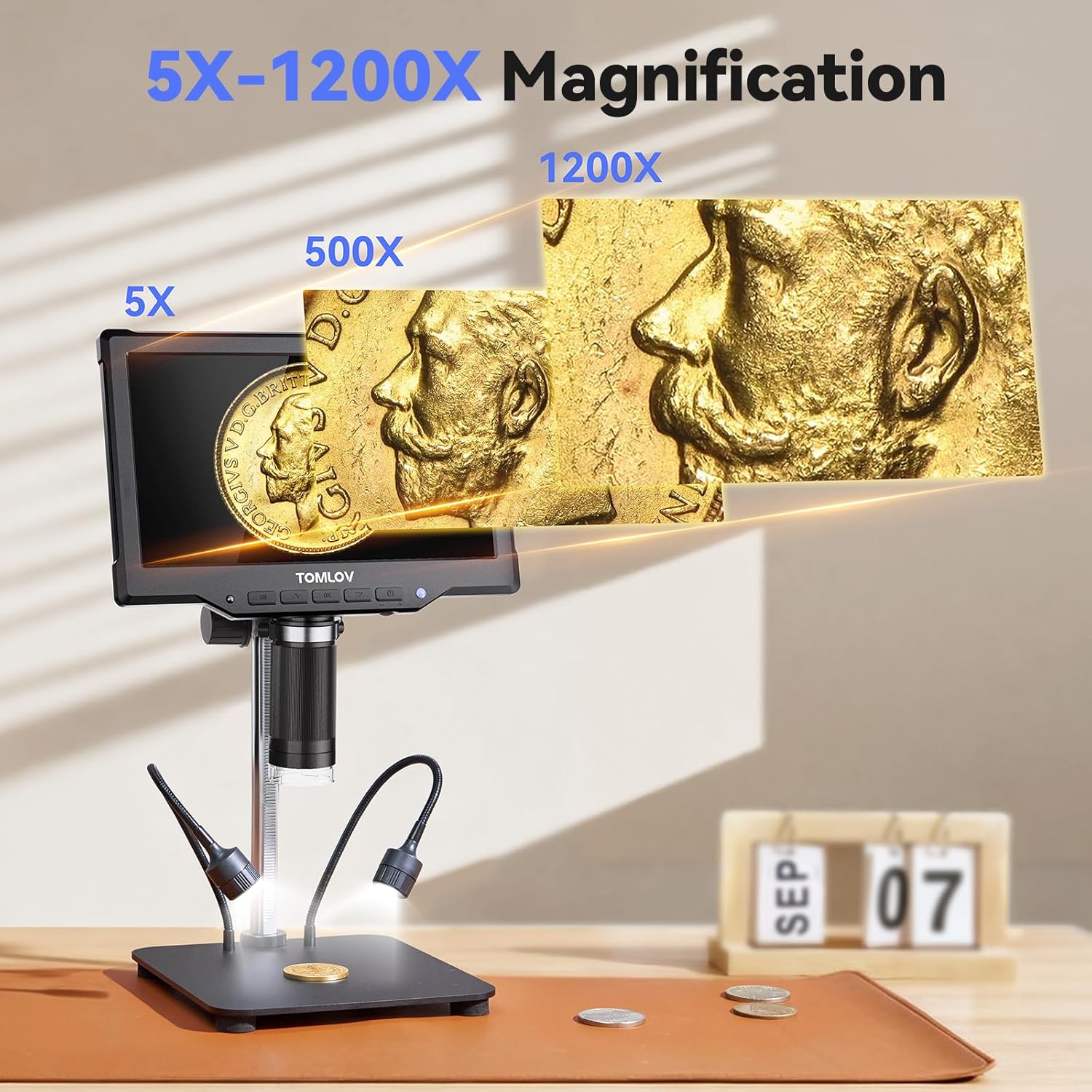
Image: A visual comparison showing the magnification capabilities of the TOMLOV DM10 Digital Microscope, from 5X to 1200X, revealing fine details on a coin.
Lighting Adjustment
The microscope is equipped with 8 adjustable LED lights around the lens and 2 flexible gooseneck side lights. Both sets of lights can be independently adjusted for brightness using the controls on the device or the remote control to ensure optimal illumination for your specimen.
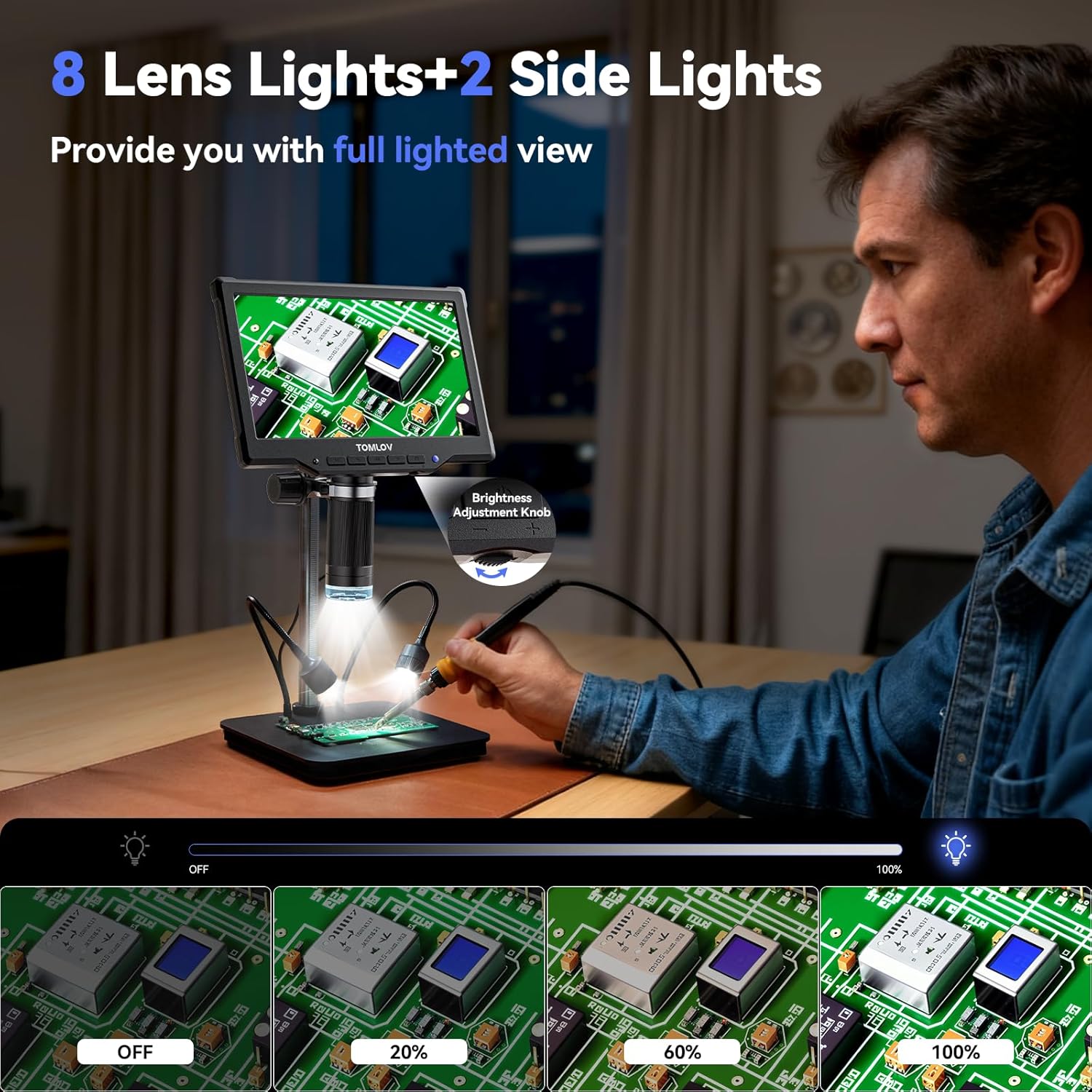
Image: A user adjusting the brightness of the 8 lens lights and 2 flexible side lights on the TOMLOV DM10 Digital Microscope, illustrating the full lighted view capability.
Remote Control Functions
The included wireless remote control allows for convenient operation, including capturing photos, recording videos, and navigating the menu, minimizing screen shake and sample disturbance.
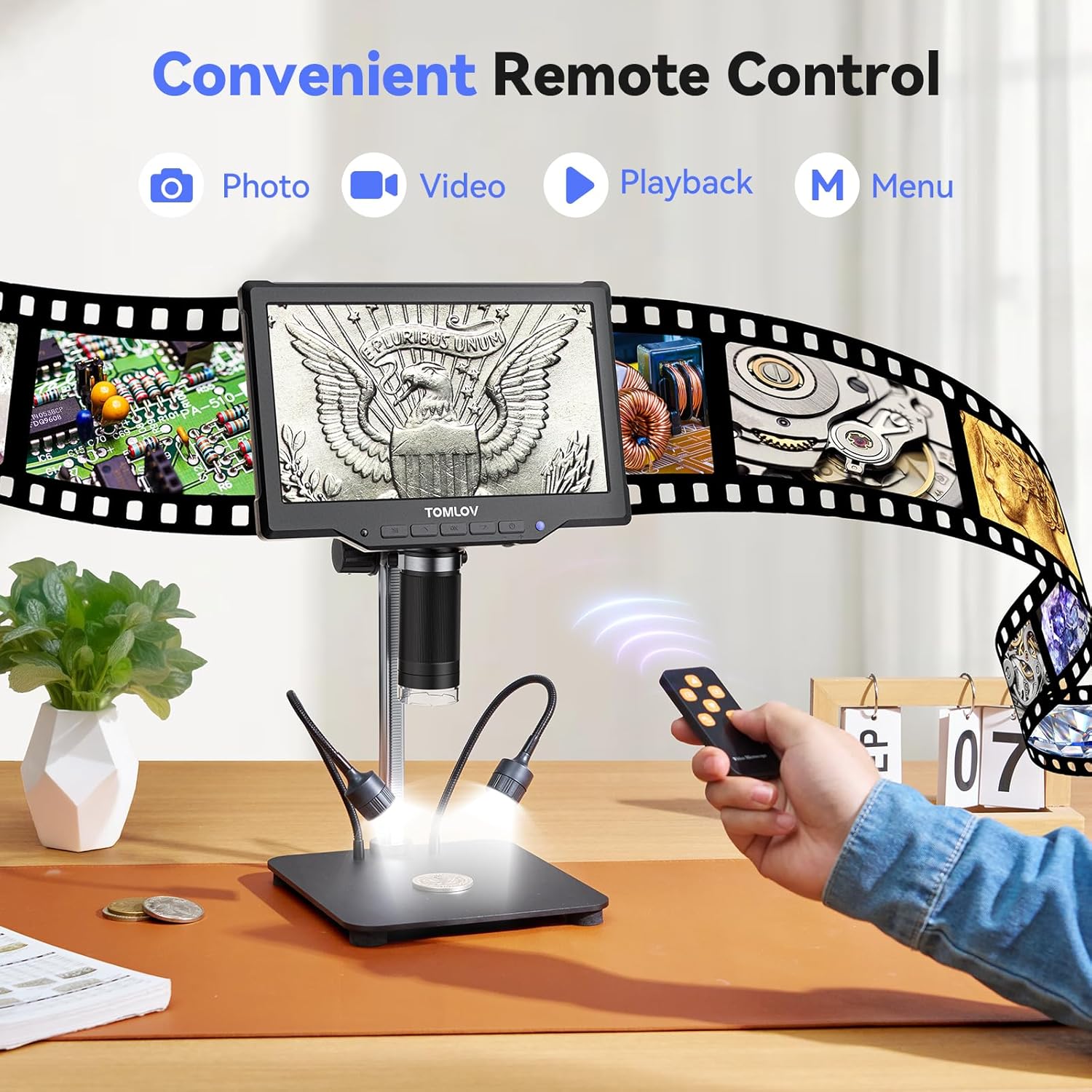
Image: A hand holding the remote control for the TOMLOV DM10 Digital Microscope, showing buttons for photo, video, playback, and menu access.
Photo and Video Recording
With one-touch capture and video recording features, you can easily document your observations. The pre-installed Micro SD card provides ample storage for saving images and videos. Available photo resolutions include 16MP, 12MP, 10MP, 8MP, 5MP, 3MP, and 2MP. Video resolutions include 1080FHD, 1080P, and 720P.

Image: A close-up of a Premium SD Card, indicating its use for storing photos and videos captured by the TOMLOV DM10 Digital Microscope.
PC Connection for Real-Time Viewing
The microscope supports real-time USB output, allowing connection to a computer (Windows & Mac compatible) for a larger, more detailed view. This is ideal for precise observation, detailed analysis, and sharing with others.

Image: The TOMLOV DM10 Digital Microscope connected to a laptop, displaying a magnified circuit board on both the microscope screen and the computer screen for real-time viewing.
Applications
The TOMLOV DM10 is a versatile tool suitable for various tasks, including:
- Coin collection examination
- Soldering PCB board inspection
- Watch repair
- Plant inspection
- Jewelry appraisal

Image: A collage showing various applications of the TOMLOV DM10 Digital Microscope, including examining coins, circuit boards, watch mechanisms, and plant details.
Product Video
Video: An official product video from TOMLOV Store demonstrating the features and capabilities of the DM10 10.1" Digital Microscope, including its HD IPS screen and coin examination.
Maintenance
Cleaning
- Lens: Use a soft, lint-free cloth specifically designed for optical lenses. For stubborn smudges, a small amount of lens cleaning solution can be applied to the cloth, not directly to the lens.
- Screen: Wipe the screen gently with a microfiber cloth. Avoid harsh chemicals.
- Body: Use a dry, soft cloth to clean the microscope body and stand.
Storage
When not in use, store the microscope in a clean, dry environment away from direct sunlight and extreme temperatures. Keep it covered to prevent dust accumulation.
Troubleshooting
| Problem | Possible Cause | Solution |
|---|---|---|
| Microscope does not power on. | Low battery or power adapter issue. | Ensure the microscope is fully charged or connected to a 5V/2A USB power supply. If issues persist, press the reset button on the back of the unit. |
| Image is blurry or out of focus. | Incorrect focal distance or focus wheel adjustment. | Adjust the height of the microscope unit relative to the object. Rotate the focus wheel until the image is sharp. |
| Dark or uneven illumination. | LED lights are off or brightness is too low. | Turn on the LED lights and adjust their brightness using the controls on the microscope or the remote control. |
| Dust or debris visible on the screen. | Dust on the lens or inside the optical path. | Clean the lens as described in the Maintenance section. If debris is internal and persistent, contact customer support. |
| Remote control not responding. | Remote battery low or obstruction. | Replace the remote control battery. Ensure there is no obstruction between the remote and the microscope. |
Specifications
| Feature | Detail |
|---|---|
| Model Name | DM10 |
| Screen Size | 10.1 inches |
| Screen Type | HD IPS |
| Real Angle of View | 178 Degrees |
| Magnification Maximum | 1200 x |
| Photo Resolution | 16MP, 12MP, 10MP, 8MP, 5MP, 3MP, 2MP |
| Video Resolution | 1080FHD, 1080P, 720P |
| Light Source Type | LED (8 lens lights + 2 side lights) |
| Material | Aluminum Alloy |
| Color | Black |
| Product Dimensions (L x W x H) | 12.4" x 11.2" x 3.9" |
| Item Weight | 1500 Grams |
| Voltage | 5 Volts |
| Power Source | Battery Powered |
| Battery Working Time | Up to 3 hours |
| Compatible Devices | Laptop, Personal Computer (Windows & Mac) |
Warranty Information
The TOMLOV DM10 Digital Microscope comes with a 2-Year Manufacturer Warranty. Please retain your proof of purchase for warranty claims. For specific terms and conditions, refer to the warranty documentation included with your product or contact TOMLOV customer support.
Customer Support
If you encounter any issues or have questions regarding your TOMLOV DM10 Digital Microscope that are not covered in this manual, please contact TOMLOV customer support. Refer to the contact information provided in your product packaging or visit the official TOMLOV website for assistance.


