
ETENWOLF S6SE
ETENWOLF S6SE Tire Inflator and USB C Charger User Manual
Model: S6SE
1. Introduction
This manual provides comprehensive instructions for the safe and efficient operation, setup, and maintenance of your ETENWOLF S6SE Tire Inflator and USB C Charger. Please read this manual thoroughly before using the device to ensure optimal performance and safety.

Image 1.1: The ETENWOLF S6SE Tire Inflator and its accompanying USB C Charger.
2. Safety Instructions
To prevent injury or damage to the device, observe the following safety precautions:
- Keep the device away from water, moisture, and flammable liquids or gases.
- Do not operate the inflator if it is damaged or malfunctioning.
- Ensure proper ventilation during operation to prevent overheating.
- Do not leave the device unattended while in use.
- Keep out of reach of children.
- Always check the recommended tire pressure for your vehicle before inflation.
- Disconnect the air hose from the tire valve before moving the inflator.
- Use only the provided or recommended charging accessories.
3. Package Contents
Verify that all items are present in your package:
- ETENWOLF S6SE Tire Inflator
- USB C Wall Charger (30W)
- Air Hose with threaded connector
- Various Nozzle Adapters (e.g., for balls, bicycles)
- USB-C to USB-C Charging Cable (may vary, often sold separately for charger)
- User Manual (this document)
4. Product Features
The ETENWOLF S6SE combines a powerful tire inflator with a versatile USB C charger, offering convenience and efficiency.
4.1. Tire Inflator Features
- Dual-Cylinder Design: Provides fast and efficient inflation with an airflow of 1.5 CFM@0 PSI (42 L/min).
- Rapid Inflation: Inflates a 31-inch tire from 0 to 35 PSI in approximately 1 minute.
- High Pressure Capability: Supports a maximum pressure of 160 PSI.
- Precision Gauge: Accuracy within +/-1 PSI for precise inflation.
- Integrated Cooling System: Allows for continuous operation without overheating.
- 15600 mAh Lithium Battery: Capable of inflating multiple tires on a single charge (e.g., 18 F150 tires from 30 to 35 PSI).
- Preset Modes: Includes 7 preset modes for various tire types (e.g., Pickup, RV, Car).
- Automatic Shut-Off: Stops inflation automatically once the target pressure is reached.
- Multiple Pressure Units: Easily switch between PSI, kPa, and BAR.
- 1000-Lumen LED Work Light: Provides illumination for nighttime or low-light conditions.

Image 4.1: Internal view highlighting the dual-cylinder motor for faster inflation.

Image 4.2: The inflator displaying different preset modes for various vehicle types.

Image 4.3: Illustration of the large 15600mAh battery capacity.
4.2. USB C Charger Features
- 30W Fast Charging: Delivers up to 30W output with QC4+ and PD3.0 compatibility.
- Universal Compatibility: Charges ETENWOLF products, phones, tablets, and other USB-C compatible devices.
- Safety Protections: Includes over-heat, over-voltage, over-charge, and short-circuit protection.

Image 4.4: The included 30W USB C wall charger.
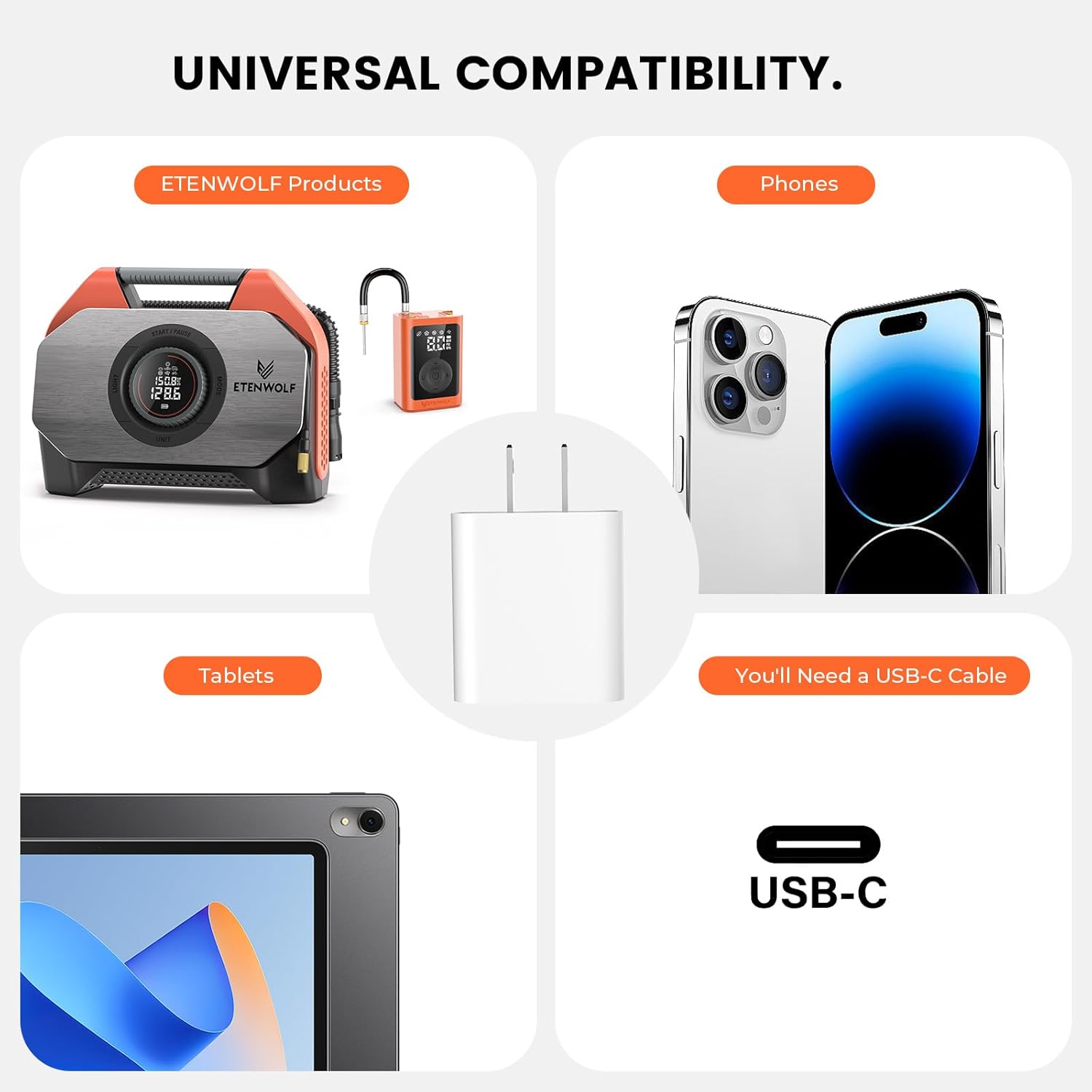
Image 4.5: The USB C charger's compatibility with various devices.

Image 4.6: Visual representation of the charger's multiple safety protections.
5. Setup
5.1. Charging the Device
- Connect the USB-C charging cable to the charging port on the ETENWOLF S6SE.
- Plug the other end of the cable into the provided 30W USB C Wall Charger.
- Insert the wall charger into a standard power outlet.
- The display will indicate the charging status. Charge the device fully before first use.

Image 5.1: Example of charging a device using the 30W USB C charger.
5.2. Attaching the Air Hose
- Locate the air outlet port on the ETENWOLF S6SE.
- Screw the threaded end of the air hose securely onto the air outlet port.
- Ensure the connection is tight to prevent air leakage during inflation.
6. Operating Instructions
6.1. Using the Tire Inflator
- Power On: Press the power button (usually labeled "START/PAUSE") to turn on the device. The display will illuminate.
- Connect to Tire: Screw the air hose connector onto the tire valve stem. Ensure a tight seal.
- Select Mode: Press the "MODE" button to cycle through the 7 preset inflation modes (e.g., Car, Motorcycle, Bicycle, Ball, Pickup, RV). Select the mode appropriate for your item.
- Set Target Pressure: Use the "+" and "-" buttons (or rotary dial) to adjust the desired target pressure. The device will remember your last set pressure for each mode.
- Select Unit: Press the "UNIT" button to switch between PSI, kPa, and BAR pressure units.
- Start Inflation: Press the "START/PAUSE" button to begin inflation. The device will automatically stop when the target pressure is reached.
- Stop Inflation Manually: Press the "START/PAUSE" button again to stop inflation at any time.
- Disconnect: Unscrew the air hose connector from the tire valve. A small amount of air may escape, which is normal.
- LED Work Light: Press the "LIGHT" button to turn the LED work light on or off.

Image 6.1: Close-up of the ETENWOLF S6SE control panel with display and buttons.
6.2. Using the USB C Charger Function
The ETENWOLF S6SE can also function as a power bank to charge other devices.
- Ensure the ETENWOLF S6SE has sufficient battery charge.
- Connect your device (phone, tablet, etc.) to the USB-C output port on the ETENWOLF S6SE using a compatible USB-C cable.
- The ETENWOLF S6SE will automatically begin charging your connected device.
7. Maintenance
- Cleaning: Wipe the device with a soft, dry cloth. Do not use harsh chemicals or abrasive cleaners.
- Storage: Store the inflator and charger in a cool, dry place, away from direct sunlight and extreme temperatures. Ensure the air hose is neatly stored to prevent kinks.
- Battery Care: For optimal battery life, charge the device fully every 3-6 months if not in regular use.
- Hose Inspection: Periodically inspect the air hose and connectors for any signs of wear or damage. Replace if necessary.
8. Troubleshooting
| Problem | Possible Cause | Solution |
|---|---|---|
| Device does not power on. | Low battery or no charge. | Charge the device fully using the provided USB C charger. |
| Inflator not inflating. | Air hose not securely connected; target pressure already reached; hose or nozzle blocked. | Ensure hose is tightly screwed onto both the inflator and tire valve. Check target pressure setting. Inspect hose and nozzles for obstructions. |
| Inaccurate pressure reading. | Loose connection to tire valve. | Ensure the air hose is securely attached to the tire valve. |
| Device overheats and shuts off. | Prolonged continuous use. | Allow the device to cool down for at least 15-20 minutes before resuming operation. |
| USB C charger not charging devices. | Low battery on inflator; incompatible cable; device not connected properly. | Ensure inflator is charged. Use a certified USB-C cable. Verify secure connection. |
9. Specifications
- Model: ETENWOLF S6SE
- Airflow: 1.5 CFM@0 PSI (42 L/min)
- Maximum Inflation Pressure: 160 PSI
- Gauge Accuracy: +/-1 PSI
- Battery Capacity: 15600 mAh Lithium
- Charging Port: USB-C 30W (Input/Output)
- LED Work Light: 1000 Lumens
- Date First Available: March 12, 2025
- ASIN: B0FH9MZ22X
10. Warranty and Support
Specific warranty information is not provided in this document. For warranty details, product support, or service inquiries, please refer to the product packaging, the official ETENWOLF website, or contact your retailer directly.
Please retain your proof of purchase for any warranty claims.
Related documentsS6SE


Ask a question about this manual
Ask about setup, troubleshooting, compatibility, parts, safety, or missing instructions. Manuals+ will review the question and use this page’s manual context to help answer it.