
1. Safety Information
Please read and understand all safety precautions before assembly and use of the Halitaa Vertical File Cabinet.
- Includes assembly instructions with safety precautions.
- Ensure the cabinet is properly assembled and mounted to prevent tipping. A wall attachment kit is included for this purpose.
- Do not overload drawers to maintain stability.
- Keep fingers away from drawer openings to prevent pinching.
2. Product Overview
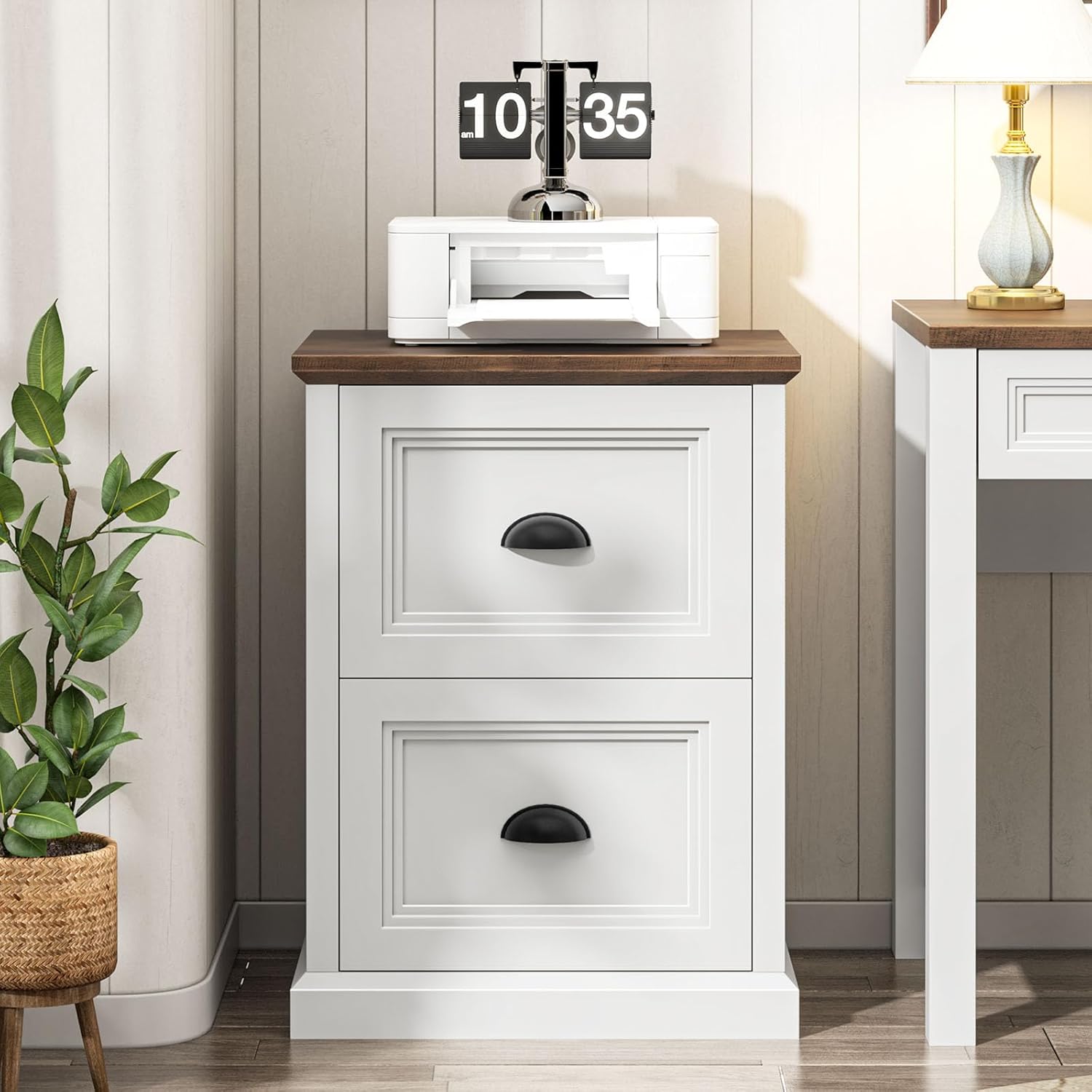
The Halitaa Vertical File Cabinet (Model DA0458) is a farmhouse-style storage solution designed for home offices. It features two file drawers and a spacious top panel, suitable for organizing documents and serving as a printer stand.
Key Features:
- Modern Farmhouse Design: Features a flying eaves top panel and a three-layer drawer front design.
- Ample Storage Space: Two file drawers accommodate A4/Letter-sized folders.
- Multi-functional: Can be used as a file cabinet, printer stand, or general storage.
- Sturdy and Durable: Constructed from high-quality engineered wood with a stable base and smooth metal three-section drawer slides.


3. Setup & Assembly
The Halitaa Vertical File Cabinet requires assembly. Detailed instructions and all necessary parts are included in the packaging.
Assembly Steps:
- Unpack all components and verify against the parts list provided in the instruction manual.
- Follow the step-by-step instructions carefully. All parts are labeled for easy identification.
- Assemble the frame of the cabinet, ensuring all connections are secure.
- Install the drawer slides and assemble the drawers.
- Attach the drawer fronts and handles.
- Secure the top panel.
- Install the anti-tip wall attachment kit as per the safety instructions to prevent accidental tipping.
Note: Assembly typically takes approximately 1.5 to 2 hours for one person.
4. Operating Instructions
Using the File Drawers:
- The two drawers are designed for hanging files.
- They support both Letter-sized and A4-sized folders.
- Adjust the metal rods inside the drawers to fit your preferred file size (Letter or A4).
- The drawers feature smooth metal three-section slides for full extension and easy access to contents.


Using as a Printer Stand:
- The sturdy top panel can support a printer or other office equipment.
- Ensure the weight of the items placed on top does not exceed the cabinet's capacity to maintain stability.

5. Maintenance
Cleaning:
- Wipe surfaces with a soft, damp cloth.
- Avoid using harsh chemicals or abrasive cleaners, as these can damage the finish.
- Dry immediately with a clean cloth to prevent water spots.
General Care:
- Periodically check all screws and fasteners to ensure they are tight. Tighten if necessary.
- Avoid exposing the cabinet to direct sunlight or extreme temperature changes, which can cause warping or fading.
- Do not place hot items directly on the surface; use coasters or protective pads.
6. Troubleshooting
Common Issues and Solutions:
- Drawers not sliding smoothly:
- Check if the drawer slides are properly aligned and free of obstructions.
- Ensure the drawers are not overloaded.
- Verify that all screws securing the slides are tight.
- Cabinet feels unstable:
- Confirm that the cabinet is placed on a level surface.
- Ensure the anti-tip wall attachment kit is correctly installed and secured to a wall stud.
- Check all assembly fasteners for tightness.
- Missing parts during assembly:
- Carefully re-check all packaging materials.
- Contact Halitaa customer support for assistance (see Warranty & Support section).
7. Specifications
| Feature | Detail |
|---|---|
| Brand | Halitaa |
| Model Number | DA0458 |
| Color | White |
| Material | Engineered Wood |
| Product Dimensions (D x W x H) | 15.75"D x 19.75"W x 26.1"H |
| Number of Drawers | 2 |
| File Sizes Supported | Letter, A4 |
| Assembly Required | Yes |
| Mounting Type | Floor Mount (with wall attachment option) |

8. Warranty & Support
For any questions regarding assembly, missing parts, or product performance, please contact Halitaa customer support.
While specific warranty details are not provided in this manual, Halitaa is committed to customer satisfaction. Please retain your proof of purchase for any warranty claims.
You can visit the official Halitaa store for more information and support: Halitaa Store on Amazon