
LE-IDEA IDEA12GPS
LE-IDEA IDEA12GPS Drone User Manual
Model: IDEA12GPS
1. Introduction
This manual provides essential instructions for the safe operation and maintenance of your LE-IDEA IDEA12GPS Drone. Please read this manual thoroughly before first use and retain it for future reference.
2. Package Contents
Verify that all items listed below are included in your package:
- 1x Drone
- 1x Remote Control
- 1x Modular Battery
- 4x Propeller (Spare)
- 4x Propeller Guards
- 1x Screwdriver
- 1x Type-C Charging Cable
- 1x Instruction Manual
- 1x Carrying Case

Image: All components included in the LE-IDEA IDEA12GPS drone package, neatly arranged in a carrying case.
3. Product Overview
The LE-IDEA IDEA12GPS is a foldable drone equipped with a 4K camera and advanced flight features, designed for both beginners and experienced users.

Image: The LE-IDEA IDEA12GPS drone in both folded and unfolded states, alongside its remote control with a smartphone mounted.
3.1. Drone Features
- Foldable Design: Compact and portable for easy transport.
- 4K HD Camera: Captures high-resolution photos and videos with a 90° electrically adjustable lens.
- Brushless Motors: Provides powerful propulsion, exceptional flight stability, and quiet operation.
- GPS and Optical Flow Positioning: Ensures stable flight and precise hovering.
- Modular Battery: Easy to swap for extended flight time.

Image: The LE-IDEA IDEA12GPS drone in flight, highlighting its 4K HD camera with a 90° motorized adjustable lens.

Image: Close-up view of the drone's propeller guards for protection and the brushless motor for efficient flight.
3.2. Remote Control
The remote control allows for precise manipulation of the drone and features a mount for your smartphone to view real-time footage.
4. Setup Guide
4.1. Unfolding the Drone
- Gently unfold the drone arms until they lock into position.
- Ensure all propellers are securely attached and free from obstruction.
4.2. Battery Installation and Charging
- Insert the modular battery into the drone until it clicks into place.
- To charge, remove the battery and connect it to the provided Type-C charging cable. Connect the cable to a USB power source (not included).
- The battery indicator lights will show charging status and turn off when fully charged.

Image: The modular battery being inserted into the drone, with the Type-C charging cable shown separately.
4.3. Remote Control Setup
- Install 3x AAA batteries (not included) into the remote control.
- Extend the phone mount on the remote control and securely place your smartphone.
4.4. App Download and Connection
- Scan the QR code in the included instruction manual to download the official LE-IDEA drone app.
- Turn on the drone and the remote control.
- On your smartphone, connect to the drone's Wi-Fi network (usually named 'LE-IDEA-XXXXXX').
- Open the app to establish a connection and view the live camera feed.
4.5. Calibration
Before each flight, especially in a new environment, it is crucial to calibrate the drone for stable operation:
- Place the drone on a flat, level surface.
- Follow the calibration instructions within the app or refer to the detailed steps in the printed manual. This typically involves specific movements of the remote control sticks to calibrate the gyroscope and compass.
5. Operating Instructions
5.1. Basic Flight Controls
- One-Key Take-off/Landing: Press the designated button on the remote control or in the app for automatic take-off or landing.
- Throttle Stick (Left): Controls altitude (up/down) and rotation (left/right).
- Directional Stick (Right): Controls forward/backward and left/right movement.
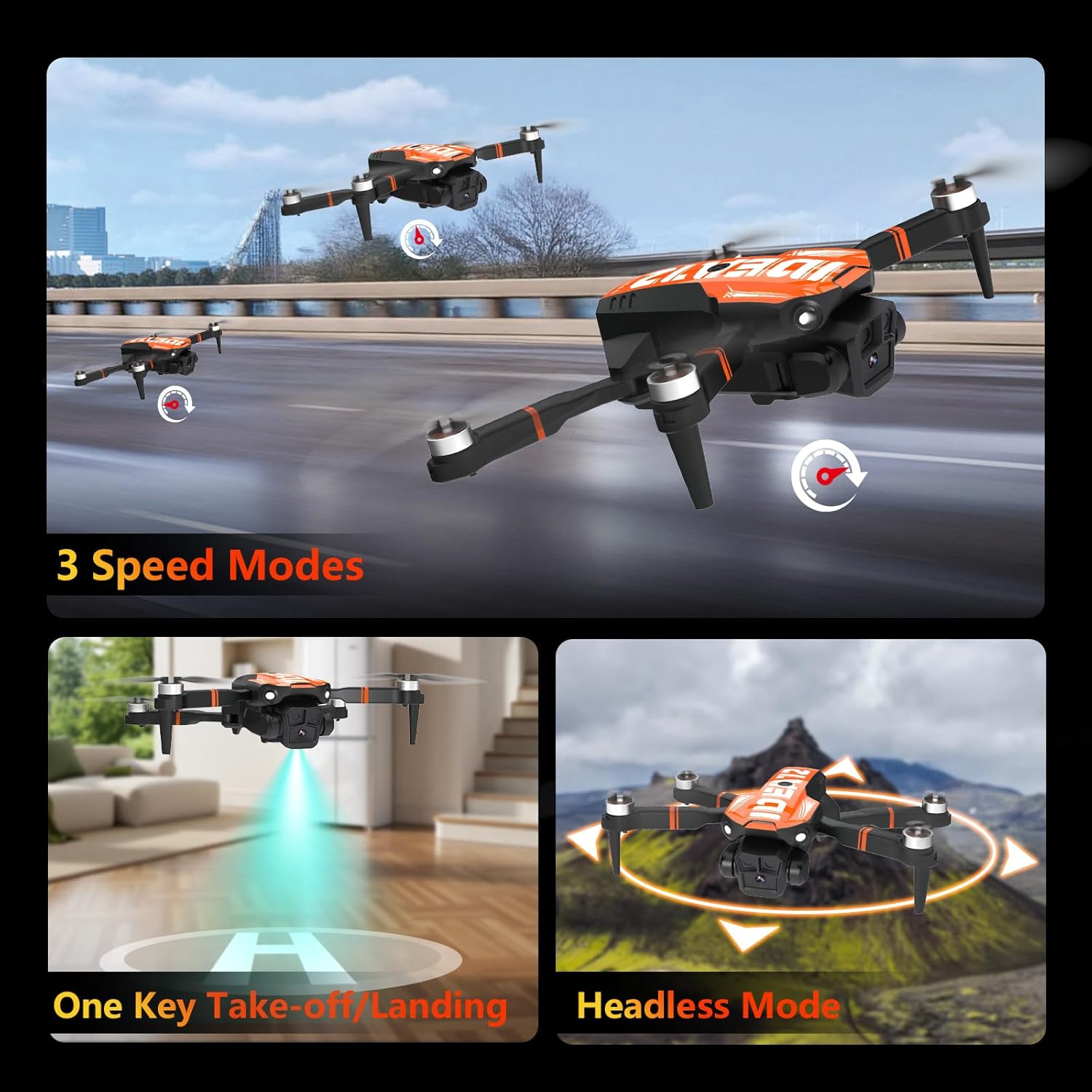
Image: The drone performing a one-key take-off, illustrating its ease of use and Headless Mode functionality.
5.2. Intelligent Flight Modes
- GPS Auto Return: The drone automatically returns to its take-off point in case of signal loss, low battery, or by pressing the one-key return button.
- Follow Me: The drone locks onto and tracks your movements, capturing dynamic footage.
- Waypoint Flight: Plan a custom flight path on the app for autonomous navigation.
- Point of Interest: The drone circles smoothly around a designated subject, capturing footage from various angles.
- Headless Mode: Simplifies flight by aligning controls with the pilot's orientation, regardless of the drone's front direction.
- 3 Speed Modes: Adjust flight speed for different scenarios, from stable cruising to dynamic maneuvers.
- 3D Flip: Execute 360° aerial flips with a dedicated button for impressive flight shows.

Image: Visual representation of the drone's intelligent flight functions, including Waypoint Flight, Circle Flight, and Follow Me mode.
6. Maintenance
6.1. Battery Care
- Always use the provided charging cable.
- Do not overcharge or completely drain the battery.
- Store batteries in a cool, dry place away from direct sunlight.
6.2. Propeller Care
- Regularly inspect propellers for damage (cracks, bends).
- Replace damaged propellers immediately using the provided spares and screwdriver. Ensure correct propeller (A or B) is installed on the corresponding motor.
- Attach propeller guards for added protection, especially during initial flights.
6.3. General Cleaning
- Wipe the drone body with a soft, dry cloth.
- Avoid using harsh chemicals or solvents.
7. Troubleshooting
| Problem | Possible Cause | Solution |
|---|---|---|
| Drone does not take off or flies erratically. | Improper calibration, damaged propellers, low battery. | Perform gyroscope and compass calibration. Check and replace damaged propellers. Ensure battery is fully charged. |
| Cannot connect to the drone's Wi-Fi. | Drone not powered on, incorrect Wi-Fi selected, app issue. | Ensure drone is powered on. Select the correct Wi-Fi network. Restart the app and try again. |
| Remote control not responding. | Remote control batteries low/dead, not paired with drone. | Replace remote control batteries. Re-pair the remote control with the drone (refer to manual for pairing steps). |
| Poor video quality or lag. | Weak Wi-Fi signal, environmental interference. | Fly in an open area with minimal Wi-Fi interference. Ensure your smartphone is close to the remote control. |
8. Specifications
| Feature | Detail |
|---|---|
| Brand | LE-IDEA |
| Model Name | IDEA12GPS |
| Special Feature | 360 Degree Flip |
| Color | Orange |
| Video Capture Resolution | 4K |
| Connectivity Technology | Wi-Fi |
| Skill Level | All |
| Video Capture Format | MP4 |
| Control Type | Remote Control |
| Material | Plastic |
| Wireless Communication Technology | Wi-Fi |
| Battery Cell Composition | Lithium Polymer |
| Item Weight | 1.17 pounds |
| Product Dimensions | 7"L x 6.3"W x 2.36"H |
| Optical Sensor Technology | Optical Flow |
9. Warranty and Support
For any issues, questions, or assistance with your LE-IDEA IDEA12GPS Drone, please contact TTROARDS Customer Support. Our dedicated team is available to provide comprehensive and personalized assistance.
Related documentsIDEA12GPS

Ask a question about this manual
Ask about setup, troubleshooting, compatibility, parts, safety, or missing instructions. Manuals+ will review the question and use this page’s manual context to help answer it.