
Transformers G1905
Transformers Studio Series Nemesis Prime G1905 Instruction Manual
Brand: Transformers | Model: G1905
Introduction
This manual provides detailed instructions for the Transformers Studio Series Nemesis Prime action figure, model G1905. This 8.5-inch (21.5 cm) Leader Class figure converts between robot and truck modes, featuring movie-inspired details and multiple accessories. Please read these instructions carefully to ensure proper handling and enjoyment of your figure.
Safety Information
WARNING: Small parts may be generated. Not for children under 3 years. Adult supervision is recommended for younger users (ages 8+).
Key Features
- Movie-Inspired Design: Features deco and details inspired by the Transformers: The Last Knight movie.
- Leader Class Size: Stands approximately 8.5 inches (21.5 cm) tall in robot mode.
- Dual Modes: Converts between robot and truck modes in 46 steps.
- Multiple Accessories: Includes a sword, shield, blaster, and arm blade, all attachable in both modes.
- Articulated for Display: Designed with articulation for dynamic posing and play.
Setup and Unboxing
Upon opening the package, carefully remove the Nemesis Prime figure and its accessories. Ensure all components are present and undamaged.
Included Components:
- 1x Nemesis Prime Action Figure
- 1x Sword Accessory
- 1x Shield Accessory
- 1x Blaster Accessory
- 1x Arm Blade Accessory
- 1x Instruction Manual (this document)

Figure packaging, displaying the Nemesis Prime robot and truck modes.
Operating Instructions
Robot Mode and Accessories
The Nemesis Prime figure comes pre-assembled in robot mode. You can equip the figure with its various accessories for display or play.
- Sword and Shield: The sword can be held in either hand. The shield can be attached to the forearm or back.
- Blaster and Arm Blade: The blaster can be held in either hand. The arm blade can be attached to the forearm.
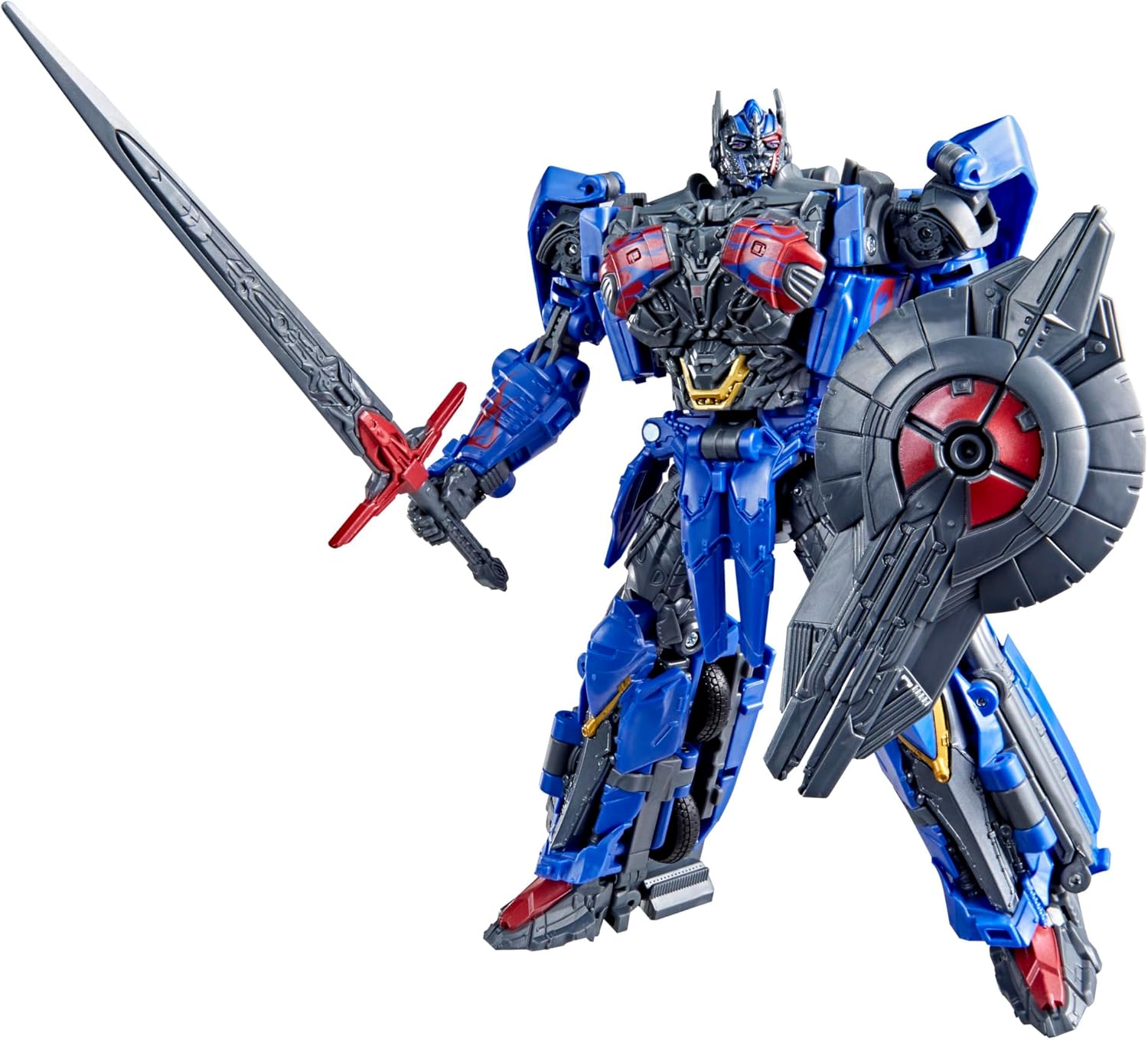
Nemesis Prime in robot mode, equipped with sword and shield.

Nemesis Prime in robot mode, equipped with blaster and arm blade.
Transformation: Robot to Truck Mode (46 Steps)
The Nemesis Prime figure can be converted from its robot form to a truck vehicle mode. This transformation involves 46 distinct steps. Refer to the detailed visual instructions provided on the product packaging or the included physical instruction sheet for precise guidance.
- Begin with the figure in robot mode.
- Carefully detach all accessories (sword, shield, blaster, arm blade). These will be reattached or stored during the transformation.
- Follow the numbered steps, typically involving folding, rotating, and collapsing various panels and limbs to form the truck chassis.
- Ensure all parts are securely tabbed into place to form a solid vehicle mode.
- Reattach or store accessories as indicated in the specific transformation guide.

Visual guide for the 46-step transformation process (refer to physical instructions for full detail).
Truck Mode
Once transformed, the figure will be in its truck vehicle mode, ready for display or imaginative play.
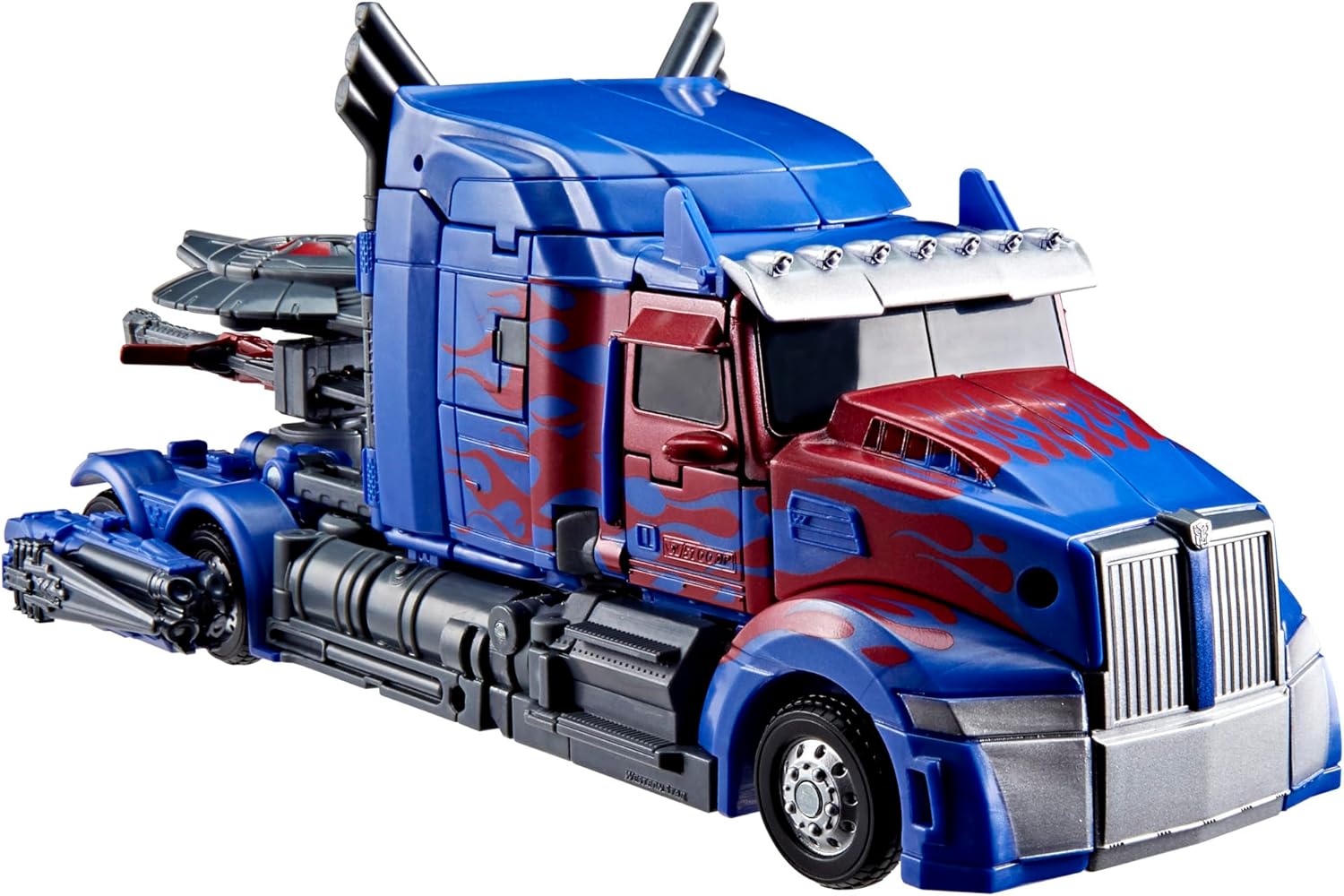
Nemesis Prime in its truck vehicle mode.
Care and Maintenance
- Cleaning: Use a soft, dry cloth to gently wipe dust from the figure. Avoid abrasive cleaners or harsh chemicals, as these can damage the paint or plastic.
- Storage: Store the figure away from direct sunlight, extreme temperatures, and high humidity to prevent discoloration or material degradation.
- Handling: When transforming or posing, apply gentle, even pressure. Avoid forcing parts, as this can lead to breakage.
Troubleshooting
If you encounter difficulties with your Nemesis Prime figure, consider the following:
- Transformation Issues: If parts do not align or move smoothly during transformation, re-examine the specific step in the instruction guide. Ensure all previous steps were completed correctly and that no parts are obstructed.
- Loose Joints: Over time, some joints may become slightly loose. This is generally normal with articulated figures.
- Missing Parts: If any components were missing upon unboxing, please contact customer support immediately.
Product Specifications
| Brand | Transformers |
| Model Name | GEN STUDIO SERIES LDR TF5 NEM PRIME (G1905) |
| Figure Height (Robot Mode) | Approximately 8.5 inches (21.5 cm) |
| Transformation Steps | 46 steps (Robot to Truck) |
| Material | Plastic |
| Item Weight | 0.41 Kilograms |
| Item Dimensions (LxWxH) | 9.02 x 4.02 x 10 inches |
| Manufacturer | Hasbro |
| Recommended Age | 8 years and up |
Warranty and Support
This Transformers figure is manufactured by Hasbro. For information regarding product warranty, replacement parts, or customer support, please refer to the official Hasbro website or contact their customer service department directly.
You can often find support information on the manufacturer's official website: Hasbro Customer Service
Related documentsG1905


Ask a question about this manual
Ask about setup, troubleshooting, compatibility, parts, safety, or missing instructions. Manuals+ will review the question and use this page’s manual context to help answer it.