
WSTER WS-580
WSTER WS-580 Futuristic Truck Bluetooth Speaker User Manual
Model: WS-580
Introduction
Welcome to the user manual for your WSTER WS-580 Futuristic Truck Bluetooth Speaker. This device combines high-definition audio performance with a unique, eye-catching design inspired by modern electric trucks. It features Bluetooth 5.4 connectivity, TWS pairing for stereo sound, multiple playback options (USB, TF card, FM radio), hands-free calling, and vibrant LED party lights. This manual will guide you through the setup, operation, maintenance, and troubleshooting of your new speaker, ensuring you get the most out of its advanced features.
Important Safety Information
- Do not expose the speaker to extreme temperatures, direct sunlight, or high humidity.
- Avoid dropping or subjecting the speaker to strong impacts.
- Do not disassemble or attempt to repair the speaker yourself. Refer all servicing to qualified personnel.
- Keep the speaker away from water and other liquids.
- Use only the provided charging cable or a certified Type-C cable for charging.
- Clean the speaker with a soft, dry cloth. Do not use abrasive cleaners or solvents.
Package Contents
- WSTER WS-580 Bluetooth Speaker
- Power Cable
- Quick Start Guide
Product Overview
The WS-580 speaker is designed in the shape of a futuristic truck, featuring a sleek gray finish and movable wheels. Its robust construction ensures durability, while the integrated display screen and LED lights enhance its aesthetic and functional appeal.
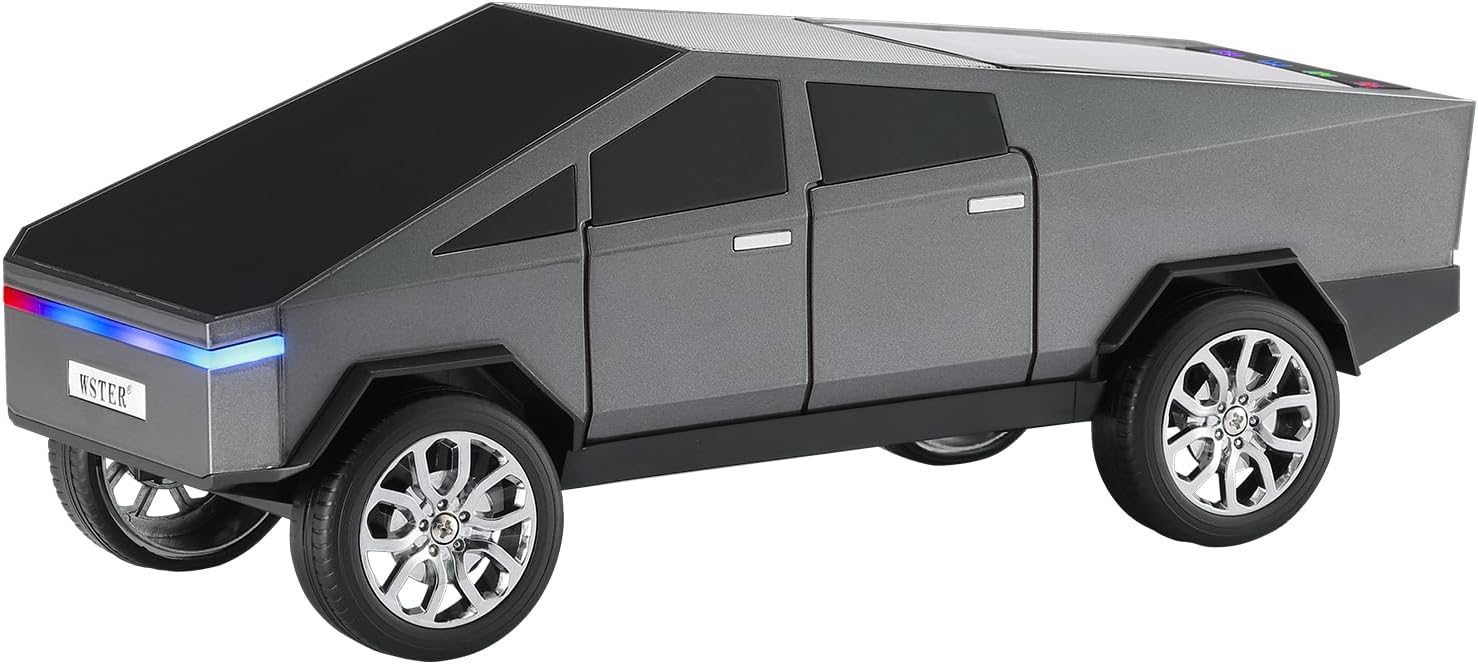
Front-side view of the WSTER WS-580 speaker, showcasing its futuristic truck design and gray finish.
Controls and Ports
Familiarize yourself with the various controls and ports on your WS-580 speaker for optimal use.

Detailed rear view of the WS-580 speaker, highlighting the display screen, charging port, TF card slot, and USB port.
| Component | Function |
|---|---|
| Display Screen | Shows mode, battery level, track information, and FM frequency. |
| Power Button / Mode (U/M) | Press and hold to power on/off. Short press to switch between Bluetooth, USB, TF card, and FM radio modes. |
| Play/Pause Button | Plays or pauses audio. Answers/ends calls. |
| Previous Track / Volume Down | Short press for previous track. Long press to decrease volume. |
| Next Track / Volume Up | Short press for next track. Long press to increase volume. |
| Charging Port (Type-C) | Connect the provided Type-C cable for charging. |
| TF Card Slot | Insert a TF (microSD) card for audio playback. |
| USB Port | Insert a USB flash drive for audio playback. |
| Built-in Microphone | For hands-free calling. |
Initial Setup
Charging the Speaker
Before first use, fully charge your WS-580 speaker. The display screen will indicate the charging status.
- Connect the provided Type-C charging cable to the charging port on the speaker.
- Connect the other end of the cable to a USB power adapter (not included) or a computer's USB port.
- The charging indicator on the display will show charging progress. Once fully charged, the indicator will change.
Powering On/Off
- To Power On: Press and hold the Power/Mode button for approximately 3 seconds until the display lights up and you hear a power-on prompt.
- To Power Off: Press and hold the Power/Mode button for approximately 3 seconds until the display turns off and you hear a power-off prompt.
Operating Instructions
Bluetooth Pairing
Connect your WS-580 speaker wirelessly to your smartphone, tablet, or other Bluetooth-enabled devices.

Illustration of the WS-580 speaker establishing a stable Bluetooth connection with a mobile device.
- Ensure the speaker is powered on and in Bluetooth mode. If not, short press the Power/Mode button until you hear the Bluetooth mode prompt. The display will show a Bluetooth icon, indicating it's ready for pairing.
- On your device, enable Bluetooth and search for available devices.
- Select "WS-580" from the list of found devices.
- Once connected, the speaker will confirm with an audio prompt, and the Bluetooth icon on the display will become solid.
TWS (True Wireless Stereo) Pairing
Pair two WS-580 speakers together for an immersive stereo sound experience.
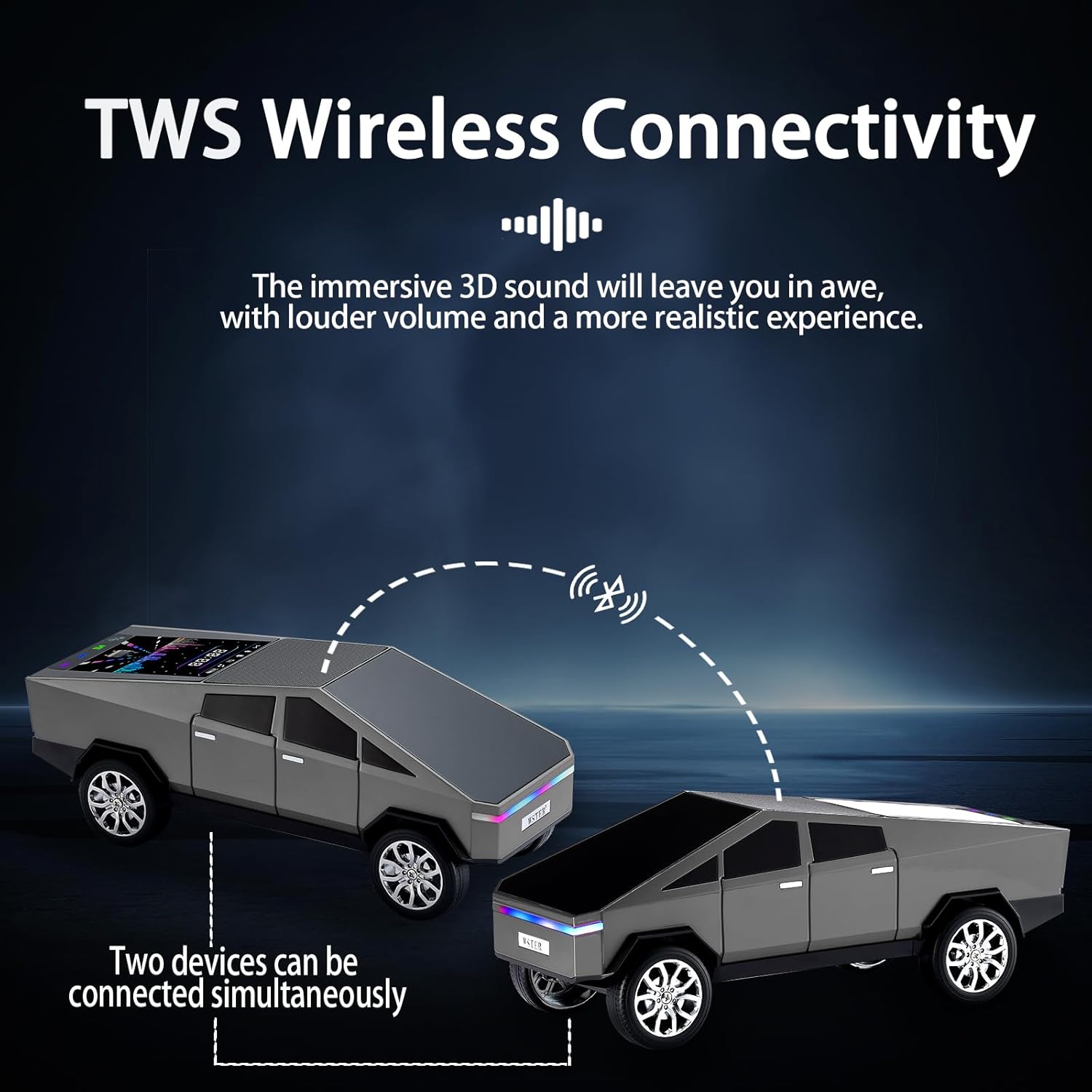
Diagram illustrating two WS-580 speakers wirelessly connected for True Wireless Stereo (TWS) playback.
- Ensure both WS-580 speakers are powered on and in Bluetooth mode, but not yet connected to any device.
- On one of the speakers (this will be the primary speaker), double-press the Play/Pause button. The speaker will enter TWS pairing mode.
- The two speakers will automatically search for and connect to each other. You will hear a confirmation tone once TWS pairing is successful.
- Now, connect your device to the primary WS-580 speaker via Bluetooth as described in the "Bluetooth Pairing" section. Audio will play through both speakers in stereo.
USB Playback
Play audio files directly from a USB flash drive.
- Insert a USB flash drive containing MP3 or other compatible audio files into the USB port.
- The speaker will automatically switch to USB mode and begin playing the first track. If not, short press the Power/Mode button to cycle to USB mode.
- Use the Previous/Next Track buttons to navigate through your music.
TF Card Playback
Play audio files directly from a TF (microSD) card.
- Insert a TF card containing MP3 or other compatible audio files into the TF card slot.
- The speaker will automatically switch to TF card mode and begin playing the first track. If not, short press the Power/Mode button to cycle to TF card mode.
- Use the Previous/Next Track buttons to navigate through your music.
FM Radio
Listen to your favorite FM radio stations.
- Short press the Power/Mode button to switch to FM radio mode. The display will show the FM frequency.
- Long press the Play/Pause button to initiate an automatic station scan. The speaker will scan and save available stations.
- Short press the Previous/Next Track buttons to switch between saved stations.
Hands-Free Calling
The built-in microphone allows you to take calls directly through the speaker when connected via Bluetooth.
- Answer Call: When an incoming call rings, short press the Play/Pause button to answer.
- End Call: During a call, short press the Play/Pause button to end the call.
- Reject Call: When an incoming call rings, long press the Play/Pause button to reject the call.
LED Party Light Control
The speaker features dynamic LED lights that pulse with the music.
- The LED lights automatically activate when the speaker is powered on.
- There is no specific button to turn the LED lights on/off independently. They are integrated with the speaker's operation.
Maintenance and Care
- Cleaning: Wipe the speaker's surface with a soft, dry, lint-free cloth. Do not use liquid cleaners, aerosols, or solvents.
- Storage: When not in use for extended periods, store the speaker in a cool, dry place away from direct sunlight and extreme temperatures.
- Battery Care: To prolong battery life, avoid fully discharging the speaker frequently. Charge it regularly, even if not in active use.
Troubleshooting
| Problem | Possible Cause | Solution |
|---|---|---|
| Speaker does not power on. | Battery is low or depleted. | Charge the speaker fully using the Type-C cable. |
| Cannot pair via Bluetooth. | Speaker is not in pairing mode or already connected to another device. Device's Bluetooth is off. | Ensure speaker is in Bluetooth pairing mode. Disconnect from other devices. Turn on Bluetooth on your device. Move speaker closer to device. |
| No sound from speaker. | Volume is too low. Speaker is paused. Incorrect mode selected. | Increase speaker and device volume. Press Play/Pause. Ensure correct input mode (Bluetooth, USB, TF, FM). |
| TWS pairing fails. | Speakers are too far apart. One speaker is already connected to a device. | Ensure both speakers are in TWS pairing mode and close to each other. Disconnect any existing Bluetooth connections before TWS pairing. |
| FM radio reception is poor. | Weak signal in the area. | Move the speaker to a location with better reception. |
Product Specifications
| Feature | Detail |
|---|---|
| Model Name | WS-580 |
| Connectivity Technology | Bluetooth, USB, FM |
| Speaker Type | Portable Speaker |
| Audio Output Mode | Stereo |
| Speaker Maximum Output Power | 15 Watts |
| Frequency Response | 18 KHz |
| Product Dimensions | 11.3"D x 4.49"W x 4.29"H |
| Item Weight | 2.12 pounds |
| Batteries | 2 x 12V batteries (included) |
| Special Features | LED Light, Lightweight, Built-in Microphone, USB Port, Display Screen |
| Color | Gray |
Warranty and Support
For warranty information and customer support, please refer to the details provided at the point of purchase or contact WSTER customer service through their official channels. Keep your purchase receipt as proof of purchase for any warranty claims.
For further assistance or technical inquiries, please visit the WSTER official website or contact their support team.
Related Documents - WS-580
 |
WS-858 Wireless Karaoke Microphone User Manual User manual for the WS-858 Wireless Karaoke Microphone by Wster, detailing setup, usage, recording, troubleshooting, charging, specifications, and FCC compliance. |
 |
WSTER Microphone Bluetooth Speaker Radio Test Report - FCC ID 2A4V9-9696 Comprehensive radio test report for the WSTER Microphone Bluetooth Speaker (FCC ID: 2A4V9-9696) by Shenzhen NTEK Testing Technology Co., Ltd., detailing compliance with FCC Part 15 Subpart C. |
 |
WS-1969 Bluetooth Audio Speaker User Manual Comprehensive user manual for the WS-1969 Bluetooth audio speaker by Dongguan Yingtong Electronic Technology Co., Ltd. Learn about charging, button functions, self-timer mode, TWS pairing, and FCC compliance. |
 |
Guide Installateur Bornes de Recharge Green'up Control Guide complet pour l'installation des bornes de recharge pour véhicules électriques Legrand Green'up Control. Découvrez les procédures de montage, raccordement, paramétrage et maintenance pour une installation sécurisée et optimale. |
 |
Mitsubishi Projection TV Owner's Guide: Models WS-48513 to WS-73713 Comprehensive owner's guide for Mitsubishi projection television models WS-48513, WS-48613, WS-55513, WS-55613, WS-55813, WS-65513, WS-65613, WS-65713, WS-65813, WS-73513, and WS-73713. Includes setup, connection, operation, and special features. |
 |
Legrand GREEN'UP CONTROL Charging Stations Installer Guide Comprehensive installer guide for Legrand GREEN'UP CONTROL charging stations for electric vehicles. Covers installation, configuration, safety, and maintenance for commercial and residential applications. |
Ask a question about this manual
Ask about setup, troubleshooting, compatibility, parts, safety, or missing instructions. Manuals+ will review the question and use this page’s manual context to help answer it.