
Introduction
Thank you for purchasing the AOGLLATI Storage Bed. This manual provides detailed instructions for assembly, operation, maintenance, and troubleshooting to ensure safe and efficient use of your new bed. Please read this manual thoroughly before assembly and retain it for future reference.
Safety Information
- Ensure all parts are present and undamaged before assembly. Do not use if any parts are missing or broken.
- Assemble the bed on a soft, clean surface to prevent scratches.
- Tighten all screws and bolts securely, but do not overtighten to avoid damaging the wood components.
- Regularly check and re-tighten all connections to maintain stability.
- Do not exceed the maximum weight recommendation of 660 pounds (approximately 300 kg).
- Keep children away from the assembly area. Small parts can be a choking hazard.
- For electrical components (USB ports, LED lighting), ensure proper power connection and avoid exposure to liquids.
Setup and Assembly
Assembly of the AOGLLATI Storage Bed is required. The bed is delivered in two packages for better protection. All necessary installation tools and detailed instructions are included. It is recommended to have two people for assembly.
Package Contents
Your bed will arrive in two separate packages. Please ensure you have received both before beginning assembly.
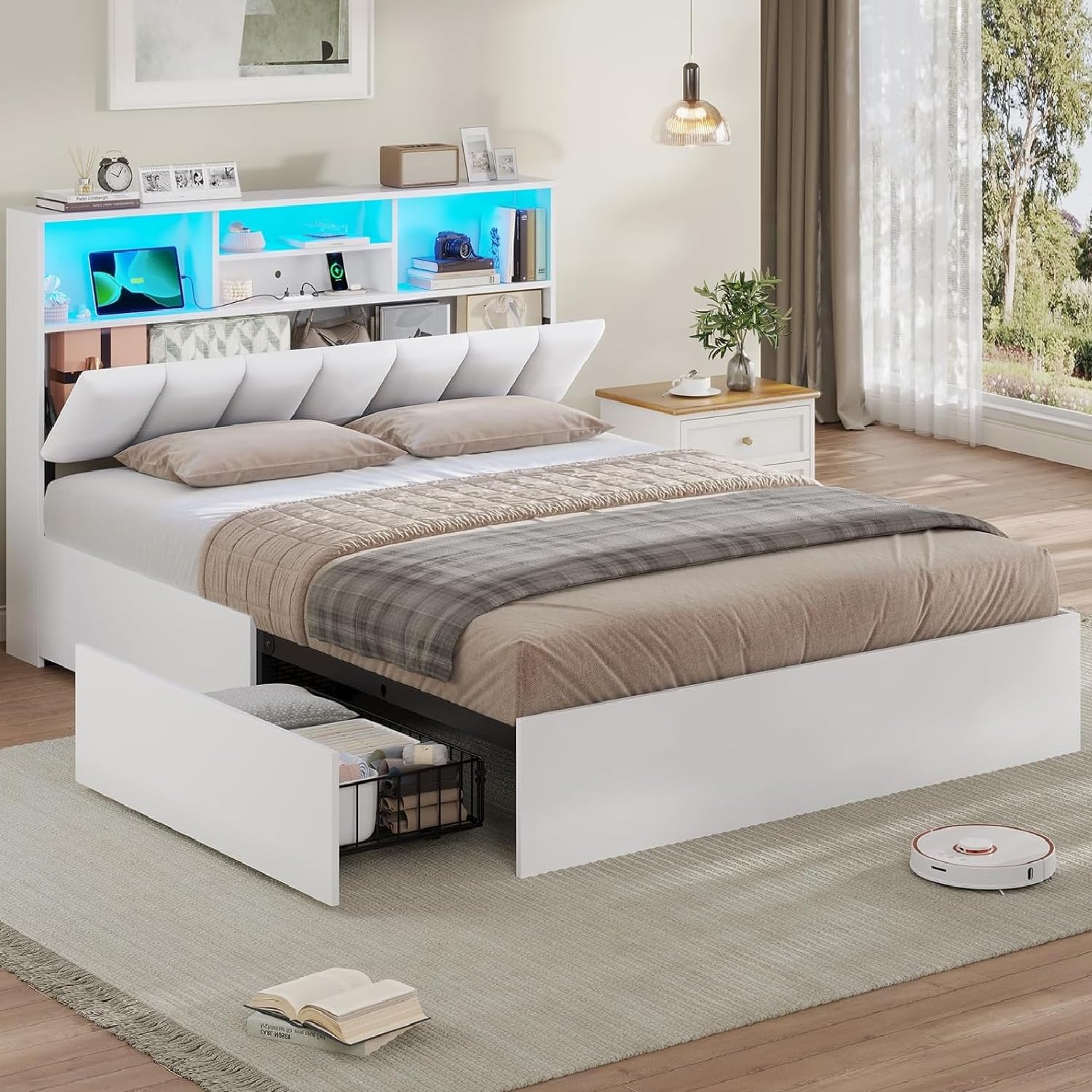
Image: The bed components are shipped in two distinct packages, labeled 1 and 2, to ensure safe delivery and protection of all parts.
Assembly Steps
- Unpack and Identify Parts: Carefully unpack all components from both packages. Refer to the included parts list to identify each piece.
- Assemble the Bed Frame: Follow the detailed instructions provided to connect the main frame components. The metal slats are designed for easy assembly and provide a robust structure.
- Install Headboard: Attach the upholstered headboard to the main frame.
- Integrate Storage Drawers: Assemble and install the four large storage drawers. Ensure the anti-slip locking clips are correctly positioned to prevent accidental movement.
- Connect Electrical Components: Install the LED lighting and connect the USB charging station according to the instructions.
- Final Check: Verify that all screws are tightened and the bed is stable before use.

Image: This illustration highlights the stable metal slat frame, designed for durability and easy assembly. It also shows the foam strip for noise reduction.
Note: While assembly is straightforward, some users have found certain steps challenging. Take your time and refer to the detailed instructions carefully. Be cautious not to overtighten screws, especially into engineered wood components, to prevent stripping.
Operating Instructions
LED Lighting System
The integrated LED lighting system offers multi-functional RGB illumination. It can be controlled via an app or remote control.
- Color Options: Choose from millions of colors to set the desired ambiance.
- Light Modes: Access over 30 different light modes, including dynamic effects.
- Time Mode: Set timers for the lights to turn on or off automatically.
- Music Mode: Synchronize the lights with music for an immersive experience.
- Microphone Mode: The lights can react to sounds detected by a microphone.

Image: This image demonstrates the multi-functional RGB LED lighting integrated into the headboard, highlighting its control options via app and remote, and various modes like millions of colors, 30 light modes, time, music, and microphone modes.
USB Charging Station
The headboard features a convenient charging station to power your devices.
- Ports: Includes 3 standard USB ports and 1 Type-C port.
- Power: Connect the integrated power cord to a wall outlet to activate the charging station.

Image: A close-up view of the practical charging station located on the headboard, featuring 3 USB ports and 1 Type-C port, along with its power cord connection.
Storage Features
The bed is designed with ample storage solutions to help keep your bedroom organized.
- Headboard Storage: The upholstered headboard includes three-level open shelves for daily necessities and concealed storage space for privacy.
- Under-Bed Drawers: Four large drawers are located under the bed, offering significant storage capacity. These drawers are equipped with silent pulleys for smooth operation and anti-slip locking clips to keep them securely in place.

Image: This view showcases the generous storage space within the headboard, featuring open shelves for easy access and hidden compartments for personal items.

Image: This illustration details the four large under-bed drawers, emphasizing their spacious design, silent pulleys for smooth movement, and anti-slip locking clips for secure positioning.
Care and Maintenance
Proper care will extend the life and appearance of your AOGLLATI Storage Bed. The bed is designed to be wear-resistant and easy to clean.
- Frame Cleaning: For the engineered wood and metal frame, wipe with a soft, damp cloth. Avoid harsh chemicals or abrasive cleaners.
- Upholstery Care: The PU upholstered headboard can be cleaned with a slightly damp cloth and mild soap if necessary. Blot spills immediately. Do not saturate the fabric.
- Drawer Maintenance: Periodically check the silent pulleys for smooth operation. Clean any dust or debris from the drawer tracks.
- Electrical Components: Keep USB ports and LED lighting free from dust. Do not attempt to clean with liquids while connected to power.
- Hardware Check: Regularly inspect all bolts and screws and re-tighten them as needed to ensure the bed remains stable and secure.

Image: This graphic highlights the bed's key features: comfort, wear resistance, and ease of cleaning, ensuring long-term usability and aesthetic appeal.
Troubleshooting
This section addresses common issues you might encounter with your AOGLLATI Storage Bed.
| Problem | Possible Cause | Solution |
|---|---|---|
| Bed feels shaky or unstable. | Loose screws or bolts; improper assembly. | Check all connections and tighten any loose screws or bolts. Ensure all components are correctly aligned as per the assembly instructions. Avoid overtightening into wood parts. |
| Squeaking or noise from the bed frame. | Loose connections; friction between metal parts. | Re-tighten all frame connections. Ensure the foam strip provided during assembly is correctly placed between metal slats and the frame to reduce noise. |
| Drawers do not slide smoothly or fall out. | Debris in tracks; anti-slip clips not engaged; damaged pulleys. | Clean drawer tracks of any dust or obstructions. Verify that the anti-slip locking clips are properly engaged. Inspect pulleys for damage and contact customer support if necessary. |
| LED lights not working. | Power cord disconnected; remote/app issue; faulty LED strip. | Ensure the LED power cord is securely plugged into a working outlet. Check remote control batteries or app connection. If issues persist, contact customer support. |
| USB ports not charging devices. | Power cord disconnected; device compatibility; faulty port. | Verify the charging station's power cord is plugged in. Test with different devices and cables. If a specific port is not working, contact customer support. |
Product Specifications
| Brand | AOGLLATI |
| Model Number | AG-Bed-1 |
| Size | 140 x 200 cm (Double Bed) |
| Color | White |
| Material Type | Engineered Wood, Metal, PU Upholstery |
| Product Dimensions (L x W x H) | 84.65" x 56.3" x 40.75" (215 cm x 143 cm x 103.5 cm) |
| Item Weight | 43.8 Kilograms (approx. 96.5 lbs) |
| Maximum Weight Recommendation | 660 Pounds (approx. 300 kg) |
| Special Features | 4 large drawers, USB charging station (3 USB, 1 Type-C), Concealed storage space, Upholstered Headboard, RGB LED Lighting, Metal Frame |
| Included Components | Bed frame, 4 large drawers, Detailed instructions, LED Light, USB Ports, Installation tools |
| Assembly Required | Yes |

Image: A comprehensive diagram illustrating the dimensions of the AOGLLATI Storage Bed, including the headboard, frame, and drawer measurements.
Customer Support
If you have any questions, require assistance with assembly, or encounter any issues not covered in this manual, please contact AOGLLATI customer support. Refer to your purchase documentation for specific contact details or visit the official AOGLLATI store page on Amazon.
For the latest support information, please visit: AOGLLATI Amazon Store