
1. Introduction
Thank you for purchasing the WSTER WS-580 Bluetooth Pickup Truck Portable Speaker. This device combines a unique truck design with advanced audio features, including HD sound, TWS pairing, FM radio, and hands-free calling. Please read this manual carefully to ensure proper use and optimal performance.

Image 1: The WSTER WS-580 Bluetooth Pickup Truck Portable Speaker in red.
2. What's in the Box
- WS-580 Bluetooth Pickup Truck Portable Speaker
- Power Cable
- Quick Start Guide
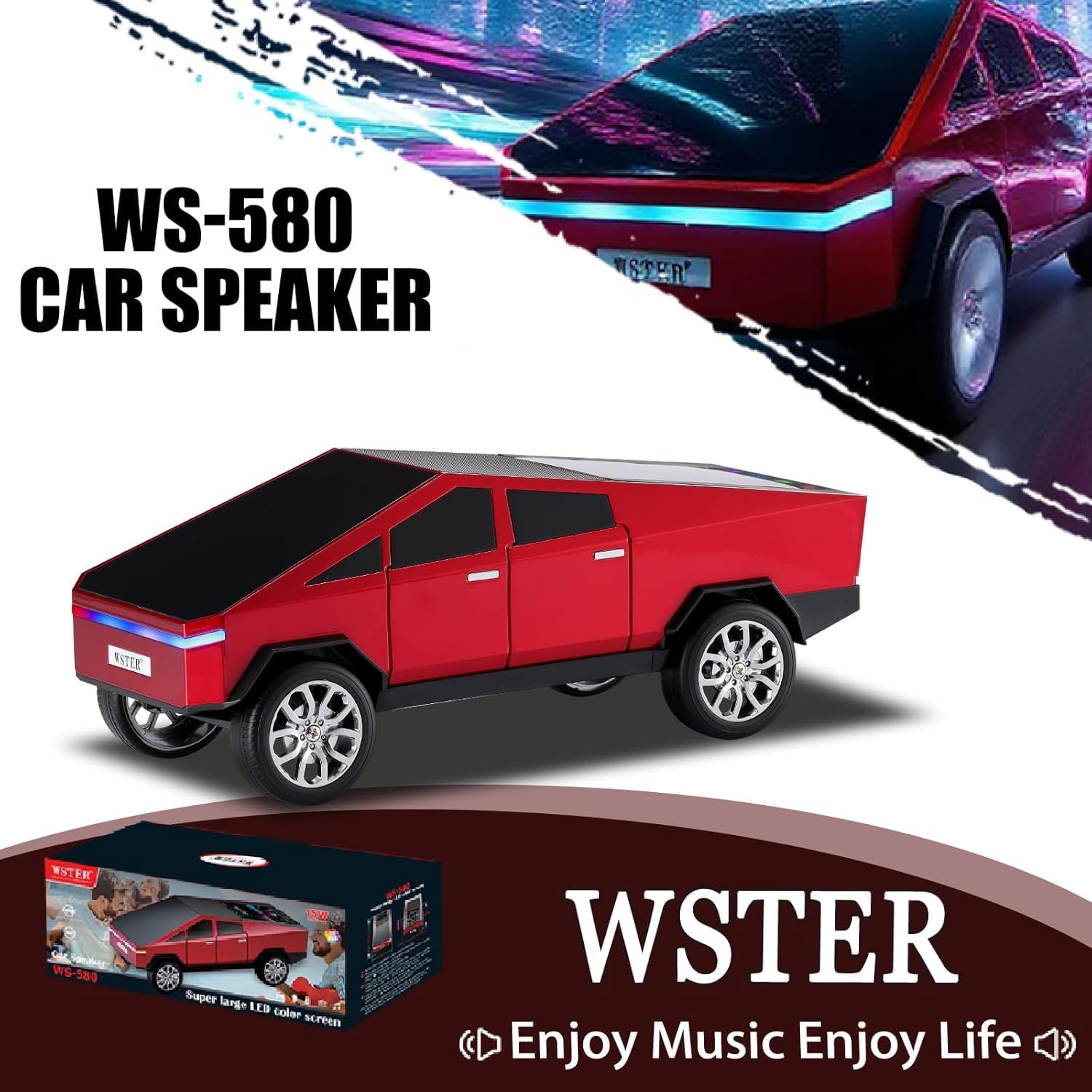
Image 2: The speaker, power cable, and quick start guide as packaged.
3. Product Overview
The WS-580 speaker features a unique truck design with an integrated display screen and intuitive controls. It supports multiple audio sources and offers versatile functionality.

Image 3: Detailed view of the speaker's control panel and ports.
Key Features:
- Futuristic Truck Design with Display Screen: Enhances visual appeal and usability.
- HD Sound & TWS Pairing: Delivers clear audio and allows two units to pair for stereo sound.
- Multi-Source Music Playback: Supports Bluetooth, USB flash drive, TF card, and FM radio.
- Hands-Free Calling: Built-in microphone for convenient call management.
- LED Party Light: Dynamic lighting effects that synchronize with music.
- Movable Wheels: Adds to the aesthetic and portability.
4. Setup
4.1 Charging the Speaker
- Connect the provided power cable to the charging port on the speaker.
- Plug the other end of the cable into a compatible USB power adapter (not included).
- The display will indicate charging status. Allow sufficient time for a full charge before first use.
4.2 Power On/Off
- To power on, press and hold the power button (usually indicated by a power symbol) until the display lights up and you hear a startup sound.
- To power off, press and hold the power button again until the display turns off and you hear a shutdown sound.
Video 1: Demonstrates powering on and off the speaker, along with basic function controls.
5. Operating Instructions
5.1 Bluetooth Connection
- Ensure the speaker is powered on and in Bluetooth mode (the display should show "BLUE").
- On your mobile phone or tablet, enable Bluetooth and search for available devices.
- Select "WS-580" from the list to pair. A confirmation sound will indicate a successful connection.

Image 4: Visual guide for connecting via Bluetooth.
5.2 Playing Music
- Play/Pause: Briefly press the Play/Pause button.
- Volume Up: Press and hold the Next Track button.
- Volume Down: Press and hold the Previous Track button.
- Next Track: Briefly press the Next Track button.
- Previous Track: Briefly press the Previous Track button.
5.3 Mode Switching
Briefly press the Mode button (often labeled 'M' or integrated with the power button) to cycle through available modes: Bluetooth, FM Radio, USB, TF Card, and Audio Recording (if applicable).
5.4 FM Radio Operation
- Switch to FM Radio mode.
- To automatically search and save channels, press and hold the Play/Pause button. The speaker will scan and store available stations.
- Use the Next/Previous Track buttons to navigate between saved stations.
5.5 Hands-Free Calling
- When a call comes in, briefly press the Play/Pause button to answer.
- During a call, briefly pressing the Play/Pause button switches between mobile phone answering and speaker answering.
- To end a call, press and hold the Play/Pause button.
5.6 TWS (True Wireless Stereo) Pairing
To achieve stereo sound, you can pair two WS-580 speakers together:
- Ensure both WS-580 speakers are powered on and in Bluetooth mode, but not connected to any device.
- Double-click the Play/Pause button on one of the speakers. You will hear a "beep" sound.
- The two speakers will automatically connect to each other. Once paired, they will function as a single stereo unit.
- Connect your mobile device to one of the paired speakers via Bluetooth.

Image 5: Two WS-580 speakers demonstrating TWS pairing for enhanced audio.
5.7 LED Party Light
The speaker features dynamic LED lights that can enhance your listening experience. The lights typically synchronize with the music playback. No specific controls are usually needed for this feature as it operates automatically.
6. Maintenance
- Keep the speaker away from water and excessive moisture.
- Avoid exposing the speaker to extreme temperatures.
- Clean the speaker with a soft, dry cloth. Do not use abrasive cleaners or solvents.
- Store the speaker in a cool, dry place when not in use.
7. Troubleshooting
- No Power: Ensure the speaker is charged. Connect it to a power source and try again.
- No Sound: Check the volume level on both the speaker and your connected device. Ensure the device is properly paired via Bluetooth or the correct input mode is selected.
- Bluetooth Disconnection: Ensure the speaker and your device are within the effective Bluetooth range (typically 10 meters/33 feet). Avoid obstacles that may interfere with the signal. Try re-pairing the device.
- FM Radio Poor Reception: Try repositioning the speaker to improve signal reception.
- TWS Pairing Issues: Ensure both speakers are fully charged and not connected to any other Bluetooth device before attempting TWS pairing.
8. Specifications
| Feature | Specification |
|---|---|
| Model Number | WS-580 |
| Brand | WSTER |
| Connectivity Technology | Bluetooth |
| Power Source | Battery Powered (2 Nonstandard Battery batteries included) |
| Material | Acrylonitrile Butadiene Styrene (ABS) |
| Item Weight | 810 Grams (1.79 pounds) |
| Product Dimensions (L x W x H) | 11.3 x 4.49 x 4.29 inches |
| Frequency Response | 18 KHz |
| Number of Channels | 1 |
| Compatible Devices | Smartphone |

Image 6: Dimensions of the WS-580 speaker.
9. Warranty and Support
For warranty information or technical support, please refer to the contact details provided with your purchase or visit the official WSTER website. Keep your purchase receipt for warranty claims.
10. Additional Product Views
Video 2: A demonstration of the WSTER WS-580 speaker in a silver finish, highlighting its design and display.
