Introduction
Thank you for choosing the Vieta Pro Silence 4 Hybrid ANC Bluetooth Headphones. This manual provides essential information for setting up, operating, and maintaining your headphones to ensure optimal performance and longevity. Please read these instructions carefully before use.
What's in the Box
Verify that all the following items are included in your package:
- Vieta Pro Silence 4 Headphones
- USB-C Charging Cable
- 3.5mm Audio Cable
- User Manual
Product Overview
The Vieta Pro Silence 4 headphones are designed for comfort and superior audio experience, featuring Hybrid Active Noise Cancellation, Bluetooth 5.4 connectivity, and a long-lasting battery. They are foldable for easy portability and include a built-in microphone for calls.

Image: Overview of Vieta Pro Silence 4 headphones highlighting key features like Bluetooth 5.4, 50-hour battery life, low latency mode, USB-C charging, dual connection, foldable design, integrated microphone, and Hybrid ANC up to -35dB.

Image: Close-up of the Vieta Pro Silence 4 headphones emphasizing the 50-hour battery life and ultra-comfortable earpads.
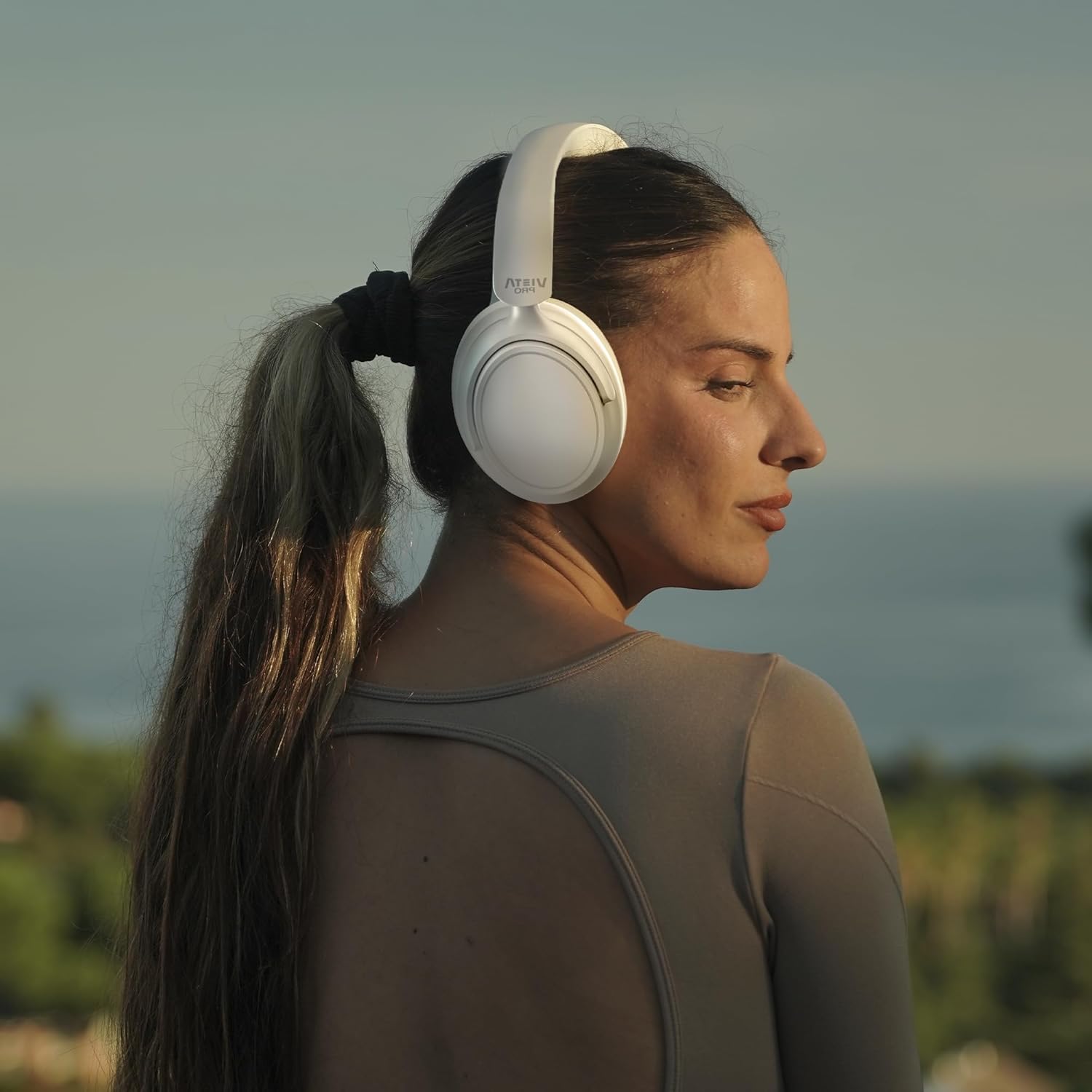
Image: A person wearing the Vieta Pro Silence 4 headphones, demonstrating their comfortable fit and design during outdoor use.
Setup
1. Charging the Headphones
Before first use, fully charge your headphones. Connect the provided USB-C cable to the charging port on the headphones and the other end to a USB power source (e.g., computer, wall adapter). The LED indicator will show charging status and turn off or change color when fully charged.
2. Powering On/Off
- To Power On: Press and hold the Power button for approximately 3 seconds until the LED indicator lights up.
- To Power Off: Press and hold the Power button for approximately 5 seconds until the LED indicator turns off.
3. Bluetooth Pairing
- Ensure the headphones are powered off.
- Press and hold the Power button for about 5-7 seconds until the LED indicator flashes blue and red, indicating pairing mode.
- On your device (smartphone, tablet, PC), enable Bluetooth and search for available devices.
- Select "Vieta Pro Silence 4" from the list of devices.
- Once connected, the LED indicator will flash blue slowly or remain solid blue.
4. Dual Pairing
The Silence 4 headphones support dual pairing, allowing connection to two devices simultaneously (e.g., phone and PC). After pairing with the first device, put the headphones back into pairing mode and connect to the second device. The headphones will intelligently switch between devices based on audio playback.
Operating
Active Noise Cancellation (ANC) & Transparency Mode
The Hybrid ANC feature isolates external noise, while Transparency Mode allows you to hear your surroundings without removing the headphones.
- Activate ANC: Press the ANC button once.
- Activate Transparency Mode: Press the ANC button again.
- Deactivate: Press the ANC button a third time to return to normal mode.
Low Latency Mode
For gaming or video playback, activate Low Latency Mode to minimize audio delay.
- Activate/Deactivate: Refer to the specific button on your headphones or use the Vieta Pro Audio App.
Vieta Pro Audio App
Enhance your experience by downloading the Vieta Pro Audio App. The app allows for sound customization (EQ), mode switching, and other settings.

Image: Screenshot of the Vieta Pro Audio App, showing options for EQ, device finding, and game mode settings.
Basic Controls (General)
The headphones feature intuitive controls, typically located on the earcups:
- Volume Up/Down: Short press +/- buttons.
- Next/Previous Track: Long press +/- buttons.
- Play/Pause: Single press the Multi-function button.
- Answer/End Call: Single press the Multi-function button.
- Reject Call: Long press the Multi-function button.
Auxiliary Connection
For wired listening, connect the provided 3.5mm audio cable to the headphone's AUX port and your audio source. This mode does not require battery power.
Maintenance
- Cleaning: Use a soft, dry cloth to clean the headphones. Do not use harsh chemicals or abrasive materials.
- Storage: When not in use, store the headphones in a cool, dry place. The foldable design allows for compact storage.
- Battery Care: To preserve battery life, avoid fully discharging the headphones frequently. Charge them regularly, even if not in constant use.
- Water Resistance: The headphones are water-resistant. Avoid submerging them in water or exposing them to heavy rain.
Troubleshooting
| Problem | Possible Solution |
|---|---|
| Headphones do not power on. | Ensure the headphones are charged. Connect to a power source using the USB-C cable. |
| Cannot pair with a device. | Ensure headphones are in pairing mode (flashing blue/red LED). Turn off and on Bluetooth on your device. Move closer to the device. |
| No sound or low volume. | Check headphone and device volume levels. Ensure headphones are correctly paired. Try restarting both devices. |
| ANC is not effective. | Ensure ANC is activated. Check that the earcups form a good seal around your ears. |
| Microphone not working during calls. | Ensure the headphones are connected via Bluetooth. Check microphone settings on your device. |
Specifications
| Feature | Detail |
|---|---|
| Model Name | Silence 4 |
| Model Number | VHP-NC420WH |
| Connectivity Technology | Wireless (Bluetooth 5.4) |
| Noise Control | Hybrid Active Noise Cancellation (ANC) |
| Ear Placement | Over-ear (Circumaural) |
| Audio Output Mode | Stereo |
| Average Battery Life | Up to 50 Hours |
| Charging Port | USB-C |
| Headphone Connector | 3.5 mm Jack |
| Impedance | 32 Ohms |
| Control Type | Touch Control, Application |
| Water Resistance Level | Water Resistant |
| Weight | 460 g |
| Manufacturer | FRAMASON AUDIO S.A. |
Warranty & Support
Vieta Pro products are covered by a manufacturer's warranty. For detailed warranty information, please refer to the warranty card included with your product or visit the official Vieta Pro website. For technical support, troubleshooting assistance, or service inquiries, please contact Vieta Pro customer support through their official channels.
You can find more information and support at the Vieta Pro Store on Amazon.


