
1. Product Overview
The Nityers Automatic Dog Feeder Model TT01 is designed to provide reliable and convenient feeding for your pet. Featuring a large 15L capacity, anti-clog technology, and customizable feeding schedules, it ensures your dog receives appropriate portions at scheduled times. This feeder is suitable for various kibble sizes (2-23mm) and includes an adjustable elevated stand for comfortable eating posture.
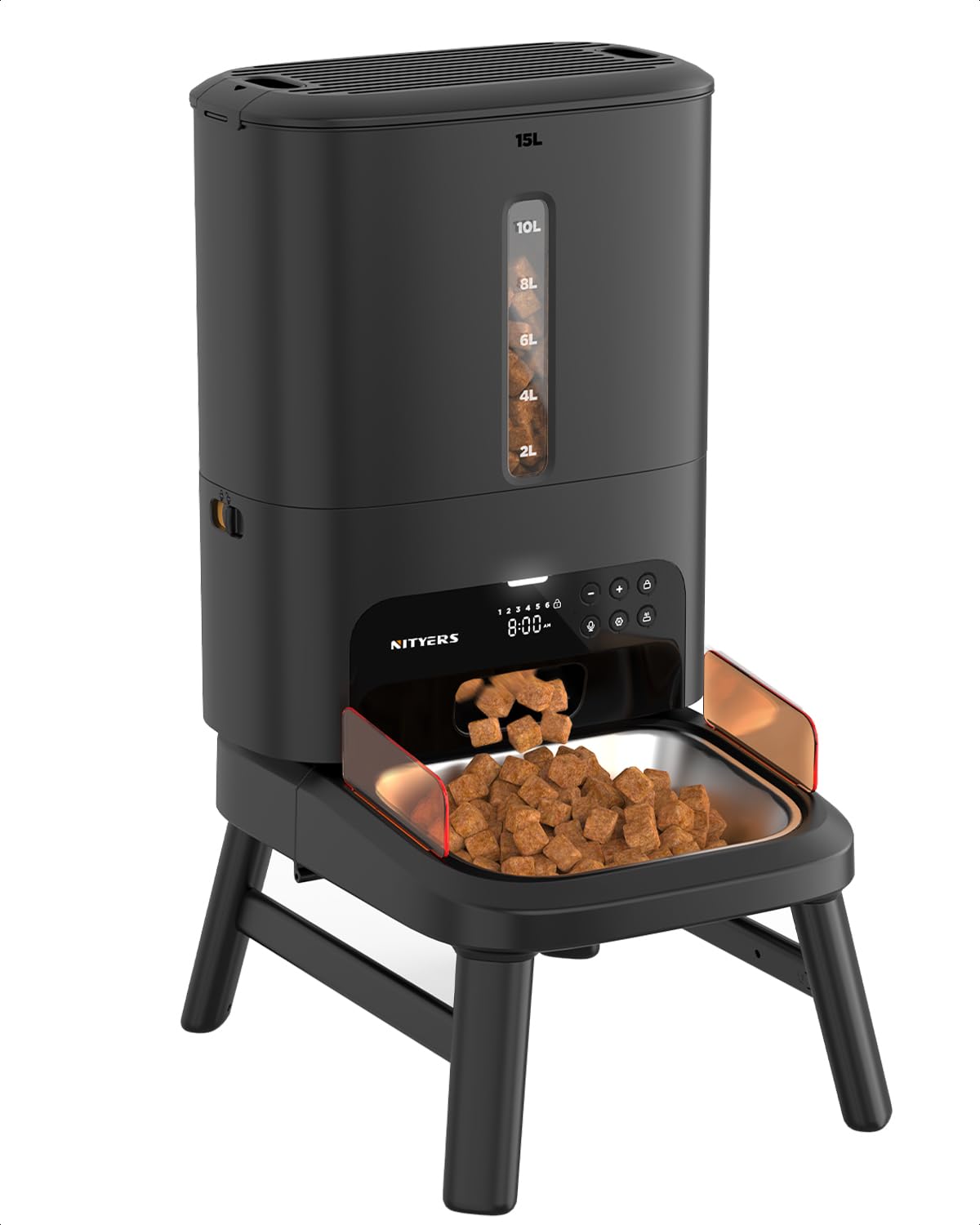
Image: The Nityers Automatic Dog Feeder TT01 in black, featuring an elevated stand and a stainless steel food bowl.
2. Key Features
- 15L Extra-Large Capacity: Holds a significant amount of dry food, reducing refill frequency.
- Anti-Clog Feeding: Engineered to handle kibble sizes from 2-23mm, preventing jams with an upgraded motor and widened food channel.
- Adjustable Raised Stand: Includes two stand options (low and high) to accommodate pets of different sizes and promote healthier eating posture.
- Customizable Feeding Plan: Schedule up to 6 meals per day with up to 50 portions per meal (1 portion = 1/8 cup).
- Freshness Lock System: Spring-lock lid with silicone seal, desiccant compartment, and patented silicone rotor to keep food fresh and dry.
- Dual Power Supply: Operates via DC power adapter with an 8 AA battery (not included) backup for uninterrupted feeding during power outages.
- Hassle-Free Operation: No WiFi, Bluetooth, or app required. Program settings directly on the clear display.
- Voice Recording: Record a personalized voice message to play at meal times.
- Thorough Cleaning: Fully removable parts for easy and complete cleaning.

Image: Visual representation of the 15L extra-large capacity and suggested feeding durations for various dog and cat sizes.

Image: Illustration of the anti-clog technology, showing different kibble types (dry, air-dried, mixed, freeze-dried) and the internal mechanism that prevents jamming.
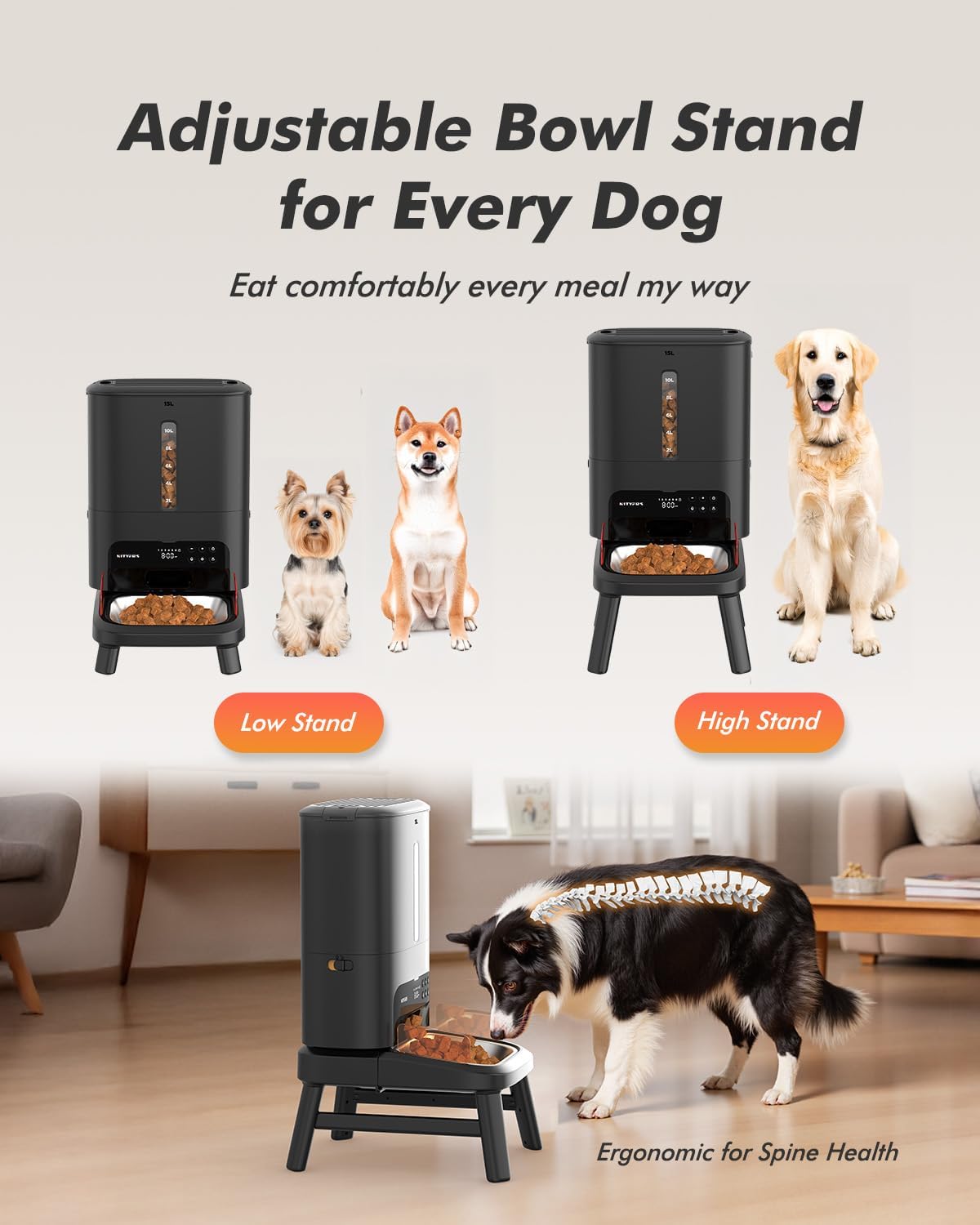
Image: The adjustable bowl stand, showing both low and high configurations to suit different dog sizes, promoting ergonomic feeding.

Image: Diagram illustrating the freshness lock system, including the desiccant compartment, silicone sealing, and patented rotor.
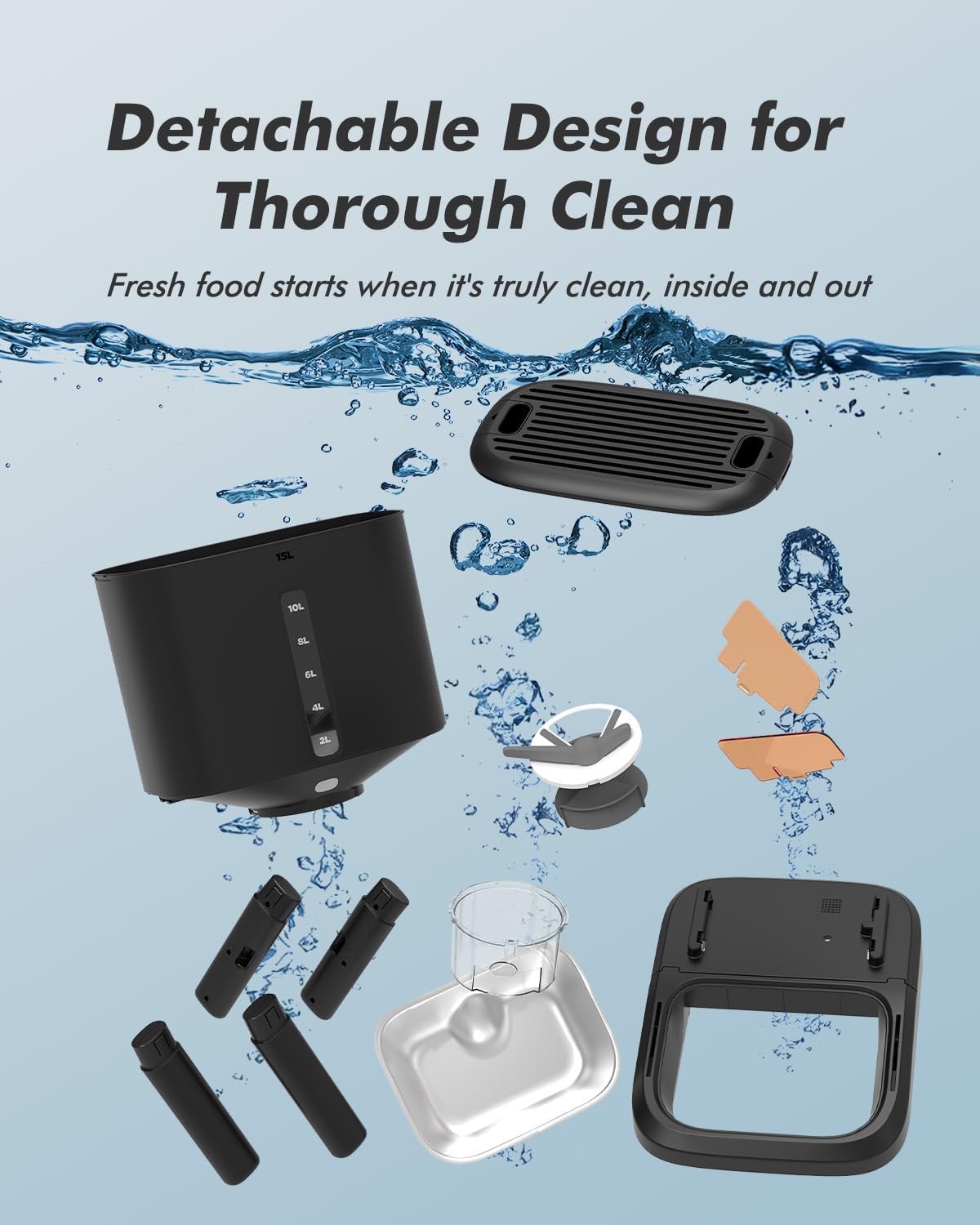
Image: Exploded view of the detachable components of the feeder, highlighting its easy-to-clean design.

Image: A dog listening to a recorded voice message from the feeder, illustrating the voice recording feature.
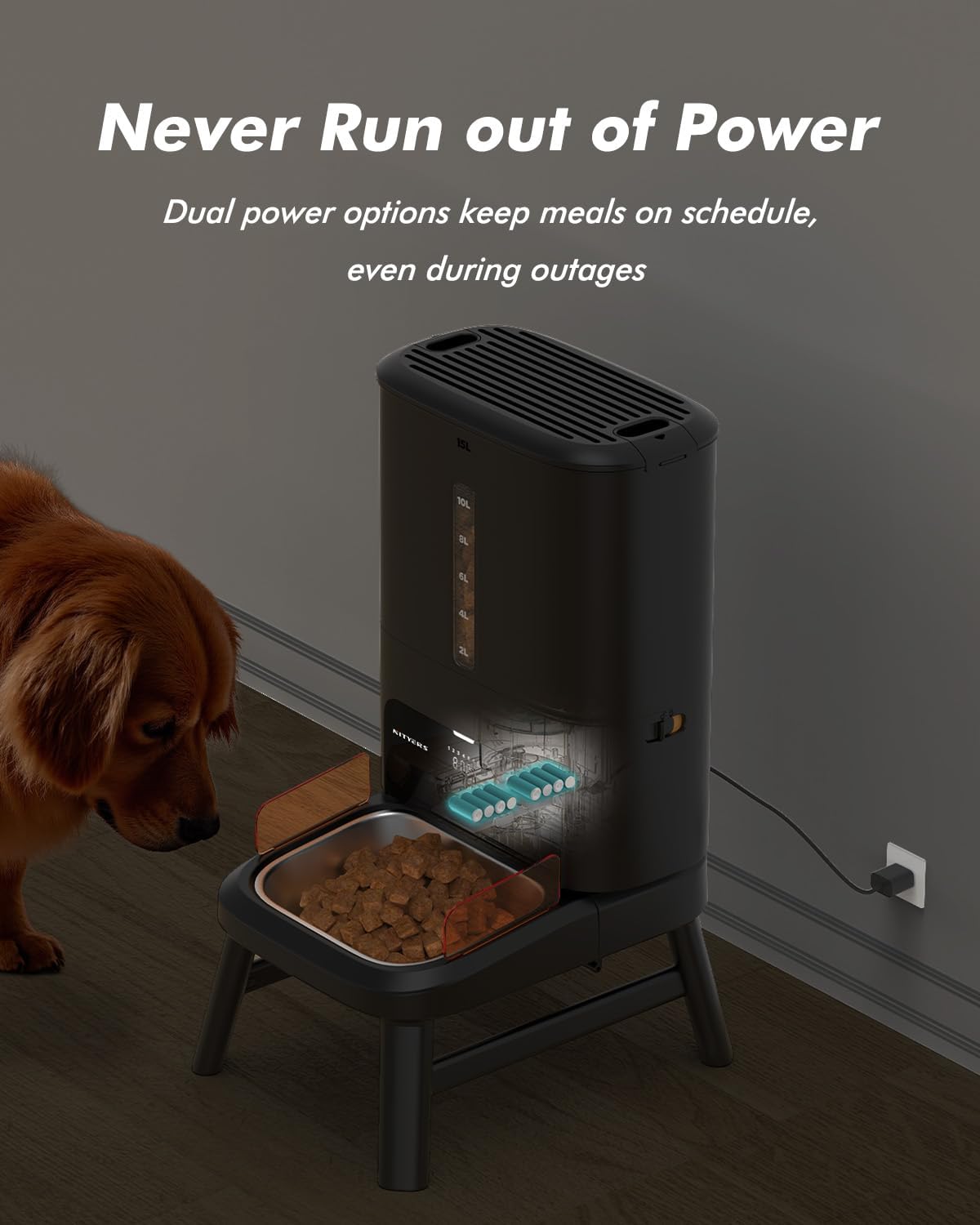
Image: The dual power supply feature, showing both the DC adapter connection and the internal battery compartment.
3. Setup Instructions
- Unboxing and Assembly: Carefully remove all components from the packaging. Attach the desired height legs (short or tall) to the main feeder unit. Insert the stainless steel bowl into the tray.
- Power Connection: Connect the DC power adapter to the feeder and a power outlet. For backup, install 8 AA batteries (not included) in the battery compartment at the bottom of the unit.
- Fill Food Hopper: Open the spring-lock lid by pulling the tabs on each side. Pour dry kibble (2-23mm) into the 15L food hopper. Ensure the desiccant pack is placed in its compartment in the lid to maintain freshness. Close the lid securely.
Video: A detailed guide on unboxing, assembling the Nityers Automatic Dog Feeder, and initial setup steps.
4. Operating Instructions
4.1 Setting the Current Time
- Unlock the control panel by pressing and holding the Lock button until the lock icon disappears.
- Press and hold the Settings button for 3 seconds until the hour display flashes.
- Use the Plus (+) or Minus (-) buttons to adjust the hour. Press Settings to confirm.
- The minute display will flash. Use Plus (+) or Minus (-) to adjust minutes. Press Settings to confirm.
- Adjust AM/PM using Plus (+) or Minus (-). Press Settings to confirm and save the current time.
4.2 Programming Meal Times and Portions
- Ensure the panel is unlocked. Press the Settings button once to enter meal programming mode. The first meal time (e.g., '1') will flash.
- Use Plus (+) or Minus (-) to set the desired hour for the first meal. Press Settings to confirm.
- Set the minutes and AM/PM similarly, confirming each with the Settings button.
- The portion display (e.g., 'P-08') will flash. Use Plus (+) or Minus (-) to set the number of portions (1-50). Press Settings to confirm.
- Repeat steps 2-5 for up to 6 meals. To skip a meal, set its portion to 'P-00'.
- After programming all desired meals, press and hold the Lock button to lock the settings.
4.3 Manual Feeding
- Ensure the panel is unlocked.
- Press the Manual Feeding button (often depicted as a food bowl icon) to dispense one portion of food instantly.
4.4 Voice Recording
- Ensure the panel is unlocked.
- Press and hold the Microphone button. Speak your message (up to 10 seconds). Release the button to save.
- The recorded message will play automatically during each scheduled meal.
Video: Demonstration of setting the current time and programming multiple meal times and portion sizes on the feeder's control panel.
Video: Overview of the Nityers Automatic Dog Feeder's features, including its large capacity, anti-clog mechanism, and programming options.
5. Maintenance and Cleaning
Regular cleaning ensures hygiene and proper functioning of the feeder.
- Disassembly: The lid, food hopper with bottom, dispenser rotor, stainless steel bowl, and bowl tray are fully removable.
- Cleaning Parts: Wash removable parts with mild soap and water. Rinse thoroughly and dry completely before reassembly.
- Main Unit: Wipe the main unit with a dry or slightly damp cloth. Do not immerse the main unit in water.
- Desiccant Pack: Replace the desiccant pack periodically (e.g., monthly) to maintain food freshness.
6. Troubleshooting
- Food Not Dispensing:
- Check if the food hopper is empty.
- Ensure kibble size is within 2-23mm.
- Verify that the feeder is powered (AC adapter or fresh batteries).
- Check for clogs in the food outlet; remove the food hopper and clear any blockages.
- Display Not Working/Feeder Off:
- Ensure the power adapter is securely plugged in.
- If using batteries, check if they are correctly installed and have sufficient charge.
- Settings Not Saving:
- Ensure you press the Settings button to confirm each step during programming.
- Lock the control panel by pressing and holding the Lock button after programming.
7. Specifications
| Feature | Detail |
|---|---|
| Model Name | TT01 |
| Capacity | 15L / 63 Cups |
| Kibble Size Compatibility | 2-23mm |
| Max Meals Per Day | 6 |
| Max Portions Per Meal | 50 (1 portion = 1/8 cup) |
| Power Supply | DC Power Adapter, 8 AA Batteries (not included) |
| Dimensions (LxWxH) | 7.6 x 13.8 x 15.4 inches |
| Item Weight | 11.25 pounds |
| Material | Acrylonitrile Butadiene Styrene, Plastic, Stainless Steel |
8. Warranty and Support
The Nityers Automatic Dog Feeder Model TT01 comes with a 1 Year Warranty.
For any questions, troubleshooting assistance, or warranty claims, please contact Nityers customer support. Refer to the contact information provided in your product packaging or visit the official Nityers website.