
Sobast F9-SJK
Sobast In-Ear Bluetooth 5.4 Earbuds User Manual
Model: F9-SJK
Brand: Sobast
1. Introduction
Thank you for choosing Sobast In-Ear Bluetooth 5.4 Earbuds. This manual provides detailed instructions on how to set up, operate, maintain, and troubleshoot your new earbuds. Please read this manual carefully before use to ensure optimal performance and longevity of your device.
These earbuds feature advanced Bluetooth 5.4 technology for stable and fast connections, a long-lasting battery with up to 28 hours of playback, and a unique reverse charging function for emergencies. They are designed for comfort and durability, making them ideal for daily use, sports, and travel.
2. Package Contents
Please check the package for the following items:
- Sobast In-Ear Bluetooth 5.4 Earbuds (1 Pair)
- Charging Case (1)
- USB Charging Cable (1)
- Eartips (S/M sizes, 2 pairs total)
- User Manual (this document)
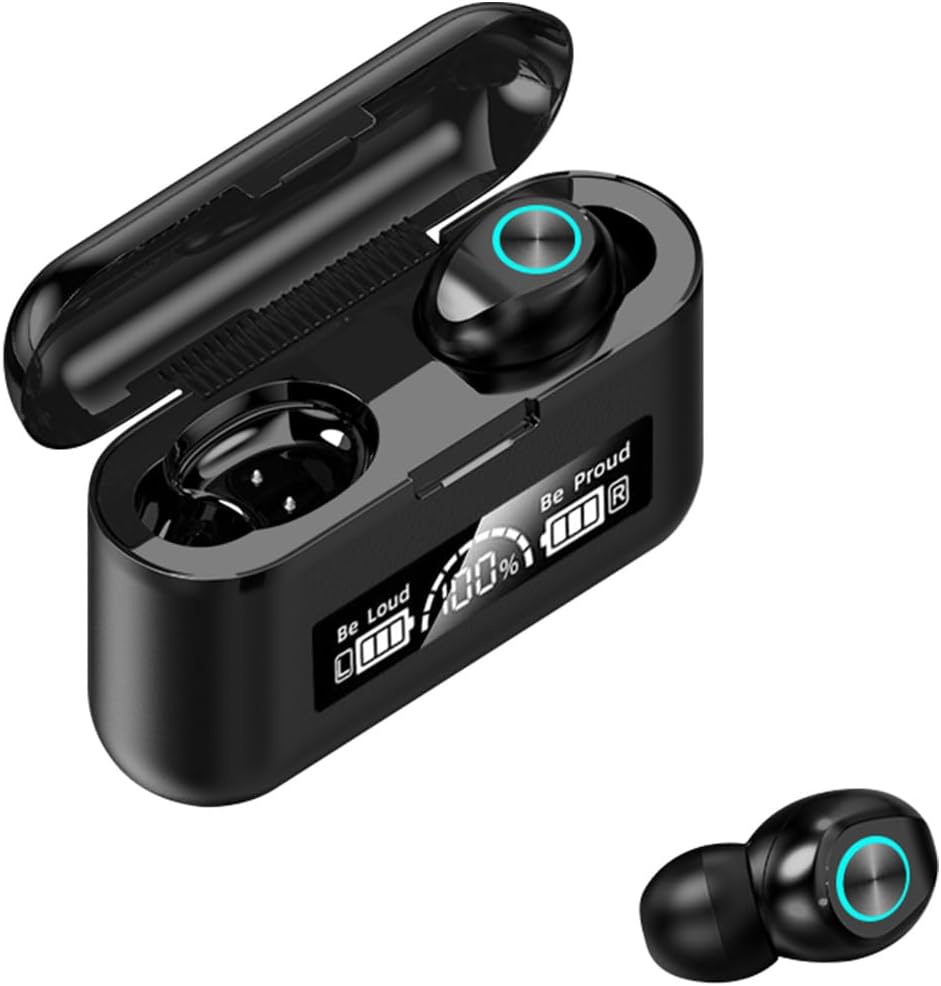
Image: Sobast In-Ear Bluetooth 5.4 Earbuds and their charging case, displaying the battery percentage.
3. Initial Setup and Pairing
3.1 Charging the Earbuds and Case
Before first use, fully charge the earbuds and the charging case.
- Place the earbuds into the charging case.
- Connect the USB charging cable to the charging port on the case and to a power source (e.g., USB wall adapter, computer USB port).
- The LED display on the charging case will show the charging status. A full charge typically takes about 1 hour for the earbuds and 1.5 hours for the case.

Image: The Sobast earbuds securely placed inside their charging case, ready for charging or pairing.
3.2 Pairing with Your Device
The earbuds support automatic pairing for convenience.
- Ensure the earbuds are charged.
- Open the charging case. The earbuds will automatically power on and enter pairing mode.
- On your device (smartphone, tablet, etc.), enable Bluetooth.
- Search for available Bluetooth devices and select "Sobast F9-SJK" (or similar name) from the list.
- Once connected, you will hear a confirmation tone, and the earbuds will be ready for use.

Image: Illustration showing the automatic power-on and pairing process when earbuds are removed from the case, simplifying initial setup.
4. Operating Your Earbuds
4.1 Touch Controls
The Sobast F9-SJK earbuds feature intuitive touch controls for various functions:
| Action | Left Earbud | Right Earbud |
|---|---|---|
| Play/Pause | Single Tap | Single Tap |
| Next Track | Double Tap | Double Tap |
| Previous Track | Triple Tap | Triple Tap |
| Answer/End Call | Single Tap | Single Tap |
| Reject Call | Long Press (2s) | Long Press (2s) |
| Activate Voice Assistant | Long Press (3s) | Long Press (3s) |

Image: Close-up of an earbud highlighting the touch control area, indicating the intuitive fingerprint touch interface.
4.2 Charging Case Features
The charging case not only protects and charges your earbuds but also features a digital LED display to show the battery level of both the case and individual earbuds. This allows you to monitor power levels at a glance.

Image: The charging case with its lid open, clearly showing the digital LED display indicating battery percentages for the case and each earbud.
4.3 Reverse Charging Function (Emergency Power Bank)
The charging case can act as an emergency power bank for your mobile phone. This feature is designed for situations where your phone battery is low and you need a quick boost.
- Locate the USB output port on the charging case.
- Connect your phone's charging cable to this port.
- The charging case will begin to charge your phone. A 15-minute charge can provide up to 30% battery for your phone.

Image: The charging case connected via a cable to a smartphone, demonstrating its capability to provide emergency power to other devices.
4.4 Audio Quality and Noise Reduction
These earbuds deliver cinema-level HiFi sound, utilizing a graphene composite vibrating film for rapid response and high fidelity. This design optimizes high-frequency extension, providing richer audio details.
The active noise reduction feature supports multiple modes, allowing you to flexibly switch settings to maintain awareness of external sounds when needed, or to immerse yourself in your audio without environmental interference.
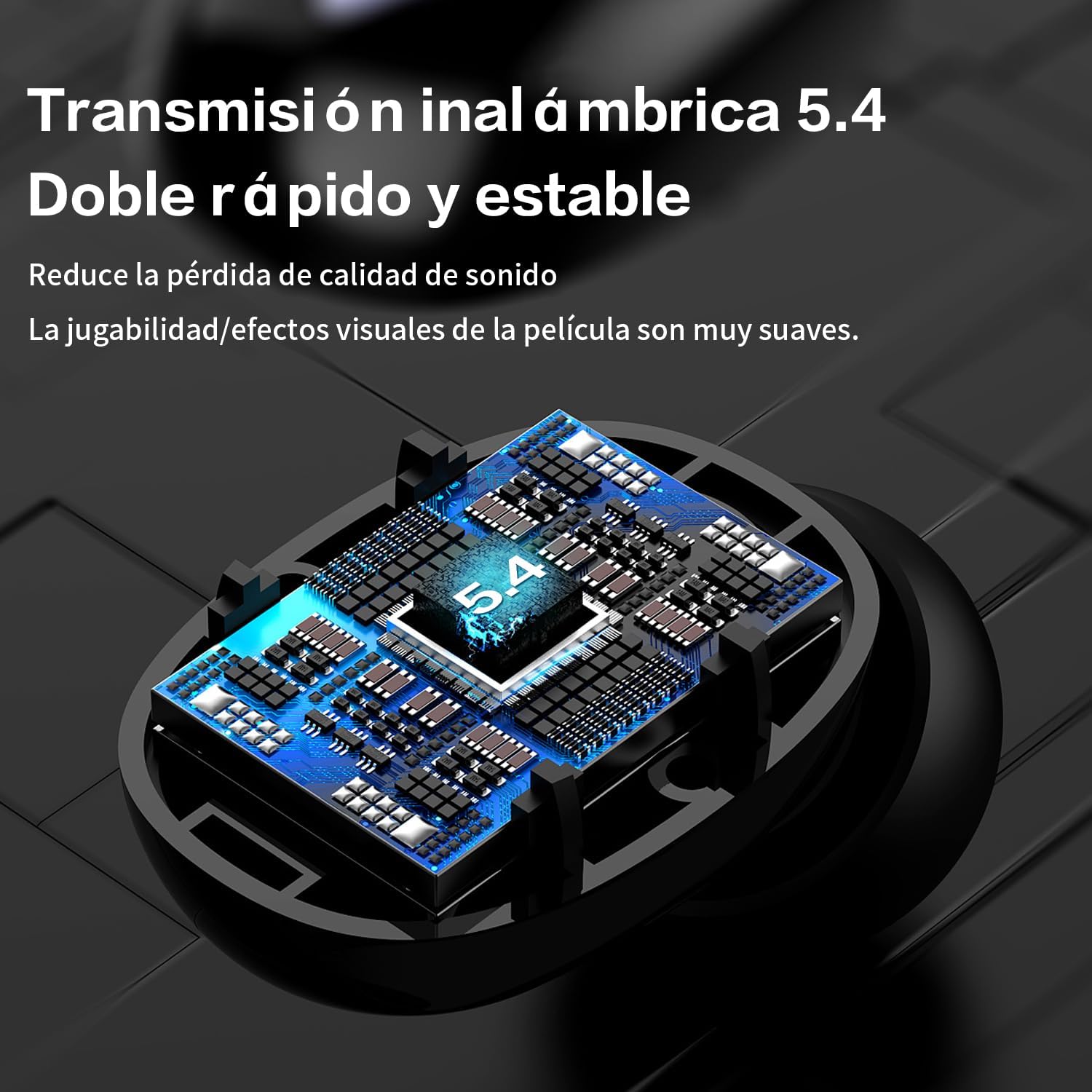
Image: An exploded view diagram illustrating the internal components of the earbud, highlighting the graphene composite vibrating film responsible for HiFi sound quality.
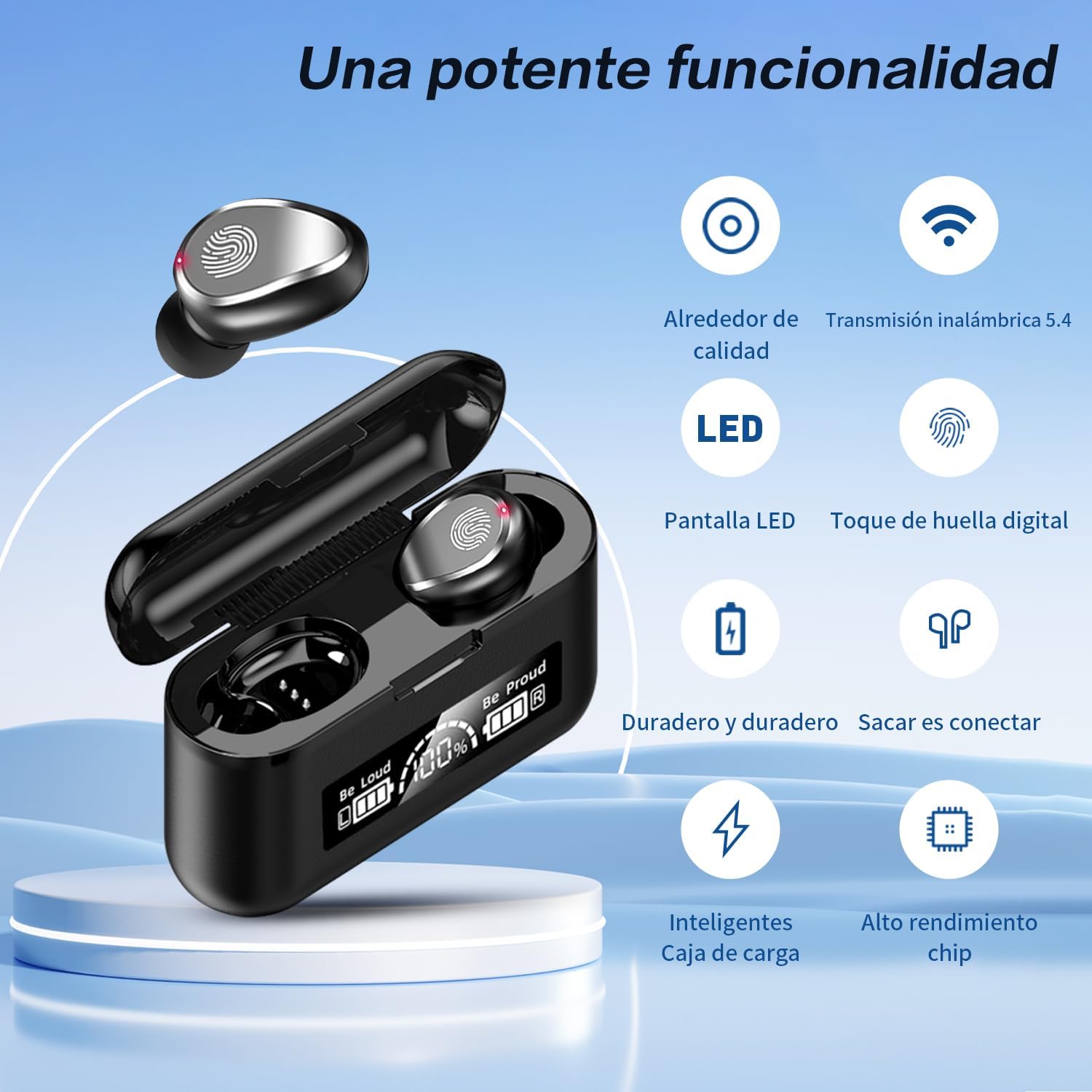
Image: A visual comparison showing the effect of active noise reduction, with a representation of sound waves before and after noise cancellation, emphasizing a quieter listening experience.
4.5 Bluetooth 5.4 Connectivity
Equipped with Bluetooth 5.4, these earbuds offer a stable connection up to 15 meters, ensuring zero delay in video playback and gaming. This advanced connectivity reduces sound quality loss and provides smooth visual effects for an uninterrupted experience.
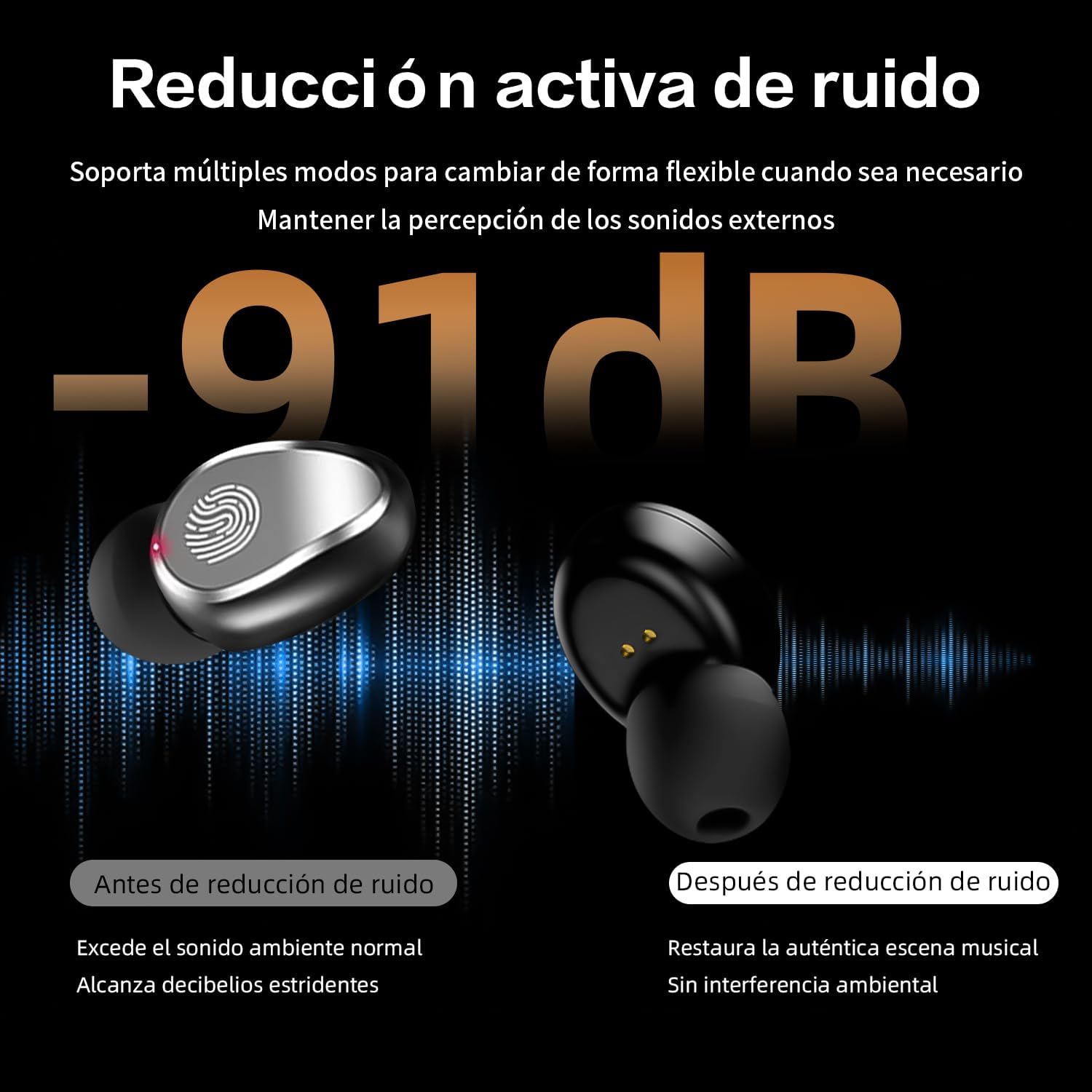
Image: A detailed view of the earbud's internal circuitry, highlighting the Bluetooth 5.4 chip, symbolizing fast and stable wireless transmission.
4.6 HD Calls
Experience high-definition calls that feel like face-to-face conversations. The earbuds feature intelligent recognition of environmental sounds to make your voice clearer, elevating your calling experience.

Image: A woman using the earbuds while on a call, with an inset showing the earbud in her ear, illustrating the clear HD call quality feature.
5. Maintenance and Care
5.1 Cleaning
- Regularly clean the earbuds and charging case with a soft, dry, lint-free cloth.
- Do not use abrasive cleaners, alcohol, or chemical solvents.
- Gently clean the eartips and speaker mesh to remove earwax or debris.
5.2 Water Resistance
The earbuds are water-resistant and designed to withstand sweat and splashes, making them suitable for sports and outdoor activities. However, they are not meant for submersion in water. Avoid exposing them to heavy rain or showering with them.

Image: A woman exercising while wearing the earbuds, with text indicating their water, sweat, and splash resistance, suitable for active use.
5.3 Storage
When not in use, store the earbuds in their charging case to protect them from dust, damage, and to keep them charged.
6. Troubleshooting
If you encounter any issues with your Sobast F9-SJK earbuds, please refer to the following common solutions:
| Problem | Possible Solution |
|---|---|
| Earbuds not pairing | Ensure earbuds are charged. Turn off and on Bluetooth on your device. Forget the device in Bluetooth settings and re-pair. |
| Only one earbud working | Place both earbuds back into the charging case, close the lid, wait a few seconds, then take them out again to re-sync. |
| No sound | Check volume levels on both earbuds and your connected device. Ensure earbuds are properly connected. |
| Charging issue | Ensure the charging cable is securely connected. Try a different USB port or power adapter. Clean charging contacts on earbuds and case. |
| Poor sound quality | Ensure earbuds are clean and eartips fit properly. Move closer to your device to avoid interference. |
7. Specifications
| Feature | Detail |
|---|---|
| Model Name | F9-SJK |
| Connectivity Technology | Bluetooth 5.4 |
| Wireless Communication Technology | Bluetooth |
| Control Type | Touch |
| Noise Control | Passive Noise Cancellation |
| Frequency Response | 20 Hz |
| Sensitivity | 150 dB |
| Impedance | 180 Ohm |
| Ear Placement | In-Ear (Ear Canal) |
| Material | Silicone |
| Water Resistance Level | Water Resistant (Sweat and Splash Proof) |
| Product Weight | 70.5 Grams |
| Product Dimensions | 7.6 x 2.5 x 4.7 cm |
| Charging Time | Approx. 1 Hour (Earbuds), 1.5 Hours (Case) |
| Playback Time | Up to 28 Hours (with charging case) |
| Compatible Devices | Smartphones |
| Included Components | Earbuds |
8. Warranty and Support
Sobast products are manufactured to the highest quality standards. For information regarding warranty coverage, technical support, or customer service, please refer to the warranty card included in your product packaging or visit the official Sobast website. Please retain your proof of purchase for any warranty claims.
Related Documents - F9-SJK
 |
Space Y3 Pro True Wireless Bluetooth Headphones User Manual Official user manual for the SOBAST Space Y3 Pro true wireless Bluetooth headphones, covering specifications, charging, LED status, factory reset, package contents, hazardous substances, warranty, and FCC information. |
 |
T26-PRO True Wireless Bluetooth Headphones User Manual User manual for the T26-PRO True Wireless Bluetooth Headphones by Dongguan Sobast Digital Technology Co., Ltd., detailing connection, usage, and FCC compliance. |
 |
S-OW1pro True Wireless Bluetooth Headphones User Manual Comprehensive user manual for the S-OW1pro True Wireless Bluetooth Headphones, covering setup, operation, specifications, and safety information. |
 |
SOBAST S-OW16pro True Wireless Bluetooth Headphones User Manual Comprehensive user manual for the SOBAST S-OW16pro true wireless Bluetooth headphones, covering specifications, usage instructions, charging, LED indicators, hazardous substance information, warranty, and FCC compliance. |
 |
SOBAST S-OW13pro True Wireless Bluetooth Headphones User Manual User manual for the SOBAST S-OW13pro true wireless Bluetooth headphones, providing an overview, specifications, operational instructions, and compliance information. |
 |
S-OW1pro True Wireless Bluetooth Headphones User Manual Comprehensive user manual for the S-OW1pro true wireless Bluetooth headphones, covering basic principles, product specifications, operating instructions, packing list, and troubleshooting. |
Ask a question about this manual
Ask about setup, troubleshooting, compatibility, parts, safety, or missing instructions. Manuals+ will review the question and use this page’s manual context to help answer it.