
Introduction
This manual provides detailed instructions for the safe and efficient operation of your Xiaomi Portable Electric Air Compressor 2 Pro. Please read this manual thoroughly before using the product and retain it for future reference. This device is designed for inflating tires on cars, motorcycles, bicycles, and balls, offering a convenient and portable solution for maintaining optimal pressure.
Safety Information
Warning: Failure to follow these safety instructions may result in electric shock, fire, or serious injury.
- Keep the device away from children.
- Do not operate the compressor in wet conditions or near flammable liquids or gases.
- Ensure the air hose is securely connected to the valve before starting inflation.
- Do not over-inflate items. Always refer to the recommended pressure for the item being inflated. The auto shut-off feature helps prevent over-inflation.
- Avoid prolonged continuous operation to prevent overheating. Allow the device to cool down if it becomes hot.
- Use only the provided charging cable and a compatible 5V/3A power adapter for charging.
- Do not disassemble or modify the device. Contact customer support for repairs.
Package Contents
Verify that all items are present in the package:
- Xiaomi Portable Electric Air Compressor 2 Pro
- Fast-connecting air valve
- High-pressure air hose extension
- Needle valve (for balls)
- Presta valve adapter (for some bicycle tires)
- Type-C charging cable
- Storage pouch

Figure 1: Included accessories with the air compressor.
Product Overview
The Xiaomi Portable Electric Air Compressor 2 Pro is a compact and powerful inflation device. It features a digital LED display, multiple preset modes, and a long-lasting rechargeable battery for convenient use.
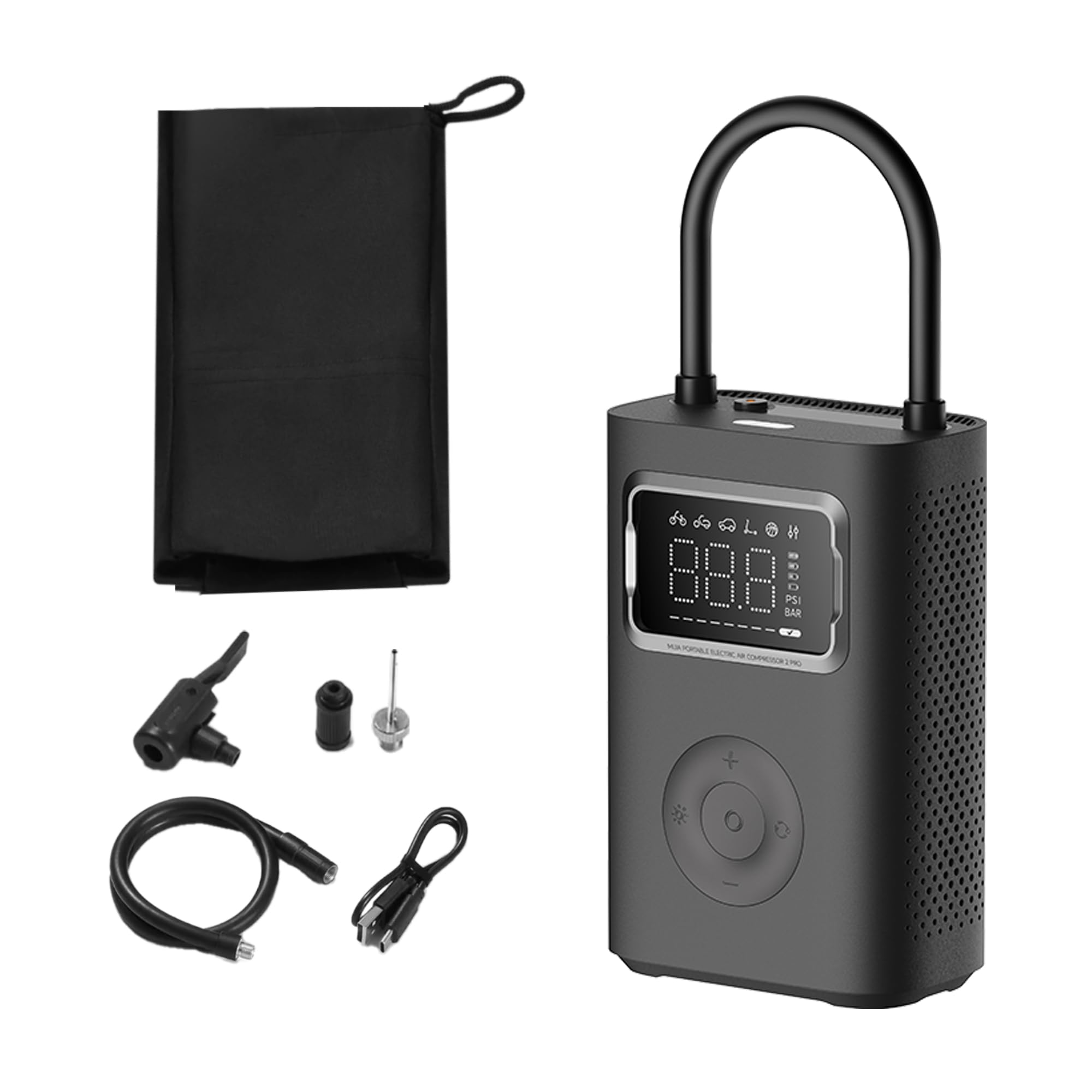
Figure 2: Xiaomi Portable Electric Air Compressor 2 Pro.
Key Features:
- Maximum Pressure: Up to 150 PSI for various inflation needs.
- Digital LED Display: Provides real-time pressure readings and allows for precise pressure setting.
- Auto Shut-Off: Automatically stops inflation once the preset pressure is reached, preventing over-inflation.
- Cordless & Rechargeable: Powered by a 27 Watt-hour battery, offering portability and convenience.
- Multiple Preset Modes: Includes modes for car, motorcycle, bicycle, electric scooter, and ball, along with a custom mode.
- Dual-Purpose LED Light: Features a white light for illumination and a red light for signaling.
- Compact and Lightweight: Designed for easy storage and transport.

Figure 3: Product details showing 150 PSI capability, battery indicator, and hose lock.
Setup
1. Initial Charging
Before first use, fully charge the air compressor. Connect the provided Type-C charging cable to the charging port on the device and the other end to a 5V/3A USB power adapter (not included). The battery indicator on the display will show charging progress. A full charge typically takes approximately 3.5 hours.
2. Attaching the Air Hose
The air hose is stored by being locked into the device. To use, pull the air hose out of its storage slot. This action will automatically power on the device. Connect the appropriate valve adapter (Schrader, Presta, or needle valve) to the end of the air hose, depending on the item you intend to inflate.

Figure 4: Pulling the air hose from its slot to power on the device.
Operating Instructions
1. Powering On/Off
- Power On: Pull the air hose out of its storage slot. The device will automatically power on and display the current pressure.
- Power Off: Push the air hose back into its storage slot. The device will automatically power off.
2. Understanding the Display
The large LED display shows the current pressure, selected mode, and battery level. You can switch between PSI and Bar units using the unit selection button.

Figure 5: Digital display showing mode icons and pressure.
3. Selecting Inflation Modes
Press the mode button to cycle through the 6 preset inflation modes:
- Custom Mode: Default 35 PSI (adjustable 3-150 PSI / 0.2-10.3 Bar)
- Bicycle Mode: Default 45 PSI (adjustable 30-65 PSI)
- Motorbike Mode: Default 2.4 Bar (adjustable 1.8-3.0 Bar)
- Car Mode: Default 2.5 Bar (adjustable 1.8-3.5 Bar)
- Electric Scooter Mode: Default 50 PSI (adjustable 45-60 PSI)
- Ball Mode: Default 8 PSI (adjustable 4-16 PSI)

Figure 6: Overview of multiple preset inflation modes.
4. Adjusting Pressure Settings
After selecting a mode, use the '+' and '-' buttons to adjust the target pressure. The display will show the target pressure blinking. Once set, the value will stabilize.
5. Inflation Process
- Connect the air hose with the appropriate adapter securely to the valve stem of the item to be inflated.
- The display will show the current pressure of the item.
- Select the desired inflation mode and set the target pressure.
- Press the start button (usually the center button) to begin inflation.
- The compressor will automatically stop once the target pressure is reached.
- Disconnect the air hose from the valve stem.

Figure 7: Auto pressure detection and inflation for a bicycle tire.
6. Using the LED Light
Press the light button to activate the LED light. It has two modes: a white light for illumination in dark environments and a red flashing light for emergency signaling.
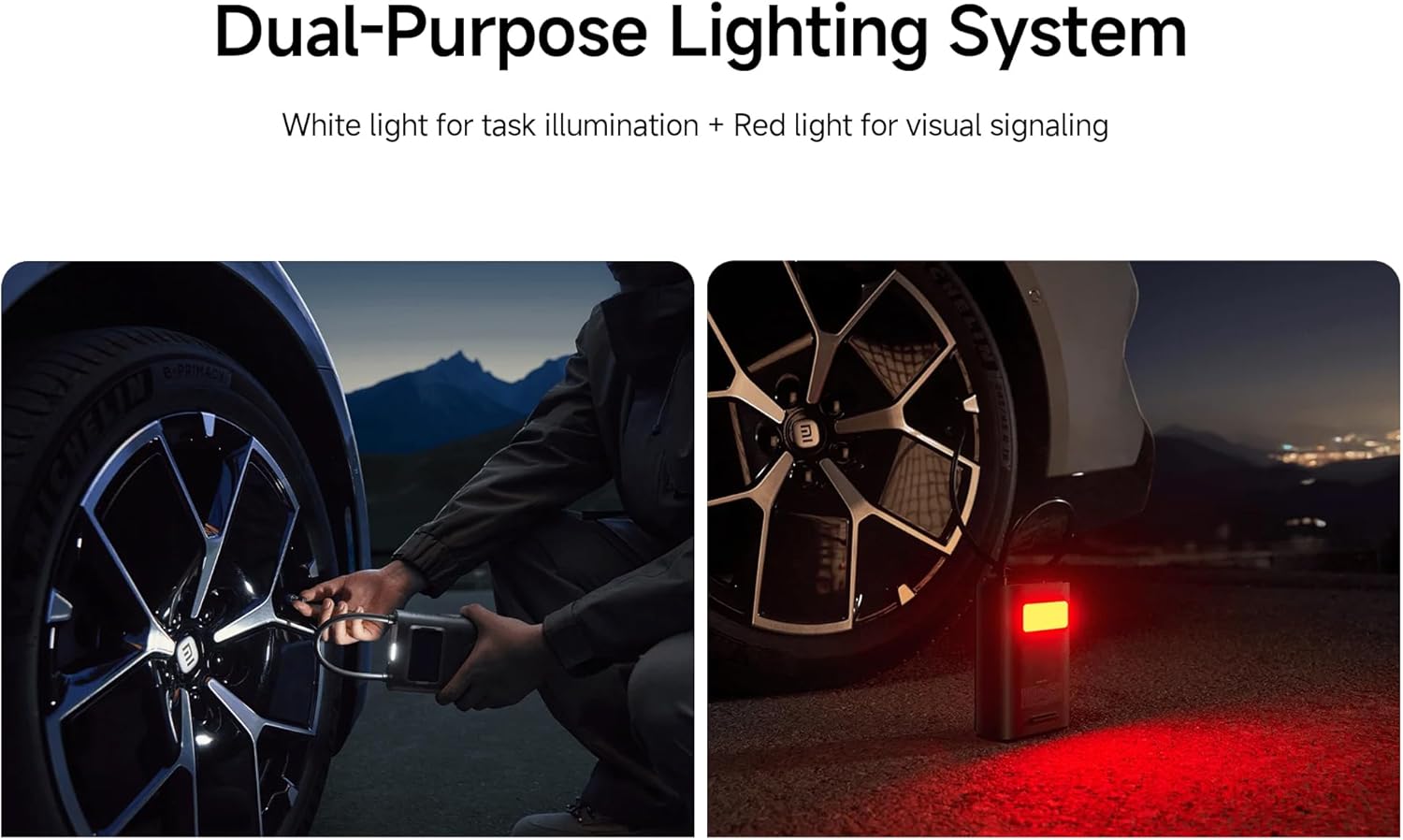
Figure 8: Dual-purpose lighting system in use (white for task, red for signaling).
Charging
The device is equipped with a 27 Watt-hour rechargeable battery. When the battery level is low, the battery indicator on the display will show a low charge. Connect the Type-C charging cable to recharge. The device can reinflate approximately 16 car tires (from 2.0 Bar to 2.5 Bar) on a full charge, or inflate up to 138 size 7 basketballs (from 0 PSI to 8 PSI).

Figure 9: Battery capacity and inflation performance examples.
Maintenance
- Cleaning: Wipe the exterior of the compressor with a soft, damp cloth. Do not use harsh chemicals or abrasive cleaners.
- Storage: Store the device in a cool, dry place, away from direct sunlight and extreme temperatures. Ensure the air hose is properly stowed to prevent damage.
- Battery Care: For optimal battery life, charge the device at least once every three months if not in regular use.
Troubleshooting
| Problem | Possible Cause | Solution |
|---|---|---|
| Device does not power on. | Battery is depleted; Air hose not fully pulled out. | Charge the device; Ensure the air hose is fully extended from its slot. |
| Inflation is slow or ineffective. | Low battery; Air hose not securely connected; Incorrect pressure setting. | Recharge the device; Check all connections for leaks; Verify the target pressure. |
| Device stops unexpectedly. | Target pressure reached (auto shut-off); Overheating; Low battery. | This is normal if target pressure is met; Allow device to cool down; Recharge the device. |
| Inaccurate pressure reading. | Loose connection; Sensor error. | Ensure the air hose is tightly connected to the valve; If problem persists, contact support. |
Specifications
| Feature | Detail |
|---|---|
| Model Number | XM-MJCQB06QW-03 |
| Dimensions | 10.5 x 8 x 25.5 cm |
| Weight | 1.1 kg |
| Material | Plastic |
| Power Source | Battery Powered |
| Voltage | 10.8 Volts |
| Wattage | 27 Watt-hours |
| Amperage Capacity | 3 Amps |
| Maximum Pressure | 150 PSI |
| Hose Length | 200 mm |
| Special Features | Automatic Shut-Off, Digital Display, LED Light, Lightweight |
| Recommended Uses | Tire Inflation (Car, Bike, Motorcycle, Electric Scooter), Ball Inflation, Toy Inflation |
Official Product Videos
Video 1: General product overview and demonstration of key features.
Video 2: Demonstration of the compressor's portability and ease of use.
Video 3: Detailed look at the inflation process and digital display functionality.
Warranty and Support
For warranty information or technical support, please refer to the warranty card included with your product or contact the manufacturer directly through their official website. Ensure you have your product model number (XM-MJCQB06QW-03) and purchase details available when seeking support.


