
Introduction
Welcome to the KINGRID W90 4G Tablet user manual. This guide provides detailed instructions on how to set up, operate, and maintain your new tablet. The KINGRID W90 combines powerful performance with advanced features, including 4G LTE connectivity, a vibrant 11-inch FHD+ display, Android 15 with Gemini AI, and a long-lasting 8000mAh battery. Please read this manual thoroughly to ensure optimal use and longevity of your device.
What's in the Box
Upon opening your KINGRID W90 package, you should find the following items:
- 1x KINGRID W90 Tablet (4G LTE)
- 1x Type-C Cable
- 1x User Manual
- 1x Warranty Card
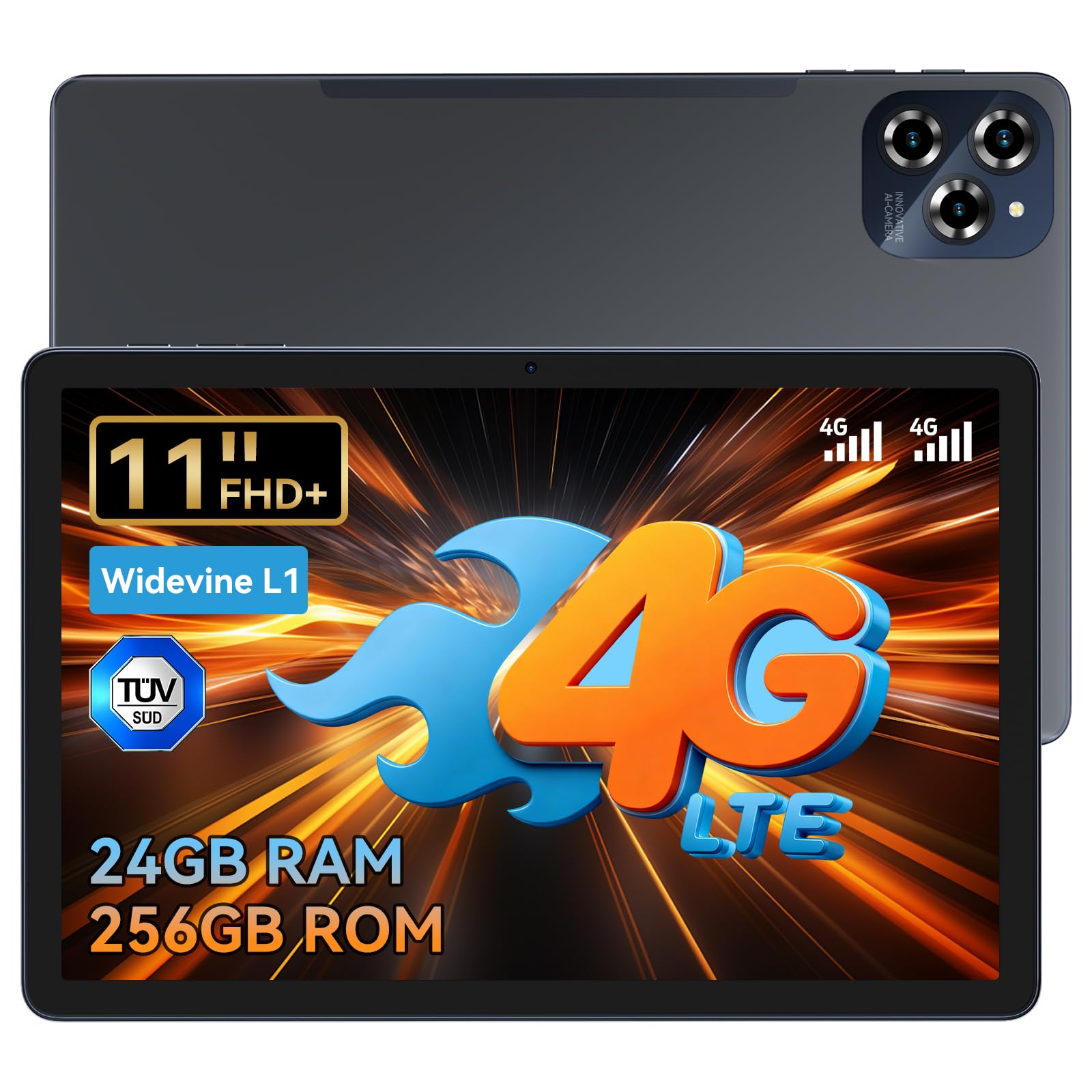
Image: The KINGRID W90 tablet along with its included accessories: a Type-C cable, user manual, and warranty card.
Device Overview
Familiarize yourself with the physical components of your KINGRID W90 tablet.

Image: Front and rear view of the KINGRID W90 tablet highlighting the 16MP rear camera and 8MP front camera.
Key Components:
- Front Camera: 8MP for video calls and selfies.
- Rear Camera: 16MP for high-quality photos and videos.
- Power Button: Located on the side, used to turn the device on/off or wake/sleep the screen.
- Volume Buttons: Adjust audio levels.
- USB Type-C Port: For charging and data transfer.
- SIM/TF Card Slot: Supports dual SIM cards for 4G LTE connectivity and a TF card for storage expansion.
- Speakers: Stereo speakers for enhanced audio experience.
- Microphone: For voice input.
Setup
1. Powering On/Off
- To Power On: Press and hold the Power button until the KINGRID logo appears.
- To Power Off: Press and hold the Power button, then select "Power off" from the options.
- To Restart: Press and hold the Power button, then select "Restart" from the options.
2. SIM and TF Card Installation
The KINGRID W90 supports dual SIM cards for 4G LTE connectivity and a TF card for expanding storage up to 4TB.
- Locate the SIM/TF card slot on the side of your tablet.
- Use the provided SIM ejector tool to open the tray.
- Carefully place your SIM card(s) and/or TF card into the designated slots on the tray. Ensure correct orientation.
- Gently push the tray back into the tablet until it clicks into place.

Image: Diagram showing the insertion of SIM cards and a TF card into the KINGRID W90 tablet's card tray.
3. Initial Setup Wizard
The first time you power on your tablet, you will be guided through an initial setup process. Follow the on-screen prompts to:
- Select your language.
- Connect to a Wi-Fi network.
- Sign in with your Google account or create a new one.
- Set up screen lock (PIN, pattern, password, or facial recognition).
- Review and accept terms and conditions.
Operating Your KINGRID W90 Tablet
1. Basic Navigation (Android 15 with Gemini AI)
Your tablet runs on Android 15, enhanced with Google Gemini AI for a smoother and more intuitive user experience. Swipe gestures, app switching, and notifications are standard Android features. Gemini AI assists with voice interactions, smart reminders, and content creation.

Image: Visual representation of Android 15 interface and Gemini AI capabilities on the KINGRID W90 tablet.
2. Connectivity
- 4G LTE: Insert a SIM card to enable 4G cellular data and calling capabilities.
- 5G Wi-Fi: Connect to 5G Wi-Fi networks for faster internet speeds and stable connections. Go to Settings > Network & internet > Wi-Fi to connect.
- Bluetooth 5.0: Pair with Bluetooth devices like headphones or keyboards. Go to Settings > Connected devices > Bluetooth.

Image: The KINGRID W90 tablet displaying 4G LTE and 5G WiFi connectivity icons.
3. Camera Usage
Capture moments with the 16MP rear camera and take selfies or video calls with the 8MP front camera. The tablet also features Google Lens for real-time analysis of objects and text, and facial recognition for secure unlocking.
- Open the Camera app from your home screen or app drawer.
- Switch between front and rear cameras as needed.
- Tap the shutter button to take photos or start/stop video recording.
- Utilize Google Lens by tapping its icon within the camera app or from the Google search bar.
4. Display Features
The 11-inch FHD+ display offers a resolution of 1920x1200 pixels and 350 nits brightness for clear visuals. With Widevine L1 certification, you can stream high-definition content from platforms like Netflix and Prime Video. The TÜV Blue Ray certification helps reduce eye strain.

Image: The KINGRID W90 tablet displaying a high-definition image, highlighting its 11-inch FHD+ screen and Widevine L1 certification.
5. Battery Management
The 8000mAh battery provides extended usage, and 18W fast charging allows for quick power replenishment.
- Use the provided Type-C cable and a compatible 18W charger for optimal charging speed.
- To conserve battery, adjust screen brightness, disable unused connectivity features (Wi-Fi, Bluetooth, GPS), and close background apps.

Image: Illustration of the KINGRID W90 tablet's 8000mAh battery and 18W fast charging capability.
6. GPS Navigation
The tablet features integrated GPS, GLONASS, Galileo, and Beidou for accurate positioning and navigation. Use mapping applications to find directions or explore new locations.
Maintenance
1. Cleaning Your Tablet
- Use a soft, lint-free cloth to clean the screen and body of the tablet.
- Avoid using harsh chemicals or abrasive materials that could damage the screen or finish.
2. Software Updates
Regularly check for and install software updates to ensure your tablet has the latest features, security patches, and performance improvements.
- Go to Settings > System > System updates.
- Tap "Check for updates" and follow the on-screen instructions if an update is available.
Video: This video demonstrates how to check for and install system updates on your Android tablet. Ensure your device is connected to Wi-Fi and has sufficient battery before starting an update.
3. Storage Management
Your tablet comes with 256GB of internal storage, expandable up to 4TB with a TF card. Regularly manage your storage to maintain optimal performance.
- Delete unnecessary files, apps, and media.
- Move large files to a TF card or cloud storage.
- Clear cache data for apps in Settings > Apps > [App Name] > Storage & cache.
Troubleshooting
If you encounter issues with your KINGRID W90 tablet, try the following solutions:
- Device not turning on: Ensure the battery is charged. Connect the tablet to its charger and wait a few minutes before attempting to power on again.
- Screen frozen or unresponsive: Press and hold the Power button for about 10-15 seconds to force a restart.
- Apps crashing: Clear the app's cache (Settings > Apps > [App Name] > Storage & cache > Clear cache) or reinstall the app. Ensure your system software is up to date.
- Poor Wi-Fi connection: Restart your Wi-Fi router and the tablet. Ensure you are within range of the Wi-Fi signal.
- Slow performance: Close unused background apps, clear cache, and ensure sufficient storage space. Consider performing a factory reset as a last resort (Settings > System > Reset options > Erase all data (factory reset) - this will delete all data).
Specifications
| Feature | Specification |
|---|---|
| Model Name | KINGRID W90 |
| Operating System | Android 15, Gemini AI 2.0 |
| Processor | Unisoc T615 Octa-core (2.2 GHz) |
| RAM | 24 GB (8GB physical + 16GB virtual) |
| Internal Storage | 256 GB |
| Expandable Storage | Up to 4 TB via Micro SD (TF) card |
| Display Size | 11 Inches |
| Display Resolution | 1920 x 1200 Pixels (FHD+) |
| Brightness | 350 nits |
| Certifications | Widevine L1, TÜV Blue Ray |
| Rear Camera | 16 MP |
| Front Camera | 8 MP |
| Battery Capacity | 8000 mAh |
| Charging | 18W Fast Charging |
| Connectivity | 4G LTE, 5G Wi-Fi (802.11a/b/g/n/ac), Bluetooth 5.0 |
| Navigation | GPS, GLONASS, Galileo, Beidou |
| Weight | 534 Grams |
| Average Battery Life | 48 hours |
Warranty and Support
KINGRID offers a special four-year warranty for the W90 4G Tablet and is committed to providing lifetime technical consulting services. If you have any questions regarding the use of your tablet or suggestions for improvement, please do not hesitate to contact our professional support team. Your feedback helps us to continuously improve our products and user experience.
Please refer to the included Warranty Card for detailed terms and conditions.


