
eRapta ERT11 3.0
eRapta Wireless Backup Camera ERT11 3.0 User Manual
Model: ERT11 3.0 | Brand: eRapta
1. Introduction
This manual provides detailed instructions for the installation, operation, and maintenance of your eRapta Wireless Backup Camera ERT11 3.0. This camera is designed to enhance safety and convenience when operating large vehicles such as RVs, campers, trailers, and trucks by providing a clear view of your surroundings via a smartphone application.
2. Package Contents
Please verify that all items listed below are included in your package:
- Wireless Backup Camera with integrated solar panel
- Remote Control
- Antenna
- Type-C Charger (cable and adapter)
- Instruction Manual

Figure 2.1: Contents of the eRapta Wireless Backup Camera package, including the camera, remote, antenna, charger, and manual.
3. Safety Information
- Always ensure the camera is securely mounted before driving.
- Do not rely solely on the backup camera for reversing. Always check your surroundings manually.
- Keep the camera and accessories away from extreme temperatures and direct sunlight for prolonged periods when not in use.
- Use only the provided charger and charging cable to prevent damage.
- The camera is not compatible with Google Pixel, Kyocera, or Motorola phones.
4. Setup and Installation
4.1 Initial Charging
Before first use, fully charge the camera using the provided Type-C charger. The battery indicator lights on the camera will show the charging status.
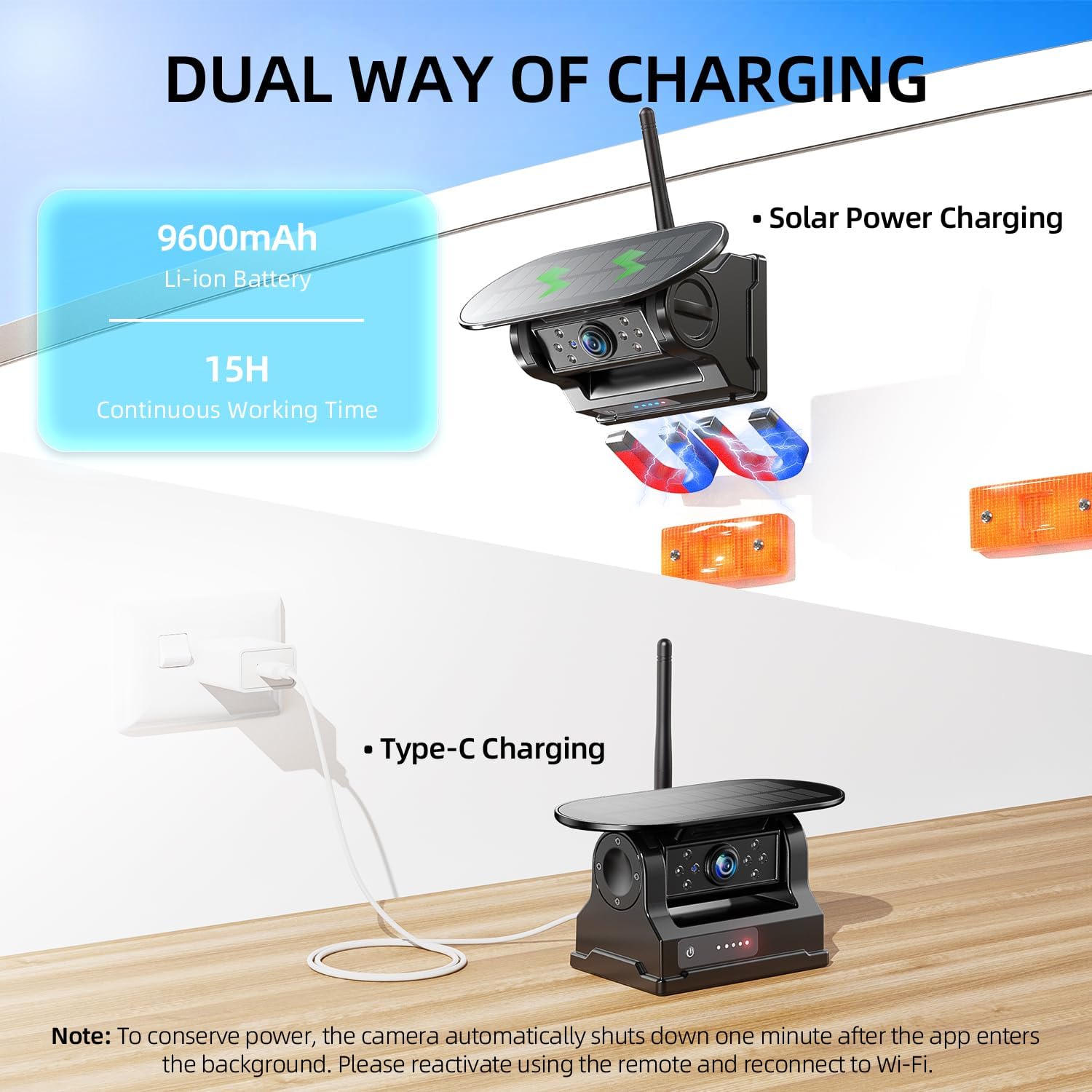
Figure 4.1: The camera supports both solar power charging and Type-C cable charging. Ensure full charge before initial use.
4.2 Mounting the Camera
The eRapta Wireless Backup Camera features a strong magnetic mount for easy and secure attachment to any flat metal surface on your vehicle. It can also be mounted using the provided license plate bracket.
- Attach the antenna tightly to the camera.
- Choose a suitable metal surface on your vehicle (e.g., rear bumper, trailer frame) for magnetic attachment, or use the license plate bracket for a more permanent installation.
- Ensure the camera is positioned to provide a clear, unobstructed view of the area you wish to monitor. The camera lens can be adjusted for optimal angle.
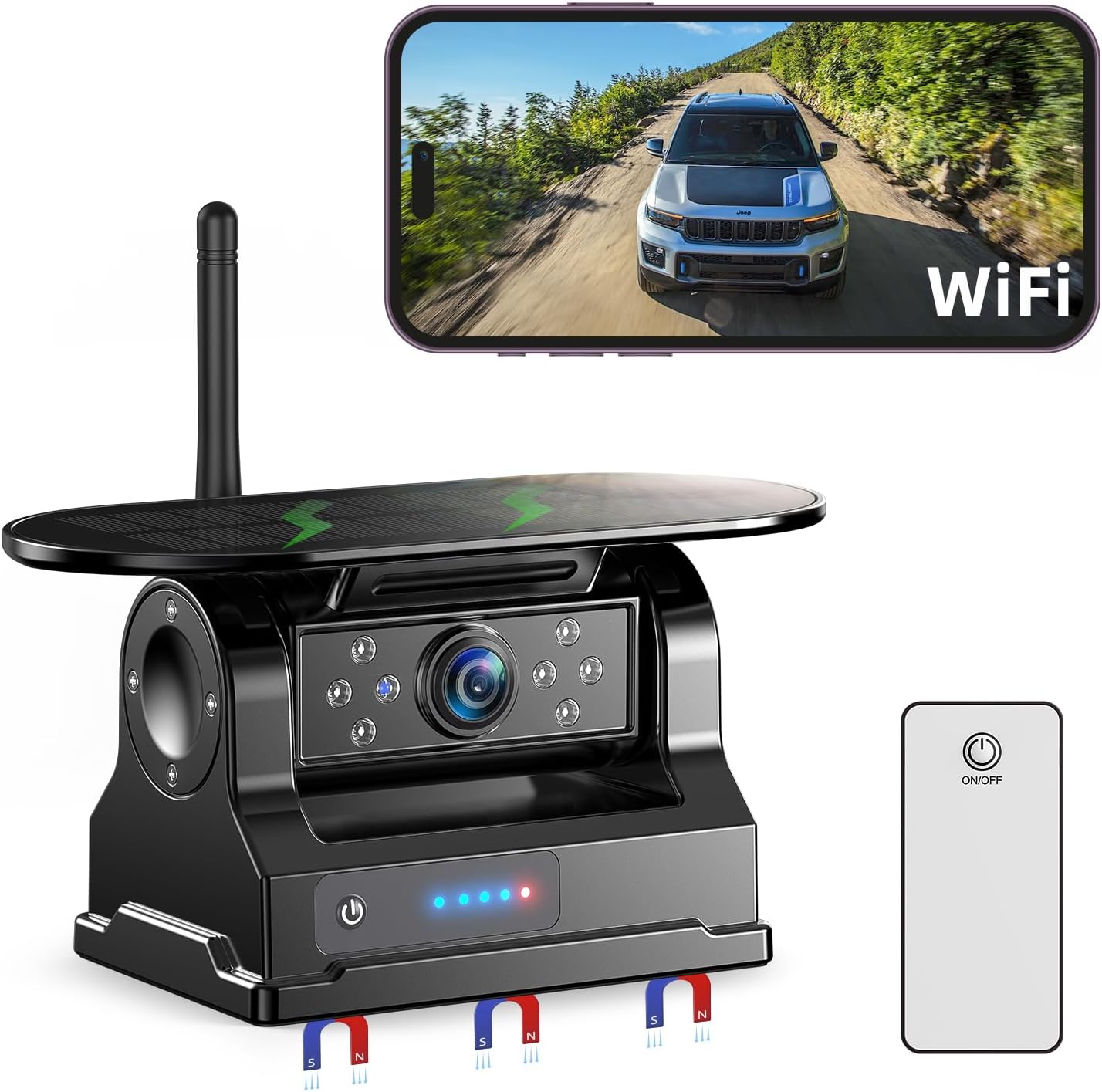
Figure 4.2: The eRapta Wireless Backup Camera with its magnetic base and solar panel, ready for mounting.
4.3 App Download and Connection
The camera connects to your smartphone via Wi-Fi. Follow these steps to set up the app:
- Download the "Backcamera" app from the iOS App Store or "E-eye" app from the Google Play Store.
- Power on the camera.
- On your smartphone, go to Wi-Fi settings and connect to the camera's Wi-Fi network (e.g., "backcamXXXXX"). The default password is usually "1234567890".
- Open the downloaded app to view the real-time video feed.
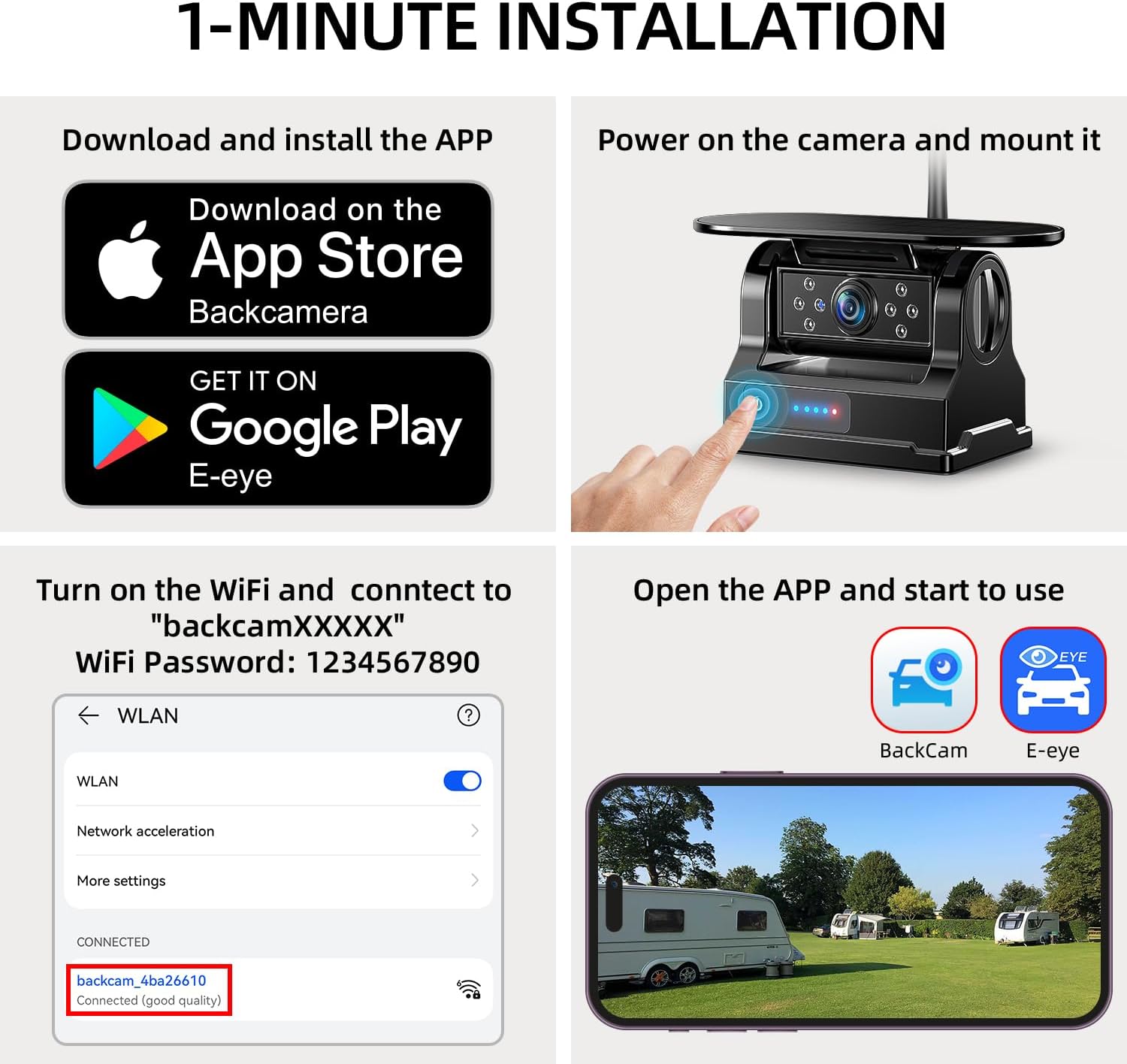
Figure 4.3: Step-by-step guide for downloading the app, powering on the camera, connecting to Wi-Fi, and starting the app for real-time viewing.
5. Operating Instructions
5.1 Real-Time Viewing and App Control
Once connected, the app provides a real-time video feed from the camera. You can use the app to:
- Capture Pictures: Save still images from the video feed.
- Record Videos: Record video footage directly to your device.
- Playback Videos: Review recorded footage.
- Mirror/Flip Settings: Adjust the image orientation (horizontal/vertical flip) to suit the camera's mounting position (e.g., front or rear view).
- Parking Lines: Enable or disable parking guidelines for easier maneuvering.

Figure 5.1: The user-friendly app interface showing options for capturing pictures, recording, playback, mirroring, and settings.
5.2 Blind Spot Detection (BSD)
The camera features advanced AI-powered Blind Spot Detection. This system provides visual and audio warnings on your smartphone screen if obstacles or pedestrians are detected near the parking lines, enhancing safety during parking and maneuvering.

Figure 5.2: Visual representation of the Blind Spot Detection system alerting the user to a cyclist near the vehicle's rear.
5.3 Enhanced Infrared Night Vision
Equipped with a high-sensitivity CMOS sensor and eight infrared LEDs, the camera delivers clear images even in low-light conditions, ensuring visibility during nighttime operations.
5.4 Wi-Fi Connection Stability
The camera operates on 2.4GHz Wi-Fi and works best within a range of 40 feet. This range is ideal for various large vehicles including trucks, campers, RVs, trailers, and fifth wheels.
6. Maintenance
6.1 Charging
The camera can be charged in two ways:
- Solar Panel: The integrated extra-large solar panel absorbs sunlight to charge the battery, providing up to 15 hours of continuous working time on a full charge.
- Type-C Charging: Use the provided Type-C cable and 5V charger for faster charging.
Always use the included charger and cable for optimal battery health. Check the battery level using the camera's indicator lights.
6.2 Durability
The camera is IP69K rated, making it waterproof and dustproof. It is built to withstand harsh weather conditions and extreme temperatures, ensuring reliable performance.
7. Troubleshooting
- Camera Shuts Down Automatically: To conserve power, the camera automatically shuts down one minute after the app enters the background. Reactivate using the remote control and reconnect to Wi-Fi.
- No Signal/Poor Connection: Ensure your phone is connected to the camera's Wi-Fi network (not Bluetooth). Check that the camera is within the 40-foot operating range.
- App Compatibility: The app is not compatible with Google Pixel, Kyocera, or Motorola phones.
8. Specifications
- Model Number: ERT11 3.0
- Product Dimensions: 6.4 x 4 x 3.3 inches
- Item Weight: 1.92 pounds
- Connectivity: Wireless (2.4GHz Wi-Fi)
- Compatible Devices: Smartphone (iPhone, iPad, Android - excluding Google Pixel, Kyocera, Motorola)
- Installation Type: Magnetic / Surface Mount
- Voltage: 10 Volts
- Optical Sensor Technology: CMOS
- Lens Type: Wide Angle
- Real Angle of View: 150 Degrees
- Waterproof Rating: IP69K
- Battery: Built-in 9600mAh Li-ion battery
- Charging: Solar Panel, Type-C
9. Warranty and Support
The eRapta Wireless Backup Camera ERT11 3.0 comes with a 2-year warranty. For any support or warranty claims, please refer to the contact information provided in your package or visit the official eRapta website.
Related documentsERT11 3.0


Ask a question about this manual
Ask about setup, troubleshooting, compatibility, parts, safety, or missing instructions. Manuals+ will review the question and use this page’s manual context to help answer it.