
1. Introduction
The WuzuTech Herz P1 Smart Ring is a wearable device designed to track various health metrics and biometrics. This manual provides essential information for the proper setup, operation, and maintenance of your smart ring to ensure optimal performance and longevity.

Image 1.1: The Herz P1 Smart Ring alongside its product packaging.
2. Package Contents
Upon opening your Herz P1 Smart Ring package, verify that all the following items are included:
- Herz P1 Smart Ring
- Charging Case
- USB Charging Cable (integrated with case or separate)
- User Manual (this document)
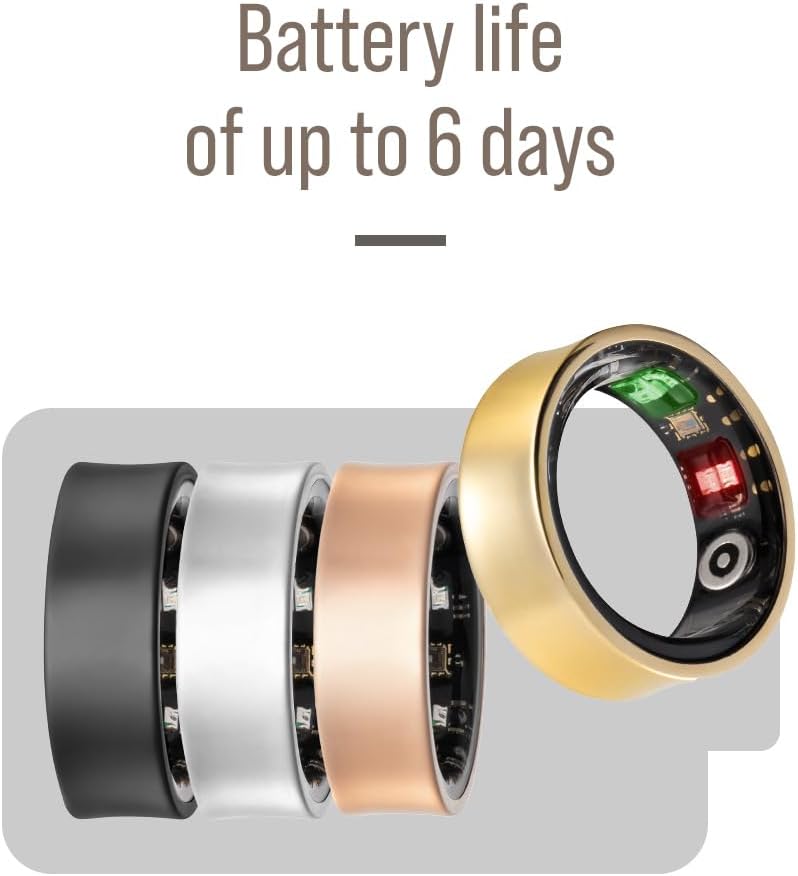
Image 2.1: The Herz P1 Smart Ring placed within its charging case.
3. Product Overview
The Herz P1 Smart Ring is designed for comfort and continuous health monitoring. It features internal sensors for biometric data collection and is constructed from durable stainless steel.
3.1 Key Features
- 24/7 Biometric Tracking (Heart Rate, Sleep, Activity, Stress, Blood Oxygen, Women's Health)
- Up to 6-day battery life
- 5ATM Waterproof rating (up to 164 feet)
- Durable Stainless Steel construction
- Free companion app for iOS and Android with no subscription required

Image 3.1: A detailed front view of the Herz P1 Smart Ring, showcasing its design.
4. Setup
4.1 Charging the Ring
Before initial use, fully charge your Herz P1 Smart Ring. Place the ring into its charging case. Connect the charging case to a USB power source using the provided cable. The indicator light on the charging case will show the charging status. A full charge typically takes approximately 1-2 hours.
4.2 App Installation and Pairing
- Download the official Herz P1 companion app from the Apple App Store (for iOS devices) or Google Play Store (for Android devices).
- Ensure your smartphone's Bluetooth is enabled.
- Open the Herz P1 app and follow the on-screen instructions to create an account and pair your smart ring. The app will guide you through the pairing process, which typically involves selecting your ring from a list of available Bluetooth devices.

Image 4.1: A user interacting with the Herz P1 app on a smartphone, showing health data.
4.3 Wearing the Ring
For accurate data collection, wear the Herz P1 Smart Ring on your index, middle, or ring finger. Ensure a snug but comfortable fit. The sensors on the inside of the ring should be in direct contact with your skin. Refer to the sizing chart below to ensure you have the correct ring size.

Image 4.2: Sizing chart for the Herz P1 Smart Ring, showing US code, finger circumference, and ring diameter.
5. Operating the Herz P1 Smart Ring
Once set up, the Herz P1 Smart Ring continuously collects biometric data. All data is synchronized with the companion app on your smartphone.
5.1 Biometric Tracking
- Sleep Tracking: Monitors sleep stages (light, deep, REM), sleep duration, and sleep quality.
- Heart Rate: Provides continuous heart rate monitoring and resting heart rate data.
- Activity Tracking: Records steps, distance, calories burned, and active minutes.
- Stress Monitoring: Analyzes heart rate variability (HRV) to provide insights into stress levels.
- Blood Oxygen (SpO2): Measures blood oxygen saturation levels.
- Women's Health: Offers features for menstrual cycle tracking.

Image 5.1: Visual representation of the Herz P1 Smart Ring's tracking capabilities, including sleep, HRV, activity, heart rate, stress, blood oxygen, and women's health.
5.2 Data Synchronization
The ring automatically synchronizes data with the app when your smartphone is within Bluetooth range and the app is running (even in the background). Open the app regularly to view your latest data and insights.
6. Maintenance
6.1 Cleaning
Clean your Herz P1 Smart Ring regularly with a soft, damp cloth. Avoid using abrasive materials or harsh chemicals, as these can damage the ring's finish and sensors.
6.2 Water Resistance
The Herz P1 Smart Ring has a 5ATM water resistance rating, meaning it can withstand pressures equivalent to a depth of 50 meters (164 feet). This makes it suitable for swimming and showering. However, it is not recommended for diving or high-pressure water activities.

Image 6.1: The Herz P1 Smart Ring shown underwater, illustrating its 5ATM waterproof capability.
6.3 Battery Care
To maximize battery life, avoid fully discharging the ring frequently. Charge it when the battery level is low. The ring offers up to 6 days of battery life on a single charge, depending on usage patterns.

Image 6.2: The Herz P1 Smart Ring highlighting its battery life of up to 6 days.
7. Troubleshooting
- Ring not connecting to app: Ensure Bluetooth is enabled on your phone, the ring is charged, and the app has necessary permissions. Try restarting both the ring (by placing it in the charger) and your phone.
- Inaccurate data readings: Verify the ring is worn snugly on your finger with sensors in direct contact with the skin. Ensure the ring is clean. Environmental factors or improper fit can affect accuracy.
- Battery draining quickly: Check if background app usage is enabled. Frequent data synchronization or continuous high-intensity tracking can consume more power. Ensure the ring is fully charged.
- App not displaying data: Confirm the ring is successfully paired and synchronized. Check your internet connection for app updates.
8. Specifications
| Feature | Specification |
|---|---|
| Model | Herz P1 |
| Brand | WuzuTech |
| Connectivity | Bluetooth |
| Operating System | RTOS |
| Battery Life | Up to 6 days |
| Battery Capacity | 17 Milliamp Hours (Nonstandard Battery) |
| Water Resistance | 5ATM (up to 164 feet) |
| Material | Stainless Steel |
| Compatibility | iOS, Android |
| Item Weight | 73 Grams (2.57 ounces) |
9. Warranty and Support
WuzuTech provides a limited warranty for the Herz P1 Smart Ring against defects in materials and workmanship under normal use. Please refer to the warranty card included in your package or visit the official WuzuTech website for detailed warranty terms and conditions.
For technical support, troubleshooting assistance, or any inquiries regarding your Herz P1 Smart Ring, please contact WuzuTech customer service through the contact information provided on the official website or within the companion app.


