
1. Introduction
Thank you for choosing the FANMIS Unisex Dual Display Sports Watch, Model 3306. This watch combines classic analog timekeeping with modern digital functions, designed for versatility and durability. It features a 5ATM water resistance rating, making it suitable for daily activities like handwashing and rain exposure. This manual provides detailed instructions to help you get the most out of your watch.
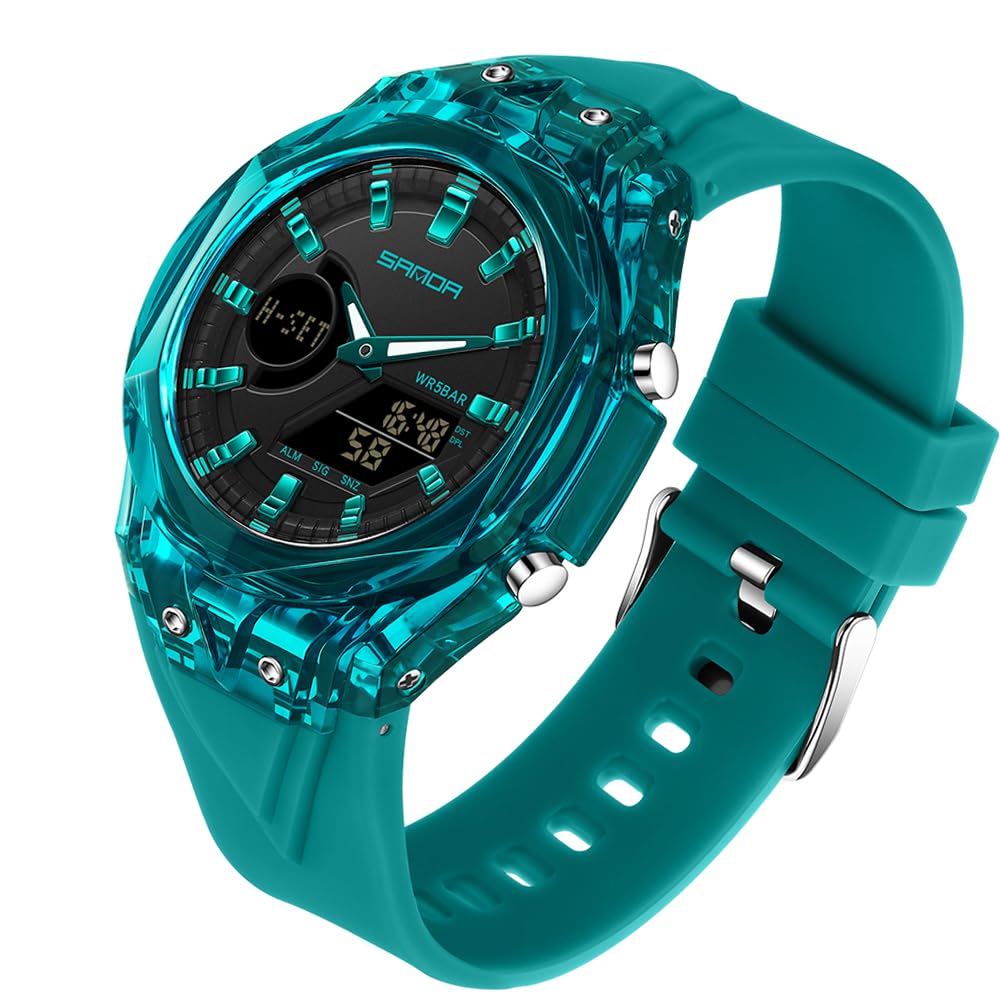
Image 1.1: Front view of the FANMIS Unisex Dual Display Sports Watch.
2. Watch Components
Familiarize yourself with the watch's buttons and display areas:
- MODE Button: Used to cycle through different digital modes (Time, Alarm, Stopwatch, Dual Time).
- LIGHT Button: Activates the backlight for visibility in low-light conditions.
- START Button: Used to start/stop functions in Stopwatch mode, and adjust settings in setting modes.
- RESET Button: Used to reset functions in Stopwatch mode, and select items in setting modes.
- Analog Display: Shows time with traditional hour, minute, and second hands.
- Digital Display: Shows time, date, day, and other digital functions.
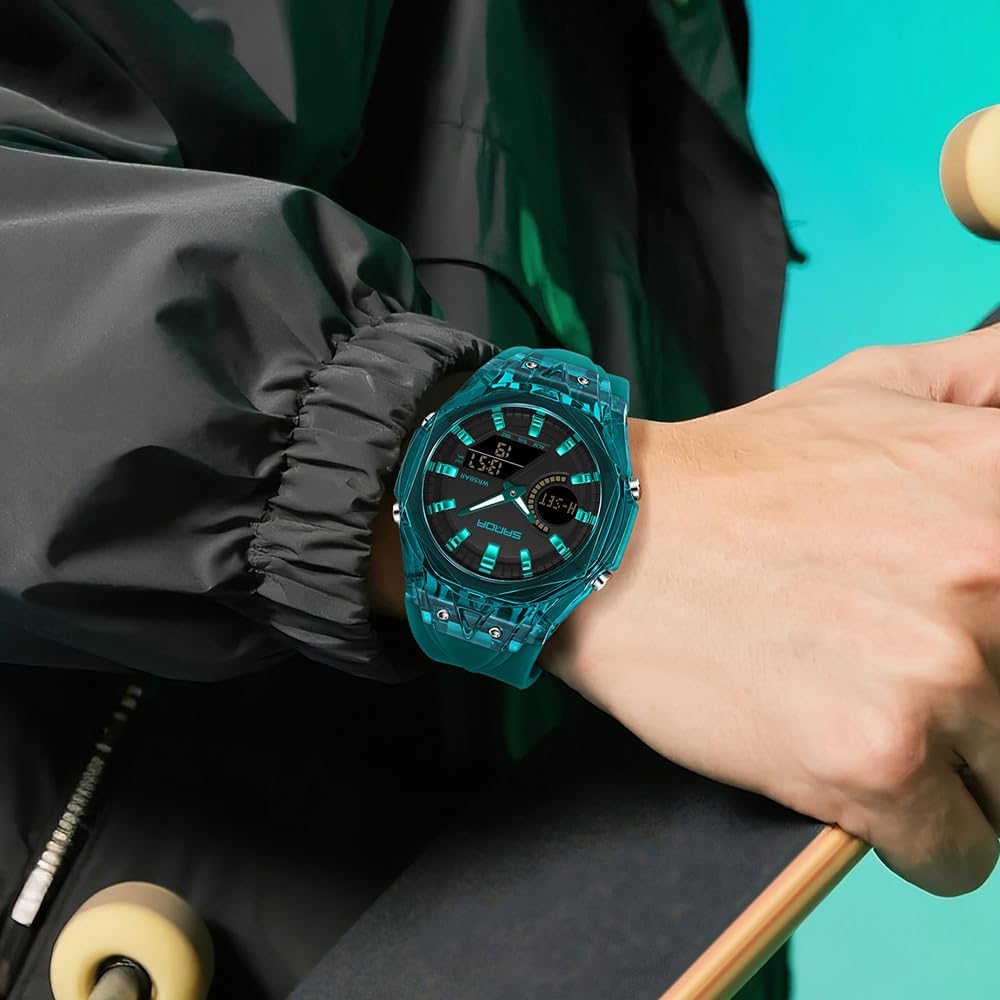
Image 2.1: Close-up view of the watch face, highlighting the analog and digital displays and control buttons.
3. Setup and Time Setting
3.1 Setting Digital Time and Date
- From the normal time display, press the MODE button three times to enter the time setting mode. The seconds will flash.
- Press the RESET button to cycle through the setting items: Seconds → Hour → Minute → Month → Date → Day of Week.
- Use the START button to adjust the flashing value.
- Once all settings are correct, press the MODE button to exit the setting mode.
3.2 Setting Analog Time
The analog hands are set independently from the digital display.
- Pull out the crown (small knob on the right side of the watch case) to the first click position.
- Rotate the crown to adjust the hour and minute hands to the desired time.
- Once the analog time is set, push the crown back in to secure the setting and start the analog movement.
4. Operating Modes
Press the MODE button to cycle through the following functions:
- Normal Time Display: Shows current digital time, date, and day.
- Alarm Mode: Set and activate daily alarms.
- Stopwatch Mode: Measure elapsed time.
- Dual Time Mode: Display a second time zone.
4.1 Alarm Function
- Press MODE once to enter Alarm mode. The alarm time will be displayed.
- Press RESET to select the hour or minute to set.
- Use START to adjust the flashing value.
- Press MODE to confirm and exit.
- To turn the alarm ON/OFF, press START while in Alarm mode. An alarm icon will appear/disappear.
4.2 Stopwatch Function
- Press MODE twice to enter Stopwatch mode.
- Press START to begin timing.
- Press START again to pause timing.
- Press RESET to clear the stopwatch to zero.
- To resume timing after pausing, press START.
4.3 Backlight
Press the LIGHT button at any time to illuminate the digital display for a few seconds.
Video 4.1: Demonstration of the watch's various functions and features.
5. Maintenance and Care
5.1 Water Resistance (5ATM)
This watch is rated 5ATM (50 meters) water resistant. This means it is suitable for:
- Daily splashes
- Handwashing
- Rain exposure
- Cold showers
Important Warnings:
- DO NOT press any buttons underwater.
- DO NOT expose the watch to hot water, steam, or hot showers, as this can damage the waterproof seals.
- NOT suitable for diving or high-pressure water activities.

Image 5.1: Visual guide to the watch's 5ATM water resistance capabilities and limitations.
5.2 Cleaning
To clean your watch, wipe it with a soft, damp cloth. Avoid using harsh chemicals or abrasive materials that could damage the case or strap.
5.3 Battery Replacement
The watch is powered by a quartz battery. When the display dims or functions become erratic, it may be time for a battery replacement. It is recommended to have the battery replaced by a qualified watch technician to ensure the water resistance seal is maintained.

Image 5.2: View of the watch's stainless steel bottom cover, indicating durability and craftsmanship.
6. Troubleshooting
- Digital Display is Blank: The battery may be low or depleted. Replace the battery.
- Incorrect Time Display: Ensure both analog and digital times are set correctly as per Section 3.
- Buttons Not Responding: Check if the watch is in a setting mode. If not, a battery replacement might be needed, or contact support.
- Water Inside Watch: If moisture appears inside the watch, stop using it immediately and seek professional repair to prevent further damage.
7. Specifications
| Feature | Specification |
|---|---|
| Model Name | 3306 |
| Brand | FANMIS |
| Display Type | Analog-Digital |
| Watch Movement | Quartz |
| Water Resistance Depth | 50 meters (5ATM) |
| Case Material | Acrylonitrile Butadiene Styrene (ABS) |
| Band Material | Thermoplastic Polyurethane (TPU) |
| Clasp Type | Buckle |
| Case Diameter | 5.7 centimeters |
| Case Thickness | 15 millimeters |
| Band Width | 20 millimeters |
| Band Length | 21 centimeters |
| Item Weight | 4.54 grams |
| Additional Features | Alarm, Easy Reader, Stopwatch, Dual Time Zone, Backlight |
8. Warranty and Support
8.1 Return Policy
This product is subject to a 30-day return policy for refund or replacement. Please refer to your purchase platform for specific return instructions.
8.2 Customer Support
For further assistance or inquiries, please visit the official FANMIS store or contact customer service through your purchase platform.
Visit the FANMIS Store on Amazon.