1. Introduction
This manual provides essential information for the safe and efficient operation of your Udreamer UD002 Vinyl Record Player. Please read these instructions thoroughly before using the product and retain them for future reference.
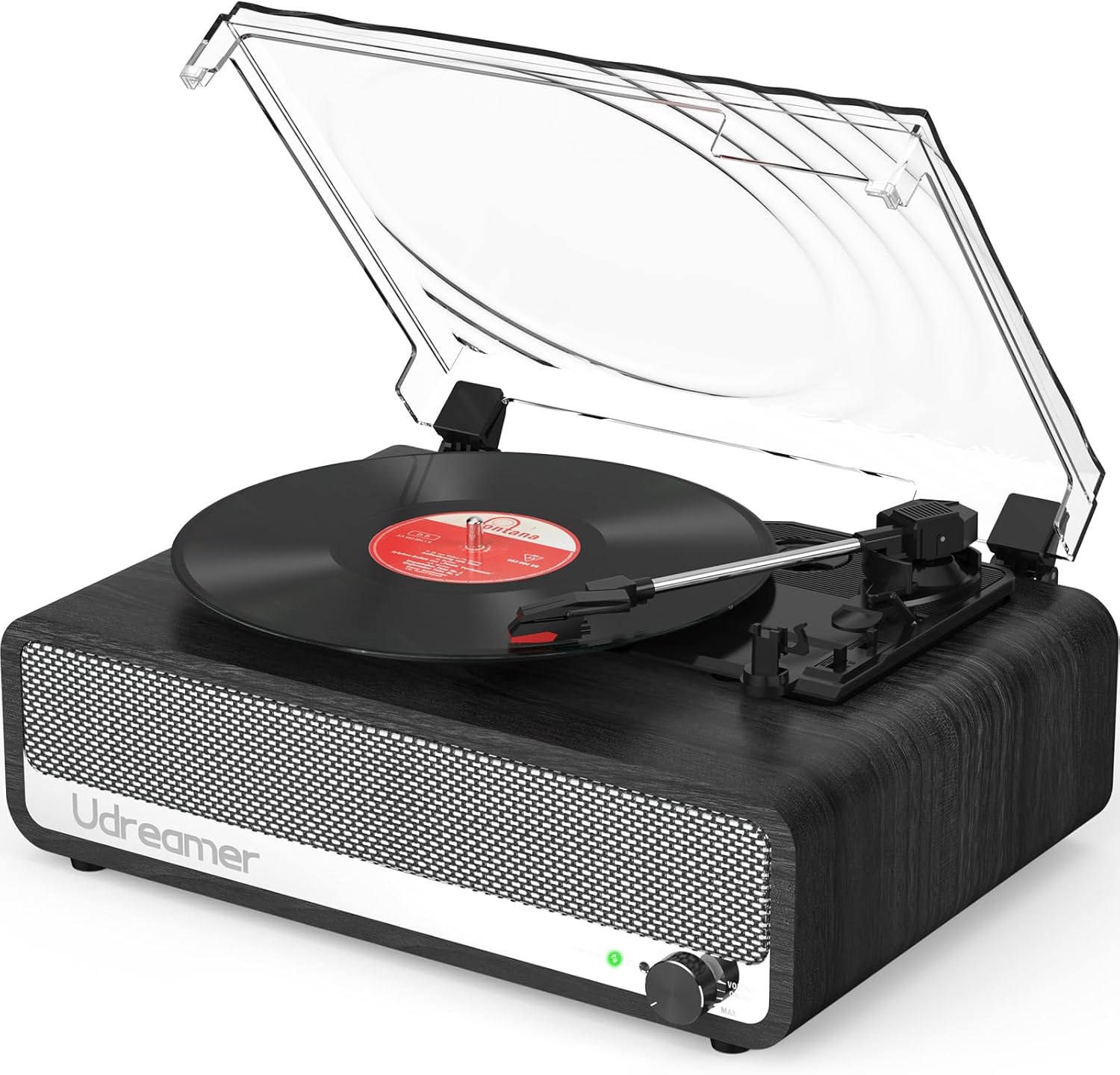
Image 1.1: Udreamer UD002 Vinyl Record Player. This image displays the record player from an elevated front-right angle, featuring its wooden base, built-in speakers, and a clear dust cover over the turntable with a vinyl record in place.
2. Safety Instructions
- Power Source: Use only the provided 5V 1.5A power cord. Ensure the voltage matches your local power supply.
- Water and Moisture: Do not expose the unit to rain, moisture, or liquids. Avoid placing objects filled with liquids, such as vases, on the unit.
- Heat: Do not place the unit near heat sources such as radiators, heat registers, stoves, or other apparatus (including amplifiers) that produce heat.
- Ventilation: Ensure proper ventilation. Do not block any ventilation openings.
- Cleaning: Unplug the unit from the power outlet before cleaning. Use a soft, dry cloth for cleaning.
- Servicing: Do not attempt to service this product yourself. Refer all servicing to qualified service personnel.
- Placement: Place the unit on a stable, flat surface to prevent damage from falling.
3. Package Contents
Verify that all items are present in the package:
- 1 x Udreamer UD002 Turntable
- 1 x 5V 1.5A Power Cord
- 1 x User Manual
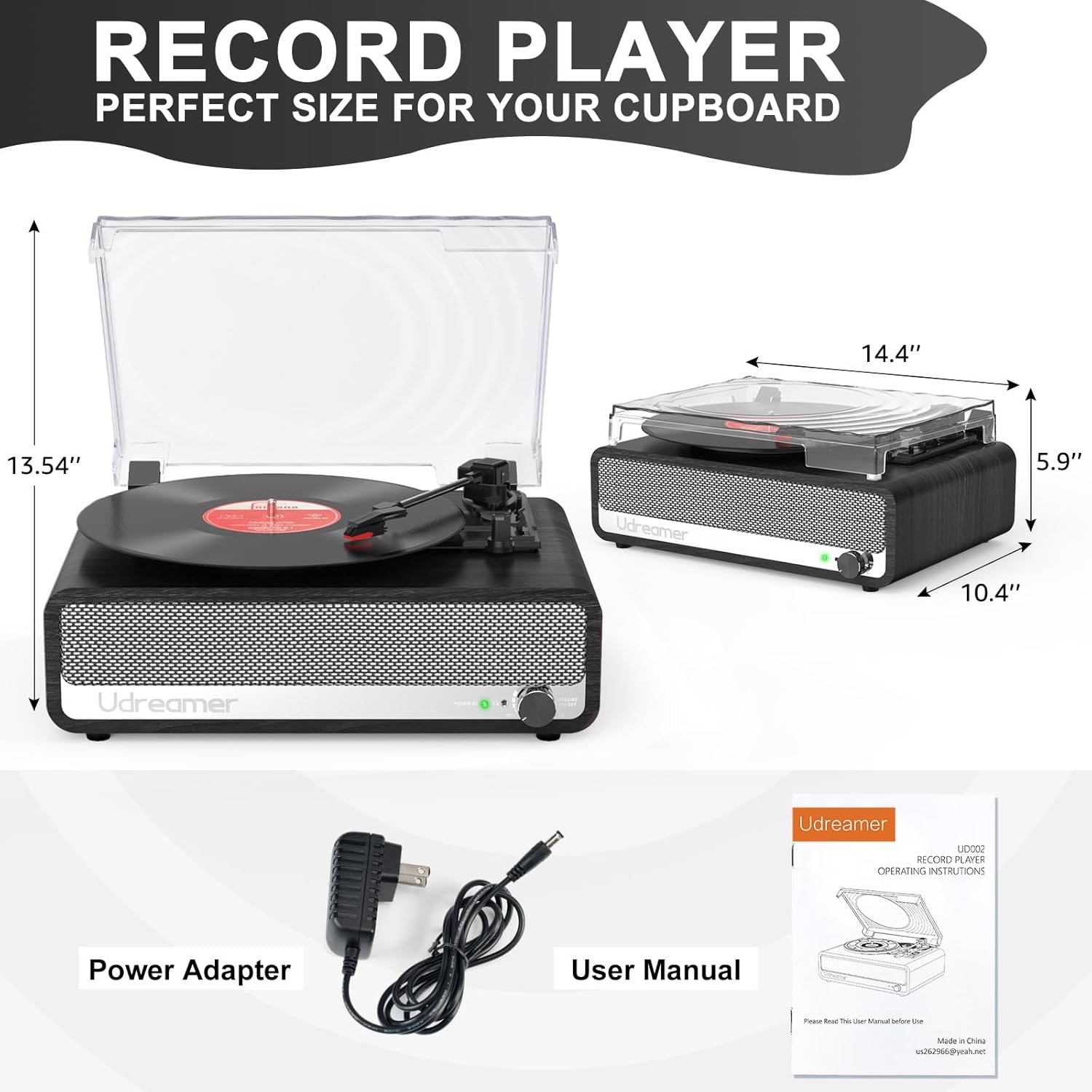
Image 3.1: Package Contents and Dimensions. This image displays the Udreamer UD002 record player with its dimensions labeled, alongside the included power adapter and user manual.
4. Product Overview
4.1 Front Panel and Speakers
The front panel features the Udreamer logo, built-in stereo speakers, and a volume/power knob.

Image 4.1: Front view of the Udreamer UD002 record player, showcasing the speaker grille and the Udreamer brand name.
4.2 Rear Panel Connections
The rear panel provides various connectivity options for expanded audio experiences.

Image 4.2: Rear panel connections of the Udreamer UD002 record player, clearly labeling the USB, AUX, RCA OUT, and DC IN ports.
4.3 Turntable and Dust Cover
The turntable supports multiple record sizes and speeds, protected by a detachable dust cover.
Image 4.3: Top view of the Udreamer UD002 record player with the dust cover open, revealing the turntable platter and tonearm.
5. Setup
- Unpacking: Carefully remove the record player and all accessories from the packaging.
- Placement: Place the unit on a stable, level surface away from direct sunlight, heat sources, and excessive dust.
- Dust Cover: Attach the detachable dust cover by aligning its hinges with the slots on the back of the unit.
- Power Connection: Connect the provided 5V 1.5A power cord to the DC IN port on the rear of the record player, then plug the adapter into a wall outlet.
6. Operating Instructions
6.1 Playing Vinyl Records
- Power On: Turn the Volume/Power knob clockwise to power on the unit.
- Select Speed: Choose the appropriate speed (33 1/3, 45, or 78 RPM) using the speed selector switch on the turntable. For 45 RPM records, place the included 45 RPM adapter on the center spindle.
- Place Record: Carefully place your vinyl record on the turntable platter.
- Lift Tonearm: Gently lift the tonearm using the cue lever.
- Position Stylus: Move the tonearm over the desired track of the record.
- Lower Tonearm: Slowly lower the tonearm onto the record using the cue lever. The record will begin to play.
- Auto-Stop Function: The record player features an auto-stop function. When enabled, the turntable will stop spinning automatically when the record finishes. To enable/disable, use the auto-stop switch.
- Adjust Volume: Use the Volume/Power knob to adjust the playback volume.
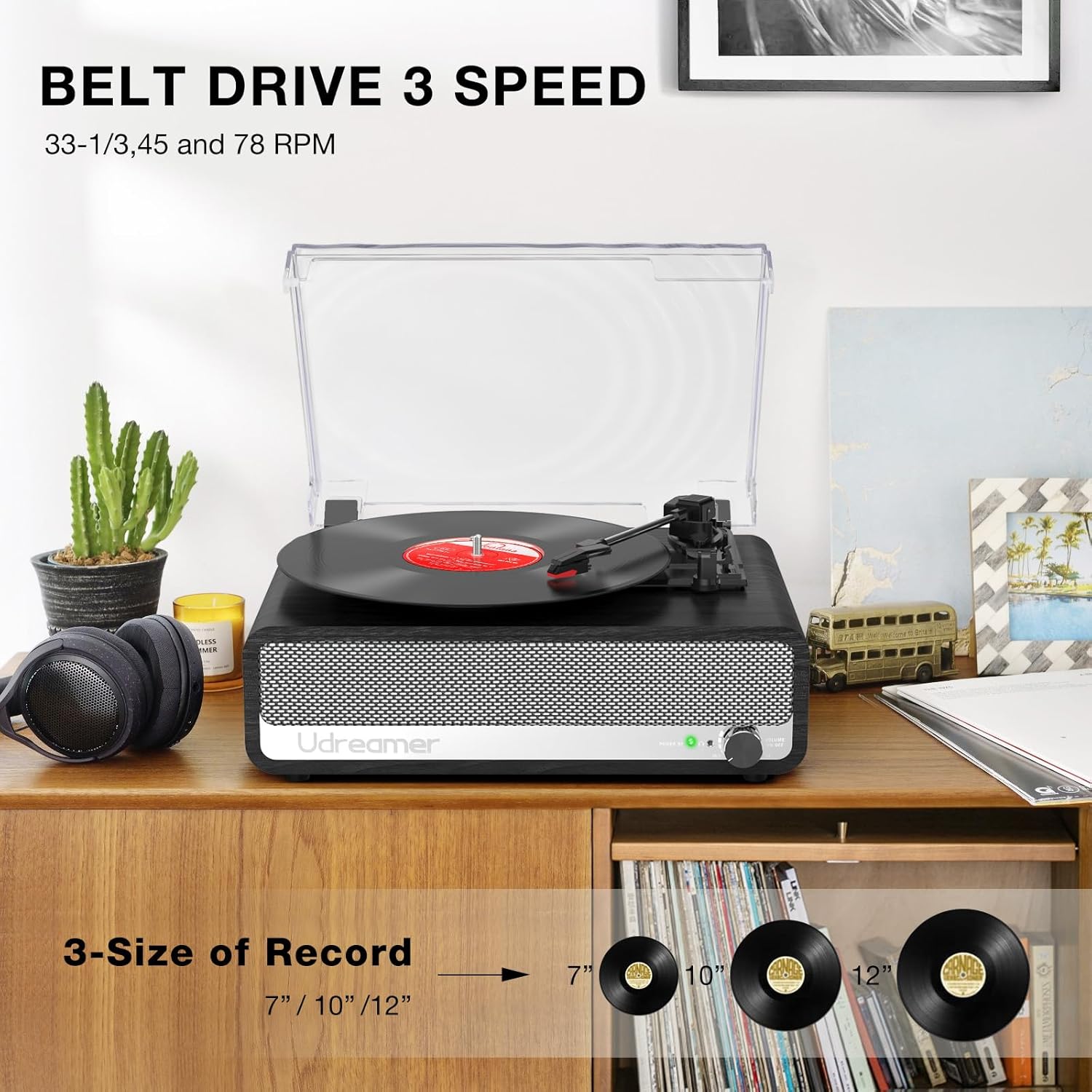
Image 6.1: Record Sizes and Speeds. This image visually represents the three common record sizes (7", 10", 12") and indicates the three playback speeds (33 1/3, 45, 78 RPM) supported by the turntable.
6.2 Bluetooth Connectivity
The Udreamer UD002 can receive audio wirelessly from Bluetooth-enabled devices.
- Switch to Bluetooth Mode: Turn the Volume/Power knob to power on the unit. The mode indicator light will flash, indicating Bluetooth pairing mode.
- Pair Device: On your smartphone or other Bluetooth device, search for "Udreamer" in the Bluetooth settings and select it to pair.
- Play Audio: Once paired, you can play audio from your device through the record player's speakers.

Image 6.2: Bluetooth Pairing. This image shows a hand holding a smartphone with music playing, wirelessly connected to the Udreamer UD002 record player, illustrating the Bluetooth functionality.
6.3 AUX Input
Connect external audio devices via the 3.5mm AUX input.
- Connect Cable: Plug a 3.5mm audio cable (not included) into the AUX IN port on the rear of the record player and the other end into your external audio device.
- Select AUX Mode: The unit will automatically switch to AUX mode when a cable is connected.
- Play Audio: Play audio from your connected device.
6.4 USB Input
Play MP3 files directly from a USB flash drive.
- Insert USB Drive: Insert a USB flash drive into the USB port on the rear of the record player.
- Select USB Mode: The unit will automatically switch to USB mode and begin playing compatible audio files.
6.5 Headphone Jack
For private listening, connect headphones to the dedicated jack.
- Connect Headphones: Plug your headphones into the headphone jack on the rear of the unit. The built-in speakers will mute automatically.
6.6 RCA Output
Connect the record player to external amplifiers or active speakers for enhanced sound.
- Connect RCA Cables: Use RCA cables (not included) to connect the RCA OUT ports on the rear of the record player to the audio input of your external amplifier or active speakers.
- Note: If your external speakers are passive, they must be connected to an amplifier first.
7. Maintenance
- Cleaning the Unit: Wipe the exterior of the record player with a soft, dry, lint-free cloth. Do not use abrasive cleaners or solvents.
- Cleaning the Stylus: Use a soft brush to gently clean the stylus (needle) from back to front. Avoid touching the stylus with your fingers.
- Dust Cover: Keep the dust cover closed when not in use to protect the turntable from dust and debris.
- Record Care: Handle records by their edges. Store them vertically in their sleeves to prevent warping. Clean records regularly with a dedicated record cleaning solution and cloth.
8. Troubleshooting
| Problem | Possible Cause | Solution |
|---|---|---|
| No power | Power cord not connected; Power switch off | Ensure power cord is securely plugged in; Turn the Volume/Power knob clockwise to power on. |
| No sound from speakers | Volume too low; Headphones connected; Incorrect mode selected | Increase volume; Disconnect headphones; Select correct input mode (Phono, Bluetooth, AUX, USB). |
| Turntable not spinning | Power off; Belt dislodged; Auto-stop engaged prematurely | Ensure power is on; Check and re-seat the drive belt (refer to detailed setup guide if needed); Try disabling auto-stop. |
| Poor sound quality | Dirty stylus/record; Incorrect speed; Stylus worn out | Clean stylus and record; Select correct playback speed; Replace stylus if worn. |
| Bluetooth not pairing | Not in pairing mode; Device too far; Interference | Ensure unit is in Bluetooth pairing mode; Move device closer; Reduce interference from other devices. |
9. Specifications
- Model Name: UD002 Record Player
- Brand: Udreamer
- Product Dimensions: 14.4 x 10.4 x 5.9 inches
- Item Weight: 7.54 pounds
- Material: Plastic, Wood
- Color: Black
- Maximum Rotational Speed: 78 RPM (supports 33 1/3, 45, and 78 RPM)
- Special Features: 45 RPM adapter, Auto-stop switch, 3 speeds, 3 record sizes, Detachable cover, Bluetooth 5.3, Built-in 2 speakers, USB input, AUX input, RCA output, Headphone jack.
- Compatible Devices: Speaker, Headphone
10. Warranty and Support
For any questions, technical assistance, or support regarding your Udreamer UD002 Record Player, please refer to the contact information provided in your product packaging or visit the official Udreamer store.
Udreamer is committed to providing quality products and customer satisfaction. Please retain your proof of purchase for any warranty claims.
Visit the Udreamer Store for more information.


