
Introduction
The Spigen Classic LS MagFit case is designed to provide robust protection and enhanced functionality for your iPhone 17 Pro. Inspired by classic computing aesthetics, this case integrates modern features like MagSafe compatibility and a dedicated camera control button, while offering a unique retro design.
Installation
To install the Spigen Classic LS MagFit case on your iPhone 17 Pro, follow these steps:
- Ensure your iPhone 17 Pro is clean and free of dust or debris.
- Align the top edge of your iPhone with the top of the case, ensuring the camera module fits correctly into the case's cutout.
- Gently press your iPhone into the case, working your way around the edges until the phone is fully seated and all corners are securely covered.
- Verify that all buttons and ports are accessible and functional.
Lanyard Attachment
The case features a lanyard strap hole for secure attachment. To attach a lanyard (not included):
- Insert the string of your lanyard through the designated hole on the case.
- Thread the string through the hole to form a loop.
- Loop the lanyard's buckle or attachment mechanism through the formed loop and fasten it to secure the lanyard.

Figure 1: Step-by-step guide for attaching a lanyard to the case.
Features and Usage
Camera Control Button
The case includes a touch-sensitive and capacitive T cover for seamless capture button functionality, allowing for easy photo and video capture.

Figure 2: Detail of the integrated camera control button on the case.
MagSafe Compatibility
The Spigen Classic LS case is compatible with MagSafe accessories and wireless charging, thanks to a strong embedded magnet for easier, more secure, and snappy connections.

Figure 3: The case demonstrating MagSafe compatibility with a charger.
Design and Protection
The case features a special edition design inspired by the Macintosh 128K. It includes precise cutouts and a raised design around the camera, flash, and sensors, providing full protection against daily drops and scratches.

Figure 4: Enhanced camera and screen protection features of the case.
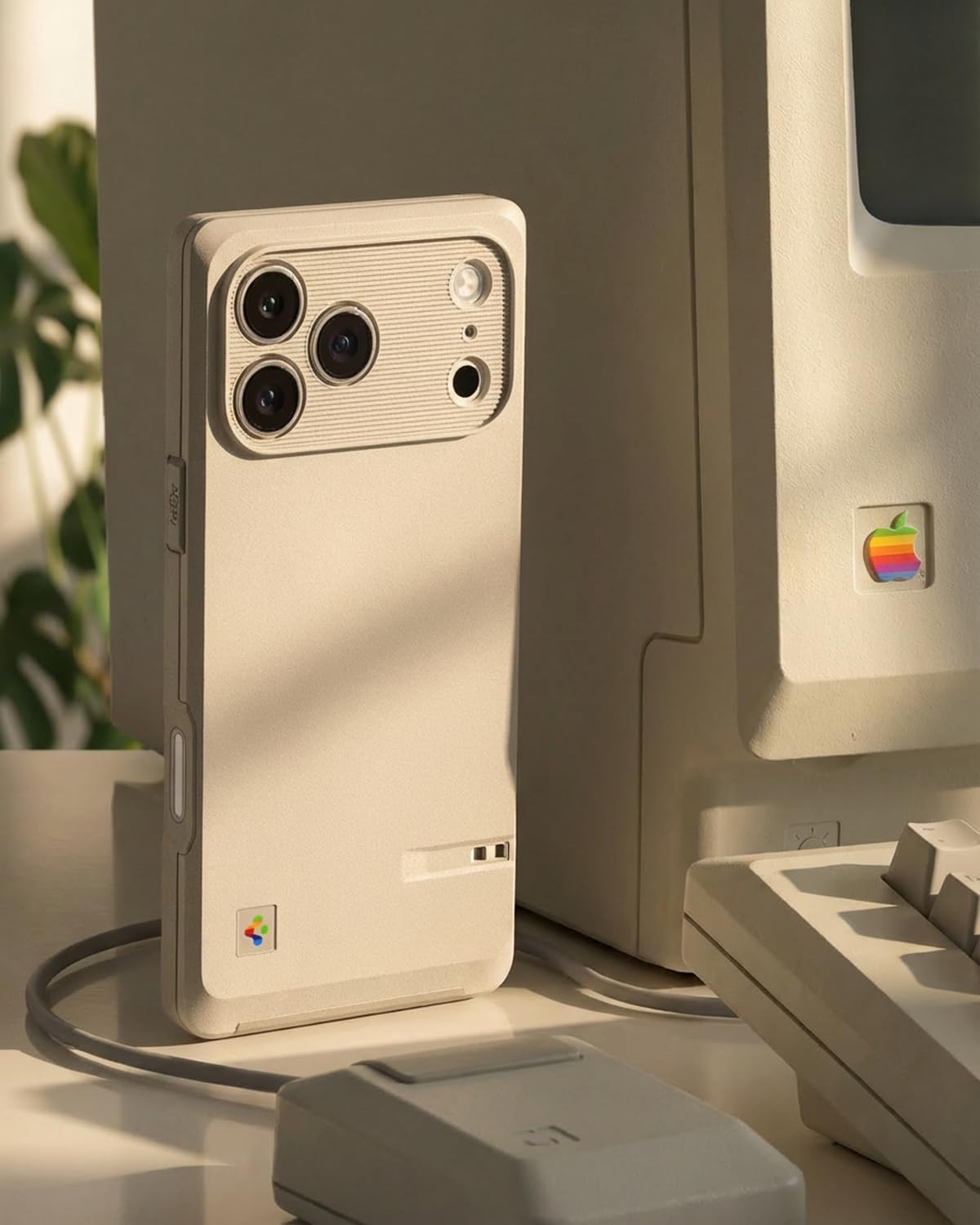
Figure 5: The case's design, inspired by vintage computing.
Care and Maintenance
To maintain the appearance and functionality of your Spigen Classic LS MagFit case:
- Clean the case regularly with a soft, damp cloth. Avoid abrasive cleaners or solvents that may damage the material.
- Remove the case periodically to clean your iPhone and the inside of the case, preventing dust buildup that could cause scratches.
- Avoid exposing the case to extreme temperatures or direct sunlight for prolonged periods, as this may affect its material integrity and color.
Troubleshooting
Case Fit Issues
If the case does not fit correctly, ensure you have the correct model (iPhone 17 Pro) and that the phone is properly aligned during installation. The case is designed to fit snugly.
MagSafe Connection Problems
If MagSafe accessories are not attaching securely, ensure there is no debris between the case and the accessory. The integrated magnets should provide a strong connection.
Specifications
| Attribute | Detail |
|---|---|
| Product Dimensions | 3 x 0.4 x 6 inches |
| Item Weight | 1.97 ounces |
| ASIN | B0FH5XH64P |
| Item Model Number | ACS10479 |
| Special Features | Heavy Duty Protection, Slim Fit |
| Form Factor | Basic Case |
| Color | Stone |
| Material | Polycarbonate, Thermoplastic Polyurethane |
| Compatible Phone Models | iPhone 17 Pro |
| Compatible Devices | iPhone 17 Pro |
Official Product Videos
Spigen iPhone 17 Series - Classic LS Case Overview
This video provides a comprehensive overview of the Spigen Classic LS case for the iPhone 17 Series, highlighting its design, features, and protective qualities.
iPhone 17 Series - Classic LS Features
A short video showcasing the key features and design elements of the Spigen Classic LS case for the iPhone 17 Series, including its retro aesthetic and MagSafe compatibility.
Warranty and Support
For warranty information and customer support, please refer to the documentation included with your product or visit the official Spigen website. You can also find more information on the Spigen Brand Store.