
1. Product Overview
The hygger LED Aquarium Light with Timer is designed to provide optimal lighting for freshwater aquariums, supporting vibrant plant growth and reducing fish stress. It features a 24/7 mode that simulates natural sunrise and sunset, full spectrum LEDs for photosynthesis, and dual pre-programmed modes for customizable lighting. The light includes an adjustable bracket for various tank sizes, a durable aluminum alloy housing for efficient heat dissipation, and an IPX4 splash-proof design with power-off memory functionality.
2. Package Contents
- 1 x hygger LED Aquarium Light (HG221-50W)
- 1 x Power Adapter
- 2 x Extendable Brackets
- 1 x User Manual

Image: Hygger LED Aquarium Light with its components: the light bar, inline controller, power adapter, and adjustable brackets.
3. Specifications
| Feature | Detail |
|---|---|
| Model | HG221-50W |
| Wattage | 50 Watts |
| Light Source Type | LED (5050/2835 LEDs) |
| Color Temperature | 6500K White, 665nm Red, 460nm Blue |
| Color Rendering Index (CRI) | >92 |
| Brightness Levels | 5 (10%-100%) |
| Color Options | 10 colors + Full Spectrum |
| Timer Modes | Day-L (2H/4H/6H/8H/10H/12H), Moon-L (4H/6H/8H/12H), 24/7 Mode |
| Gradual Transition | 15-minute gradual sunrise/sunset |
| Tank Compatibility | 48-52 inch tanks |
| Material | Aluminum Alloy Shell |
| Waterproof Rating | IPX4 Splash-proof |
| Special Features | Power-Off Memory, Extendable Brackets |

Image: Aquarium Light Size Chart for various models, including the 50W model for 48-52 inch tanks.
4. Setup Instructions
4.1 Mounting the Light
- Attach the extendable brackets to both ends of the light bar.
- Place the light bar on top of your aquarium. Adjust the brackets to fit the width of your tank (48-52 inches for the 50W model). Ensure the light is securely seated on the tank edges.

Image: Adjustable brackets allow the light to fit various aquarium widths.
4.2 Connecting Power
- Connect the power adapter to the inline controller.
- Plug the power adapter into a standard 100-240V electrical outlet.
5. Operating Instructions
5.1 Control Panel Overview
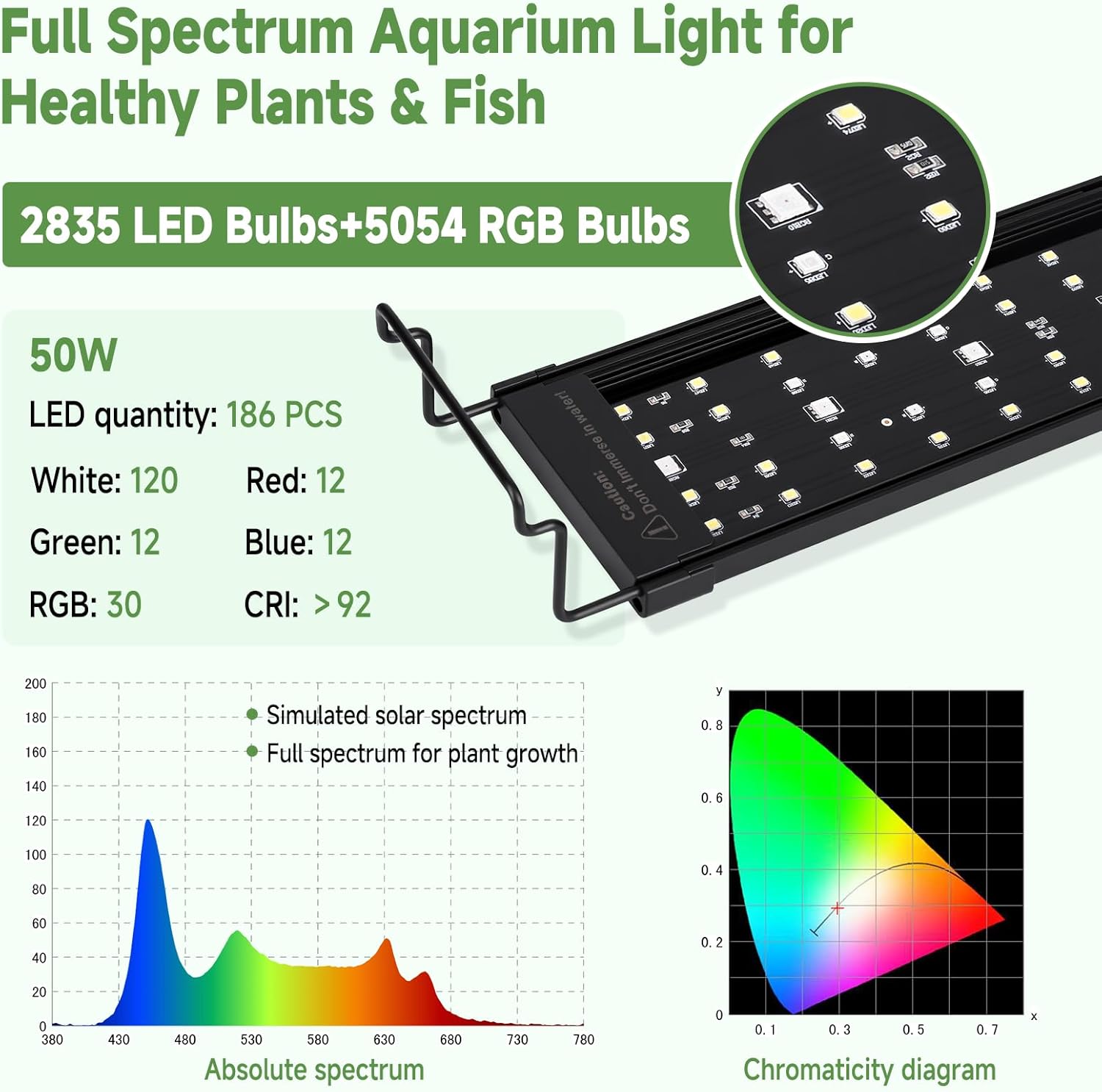
Image: Inline controller with Moon-L, Dimmer, Power/Mode, and Day-L buttons.
- Moon-L Button: Activates moonlight mode and sets its duration (4H/6H/8H/12H).
- Dimmer Button: Adjusts light brightness (5 levels: 10%-100%).
- Power/Mode Button: Turns the light on/off, cycles through 10 colors, and activates full spectrum mode.
- Day-L Button: Activates daylight mode and sets its duration (2H/4H/6H/8H/10H/12H).
5.2 Power On/Off
- Press the Power/Mode button once to turn the light on.
- Press and hold the Power/Mode button for 3 seconds to turn the light off.
5.3 Color Adjustment
- With the light on, press the Power/Mode button repeatedly to cycle through 10 different colors (Full Spectrum, Red, Blue, Green, Pink, Yellow, Cyan, Orange, White, Random Color Cycling).
- Double-press the Power/Mode button quickly to switch directly to full spectrum white light.

Image: Visual representation of the 10 color options.
5.4 Brightness Adjustment
- With the light on, press the Dimmer button to cycle through 5 brightness levels: 10%, 25%, 50%, 75%, and 100%.

Image: Brightness levels from 10% to 100%.
5.5 Day-L Timer Setting
- Press the Day-L button to select the desired timer duration (2H/4H/6H/8H/10H/12H). The indicator light will flash to confirm.
- Long-press the Day-L button until the indicator light flashes rapidly. Then use the Dimmer button to set the desired brightness.
- The light will gradually increase in intensity over the first 15 minutes (orange light to full spectrum) and gradually decrease over the final 15 minutes (orange light to off) to simulate sunrise and sunset.
5.6 Moon-L Timer Setting
- Press the Moon-L button to select the desired timer duration (4H/6H/8H/12H). The indicator light will flash to confirm.
- Long-press the Moon-L button until the indicator light flashes rapidly. Then use the Dimmer button to set the desired brightness.
- The light will gradually increase in intensity over the first 15 minutes and gradually decrease over the final 15 minutes.
5.7 24/7 Mode (Automated Daylight Cycle)
The 24/7 mode combines the Day-L and Moon-L timers to simulate a natural day-night rhythm. This mode automatically transitions through sunrise, full spectrum daylight, sunset, and moonlight phases.
- First, set your desired color and brightness in Power/Mode and Dimmer.
- Then, select your preferred Day-L timer duration.
- Finally, select your preferred Moon-L timer duration. The light will operate according to your customized color and timer settings.
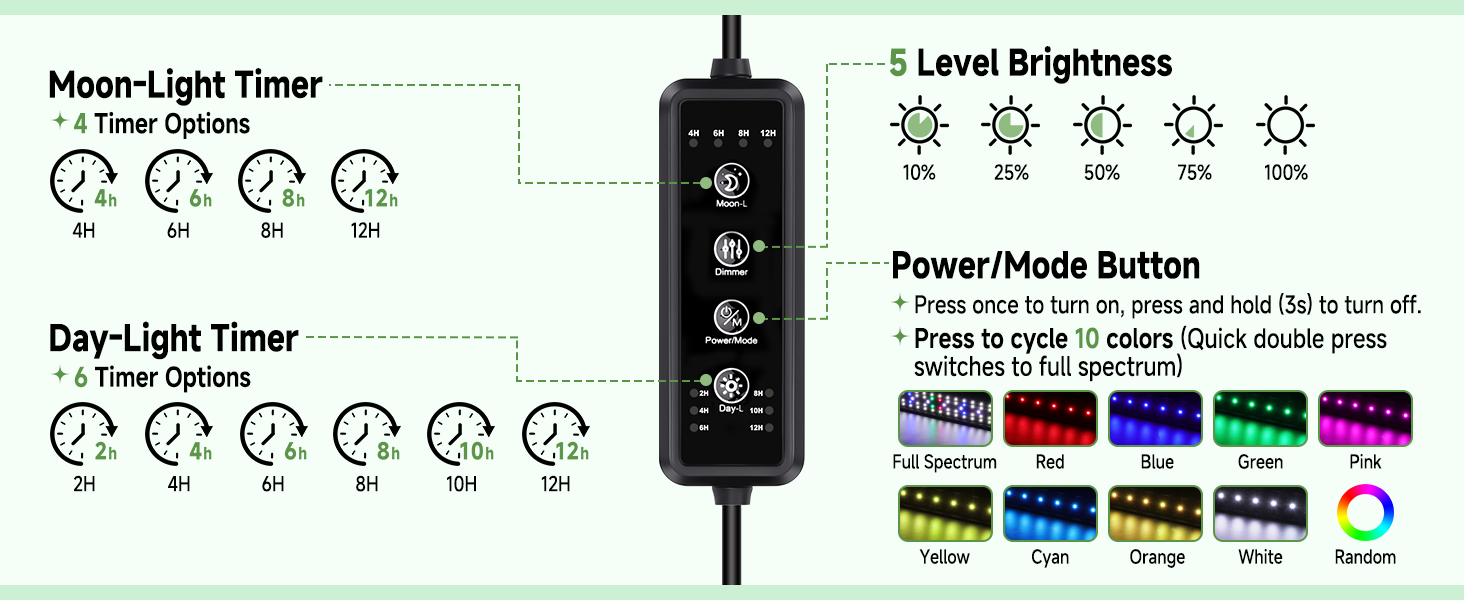
Image: Dual timer modes for Day and Night, with customizable settings.
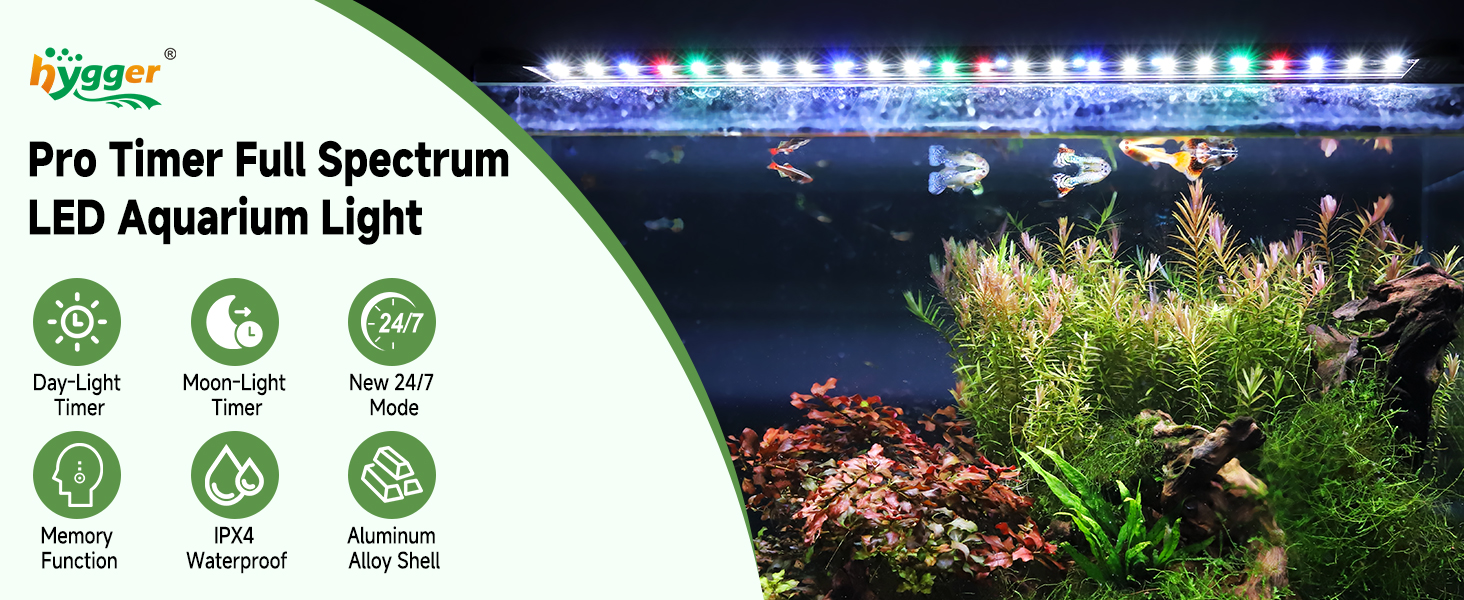
Image: 24/7 Natural Mode simulating light phases with gradual transitions.
5.8 Power-Off Memory
The light features a power-off memory function. In case of a power outage, the light will retain its last settings and resume operation once power is restored.
Video: Official hygger video demonstrating the features and operation of the HG221 LED Aquarium Light with Timer, including color changes, brightness levels, and timer settings.
6. Maintenance
- Cleaning: Regularly wipe the light bar with a soft, damp cloth to remove dust and water spots. Do not use harsh chemicals or abrasive materials.
- Splash-proof: The light is IPX4 splash-proof, meaning it is resistant to water splashes from any direction. However, it is not fully submersible. Do not immerse the light in water.
- Heat Dissipation: The aluminum alloy shell is designed for efficient heat dissipation. Ensure adequate airflow around the light to prevent overheating.
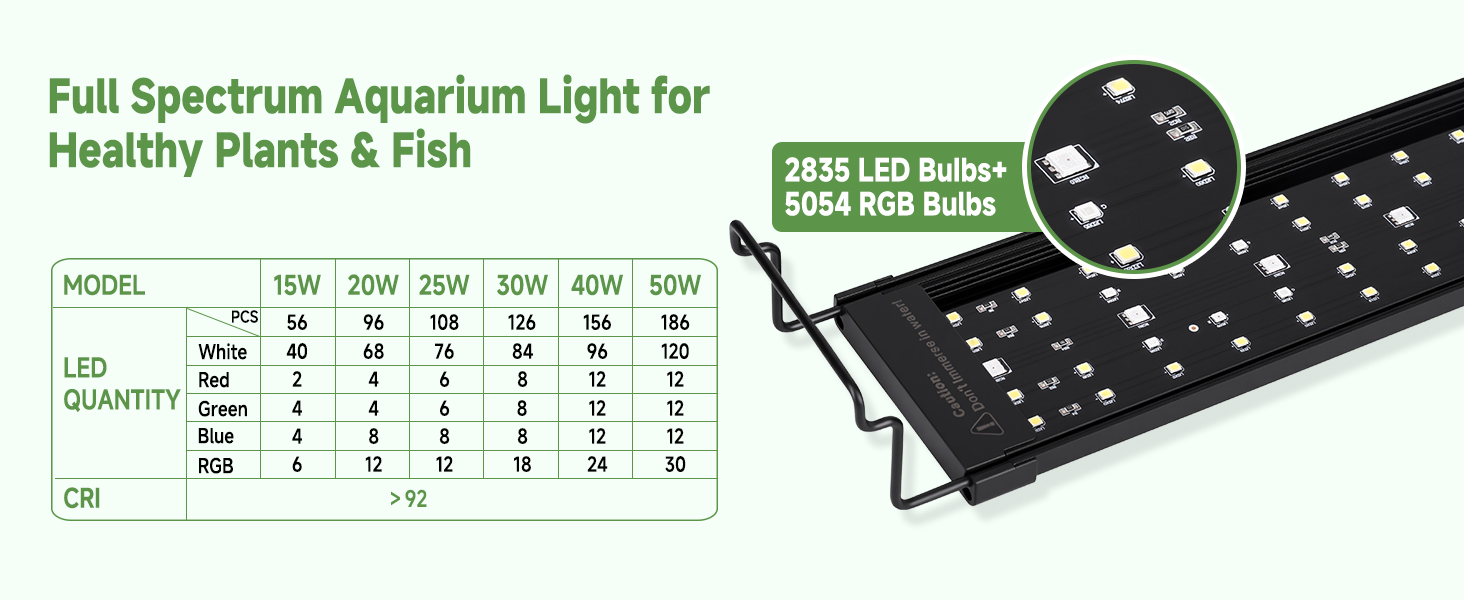
Image: IPX4 splash-proof design for durability against accidental water splashes.
7. Troubleshooting
- Light not turning on: Check if the power adapter is securely connected to both the light and the electrical outlet. Ensure the outlet is functional.
- Light flashing or erratic behavior: This could indicate a power supply issue or potential overheating. Ensure the light is not covered and has proper ventilation. Try unplugging and replugging the power adapter. If the issue persists, contact customer support.
- Timer not working as expected: Ensure you have correctly set both the desired duration and brightness for Day-L and Moon-L modes. Remember that the timer countdown resets to 0 upon power disconnect or timer duration adjustments.
- Light feels hot: While the aluminum housing is designed for heat dissipation, prolonged use can make it warm. If the light feels excessively hot to the touch or exhibits erratic behavior, unplug it immediately and contact customer support.
8. Warranty and Support
This hygger aquarium light comes with a 2-year manufacturer's warranty. For any product inquiries, technical support, or warranty claims, please refer to the contact information provided in your product packaging or visit the official hygger website.


