
1. Introduction
Thank you for choosing the LifePlus Infrared Heater TWH-15Q2. This 1500W electric space heater is designed to provide efficient and customizable warmth for indoor spaces up to 300 sq ft. It features three heating modes, an adjustable thermostat, a 12-hour timer, and convenient remote control operation. For your safety and optimal performance, please read this manual thoroughly before use and retain it for future reference.

Image 1.1: The LifePlus Infrared Heater TWH-15Q2 in a home setting, highlighting its key features.
2. Important Safety Instructions
When using electrical appliances, basic precautions should always be followed to reduce the risk of fire, electric shock, and injury to persons. Please read all instructions before using this heater.
- Read All Instructions: Ensure you understand all safety warnings and operating instructions before use.
- Placement: Always place the heater on a firm, level surface. Maintain a minimum clearance of 3 feet (0.9 meters) from walls, furniture, curtains, and other combustible materials. Do not block air intakes or exhaust openings.
- Electrical Safety: Connect the heater directly into a 120V, 15-amp or greater circuit. Do not use with extension cords, power strips, or surge protectors, as this may create a fire hazard. Ensure the plug is fully inserted into the outlet.
- Overheat Protection: The heater is equipped with an automatic overheat protection system that will shut off the unit if it becomes too hot. If this occurs, unplug the heater, wait 30 minutes for it to cool, and then plug it back in.
- Tip-Over Shut-off: For added safety, the heater will automatically turn off if it is accidentally tipped over. Place the heater upright on a stable surface to resume operation.
- Child Lock: Activate the child lock feature to prevent unintended operation by children or pets. Refer to the 'Operation' section for instructions.
- Indoor Use Only: This heater is designed for indoor use in dry locations. Do not use outdoors or in wet areas like bathrooms or laundry rooms.
- Supervision: Close supervision is necessary when any heater is used by or near children or invalids, and whenever the heater is left operating and unattended.
- Do Not Cover: Never cover the heater or block the air vents, as this can cause overheating and fire.
- Hot Surfaces: The heater's grille and internal components become hot during operation. Avoid direct contact with hot surfaces.

Image 2.1: Illustration of the heater's multiple safety features, including automatic shut-off if tipped over.

Image 2.2: The Child Lock function provides an additional layer of safety, preventing accidental changes to settings.
3. Product Components
The LifePlus Infrared Heater TWH-15Q2 includes the main heating unit and a remote control for convenient operation.
- Heater Unit: Contains the infrared heating elements, control panel with LED display, air intake, and air outlet.
- Remote Control: Allows for convenient adjustment of settings from a distance.

Image 3.1: The LifePlus Infrared Heater TWH-15Q2 and its accompanying remote control.
4. Setup
The LifePlus Infrared Heater TWH-15Q2 requires no assembly. Follow these steps for initial setup:
- Unpack: Carefully remove the heater from its packaging.
- Placement: Place the heater on a stable, level, and heat-resistant surface. Ensure there is at least 3 feet (0.9 meters) of clear space around the heater on all sides (front, back, and sides) to allow for proper airflow and prevent fire hazards. Do not place it on carpet or rugs that may obstruct the bottom air intake.
- Power Connection: Plug the heater directly into a grounded 120V AC wall outlet. Do not use extension cords or power strips.

Image 4.1: Examples of appropriate placement for the heater in different indoor environments.
5. Operating Instructions
The heater can be operated using the control panel on the unit or the included remote control.
5.1 Control Panel and Remote Control

Image 5.1: The heater's control panel, showing the LED display and function buttons.

Image 5.2: The remote control provides convenient access to all heater functions.
5.2 Basic Operation
- Power On/Off: Press the Power button (
 ) on the control panel or remote to turn the heater on or off. The LED display will show the current temperature.
 - Mode Selection: Press the Mode button () to cycle through the three heating modes:
- Low (750W): For gentle, continuous heat.
- High (1500W): For maximum heat output and faster warming.
- ECO Mode: Automatically adjusts power consumption (between 750W and 1500W) to maintain a comfortable 68°F (20°C) and save energy.
- Temperature Adjustment: In Low or High mode, use the Up () and Down () buttons to set your desired temperature between 59°F (15°C) and 86°F (30°C). The heater will cycle on and off to maintain the set temperature.
- Timer Function: Press the Timer button (
 ) to set an automatic shut-off time from 1 to 12 hours. Each press increases the timer by one hour. The display will show the set time, then revert to the temperature.
 - Child Lock: To activate the child lock, press and hold the Up and Down buttons simultaneously for three seconds. A lock icon will appear on the display. To deactivate, repeat the process.
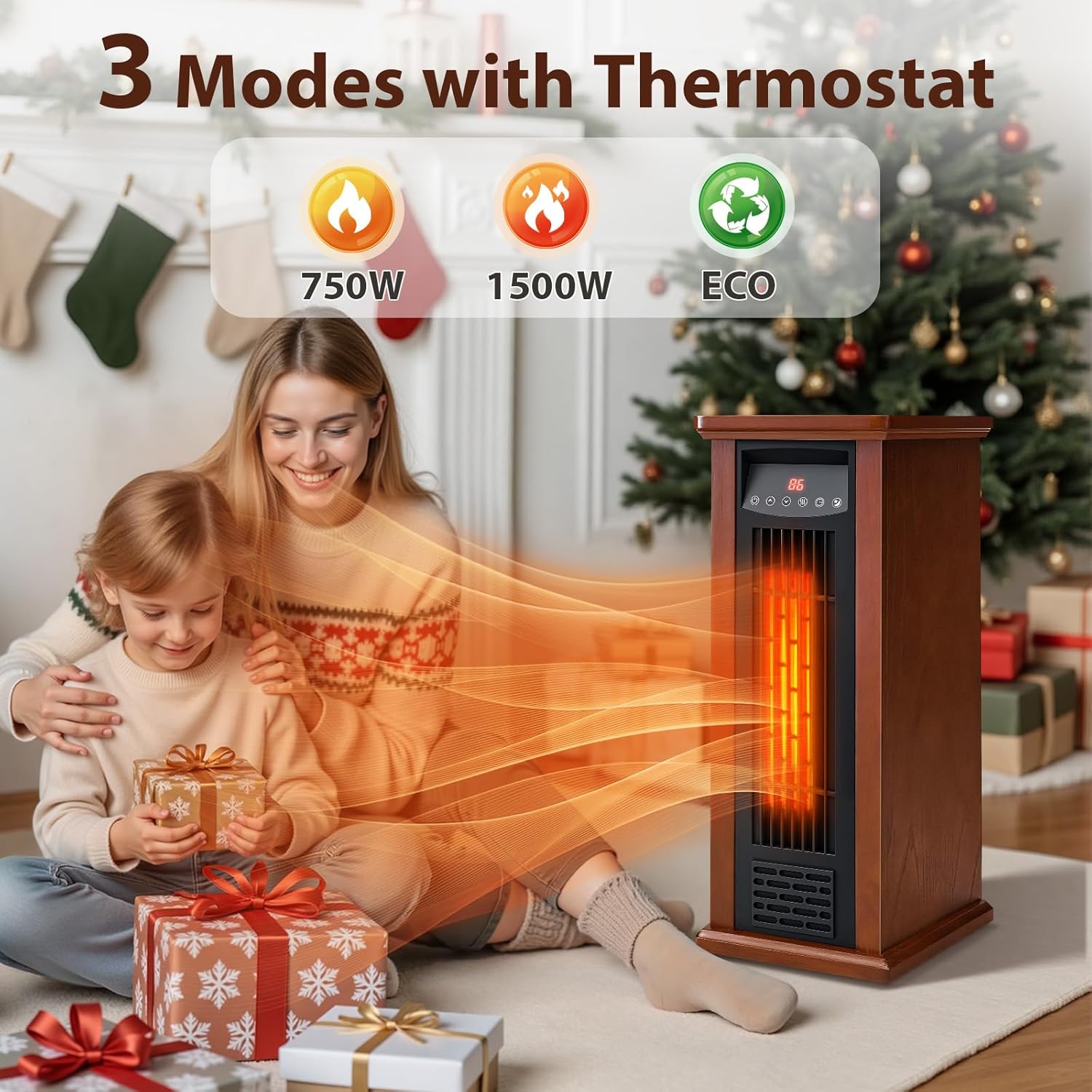
Image 5.3: The three heating modes (750W, 1500W, ECO) offer flexible heating options.

Image 5.4: The 12-hour timer and quiet operation enhance comfort, especially during sleep.

Image 5.5: ECO Mode intelligently manages power to optimize energy consumption.
6. Maintenance
Regular maintenance ensures the longevity and efficient operation of your heater.
6.1 Cleaning
- Always unplug the heater and allow it to cool completely before cleaning.
- Use a soft, damp cloth to wipe the exterior surfaces. Do not use abrasive cleaners or solvents.
- Gently vacuum the air intake and exhaust grilles to remove dust and lint buildup.
- Do not immerse the heater in water or allow water to drip into the interior.
6.2 Storage
- Store the heater in a cool, dry place when not in use.
- If possible, store it in its original packaging to protect it from dust and damage.
7. Troubleshooting
If you experience issues with your heater, refer to the following common problems and solutions:
| Problem | Possible Cause | Solution |
|---|---|---|
| Heater does not turn on. | No power, unit tipped over, overheat protection activated, child lock engaged. | Ensure power cord is securely plugged in. Check circuit breaker. Place heater upright on a stable surface. Unplug, wait 30 minutes, then plug back in. Deactivate child lock (press Up and Down buttons for 3 seconds). |
| Heater not producing heat. | Temperature setting too low, ECO mode active, air intake/exhaust blocked. | Increase the set temperature. Switch to High mode for maximum heat. Ensure no obstructions around air vents. |
| Heater turns off unexpectedly. | Overheat protection activated, tip-over switch activated, timer expired. | Unplug, wait 30 minutes, then plug back in. Ensure heater is on a stable, level surface. Check timer settings. |
If the problem persists after attempting these solutions, please contact customer support.
8. Specifications
| Feature | Detail |
|---|---|
| Brand | LifePlus |
| Model Number | TWH-15Q2 |
| Power Output | 1500W (High), 750W (Low) |
| Heating Coverage | Up to 300 sq ft |
| Thermostat Range | 59°F - 86°F (15°C - 30°C) |
| Timer | 1-12 hours |
| Dimensions (D x W x H) | 10.8" x 9.6" x 24.3" |
| Weight | 16.2 pounds |
| Special Features | Adjustable Temperature, Child Lock, Energy Efficient (ECO Mode), Fast Heating, Tip-Over Protection, Overheat Protection, Remote Control |
| Fuel Type | Electric |
| Indoor/Outdoor Usage | Indoor |

Image 8.1: The heater's capacity to warm up to 300 sq.ft. effectively.

Image 8.2: Physical dimensions of the compact and portable heater.
9. Warranty and Customer Support
For warranty information or if you require assistance with your LifePlus Infrared Heater TWH-15Q2, please contact the manufacturer or your retailer directly. Keep your purchase receipt as proof of purchase for any warranty claims.
- Manufacturer: LifePlus
- Contact Information: Refer to the product packaging or the official LifePlus website for the most current customer support details.


