
1. Introduction
This manual provides instructions for the installation, operation, and troubleshooting of your Vratzn Android 13 Car Radio Stereo. This unit is specifically designed for Lexus IS250, IS300, IS200, IS220, and IS350 models manufactured between 2005 and 2012. It features an Android 13 operating system, 4GB RAM, 64GB ROM, a 10-inch IPS touch screen, and supports Wireless CarPlay, Wireless Android Auto, GPS Navigation, 5GHz WiFi, Bluetooth 5.1, FM Radio, AHD Backup Camera, Steering Wheel Control, and Split Screen functionality.
2. Setup and Installation
2.1. Packing List
Before beginning installation, verify that all components are present in the package:
- Car radio unit
- Power cable
- RCA cable
- Power Harness
- OBD adapter
- Reversing line
- Microphone
- GPS module
- USB cables (x2)
- Crowbar
- Screwdriver

Image: Packing list showing the car radio unit and all included accessories such as cables, OBD adapter, microphone, GPS module, and tools.
2.2. Installation Overview
The Vratzn car radio is designed to integrate seamlessly into your Lexus IS dashboard, replacing the factory unit. The installation process involves removing the original stereo and connecting the new unit using the provided wiring harnesses.
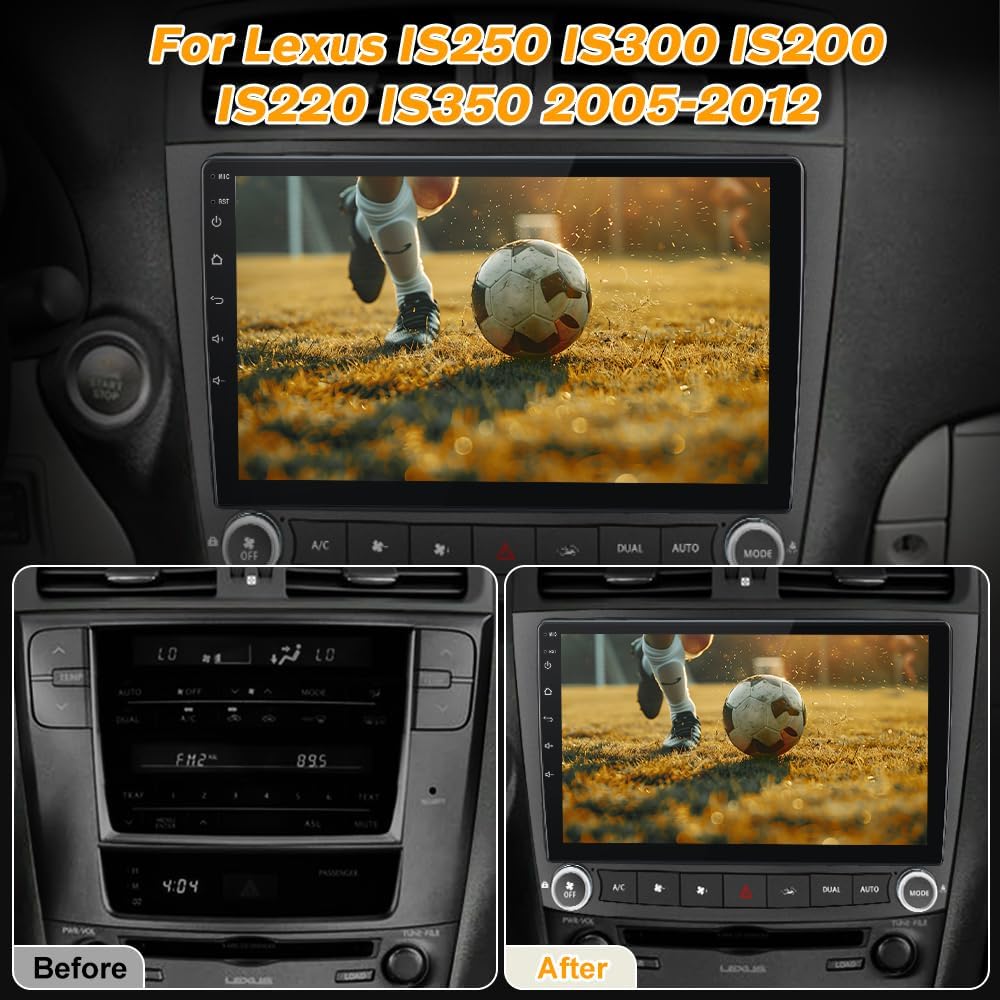
Image: A side-by-side comparison showing the original Lexus IS dashboard with the factory stereo (left) and the dashboard after installation of the Vratzn 10-inch car radio (right).
2.3. Wiring Diagram and Connections
Proper wiring is critical for the correct functionality of the car radio, including air conditioning (AC) and steering wheel controls. Refer to the detailed wiring diagram below and ensure all wire harnesses are connected correctly.
- OEM AC Power Plug: Connect this plug to the corresponding port.
- Hazard Light and AC Control Cable: Ensure this cable is securely connected.
- Vehicle Specific Plugs:
- For 06/07 year models with a screen, connect the designated plug.
- For 08/09 year models with a screen, connect the designated plug.
- For cars without a screen, connect the designated plug.
- CD Port: Only two ports need to connect with the original CD port. Other wires should be plugged back into the original CD port as before. Incorrect connection here can lead to audio cut-outs and AC/steering wheel control issues.
- RX/TX Cable: This cable is essential for AC and steering wheel control functionality. If this cable is not plugged in, these features will not work.
- OEM Backup Camera Port: Connect your original backup camera to this port if applicable.
- OBD Adapter: Connect the provided OBD adapter to the OEM car OBD plug.
- Stereo's Back Audio-out Port: Connect the RCA cable to this port.
Image: A comprehensive wiring diagram illustrating the various connections for the Vratzn car radio, including power, AC control, hazard lights, OBD, and audio ports. Specific plugs for different Lexus IS model years are highlighted.
2.4. Post-Installation Configuration
After physical installation, ensure the unit is connected to the internet. Navigate to the settings, find CANBUS settings, and set the car type to 'Lexus IS'. Save and reboot the system. This step is crucial for proper integration with your vehicle's systems.
3. Operating Instructions
3.1. System Overview
The unit runs on Android 13, providing a familiar smartphone-like interface on its 10-inch IPS touch screen. You can install and delete Android applications from the Application Store.
3.2. Wireless CarPlay and Android Auto
Connect your iPhone or Android smartphone wirelessly to access features like navigation, music, calls, messages, and voice control directly from the car radio display. The unit also supports wired and wireless mirror link functionality, allowing you to mirror your phone's screen.
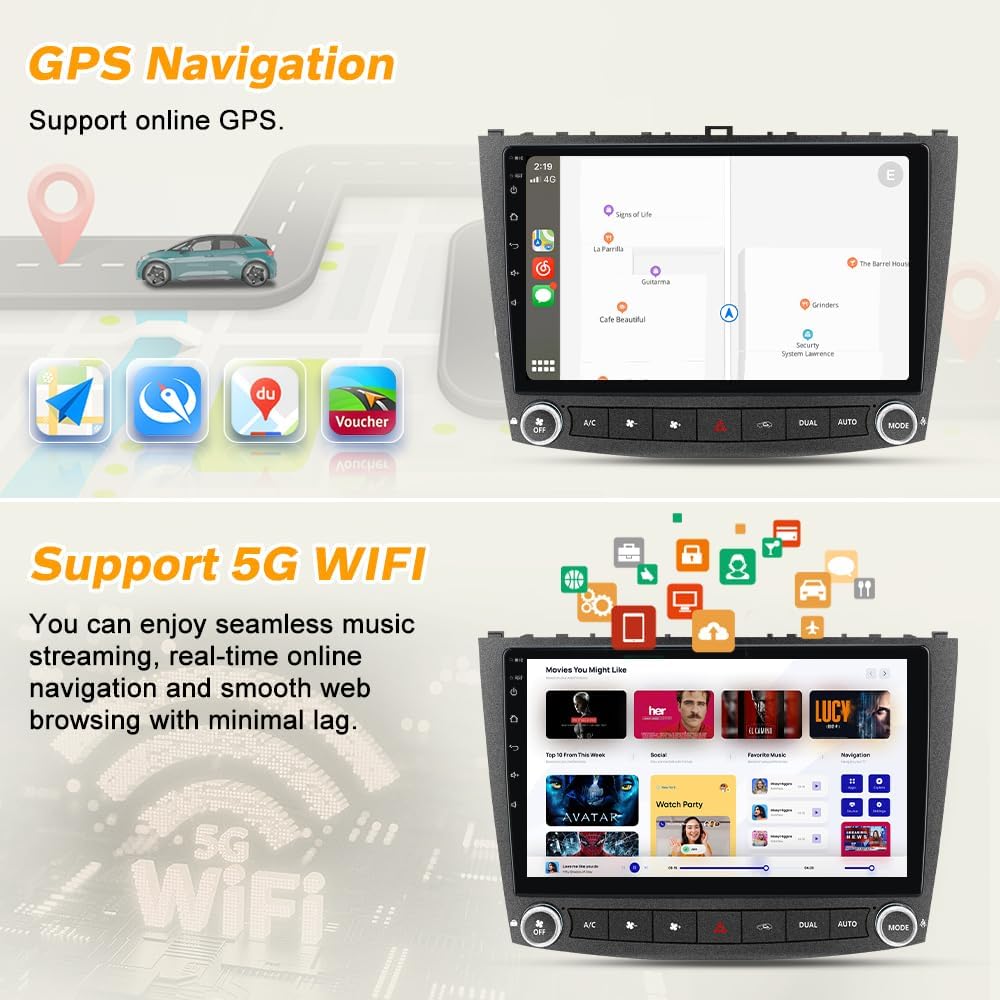
Image: The car radio screen displaying the user interfaces for Wireless CarPlay (left) and Android Auto (right), showing various app icons for navigation, music, and communication.
3.3. GPS Navigation
The unit supports online maps. After connecting to a WiFi network, you can use GPS navigation anywhere. Various navigation applications can be downloaded and used.

Image: The car radio screen showing a GPS navigation map interface (top) and icons representing 5GHz WiFi connectivity (bottom), indicating support for online navigation and fast internet access.
3.4. 5GHz WiFi Connectivity
Built-in support for 5GHz WiFi provides faster and more stable internet connectivity. This allows for seamless music streaming, real-time online navigation, and smooth web browsing.
3.5. Bluetooth 5.1
Bluetooth 5.1 offers faster connections, greater range, and improved audio quality for hands-free calling and wireless music streaming from your mobile devices.

Image: The car radio screen displaying a Bluetooth phone call interface (top) and a visual representation of a car reversing with parking aid lines, indicating support for original rear cameras (bottom).
3.6. FM/RDS Radio
The integrated FM/RDS radio displays real-time station information and ensures clear reception for an enhanced listening experience.

Image: The car radio screen showing the FM radio interface with station frequencies (top) and the Built-in DSP equalizer settings (bottom), illustrating audio customization options.
3.7. Steering Wheel Control (SWC)
The unit supports your original car's steering wheel controls. After correct wiring and configuration, you can switch songs, adjust volume, and answer calls directly from your steering wheel, enhancing driving safety.
3.8. Built-in DSP
The built-in Digital Sound Processor (DSP) allows for customizable equalizer settings, providing high-quality sound and a superior audio experience tailored to your preferences.
3.9. AHD Backup Camera Support
The unit supports AHD backup cameras with an RCA connector. When your vehicle is shifted into reverse, the screen will automatically display the camera feed with parking aid lines.
3.10. Split Screen Functionality
Utilize the split screen feature to run two applications simultaneously, such as navigation and music playback, for enhanced multitasking.
4. Maintenance
To ensure optimal performance and longevity of your car radio, follow these maintenance guidelines:
- Screen Cleaning: Use a soft, lint-free cloth to gently wipe the touch screen. For stubborn smudges, slightly dampen the cloth with water or a screen-safe cleaner. Avoid harsh chemicals or abrasive materials.
- General Cleaning: Keep the unit and surrounding dashboard area free from dust and debris.
- Software Updates: Periodically check for system software updates via the unit's settings menu when connected to WiFi. Updates can improve performance, add features, and fix bugs.
- Avoid Extreme Temperatures: Do not expose the unit to extreme heat or cold for extended periods, as this can affect its electronic components.
5. Troubleshooting
If you encounter issues with your Vratzn car radio, refer to the following troubleshooting steps:
- AC and Steering Wheel Controls Not Working:
- Verify all wire harnesses are connected correctly, especially the RX/TX cable. Refer to the wiring diagram in Section 2.3.
- Ensure that the original CD port connections are correctly re-established if applicable.
- Connect the screen to the internet, then go to settings, find CANBUS settings, set the car type to 'Lexus IS', save, and reboot.
- If issues persist, take clear pictures of your wiring and contact customer support.
- FM Radio Not Working / Audio Cut-outs:
- Check all audio-related wiring connections for secure fitment.
- Ensure that wires related to the original CD port are correctly plugged in, as improper connection can cause audio issues.
- Hazard/Emergency Lights Not Working:
- This is a critical safety concern. Immediately re-check the connection of the hazard light and AC control cable.
- If the issue persists after verifying connections, contact customer support immediately.
- OEM Backup Camera Not Working:
- Verify the OEM backup camera port connection is secure.
- Check the system settings for camera input configuration.
- Rear Defroster Not Working:
- Check the AC control cable wiring.
- Review system settings for any climate control options. If no specific setting is found, contact customer support.
- Fitment Gap in Dashboard:
- Some users have reported that replacing the AC vents with the 2009+ version can help resolve fitment gaps. This is a user-reported solution and may require additional parts.
- General Software Bugs:
- Ensure the unit is connected to the internet for potential system updates.
- Perform a system reboot.
6. Specifications
| Brand | Vratzn |
| Operating System | Android 13 |
| Processor | 4-core |
| RAM | 4GB |
| Memory Storage Capacity | 64GB |
| Screen Size | 10.1 Inches |
| Display Type | IPS Touch Screen (Capacitive) |
| Connectivity Technology | Bluetooth 5.1, 5GHz WiFi |
| Navigation | GPS (North America maps supported) |
| Special Features | Wireless CarPlay, Wireless Android Auto, Mirror Link, FM/RDS Radio, Built-in DSP, AHD Backup Camera Support, Steering Wheel Control, Split Screen |
| Compatible Vehicle Type | Lexus IS250 IS300 IS200 IS220 IS350 (2005-2012) |
| Item Weight | 2.18 Kilograms |
| UPC | 708500299602 |
7. Warranty Information
This Vratzn car radio stereo comes with a 1-Year Warranty from the date of purchase. This warranty covers manufacturing defects and malfunctions under normal use. Please retain your proof of purchase for warranty claims. The warranty does not cover damage caused by improper installation, misuse, accidents, or unauthorized modifications.
8. Customer Support
For any questions, technical assistance, or troubleshooting not covered in this manual, please contact our dedicated customer support team. We offer reliable one-on-one support to assist you.
- Email Support: Vratzn-US@outlook.com
- Urgent Issues: If you encounter any issues with the air conditioning or steering wheel controls after installation, please contact us immediately for a satisfactory solution.

Image: A customer support representative wearing a headset, symbolizing available assistance.